
1. Introduzione
The DYTDIEYINGTU RC-101 CR41 is a wired remote control cable designed to provide precise shutter release for Sigma FP and FPL cameras. This device allows for single or dual-camera control, enabling synchronized focus and photo capture. It is ideal for preventing camera shake during long exposures or when precise timing is critical. The RC-101 CR41 operates without batteries, drawing power directly from the connected camera.
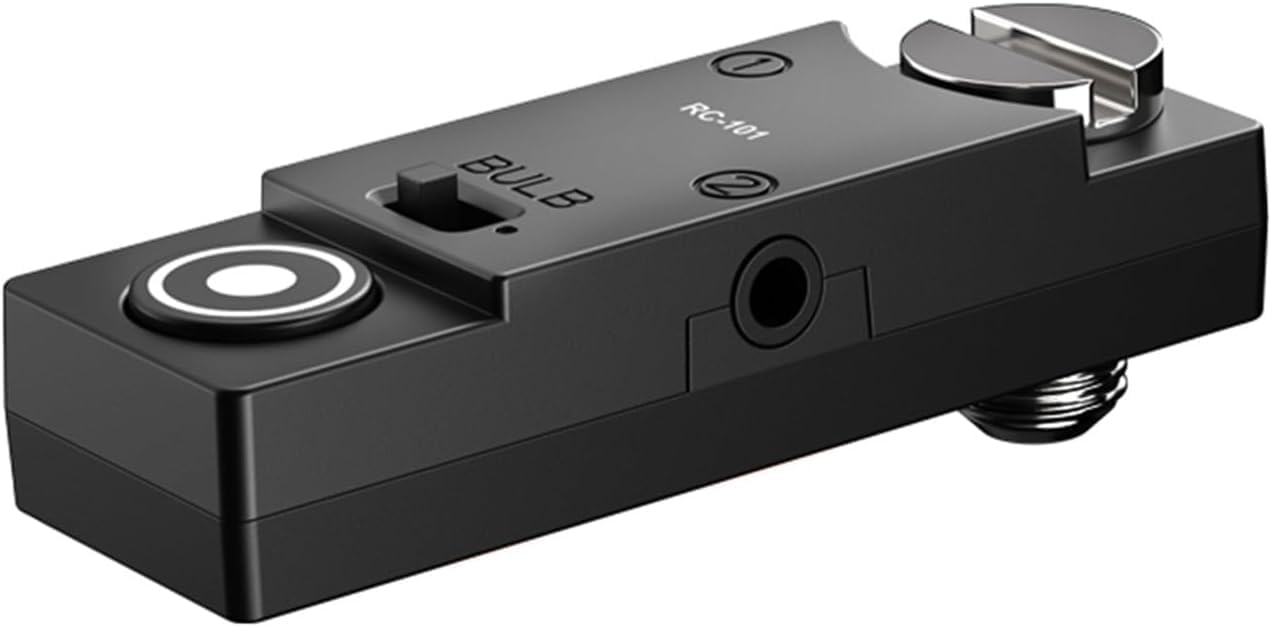
Image 1: The RC-101 CR41 Camera Shutter Remote Control Cable.
2. Contenuto della confezione
Si prega di verificare che tutti gli articoli siano presenti nel pacco:
- 1 x RC-101 CR41 Remote Control Unit
- 2 x 2.5mm to TRRS 3.5mm CR4A Cables
- 1 x 1/4 inch Screw
- 1 chiave piatta
- 1 x Manuale utente (questo documento)

Image 2: All components included in the RC-101 CR41 package.
3. Prodotto finitoview
Familiarize yourself with the various parts of the RC-101 CR41 remote control:
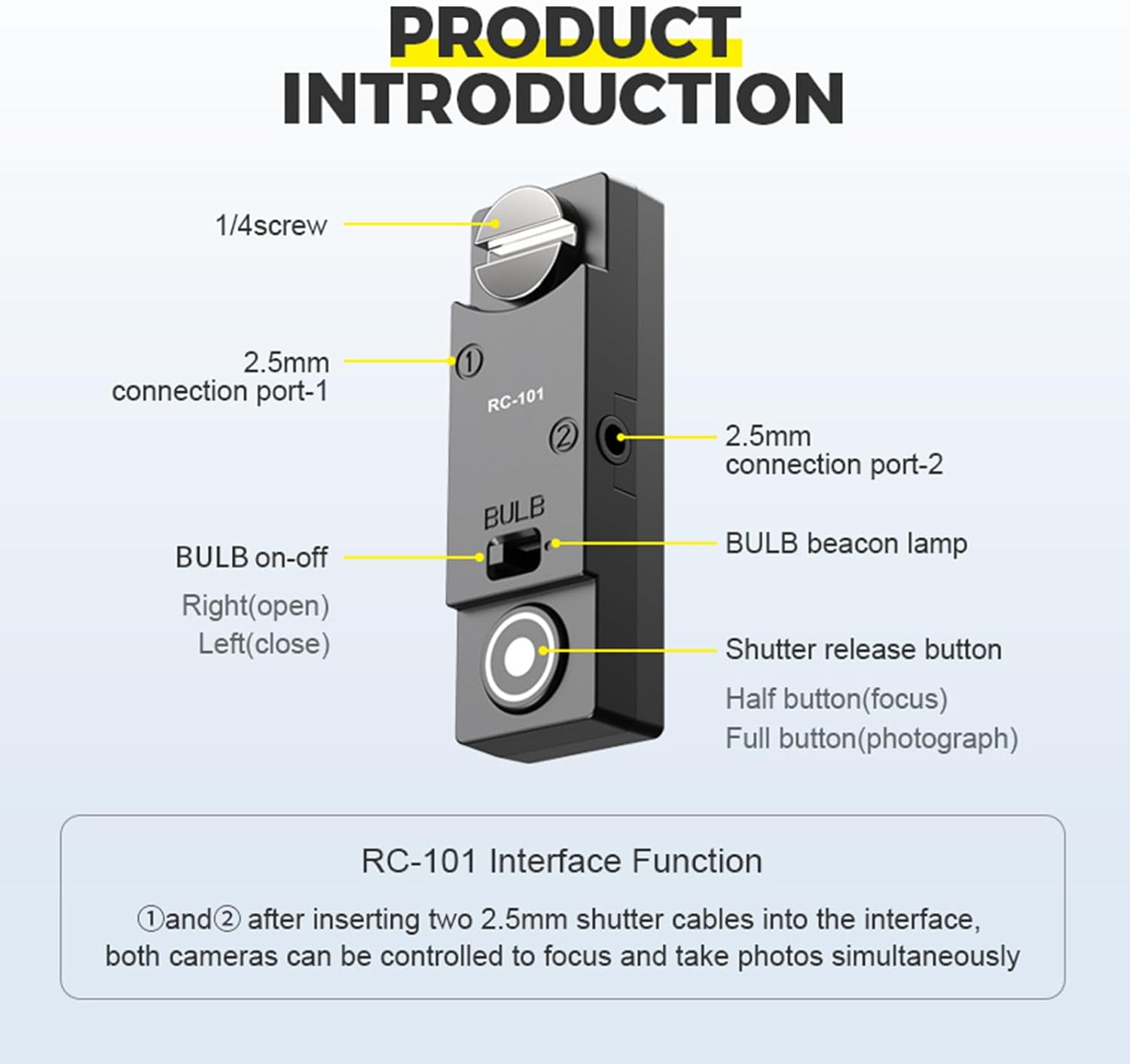
Image 3: Labeled components of the RC-101 CR41 remote control.
- 1/4 inch Screw: Used for mounting the remote control to a camera cage, handle, or tripod device.
- 2.5mm Connection Ports (1 & 2): These ports are for connecting the remote control to your camera(s) using the provided 2.5mm cables.
- BULB On-Off Switch: Activates or deactivates the BULB mode for extended exposures. Right position is 'open' (on), Left position is 'close' (off).
- BULB Beacon Lamp: An indicator light for the BULB mode.
- Pulsante di scatto: Functions similarly to your camera's shutter button. A half-press initiates autofocus, and a full-press triggers the shutter to take a photograph.
4. Installazione e collegamento
Follow these steps to connect the RC-101 CR41 to your camera(s):
- Identify Camera Shutter Port: Locate the remote shutter release port on your Sigma FP or FPL camera. This is typically a 2.5mm or 3.5mm jack. For some Fujifilm and Panasonic models, it might be located above the SD card slot, marked 'REMOTE'. Refer to your camera's manual for exact port location.
- Collegare il cavo: Insert one end of the provided 2.5mm to TRRS 3.5mm cable into one of the 2.5mm connection ports on the RC-101 unit. Insert the other end of the cable into your camera's remote shutter release port. Note that the camera's 3.5mm jack may be tight; gently push and rotate the plug to ensure a secure connection.
- Dual Camera Setup (Optional): To control two cameras simultaneously, connect a second 2.5mm to TRRS 3.5mm cable from the second 2.5mm connection port on the RC-101 unit to the remote shutter release port of your second camera.
- Montaggio (facoltativo): Use the integrated 1/4 inch screw to attach the RC-101 unit to a compatible camera rig, handle, or tripod for convenient access and stability.

Immagine 4: Es.amples of remote shutter port locations on various camera models.
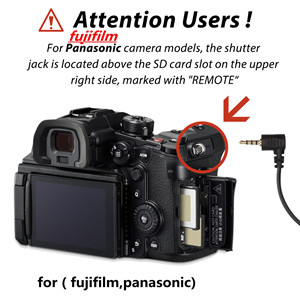
Image 5: Specific remote shutter jack location for Fujifilm and Panasonic cameras.
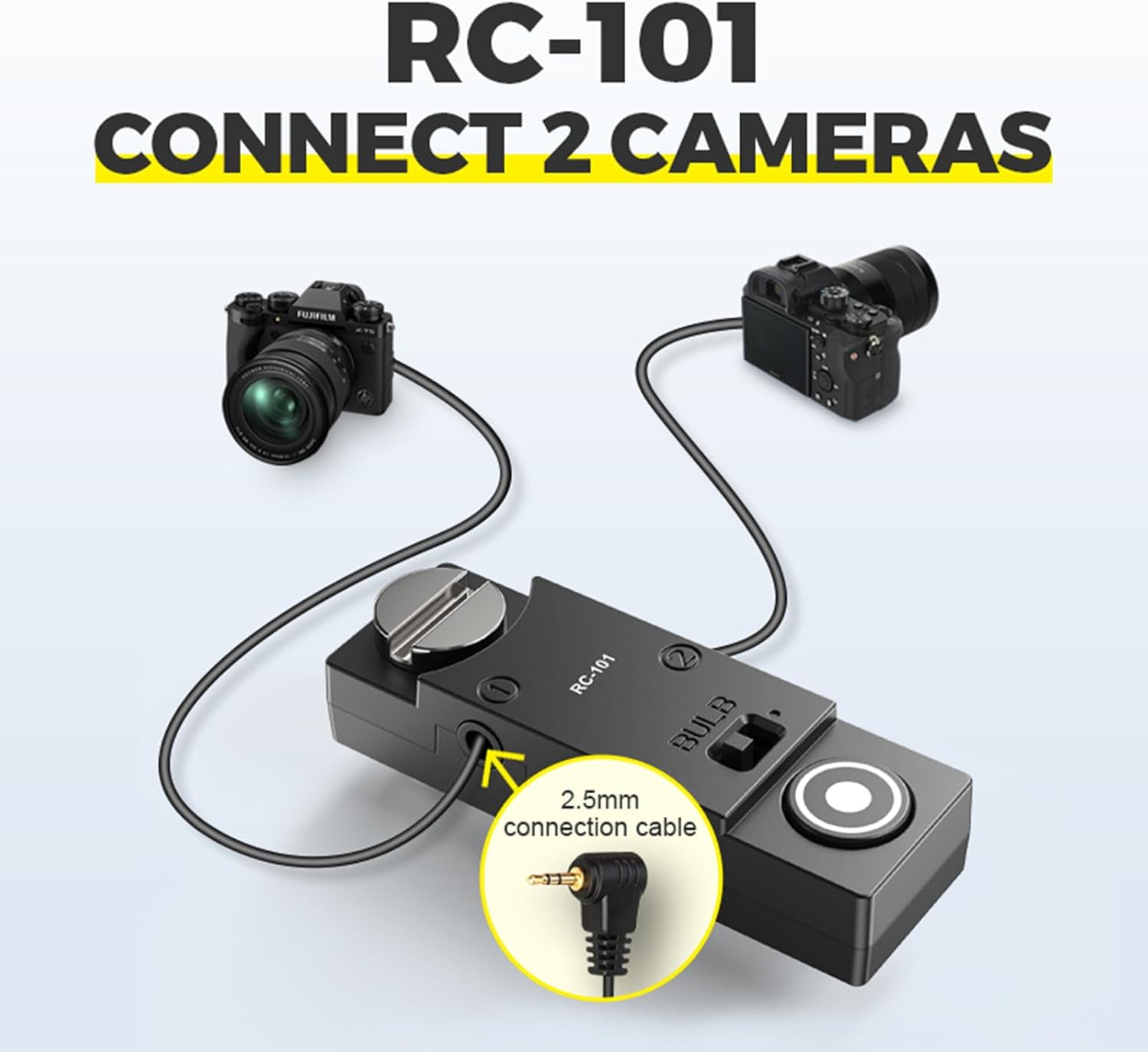
Image 6: Connecting the RC-101 CR41 to two cameras for synchronized control.
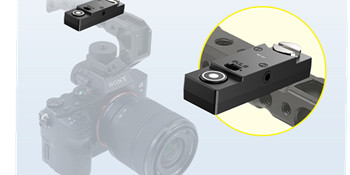
Image 7: The RC-101 CR41 mounted on a camera rig using the 1/4 inch screw.
5. Istruzioni per l'uso
The RC-101 CR41 offers various modes for different photographic needs.
5.1 Funzionamento di base dell'otturatore
- Mezza pressione: Press the shutter release button halfway down to activate your camera's autofocus system.
- Stampa completa: Press the shutter release button fully down to trigger the camera's shutter and capture a photograph.
5.2 Modalità fotografiche
The RC-101 CR41 supports standard photography, continuous shooting, and BULB mode.

Image 8: Visual representation of the three camera modes.
- Photography Mode: For single shots, use the half-press for focus and full-press for capture.
- Modalità continua: If your camera is set to continuous shooting mode, holding down the full-press on the remote will trigger continuous capture until released.
- BULB Mode: For long exposures, slide the BULB switch to the 'open' (right) position. Press and hold the shutter release button for the desired exposure duration. The BULB beacon lamp will indicate when BULB mode is active. Release the button to end the exposure.
5.3 Dual Camera Control
When two cameras are connected, pressing the shutter release button on the RC-101 CR41 will simultaneously trigger both cameras to focus (half-press) and take pictures (full-press).
6. Preventing Camera Shake
Using a remote shutter release like the RC-101 CR41 is crucial for minimizing camera shake, especially during long exposures, macro photography, or when using telephoto lenses. By avoiding direct contact with the camera body, you ensure sharper images.

Image 9: Demonstrating the reduction of camera shake with the RC-101 CR41.
7. Specifiche
| Caratteristica | Dettaglio |
|---|---|
| Modello | RC101-CR41 |
| Dispositivi compatibili | Sigma FP, Sigma FPL |
| Dispositivi supportati massimi | 2 Telecamere |
| Dimensioni del prodotto | 1.9 x 0.61 x 0.35 pollici (48.3 x 15.6 x 9 mm) |
| Peso dell'articolo | 1.06 once |
| Colore | Nero |
| Fonte di alimentazione | Camera Power (No battery required) |
| Tipo di connessione | Cablato, jack da 2.5 mm |
8. Risoluzione Dei Problemi
- Remote not functioning:
- Ensure the cable is fully inserted into both the remote control and the camera's remote port. The camera's 3.5mm jack can be tight; apply gentle force with rotation to ensure a complete connection.
- Verify that your camera's settings allow for remote shutter release. Consult your camera's instruction manual.
- Test with a different cable if available, or try connecting to a different compatible camera to rule out a faulty cable or camera port.
- Only one camera responding in dual-camera setup:
- Check the connection of the cable to the non-responding camera and the second port on the RC-101 unit. Ensure both are securely connected.
- Confirm that both cameras are powered on and in a ready state for shooting.
- Cable length is too short:
- The included cables are approximately 30cm (11.8 inches). If a longer cable is required for your setup, such as for shoulder rigs or specific dual-camera configurations, a compatible replacement cable can be purchased separately.
9. Manutenzione
To ensure the longevity and optimal performance of your RC-101 CR41 remote control:
- Mantenere il dispositivo pulito e privo di polvere e umidità. Utilizzare un panno morbido e asciutto per la pulizia.
- Evitare di esporre l'unità a temperature estreme o alla luce solare diretta per periodi prolungati.
- Store the remote control and cables in a protective case or bag when not in use to prevent damage to the connectors.
- Do not attempt to disassemble the unit, as this will void any potential warranty and may cause damage.
10. Garanzia e supporto
For warranty information or technical support, please contact the manufacturer, DYTDIEYINGTU, directly. Refer to their official website or the product packaging for contact details. Protection plans may also be available for purchase separately through your retailer.