
cellularline BTSPIRITL
cellularline SPIRIT Open-Ear Bluetooth Sport Earphones User Manual
Model: BTSPIRITL | Brand: cellularline
Introduzione
The cellularline SPIRIT Open-Ear Bluetooth Sport Earphones are engineered for active individuals who prioritize both audio enjoyment and situational awareness. Featuring an open-ear design and Air Conduction technology, these earphones allow you to listen to music and take calls while remaining conscious of your surroundings. With IPX4 certification, they are resistant to sweat and splashes, making them suitable for various sports activities. The ergonomic design ensures a comfortable and secure fit during intense workouts.
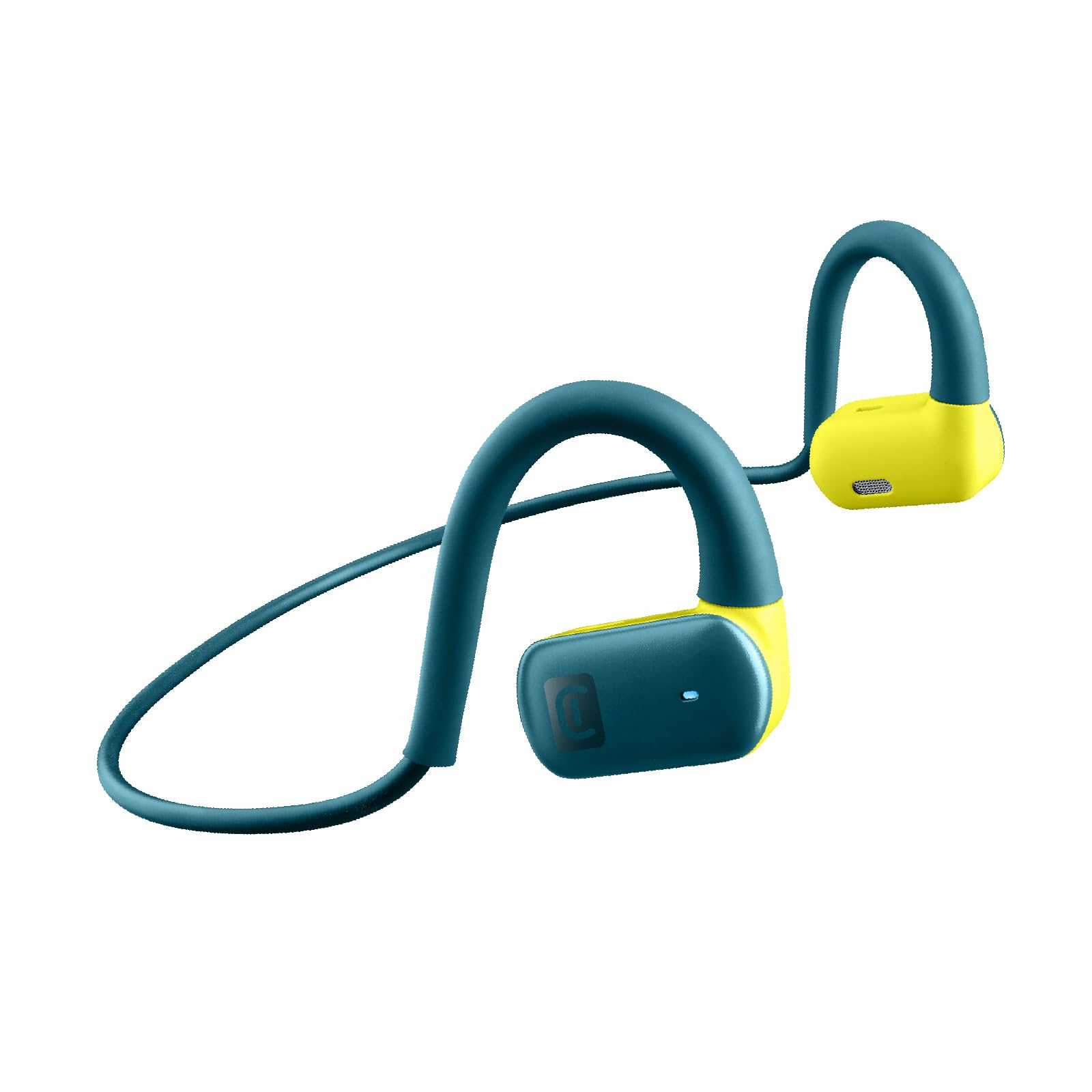
Image: The cellularline SPIRIT Open-Ear Bluetooth Sport Earphones, showcasinil loro design e colore.

Immagine: Un dettaglio view of the cellularline SPIRIT earphones, emphasizing the open-ear design for environmental awareness.

Image: A person wearing the cellularline SPIRIT earphones while running, demonstrating the ability to listen to music and remain aware of their surroundings.

Image: A cyclist wearing the cellularline SPIRIT earphones, illustrating how the open-ear design allows for safety and connectivity during activities.
Cosa c'è nella scatola
- cellularline SPIRIT Bluetooth Earphones
- Cavo di ricarica
- Manuale d'uso
Impostare
1. Ricarica degli auricolari
Before first use, fully charge your SPIRIT earphones. Connect the provided charging cable to the charging port on the earphones and to a USB power source. The charging indicator light will show the charging status. A full charge takes approximately 1.5 hours and provides up to 7 hours of playback time.

Image: The cellularline SPIRIT earphones highlighting their 7-hour total play time on a light background.
2. Associazione con un dispositivo Bluetooth
- Assicurarsi che gli auricolari siano spenti.
- Press and hold the multi-function button on the earphones until the LED indicator flashes blue and red, indicating pairing mode.
- Sul tuo dispositivo (smartphone, tablet, ecc.), attiva il Bluetooth e cerca i dispositivi disponibili.
- Select "SPIRIT" from the list of found devices.
- Once connected, the LED indicator on the earphones will flash blue slowly.
Una volta accesi, gli auricolari tenteranno automaticamente di riconnettersi all'ultimo dispositivo associato.
Istruzioni per l'uso
Accensione/spegnimento
- Accensione: Tenere premuto il pulsante multifunzione per circa 3 secondi finché l'indicatore LED non lampeggia in blu.
- Spegni: Tenere premuto il pulsante multifunzione per circa 5 secondi finché l'indicatore LED non lampeggia in rosso e poi si spegne.
Riproduzione musicale
- Riproduci/Pausa: Premi una volta il pulsante multifunzione.
- Traccia successiva: Premere due volte il pulsante multifunzione.
- Traccia precedente: Premere tre volte il pulsante multifunzione.
Gestione delle chiamate
- Rispondi/Termina chiamata: Premi una volta il pulsante multifunzione.
- Rifiuta chiamata: Tieni premuto il pulsante multifunzione per 2 secondi.
Assistente vocale
To activate your device's voice assistant (e.g., Siri, Google Assistant), press the multi-function button for 2 seconds until you hear a prompt.
Manutenzione
Pulizia
Wipe the earphones with a soft, dry, or slightly damp panno. Non utilizzare prodotti chimici aggressivi o materiali abrasivi. Assicurarsi che la porta di ricarica sia asciutta prima di caricare.
Magazzinaggio
Store the earphones in a cool, dry place away from direct sunlight and extreme temperatures. Avoid storing them with sharp objects that could cause damage.

Image: The cellularline SPIRIT earphones showing their flexible and stable design, indicating comfort during wear.
Risoluzione dei problemi
| Problema | Soluzione |
|---|---|
| Gli auricolari non si accendono. | Ensure the earphones are fully charged. Connect them to a power source using the charging cable. |
| Impossibile effettuare l'associazione con un dispositivo. |
|
| Nessun suono o volume basso. |
|
| Connessione intermittente. |
|
Specifiche
- Nome modello: BTSPIRITL
- Connettività: Senza fili (Bluetooth 4.0)
- Gamma Bluetooth: Fino a 10 metri
- Tipo di auricolare: Open-ear, On-ear
- Tipo di driver audio: Tecnologia di conduzione dell'aria
- Risposta in frequenza: 20 Hz - 20,000 Hz
- Tempo di gioco: Fino a 7 ore
- Tempo di ricarica: Circa 1.5 ore
- Resistenza all'acqua: IPX4 (resistente al sudore e agli schizzi)
- Materiale: Gomma siliconica
- Caratteristiche: Built-in microphone, Voice Assistant support

Image: The cellularline SPIRIT earphones with water droplets on the surface, illustrating their sweat and rain-proof design (IPX4).
Garanzia e supporto
Questo prodotto viene fornito con un Garanzia di 2 anno from the date of purchase. For warranty claims or technical support, please contact cellularline customer service through their official webo al rivenditore presso cui è stato acquistato il prodotto. Si prega di conservare la prova d'acquisto per la convalida della garanzia.
Per maggiori informazioni, visita il sito ufficiale di cellularline websito: www.cellularline.com
Ask a question about this manual
Ask about setup, troubleshooting, compatibility, parts, safety, or missing instructions. Manuals+ will review the question and use this page’s manual context to help answer it.