
Jensen J1CA7-BUC
JENSEN J1CA7-BUC 7-inch Certified Apple CarPlay Android Auto Double DIN Touchscreen Car Stereo Radio
Model: J1CA7-BUC | Brand: Jensen
Introduzione
This manual provides comprehensive instructions for the installation, operation, and maintenance of your JENSEN J1CA7-BUC 7-inch Certified Apple CarPlay Android Auto Double DIN Touchscreen Car Stereo Radio. Designed for an enhanced in-car audio and connectivity experience, this unit features a high-resolution touchscreen, seamless smartphone integration, and a built-in backup camera for added safety.

Figure 1: JENSEN J1CA7-BUC Car Stereo and Included Backup Camera.
Informazioni sulla sicurezza
- Always operate the vehicle in a safe manner. Do not allow the use of this product to distract you from driving.
- Keep the volume at a level where you can still hear outside traffic and emergency signals.
- Prima dell'installazione, scollegare la batteria del veicolo per evitare cortocircuiti.
- Ensure all wiring connections are secure and properly insulated to prevent damage to the unit or vehicle.
- Se non si è sicuri di una qualsiasi fase dell'installazione, consultare un installatore professionista.
Contenuto della confezione
- JENSEN J1CA7-BUC Car Stereo Receiver
- BUCAM100J Backup Camera
- Cablaggio di alimentazione
- Input/Output Harness
- Microfono esterno
- Hardware di montaggio
- Manuale dell'utente (questo documento)

Figure 2: Included wiring harnesses and accessories.
Configurazione e installazione
1. Elenco di controllo pre-installazione
- Verify vehicle compatibility for double DIN stereo.
- Raccogliere gli strumenti necessari (spellafili, crimpatrici, cacciaviti, nastro isolante).
- Scollegare il terminale negativo della batteria del veicolo.
2. Collegamenti elettrici
Connect the included power and input/output harnesses to the corresponding ports on the back of the stereo. Ensure proper connection of the external microphone and radio antenna.
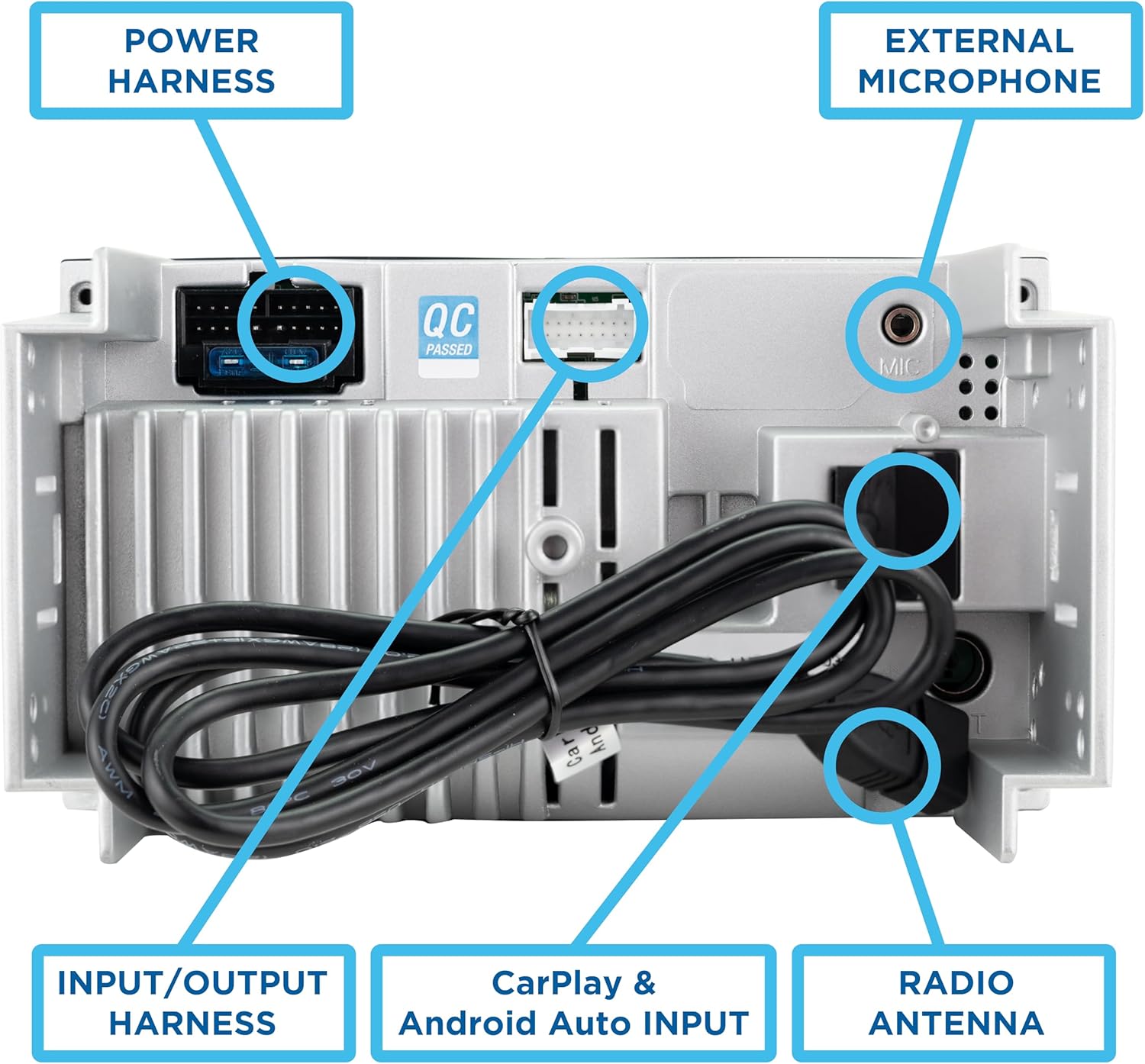
Figure 3: Rear connections including Power Harness, Input/Output Harness, External Microphone, and Radio Antenna.
- Cablaggio di potenza: Collegare ai cavi di alimentazione, di terra e degli accessori del veicolo.
- Input/Output Harness: Connect to speakers, RCA outputs, and other auxiliary inputs.
- Microfono esterno: Plug into the dedicated microphone input for hands-free calling and voice commands.
- Telecamera di retromarcia: Connect the BUCAM100J camera to the dedicated video input and power it according to the camera's instructions.
3. Montaggio dell'unità
Install the stereo into your vehicle's double DIN opening using the provided mounting hardware. Ensure the unit is securely fastened.
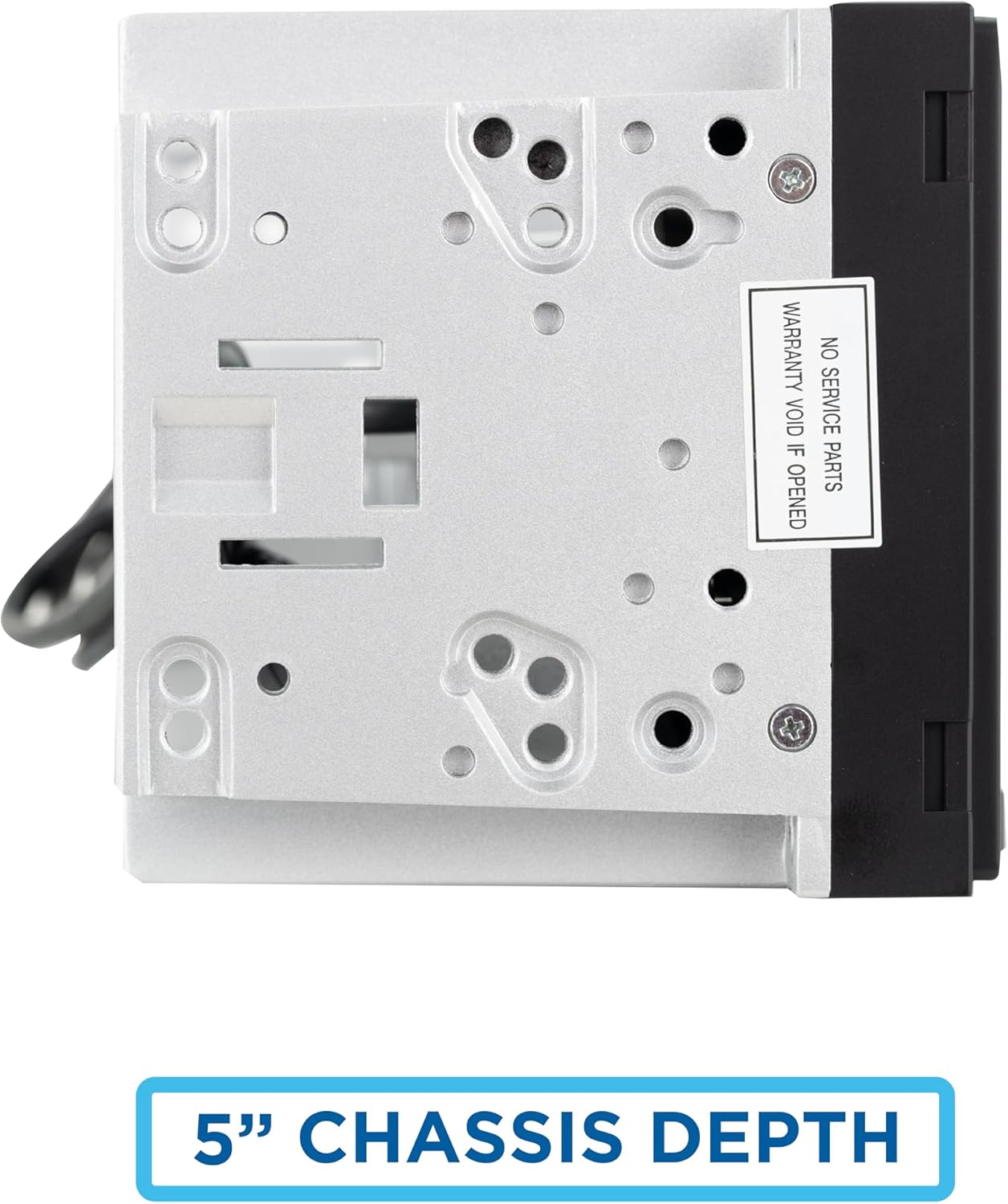
Figure 4: The unit features a compact 5-inch chassis depth for easier installation.
4. Accensione iniziale
Reconnect the vehicle's battery. Turn on the vehicle's ignition to power on the stereo. The unit will display the JENSEN logo upon startup.
Istruzioni per l'uso
The J1CA7-BUC features a 7-inch LED high-resolution touchscreen (1024 x 600) for intuitive control and navigation.
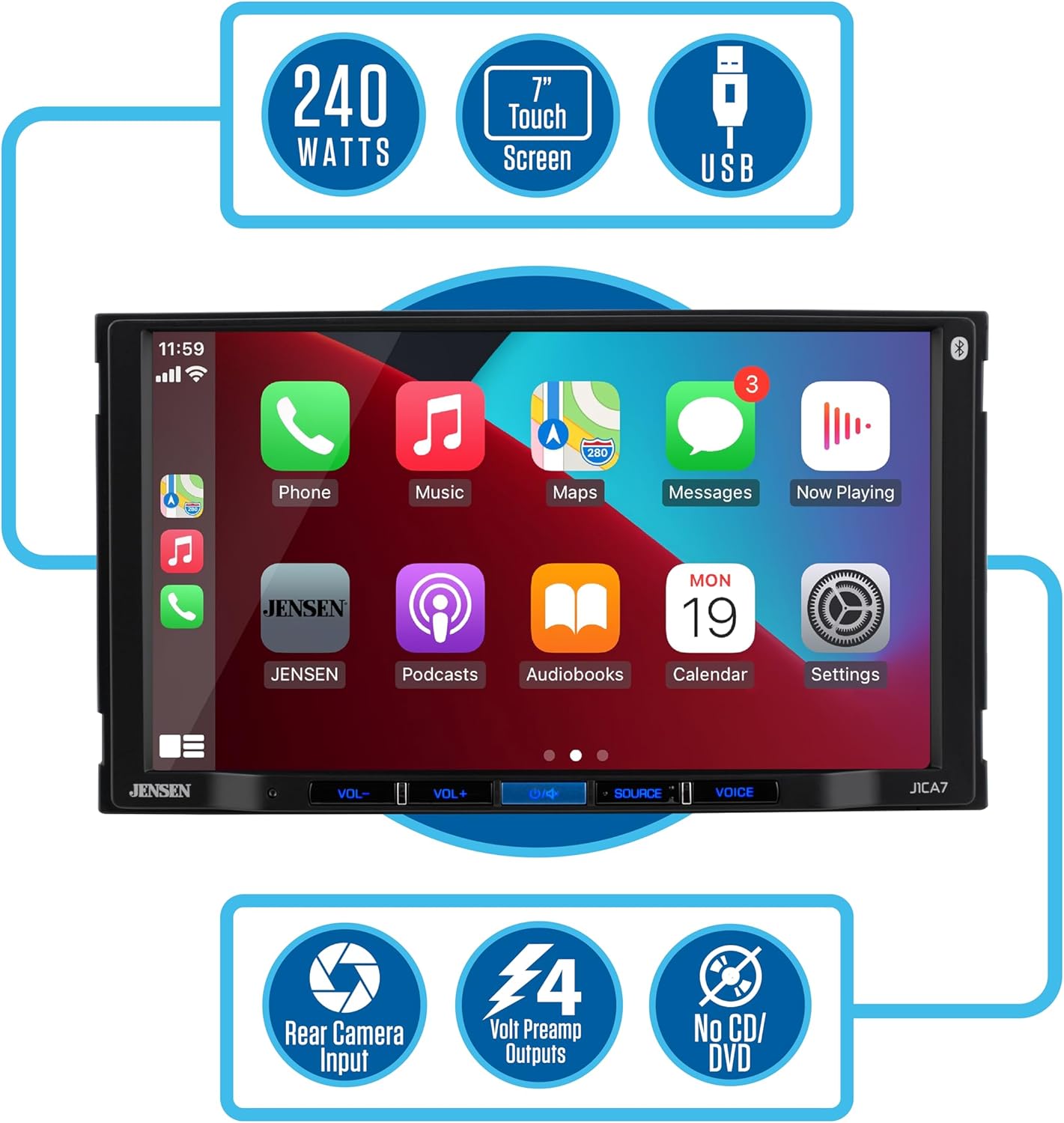
Figure 5: Key features of the J1CA7-BUC receiver.
1. Main Interface and Source Selection
From the main "SOURCES" screen, you can select various audio and connectivity options such as Radio, USB, Bluetooth Phone, Bluetooth Audio, Android Auto, and CarPlay.
2. Apple CarPlay Integration
Connect your iPhone via USB to enable Apple CarPlay. This allows you to access Apple Maps, make calls, send texts, and listen to music directly from the stereo's display. Use Siri for voice commands to maintain focus on the road.

Figura 6: Integrazione perfetta con Apple CarPlay e Android Auto.
3. Android Auto Integration
Connect your Android phone via USB to activate Android Auto. This feature minimizes distractions by providing an intuitive voice-controlled interface for navigation, calls, and music. Ensure your phone's operating system is up to date for optimal performance.
4. Connettività Bluetooth
The unit features built-in Bluetooth for hands-free calling and music streaming. Pair your device through the Bluetooth settings menu. Once paired, you can make and receive calls directly from the stereo and stream audio wirelessly.
5. Riproduzione e ricarica USB
Utilize the rear USB input for media playback from a USB drive or for charging your mobile devices.
6. Audio Settings (EQ and Balance)
Access the Equalizer (EQ) settings to tailor your audio experience. Choose from preset EQ curves (Classic, Rock, Jazz, Electric, Pop, Soft, Default) or customize your own. Adjust sound balance and fader settings to optimize audio distribution within your vehicle.
7. Display della telecamera di retromarcia
The included BUCAM100J backup camera automatically displays the rear view when the vehicle is in reverse, providing visual assistance for parking and maneuvering. The display includes parking guidelines.
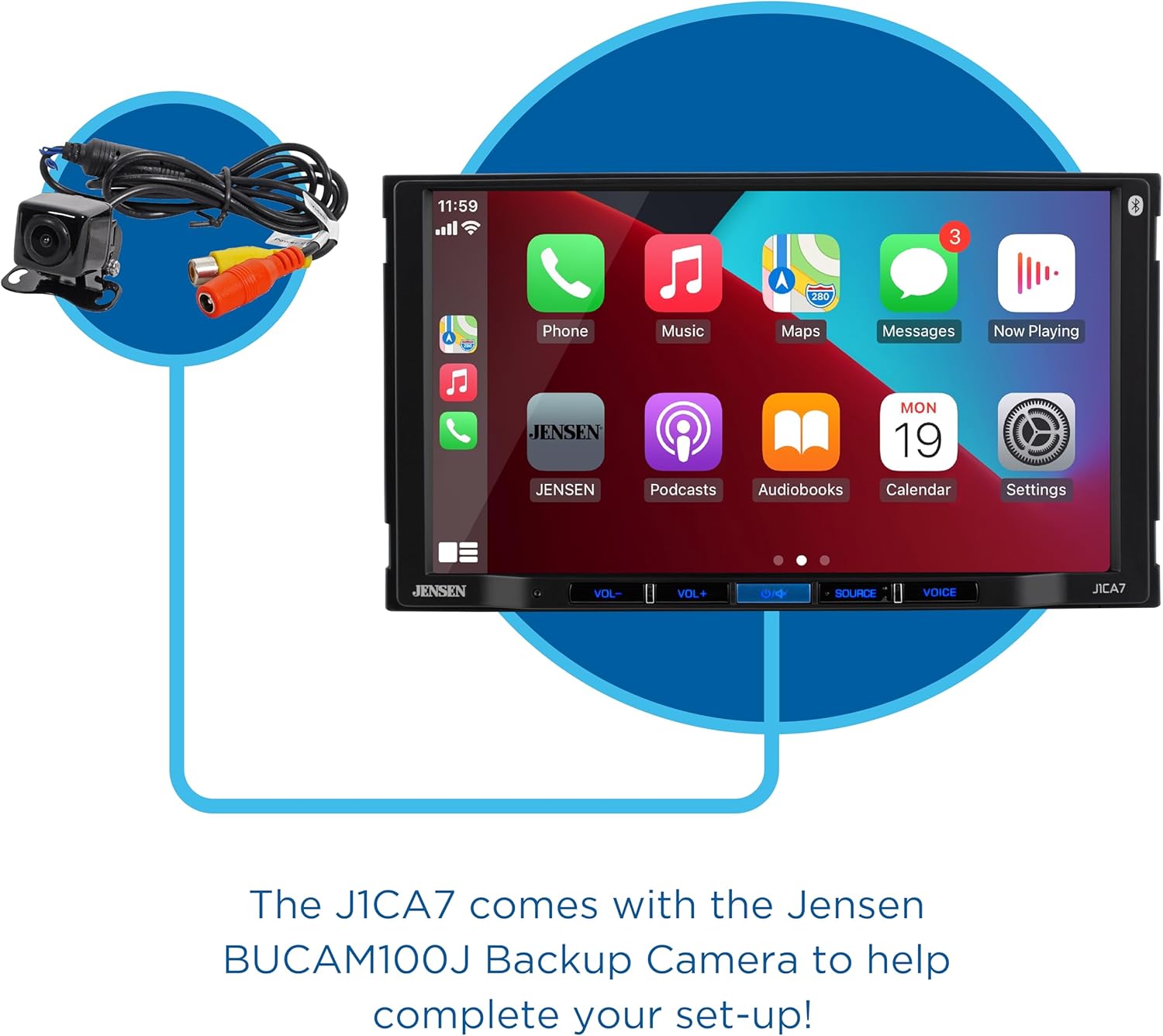
Figure 7: The J1CA7-BUC comes with the Jensen BUCAM100J Backup Camera.
8. Pulsante di attivazione vocale
Press the VOICE button on the unit to activate your smartphone's voice assistant (Siri or Google Assistant) for hands-free control.
9. Caratteristiche del prodotto oltreview Video
Video 1: Oltreview of JENSEN J1CA7-BUC features, including touchscreen navigation, Apple CarPlay, Android Auto, Bluetooth music streaming and hands-free calling, USB input, audio adjustments, and backup camera functionality.
Manutenzione
- Pulizia: Utilizzare un panno morbido e asciutto per pulire il touchscreen e l'esterno dell'unità. Evitare detergenti abrasivi o solventi.
- Aggiornamenti software: Periodically check the Jensen websito per eventuali aggiornamenti software o firmware disponibili per garantire prestazioni e compatibilità ottimali.
- Gestione dei cavi: Assicurarsi che tutti i cavi siano disposti ordinatamente e fissati per evitare danni o interferenze.
Risoluzione dei problemi
| Problema | Possibile causa | Soluzione |
|---|---|---|
| L'unità non si accende. | Fusibile bruciato, cablaggio errato, batteria del veicolo scollegata. | Check vehicle fuses. Verify power and ground connections. Ensure battery is connected. |
| Nessuna uscita audio. | Volume troppo basso, sorgente selezionata in modo errato, problemi di cablaggio degli altoparlanti. | Aumentare il volume. Selezionare la sorgente audio corretta. Controllare i collegamenti degli altoparlanti. |
| Apple CarPlay/Android Auto non si connette. | Faulty USB cable, outdated phone OS, phone not recognized. | Try a different, high-quality USB cable. Update phone's operating system. Restart phone and stereo. |
| Backup camera image is upside down. | Camera orientation issue. | This unit may not have an in-built image inversion setting. Consider adjusting the physical camera mounting or using a camera with adjustable image orientation. |
| Scarsa qualità del microfono durante le chiamate. | Microphone placement, environmental noise. | Ensure microphone is positioned optimally, away from vents or excessive noise. |
Specifiche
| Caratteristica | Dettaglio |
|---|---|
| Numero di modello | J1CA7-BUC |
| Dimensioni dello schermo | 7-inch LED High Resolution Touch Screen (1024 x 600) |
| Potenza di picco in uscita | 240 Watt |
| Tecnologia di connettività | Bluetooth, USB |
| Tipo di controllore | Schermo tattile |
| Caratteristiche speciali | Apple CarPlay, Android Auto, Pandora, Equalizer, Spotify, Backup Camera Included |
| Modalità di uscita audio | Stereo |
| Peso dell'articolo | 3.45 libbre |
| Dimensioni del pacco | 8.74 x 8.43 x 5.83 pollici |
Garanzia e supporto
The JENSEN J1CA7-BUC comes with a 2-year standard warranty. When you register your product on Jensenmobile.com, your warranty is extended to 3 years.
For technical support, troubleshooting assistance, or warranty claims, please visit the official Jensen website or contact their customer service department. Refer to the contact information provided on the Jensenmobile.com websito.
Ask a question about this manual
Ask about setup, troubleshooting, compatibility, parts, safety, or missing instructions. Manuals+ will review the question and use this page’s manual context to help answer it.