
VTech VG232
Manuale utente del telefono cordless VTech VG232
Modello: VG232
Introduzione
This manual provides detailed instructions for the setup, operation, and maintenance of your VTech VG232 Cordless Phone with Answering System. Please read this manual thoroughly to ensure proper use and to take full advantage di tutte le caratteristiche.

Image: VTech VG232 Cordless Phone and Base Unit
Cosa c'è nella scatola
Verifica che il pacco contenga i seguenti articoli:
- Unità di base
- Ricevitore cordless
- Adattatore CA
- Pacco batteria
- Cavo della linea telefonica
Impostare
1. Installazione della batteria
- Aprire il coperchio del vano batterie sul retro del portatile.
- Collegare saldamente il connettore del pacco batteria al jack all'interno del vano.
- Posizionare il pacco batteria con l'etichetta rivolta verso l'ALTO.
- Chiudere il coperchio del vano batterie.
2. Collegamento dell'unità base
- Collegare l'estremità piccola dell'adattatore CA alla presa di alimentazione sul retro della base del telefono.
- Collegare l'estremità grande dell'adattatore CA a una presa a muro non controllata da un interruttore a parete.
- Collegare un'estremità del cavo della linea telefonica alla presa telefonica sul retro della base del telefono.
- Collegare l'altra estremità del cavo telefonico a una presa telefonica a muro.
3. Ricarica iniziale
Place the handset in the telephone base to charge. The handset will display 'Charging' and the charge light on the handset will illuminate. Allow at least 16 hours for the battery to fully charge before initial use.
4. Opzioni di posizionamento
The VTech VG232 base unit can be placed on a tabletop or mounted on a wall.

Image: VTech VG232 Cordless Phone Base Unit on a tabletop and wall-mounted
Istruzioni per l'uso
Sistema di risposta digitale
The integrated digital answering system records messages when you are unavailable to answer calls. It offers up to 14 minutes of recording time.
- Riproduzione dei messaggi: Premere RIPRODUCI/ARRESTA sull'unità base.
- Saltare i messaggi: Premere SALTARE to advance to the next message.
- Messaggi ripetuti: Premere RIPETERE to replay the current message. Press twice to go to the previous message.
- Eliminazione dei messaggi: Premere ELIMINARE durante la riproduzione del messaggio.
- Contatore messaggi: L'unità base visualizza il numero di nuovi messaggi.

Image: VTech VG232 Cordless Phone with Digital Answering System

Image: VTech VG232 Cordless Phone indicating 14 minutes of recording time

Image: VTech VG232 Cordless Phone base unit with message counter displaying '12'
ID chiamante/Chiamata in attesa
The phone displays the name, number, time, and date of incoming calls. It stores up to 50 calls in the Caller ID log.
- Reviewing Calls: Utilizzare il CID button to scroll through the Caller ID log.
- Richiamare: Premere PARLA/FLASH to call a number from the Caller ID log.

Image: VTech VG232 Cordless Phone displaying Caller ID information and storing 50 calls
Vivavoce full-duplex
Engage the speakerphone function for hands-free conversations. The full-duplex feature allows both parties to speak and be heard simultaneously.
- Activating Speakerphone: Premere il tasto PARLA/FLASH button during a call to switch to speakerphone.
- Regolazione del volume: Utilizzare il VOLUME pulsanti sul portatile.
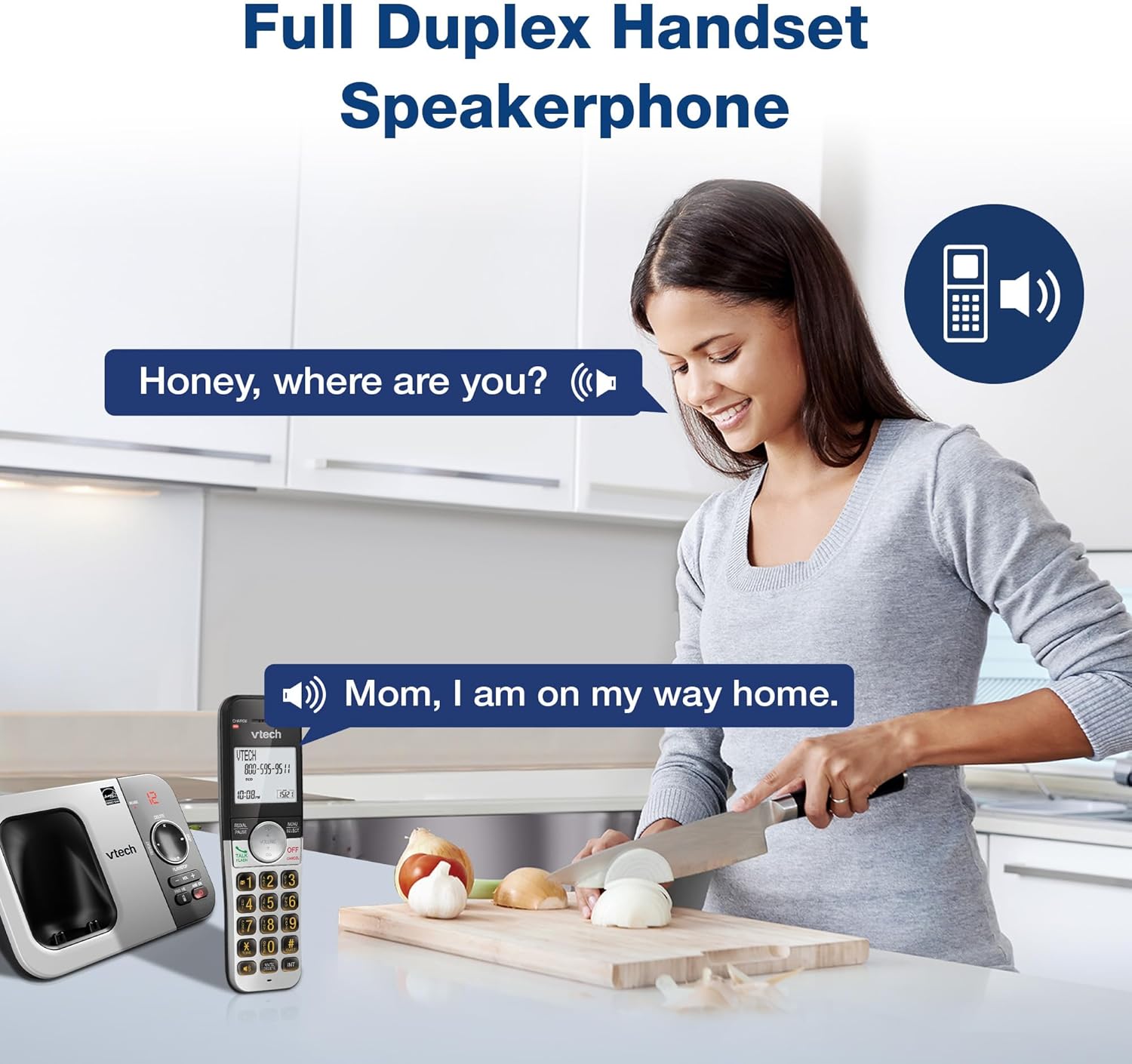
Image: VTech VG232 Cordless Phone with Full Duplex Handset Speakerphone in use
Tastiera e display retroilluminati
The handset features a backlit keypad and a large 2-inch white backlit LCD screen for improved visibility in low-light conditions.

Image: VTech VG232 Cordless Phone with illuminated keypad
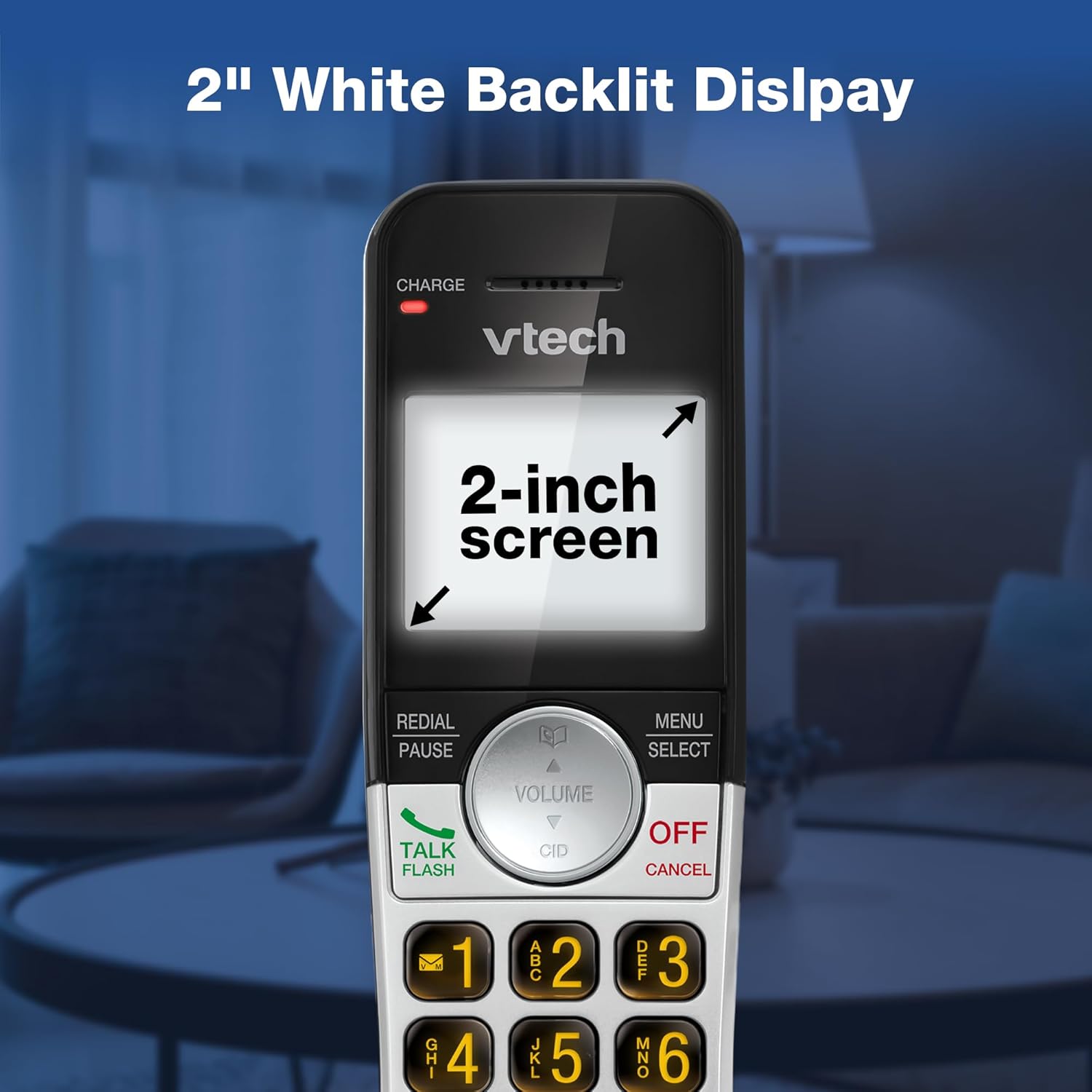
Image: VTech VG232 Cordless Phone with 2-inch white backlit display
Modalità silenziosa
Activate Quiet Mode to silence the ringer on the handset and base unit for a specified period, providing uninterrupted peace.
- Activating Quiet Mode: Premere e tenere premuto il tasto TRANQUILLO button (usually #) on the handset. Follow the on-screen prompts to set the duration.

Image: VTech VG232 Cordless Phone showing Quiet Mode feature
Elenco telefonico
Memorizza fino a 50 nomi e numeri nella rubrica per una chiamata rapida.
- Adding Entries: Premere MENU/SELEZIONA, navigate to Phonebook, and select 'Add New Entry'.
- Searching Entries: Use the alphabetical search function or scroll through the list.

Image: VTech VG232 Cordless Phone displaying 50 Name and Number Phonebook Contacts
Ricomposizione degli ultimi 10 numeri
Quickly redial any of the last 10 numbers called.
- Ricomposizione: Premere RICHIAMA/PAUSA A view the last 10 numbers. Select a number and press PARLA/FLASH comporre il numero.

Image: VTech VG232 Cordless Phone showing Last 10 Number Redial feature
Intercom Between Handsets (if applicable)
If you have multiple handsets, you can use the intercom feature to communicate between them.
- Avvio dell'interfono: Premere INTERNO on the handset and select the desired handset to call.

Image: Two VTech VG232 Cordless Handsets communicating via intercom
Remote Access to Answering System
Access your answering system messages from an outside line.
- Accessing: Dial your phone number from an external phone. When the answering system answers, enter your remote access code.

Image: VTech VG232 Cordless Phone showing remote access feature
Manutenzione
To ensure the longevity and optimal performance of your VTech VG232 Cordless Phone, follow these maintenance guidelines:
- Pulizia: Pulisci il telefono e l'unità base con un panno morbido eamp panno. Non utilizzare spray detergenti o prodotti chimici aggressivi.
- Cura della batteria: Replace the battery pack when the handset indicates low battery or when performance significantly decreases. Use only the specified replacement battery.
- Condizioni ambientali: Evitare di esporre il telefono a temperature estreme, alla luce solare diretta o all'umidità.
Risoluzione dei problemi
Se riscontri problemi con il tuo telefono, fai riferimento ai seguenti problemi comuni e alle relative soluzioni:
| Problema | Soluzione |
|---|---|
| Nessun tono di linea | Assicurarsi che il cavo della linea telefonica sia collegato saldamente sia all'unità base che alla presa a muro. Verificare che l'adattatore CA sia correttamente collegato all'unità base e a una presa di corrente funzionante. |
| Il portatile visualizza "Batteria scarica" | Place the handset in the base unit to charge. Allow at least 16 hours for a full charge. If the issue persists, the battery pack may need replacement. |
| Non riesco a sentire il chiamante / Il chiamante non riesce a sentirmi | Adjust the handset volume. Check the telephone line cord connection. If using speakerphone, ensure you are speaking clearly towards the handset. |
| Il sistema di risposta non registra i messaggi | Assicurarsi che la segreteria telefonica sia accesa. Verificare che la memoria non sia piena; cancellare i vecchi messaggi se necessario. |
| ID chiamante non visualizzato | Assicurati di aver sottoscritto il servizio di identificazione del chiamante con il tuo operatore telefonico. |
Specifiche
| Caratteristica | Dettaglio |
|---|---|
| Numero di modello | VG232 |
| Dimensioni del prodotto | 5.54 x 3.36 x 7.23 pollici |
| Peso dell'articolo | 1.1 libbre |
| Tipo di telefono | Senza fili |
| Tipo di sistema di risposta | Digitale |
| Tempo di registrazione del sistema di risposta | Fino a 14 minuti |
| Memoria dell'ID chiamante | 50 chiamate |
| Capacità della rubrica | 50 nomi e numeri |
| Display | 2-inch White Backlit LCD |
| Tastiera | Retroilluminato |
| Fonte di alimentazione | Alimentato a batteria (1 batteria specifica per il prodotto inclusa) |
| Materiale | Plastica |
| Colore | Argento, Nero |
| Dispositivi compatibili | PSTN networks, VTech models |
Garanzia e supporto
VTech products are manufactured with high-quality components and are designed to provide years of trouble-free operation. For specific warranty details, please refer to the warranty card included with your purchase or visit the official VTech websito.
Per supporto tecnico, registrazione del prodotto o per acquistare accessori, visitare il supporto VTech websito o contattare il servizio clienti:
- Supporto online: www.vtechphones.com/support
- Assistenza clienti: Per le informazioni di contatto più aggiornate, fare riferimento alla confezione del prodotto.
Ask a question about this manual
Ask about setup, troubleshooting, compatibility, parts, safety, or missing instructions. Manuals+ will review the question and use this page’s manual context to help answer it.