
Romansei HB15
Romansei Pet Tracker per gatti - Manuale utente
Brand: Romansei | Model: HB15
Introduzione
This manual provides instructions for the Romansei Pet Tracker, a smart location tracking device designed for cats. This device integrates with the Apple 'Find My' app on iOS systems, offering real-time location updates without requiring additional subscriptions. It is designed to be attached to a cat collar, providing a method for monitoring your pet's location.
Impostare
Contenuto della confezione
- 1 x Romansei Pet Tracker (HB15)
- 1 x Silicone Protector Case
- 1 batteria CR2032 (preinstallata)
Installazione del Tracker
- Open the silicone protector case.
- Insert the Romansei Pet Tracker into the silicone case, ensuring the button and speaker are correctly aligned with the case openings.
- Securely close the silicone case around the tracker.
- Thread your pet's collar through the loops on the silicone protector case. Ensure the tracker is positioned comfortably and securely on the collar. The case is designed to be compatible with most collar widths.

Image: Installation diagram for the Romansei Pet Tracker, showing the tracker, silicone protector, and how to attach it to a collar. Various pets are shown wearing the tracker.
Abbinamento con Apple Trova il mio
- Ensure your iOS device (iPhone, iPad, or iPod touch) is running the latest version of iOS.
- Apri l'app "Dov'è" sul tuo dispositivo iOS.
- Vai alla scheda "Elementi".
- Tocca l'icona '+' e seleziona 'Aggiungi altro elemento'.
- Follow the on-screen instructions to connect your Romansei Pet Tracker. You may need to press the button on the tracker to initiate pairing.
- Once connected, you can name your tracker and assign an emoji.
Istruzioni per l'uso
Locating Your Pet
- Apri l'app "Dov'è" sul tuo dispositivo iOS.
- Select the 'Items' tab and choose your Romansei Pet Tracker from the list.
- The app will display the tracker's current or last known location on a map.
- Use the 'Directions' feature to navigate to your pet's location.
- If your pet is nearby, you can tap 'Play Sound' to make the tracker emit an audible alert, assisting in pinpointing its exact location.
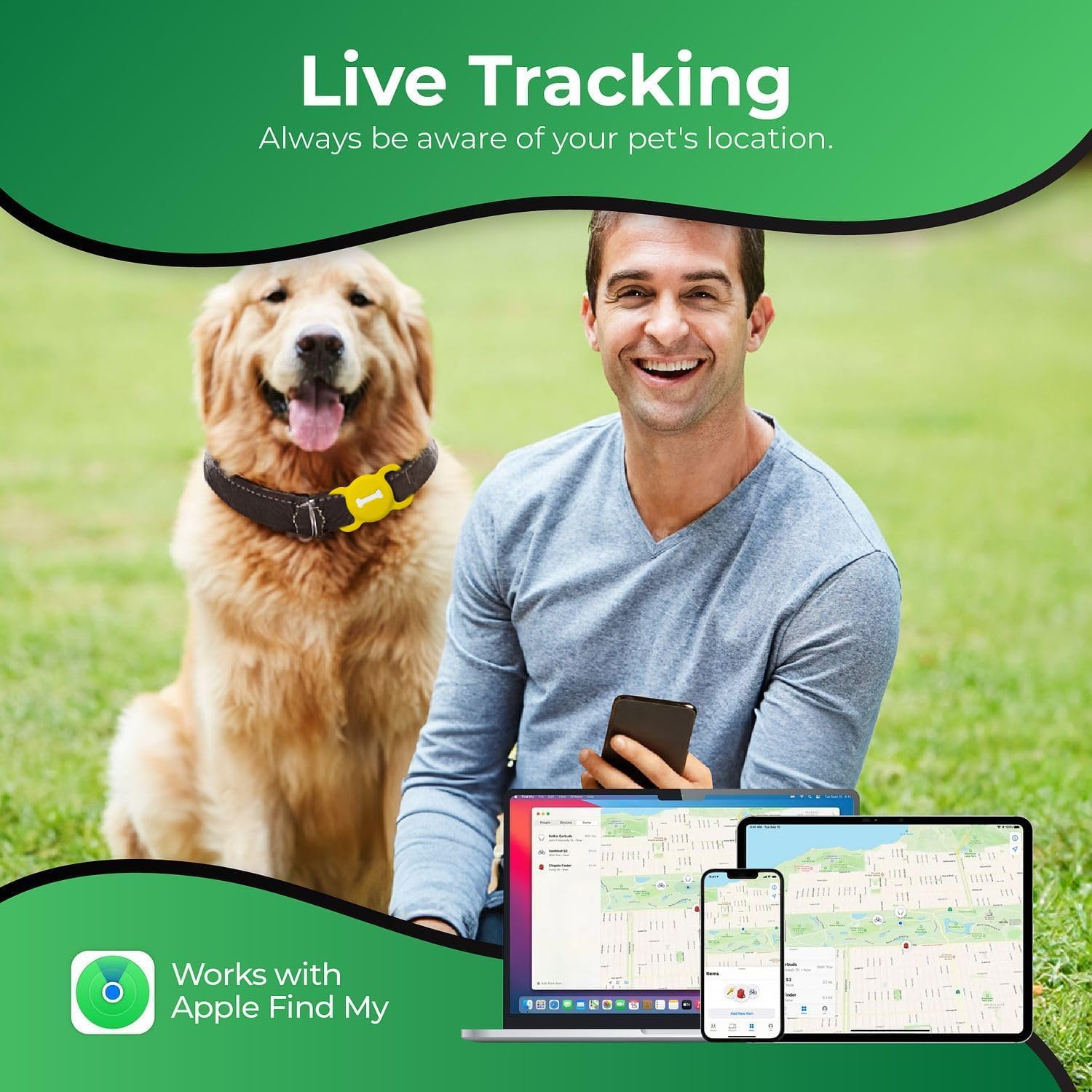
Image: The 'Find My' app interface shown on various Apple devices, demonstrating the live tracking feature of the pet tracker.
Real-Time Tracking and Global Positioning
The Romansei Pet Tracker utilizes Apple's Find My network for global positioning, providing accurate location search capabilities. This allows for real-time tracking of your pet's whereabouts through compatible Apple devices. Please note that this device is designed exclusively for use with Apple devices and is not compatible with Android systems.

Image: Visual representation of the tracker's real-time global positioning capabilities within a city environment, highlighting its compatibility with Apple devices.
Manutenzione
Sostituzione della batteria
- The Romansei Pet Tracker uses a standard CR2032 coin cell battery.
- The battery is designed to last approximately 365 days under normal usage conditions.
- To replace the battery, carefully open the tracker unit (usually by twisting or prying gently, refer to the tracker's specific design for exact method).
- Rimuovere la vecchia batteria CR2032 e inserirne una nuova, assicurandosi che la polarità sia corretta (lato + rivolto verso l'alto).
- Close the tracker unit securely.
Pulizia e cura
- The tracker and its silicone case are durable and waterproof.
- Per pulire, strofinare con un pannoamp panno. Per lo sporco ostinato, si può usare una soluzione di sapone delicato.
- Avoid using harsh chemicals or abrasive materials, as these may damage the device or its case.
- Ensure the tracker is completely dry before reassembling or reattaching to the collar.
Risoluzione dei problemi
- Tracker Not Found in Find My App:
Check if the tracker's battery is depleted. Replace the CR2032 battery if necessary. Ensure Bluetooth is enabled on your iOS device and the tracker is within range. Try resetting the tracker by removing and reinserting the battery. - Posizione imprecisa:
Location accuracy can be affected by environmental factors such as dense buildings, underground areas, or strong signal interference. Ensure your iOS device has a stable internet connection. - Durata della batteria inferiore al previsto:
Frequent use of the 'Play Sound' feature or constant tracking in areas with weak signal may reduce battery life. Ensure the battery is a fresh CR2032 from a reputable brand. - Il tracker non risponde:
If the tracker becomes unresponsive, try removing the battery, waiting for 30 seconds, and then reinserting it. If the issue persists, contact customer support.
Specifiche
| Caratteristica | Dettaglio |
|---|---|
| Nome del modello | HB15 |
| Peso dell'articolo | 1.06 once |
| Dimensioni della confezione dell'articolo L x P x A | 3.35 x 2.56 x 0.59 pollici |
| Batterie | È necessaria 1 batteria CR2032 (inclusa) |
| Durata della batteria | Circa 365 giorni |
| Compatibilità | iOS devices only (Works with Apple Find My) |
| Componenti inclusi | 1 Wireless Tag, 1 Case |
| Usi specifici del prodotto | Indoor, Outdoor Pet Tracking |
| Colore | Giallo |
| Misurare | M |
| Produttore | Romanzi |
Informazioni sulla garanzia
The Romansei Pet Tracker (Model HB15) comes with a Garanzia limitata di 1 anno dalla data di acquisto. La presente garanzia copre i difetti di fabbricazione in condizioni di normale utilizzo. Non copre i danni causati da uso improprio, incidenti, modifiche non autorizzate o normale usura. Si prega di conservare la prova d'acquisto per eventuali reclami in garanzia.
Assistenza clienti
For further assistance, technical support, or warranty inquiries, please contact Romansei customer service. Refer to the product packaging or the official Romansei websito per le informazioni di contatto più aggiornate.
Ask a question about this manual
Ask about setup, troubleshooting, compatibility, parts, safety, or missing instructions. Manuals+ will review the question and use this page’s manual context to help answer it.