1. Prodotto finitoview
This manual provides detailed instructions for the installation, operation, and maintenance of your Jingelsye Android 13 Car Radio. Designed for Jeep Grand Cherokee models from 2014 to 2017, this unit features an 8-core CPU, 4GB RAM, 32GB ROM, and a 9.7-inch HD touchscreen. Key functionalities include wireless CarPlay and Android Auto, GPS navigation, Bluetooth 5.0, 5G WiFi support, and DSP audio processing.
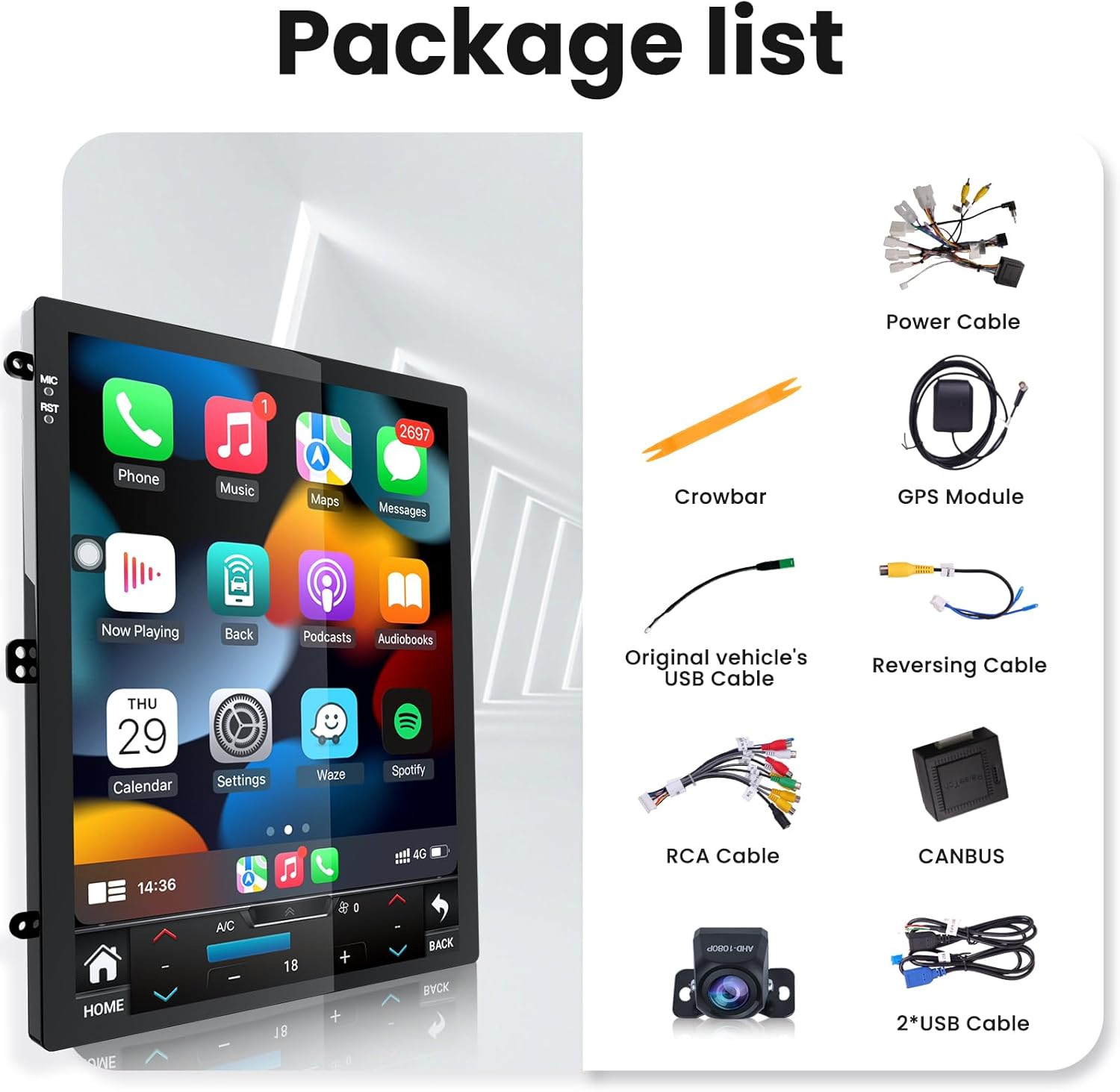
2. Contenuto della confezione
Prima di iniziare l'installazione, verificare che tutti i componenti siano presenti nella confezione.
- Unità principale
- Cavo di alimentazione
- Modulo GPS
- Cavo di retromarcia
- Decoder CANBUS
- 2x cavi USB
- Set di cavi RCA
- Strumento piede di porco
- Telecamera di backup
- Original Vehicle's USB Cable
3. Guida all'installazione
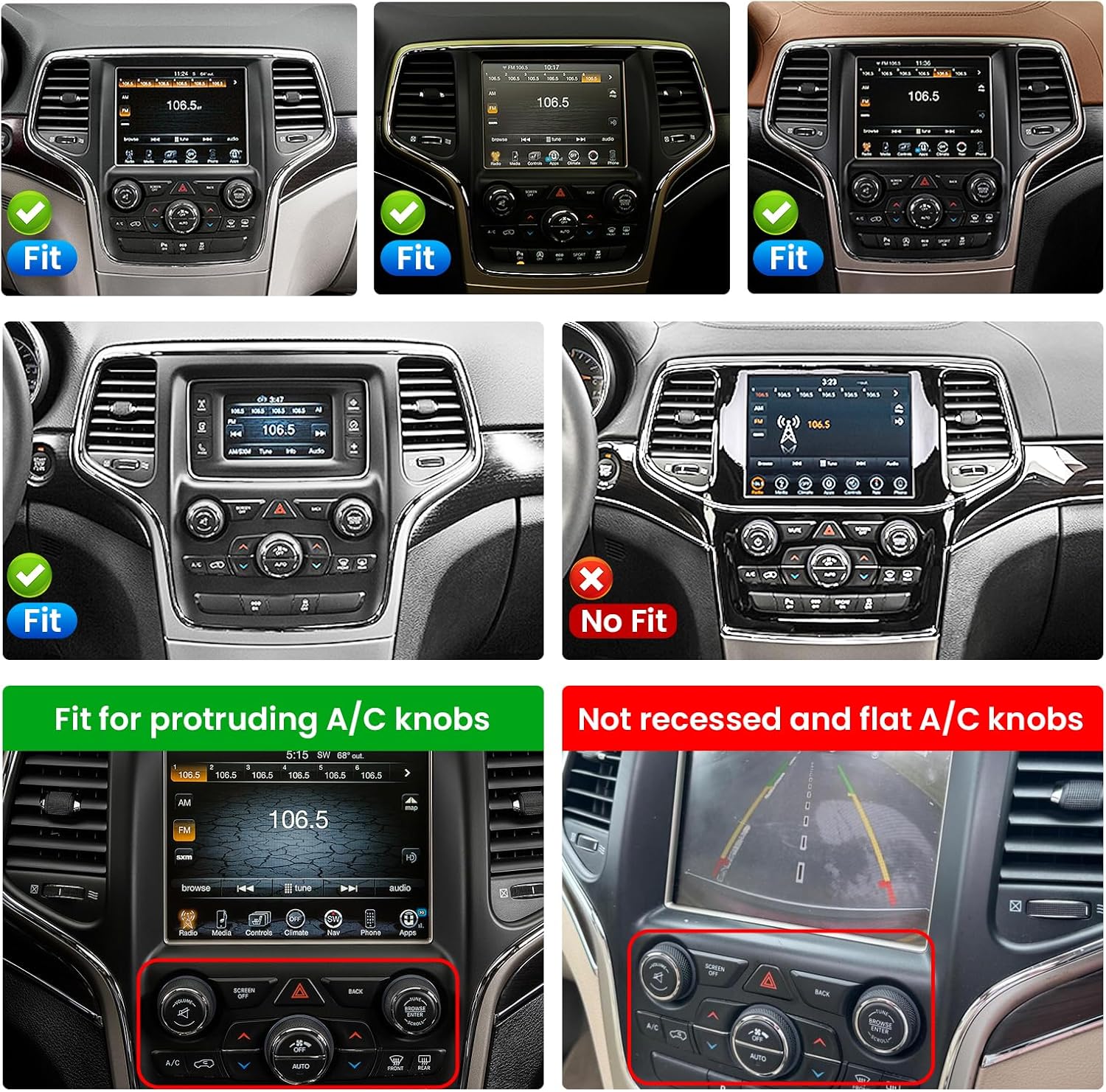
Professional installation is recommended. Ensure the vehicle's power is disconnected before starting. This unit is designed for Jeep Grand Cherokee 2014-2017 models. Verify compatibility with your vehicle's dashboard configuration, especially regarding A/C knob placement.
3.1 Controllo di compatibilità
3.2 Rimozione dell'unità esistente
Carefully use the provided crowbar tool to pry open the dashboard trim surrounding the existing radio unit. Disconnect all cables from the old unit. Refer to the video for a visual guide.
3.3 Collegamenti di cablaggio
Connect the provided power cable, GPS antenna, rear camera signal wire, camera extension cables, USB cables, RCA cables, and CANBUS decoder to the corresponding ports on the new head unit. Ensure all connections are secure. The CANBUS decoder is crucial for integrating with the vehicle's existing systems, including steering wheel controls and climate control.
4. Istruzioni per l'uso
4.1 Initial Setup and System Settings
Upon first power-on, the system will boot to the main interface. Navigate through the settings menu to configure language, time, and other preferences. The unit runs on Android 13 with an 8-core CPU, 4GB RAM, and 32GB ROM.
4.2 CarPlay e Android Auto
The unit supports both wireless and wired CarPlay and Android Auto. Connect your smartphone via Bluetooth or USB to access navigation, music, calls, and messages directly on the car radio's display.

4.3 Navigazione GPS
The unit includes a built-in GPS navigation system supporting both online and offline maps for North America. Plan your routes and receive turn-by-turn directions directly on the 9.7-inch HD touchscreen.
4.4Bluetooth 5.0
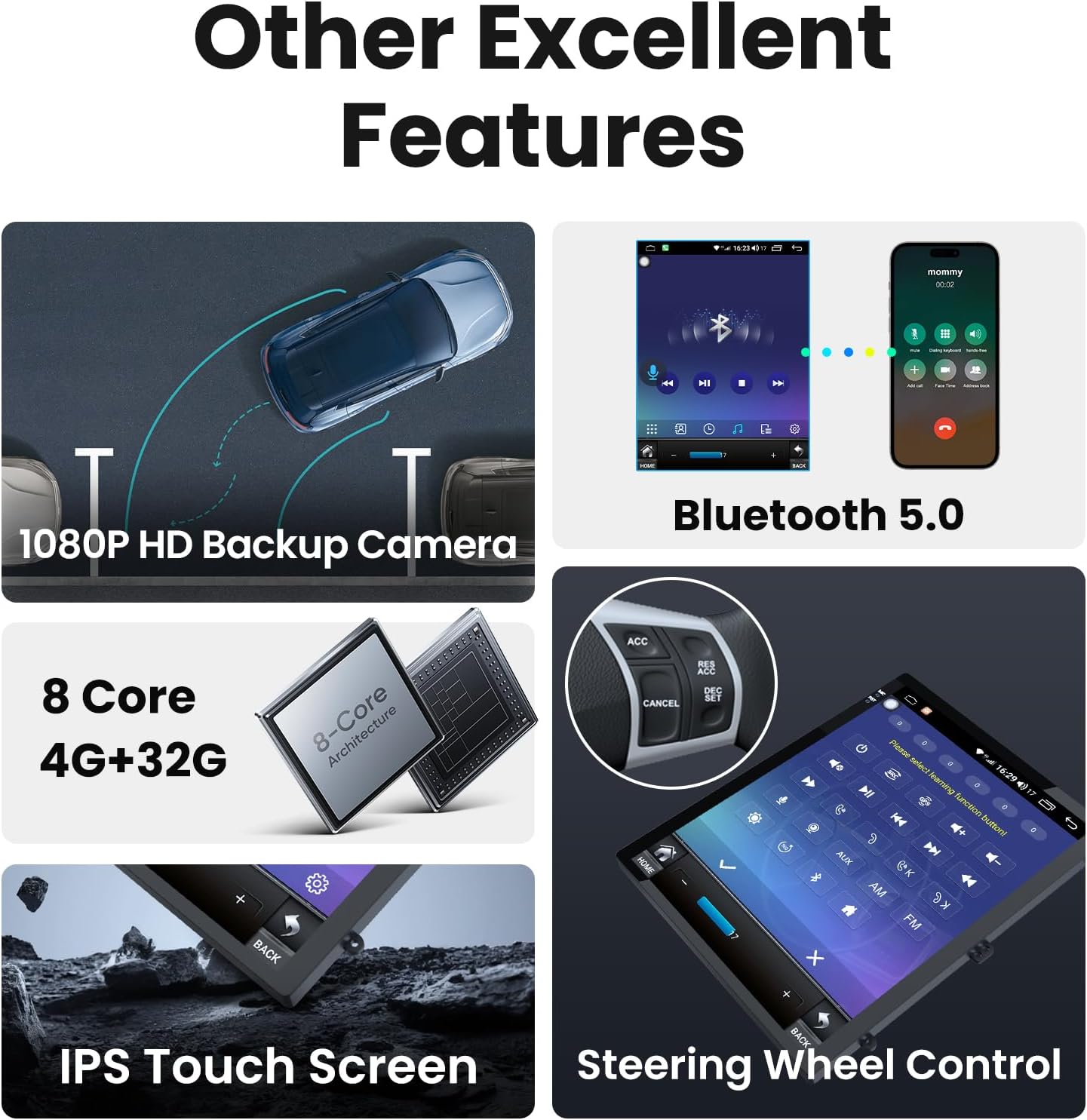
Utilize Bluetooth 5.0 for hands-free calling and high-quality music streaming. Pair your device through the Bluetooth settings menu.

4.5 Connettività WiFi 5G
Connect to 5G WiFi networks for faster internet access, allowing you to download apps, stream content, and browse online directly from the unit.

4.6 Funzionalità schermo diviso
La funzione schermo diviso consente di eseguire due applicazioni contemporaneamente, come la navigazione e la musica, migliorando le capacità multitasking.
4.7 Controllo del volante
The unit supports existing steering wheel controls, allowing you to manage audio, calls, and other functions without taking your hands off the wheel. Configuration may be required in the settings.
4.8 Telecamera di retromarcia
A waterproof 1080P backup camera is included to enhance parking safety. The display automatically switches to the camera view in retromarcia.
5. Impostazioni audio (DSP ed EQ)
The unit features DSP audio processing with customizable 32-band EQ settings. Adjust sound parameters to optimize your listening experience. Presets for various music genres are available.

6. Specifiche
| Caratteristica | Dettaglio |
|---|---|
| Peso dell'articolo | 4.56 libbre |
| Dimensioni del pacco | 18.11 x 13.35 x 5 pollici |
| Dimensioni dello schermo | 9.7 pollici |
| Comando vocale | Schermo tattile |
| Marca | Jingelsye |
| Tipo di servizio del veicolo | Auto |
| Caratteristica speciale | 1024*768 Touchscreen, 4G RAM + 32G ROM, Wireless Carplay & Android Auto, 5GWIFI Support, Android 13, Bluetooth5.0, FM, DSP, 32EQ, GPS Navigation, Backup Camera |
| Tecnologia di connettività | Bluetooth, USB, Wi-Fi |
| Tipo di mappa | America del Nord |
| Modalità di uscita audio | Stereo |
| Tipo di montaggio | Supporto per cruscotto |
| Risoluzione | 1280x800 |
7. Risoluzione Dei Problemi
In caso di problemi, fare riferimento alle seguenti soluzioni comuni:
- Problemi di connessione (Bluetooth/CarPlay/Android Auto): Ensure your phone's Bluetooth is on and discoverable. For CarPlay/Android Auto, try reconnecting the USB cable or re-pairing the Bluetooth connection. Sometimes, restarting both the phone and the car radio can resolve connectivity problems.
- Scarsa qualità del microfono: Check the microphone connection and placement. Ensure it is not obstructed and is positioned optimally for voice pickup.
- Climate Control Display Issues (Fahrenheit/Celsius): This may be a software glitch. Check for available system updates in the settings menu. If the issue persists, contact customer support.
- Radio Not Working/Poor Reception: Verify the radio antenna connection. Ensure it is securely plugged into the unit. Check the radio region settings in the system menu.
- Speedometer Inaccuracy: This could be related to CANBUS integration. Ensure the CANBUS decoder is correctly installed and configured for your specific Jeep Grand Cherokee model year.
- Unit Powers Off Randomly: Check all power connections to ensure they are secure. Verify the vehicle's electrical system is stable. If the problem continues, it may indicate a hardware issue.
For persistent issues, please contact Jingelsye customer support for further assistance.
8. Garanzia e supporto
The product typically comes with a standard return policy (e.g., 30 days for refund/replacement). Extended protection plans may be available for purchase, offering coverage for 2 or 3 years. For detailed warranty information and technical support, please refer to your purchase documentation or contact Jingelsye customer service.