
1. Introduzione
Thank you for choosing the Phomemo M834 A4 Portable Thermal Printer. This device offers a convenient, inkless printing solution for various needs, from business documents to personal use. Its compact design and versatile connectivity make it an ideal companion for professionals, students, and home users. This manual provides essential information for setting up, operating, maintaining, and troubleshooting your printer to ensure optimal performance.
2. Prodotto finitoview
Caratteristiche principali
- Stampa termica senza inchiostro: Eliminates the need for ink cartridges or ribbons.
- Alta risoluzione: 300 DPI for clear and sharp prints.
- Design portatile: Weighs approximately 690g with dimensions of 26.4 x 7.8 x 4.5 cm, similar to a 500ml water bottle.
- Supporto carta multiformato: Compatible with 210mm (A4), 110mm, 80mm, and 53mm thermal paper, including roll, sheet, and folded paper.
- Connettività versatile: Supports Bluetooth for smartphones/tablets (iOS/Android) and USB for PCs (Windows/macOS).
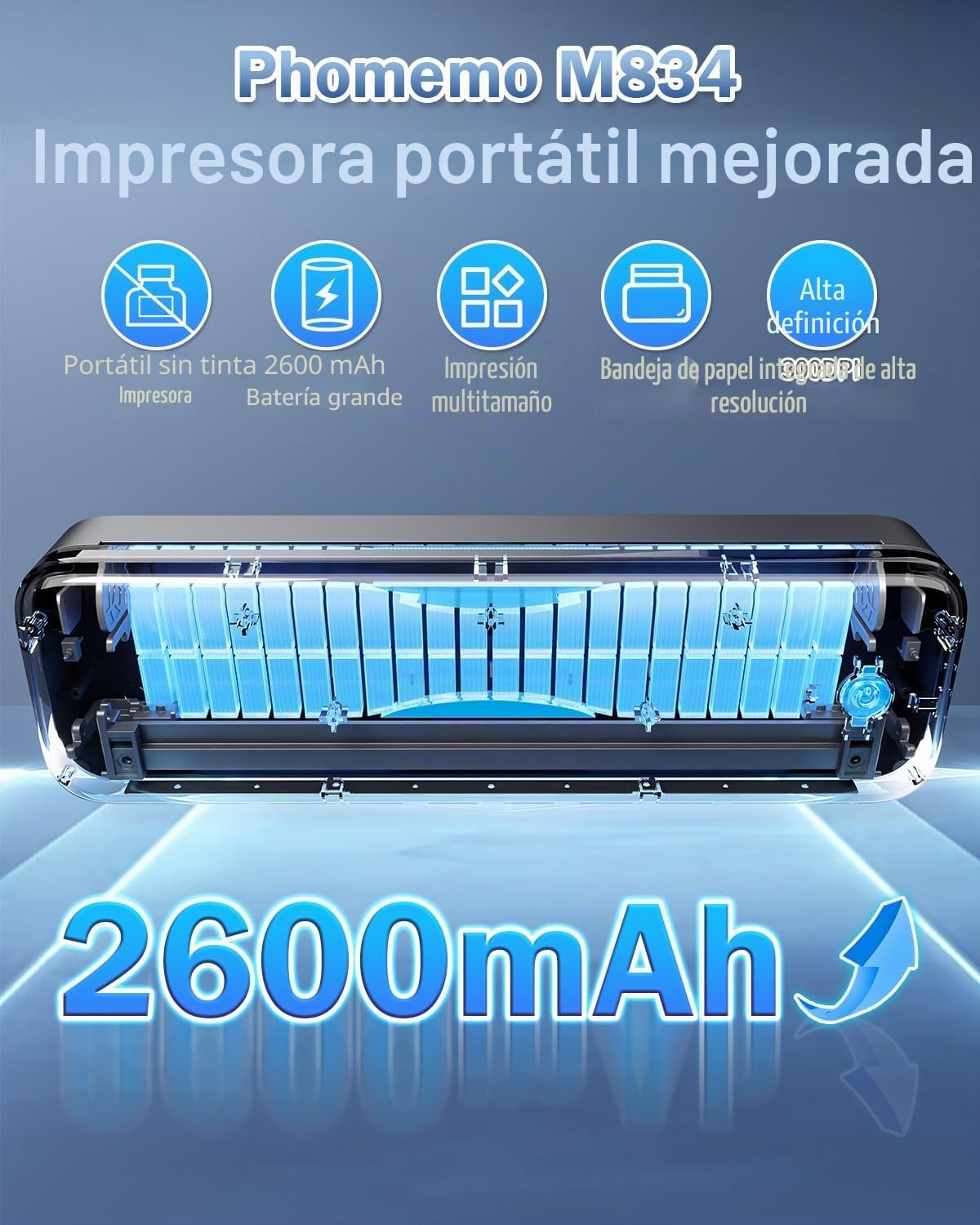
- Batteria a lunga durata: Equipped with a 2600 mAh battery for extended use.
- Integrated Paper Box: Conveniently holds paper, reducing the need to carry separate sheets.
Cosa c'è nella scatola
- Stampante termica portatile Phomemo M834
- Rotolo di carta termica A4
- Cavo USB-C
- Manuale d'uso
Diagramma del prodotto
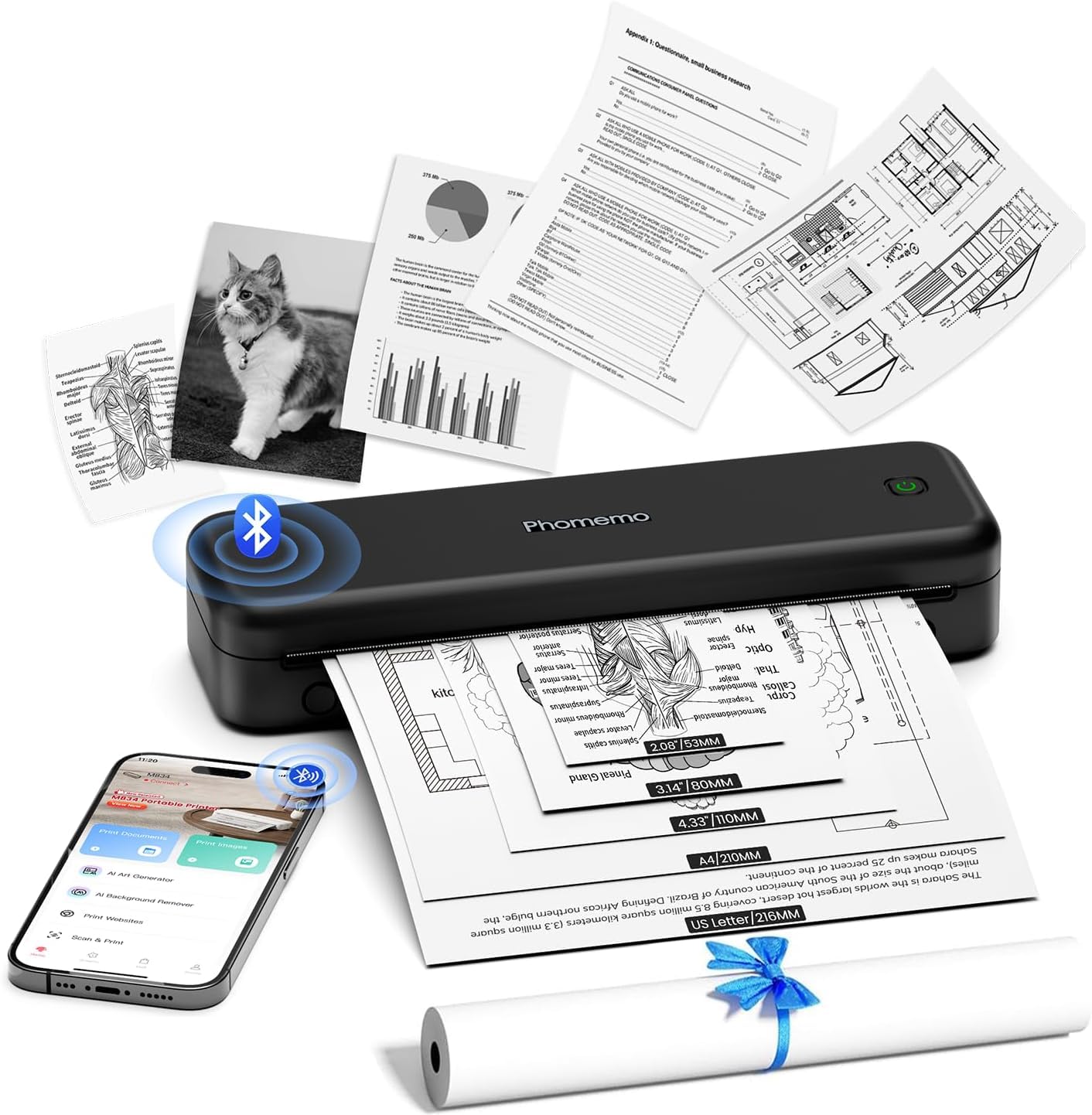
The Phomemo M834 printer features a sleek, compact design. The main body houses the thermal print head, paper feed mechanism, and battery. On the side, you will find the power button and USB-C port for charging and wired connection. The paper input slot is located at the top, and printed documents exit from the front.
3. Impostazione
3.1 Caricamento della stampante
Before initial use, fully charge the printer. Connect the provided USB-C cable to the printer's USB-C port and the other end to a compatible USB power adapter (not included) or a computer's USB port. The indicator light will show charging status (e.g., red for charging, green for fully charged).
3.2 Caricamento della carta termica
- Aprire il coperchio del vano carta.
- Insert the thermal paper roll or stack of sheets into the compartment, ensuring the printable side faces the print head. The printable side is typically smoother and will produce a mark when scratched with a fingernail.
- Gently feed the leading edge of the paper into the printer's feed slot until it is gripped by the rollers.
- Close the paper compartment cover. Ensure the paper is aligned correctly to prevent jams.

3.3 Installazione del driver (per PC/Mac)
For printing from a computer, you need to install the appropriate drivers. Visit M834.Phomemo.com to download the latest drivers for your Windows or macOS operating system. Follow the on-screen instructions for installation.
4. Istruzioni per l'uso
4.1 Connecting via Bluetooth (for Mobile/Tablet)
- Download the "Phomemo" application from the App Store (iOS) or Google Play Store (Android).
- Turn on your Phomemo M834 printer by pressing and holding the power button.
- Abilita il Bluetooth sul tuo dispositivo mobile.
- Open the Phomemo app and follow the in-app instructions to search for and connect to your M834 printer.
- Once connected, you can select documents (Word, Excel, PDF, TXT, JPG) or images within the app to print.
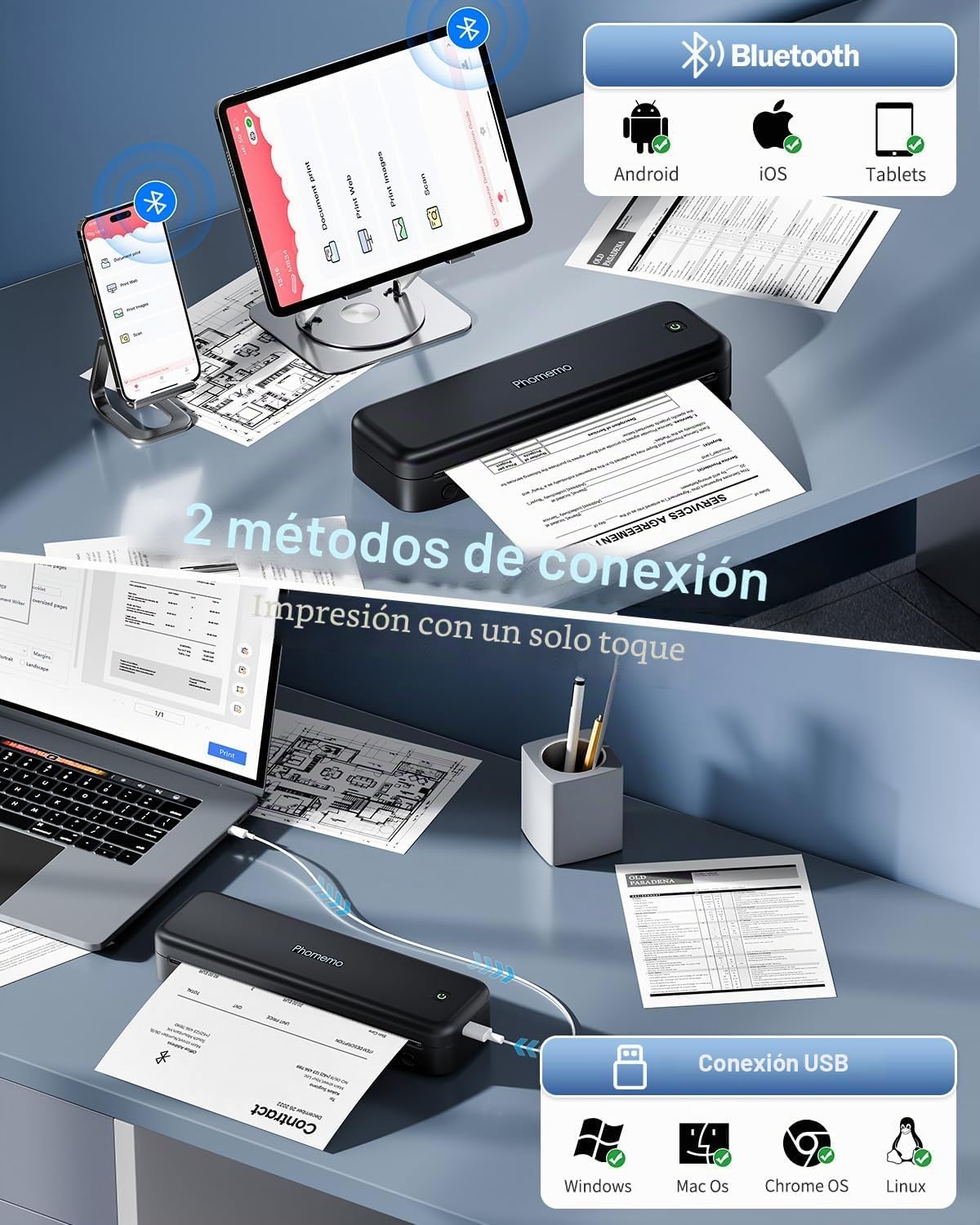
4.2 Connecting via USB (for PC/Mac)
- Assicurarsi che i driver della stampante siano installati sul computer (fare riferimento alla Sezione 3.3).
- Turn on your Phomemo M834 printer.
- Collegare la stampante al computer utilizzando il cavo USB-C in dotazione.
- Your computer should recognize the printer. You can now print documents from any application as you would with a standard printer.
4.3 Using the Phomemo App
The Phomemo app provides enhanced control over your printing experience:
- Stampa del documento: Supports various formats including Word, Excel, PDF, TXT, and JPG.
- Stampa immagini: Offers free-form editing, batch printing, and collage printing.
- Stampa Web: Stampa il contenuto direttamente da web pagine.
- Scansione: Scan documents using your phone's camera and print them directly.
- Personalizzazione: Adjust print depth and speed for optimal results.
5. Manutenzione
5.1 Pulizia della testina di stampa
Per mantenere la qualità di stampa, pulire regolarmente la testina di stampa. Utilizzare un panno morbido e privo di lanugine leggermenteampcon alcol isopropilico. Pulire delicatamente la superficie della testina di stampa. Assicurarsi che la stampante sia spenta e raffreddata prima di pulirla.
5.2 Cura della batteria
- Evitare di scaricare completamente la batteria frequentemente.
- Quando non si utilizza la stampante per lunghi periodi, conservarla in un luogo fresco e asciutto.
- Charge the printer at least once every three months to prevent battery degradation.
5.3 Conservazione della carta
Store thermal paper in a cool, dry place away from direct sunlight and heat. Exposure to high temperatures or light can cause the paper to darken prematurely or reduce print longevity.
6. Risoluzione Dei Problemi
| Problema | Possibile causa | Soluzione |
|---|---|---|
| La stampante non si accende | Batteria scarica; pulsante di accensione non premuto correttamente | Caricare la stampante; tenere premuto il pulsante di accensione per alcuni secondi. |
| Scarsa qualità di stampa (sbiadita, striata) | Dirty print head; Low battery; Old/poor quality thermal paper; Incorrect print density setting | Clean the print head (Section 5.1); Charge the printer; Use fresh, high-quality thermal paper; Adjust print density in the Phomemo app. |
| Inceppamento della carta | Caricamento carta non corretto; Carta danneggiata | Turn off the printer, carefully remove jammed paper; Reload paper correctly (Section 3.2); Use undamaged paper. |
| Impossibile connettersi tramite Bluetooth | Bluetooth disattivato sul dispositivo; Stampante non in modalità di associazione; Problema con l'app | Ensure Bluetooth is enabled; Restart printer and app; Try pairing again through the app. |
| Cannot print from PC via USB | Drivers not installed; Loose USB connection | Installa i driver da M834.Phomemo.com; Assicurarsi che il cavo USB sia collegato saldamente. |
7. Specifiche
| Caratteristica | Dettaglio |
|---|---|
| Numero di modello | M834-BK |
| Tecnologia di stampa | Termico |
| Risoluzione di stampa | 300 DPI |
| Connettività | Bluetooth, USB-C |
| Formati di carta compatibili | A4 (210x297 mm), 110mm, 80mm, 53mm, 8.5" x 11" US Letter |
| Velocità massima di stampa monocromatica | 20 pagine al minuto |
| Batteria | Polimeri di litio da 2600 mAh |
| Dimensioni del prodotto (L x P x A) | Dimensioni: 26.4 x 7.8 x 4.5 cm |
| Peso del prodotto | 695 grammi |
| Sistemi operativi compatibili | Android, iOS, Windows, macOS |
| Colore dell'inchiostro | Black (Monochrome output) |
| Paese di origine | Cina |
8. Garanzia e supporto
Phomemo products come with a standard manufacturer's warranty. For specific warranty details, please refer to the warranty card included with your product or visit the official Phomemo website. Our professional technical support team is available to assist you with any questions or issues you may encounter.
For support, please:
- Visita il nostro sito ufficiale websito: www.phomemo.com
- Contact us through the "Phomemo" application.
- Fare riferimento alle informazioni di contatto fornite sulla confezione del prodotto.