
Introduzione
Grazie per l'acquistoasing the Greadio GB-W18 Portable CD Player Boombox. This device offers multiple audio playback options including CD, cassette, FM radio, Bluetooth, USB, AUX, and TF/SD card. Please read this manual carefully before using the product to ensure proper operation and to maximize your listening experience. Keep this manual for future reference.
Informazioni sulla sicurezza
- Non esporre l'unità alla pioggia o all'umidità per evitare incendi o scosse elettriche.
- Non aprire il casing. Affidare tutti gli interventi di manutenzione a personale qualificato.
- Evitare di posizionare l'unità vicino a fonti di calore o alla luce diretta del sole.
- Garantire un'adeguata ventilazione attorno all'unità.
- Use only the specified power adapter (if applicable) or charge with a compatible 5V/2A Type-C charger.
- Tenere fuori dalla portata dei bambini.
Contenuto della confezione
Si prega di verificare che tutti gli elementi siano presenti:
- Greadio GB-W18 Portable CD Player Boombox
- Controllo remoto (1)
- Manuale dell'utente (questo documento)
- Cavo di ricarica USB (tipo C)
Prodotto finitoview
Familiarize yourself with the various parts and controls of your Greadio GB-W18 boombox.
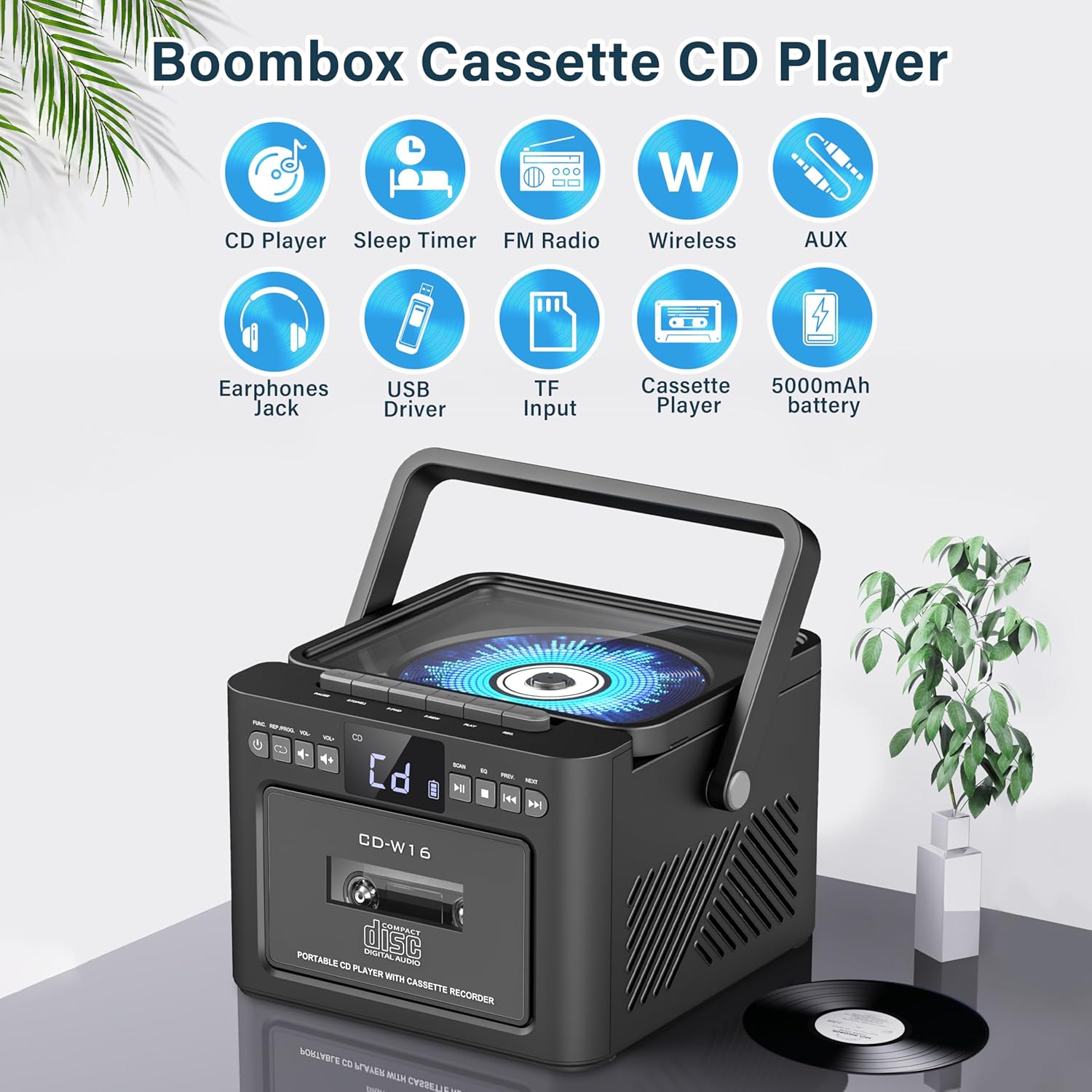
Immagine: Sopraview of the Greadio GB-W18 Portable CD Player Boombox, highlighting its multi-functional capabilities including CD, cassette, FM radio, Bluetooth, USB, TF/SD card, AUX, and a built-in 5000mAh rechargeable battery.
Controlli del pannello frontale
- Display a LED: Mostra la modalità corrente, il numero della traccia, la frequenza, ecc.
- Pulsante di accensione: Accende/spegne l'unità.
- Pulsante Modalità: Switches between CD, Cassette, FM, Bluetooth, USB, AUX, TF/SD modes.
- Controllo del volume: Regola il livello di uscita audio.
- Pulsante Play/Pausa: Controls playback for CD, USB, TF/SD, Bluetooth.
- Pulsante di arresto: Interrompe la riproduzione.
- Pulsanti Salta/Cerca: Skips tracks or searches radio frequencies.
- Pulsante di registrazione: Initiates cassette recording.
Side/Rear Panel Ports
- Scomparto CD: Lettore CD a caricamento dall'alto.
- Registratore a cassette: Front-loading cassette player/recorder.
- Porta USB: Per la riproduzione da unità USB.
- Slot per scheda TF/SD: For TF/SD card playback.
- Ingresso AUX: Jack da 3.5 mm per dispositivi audio esterni.
- Jack per cuffie: Jack da 3.5 mm per l'ascolto privato.
- Ingresso CC 5 V (tipo C): Per caricare la batteria interna.
- Antenna FM: Antenna telescopica per la ricezione radio.
Impostare
Alimentazione dell'unità
The Greadio GB-W18 can be powered by its built-in rechargeable battery or via a Type-C USB power source.
- Carica della batteria: Connect the provided USB Type-C cable to the DC 5V input port on the unit and the other end to a compatible USB power adapter (e.g., car charger, power bank, computer USB port). The LED display will indicate charging status. A full charge provides extended portable use.

Immagine: The Greadio GB-W18 boombox with its USB and TF/SD card slots highlighted, along with illustrations of various 5V Type-C charging methods: car charger, power bank, and computer.
Accensione iniziale
Premere il tasto Energia button to turn on the unit. The LED display will light up, and the unit will typically default to the last used mode or CD mode.
Istruzioni per l'uso
Utilizzare il Modalità button to switch between different playback sources.
Riproduzione CD
- Premere il tasto Modalità finché sul display non appare la scritta 'CD'.
- Aprire il coperchio del vano CD.
- Place a CD (CD, CD-R, CD-RW) with the label side facing up onto the spindle.
- Close the CD compartment lid. The CD will begin to play automatically.
- Utilizzare il Riproduci/Pausa, Fermare, E Salta/Cerca pulsanti per controllare la riproduzione.

Immagine: A user operating the Greadio GB-W18 boombox, demonstrating CD playback and the use of the remote control for convenient operation.
Riproduzione e registrazione di cassette
- Premere il tasto Modalità button until 'TAPE' appears on the display.
- Aprire lo sportello del mangianastri.
- Inserire una cassetta con il bordo aperto rivolto verso l'alto.
- Chiudere lo sportello del mangianastri.
- Premere il tasto Giocare button on the cassette deck controls to start playback.
- A Documentazione: Ensure a blank or recordable cassette is inserted. Select your desired input source (e.g., FM radio, AUX, Bluetooth). Press the Documentazione button on the unit. Press Fermare per terminare la registrazione.

Immagine: The Greadio GB-W18 boombox in a social setting, illustrating the cassette player function with a hand inserting a tape.
Funzionamento della radio FM
- Estendi l'antenna FM telescopica per una ricezione ottimale.
- Premere il tasto Modalità finché sul display non appare la scritta "FM".
- Premere e tenere premuto il tasto Salta/Cerca buttons to automatically scan for available stations. The unit can preset up to 30 stations.
- Premere il tasto Salta/Cerca buttons briefly to manually tune or cycle through preset stations.
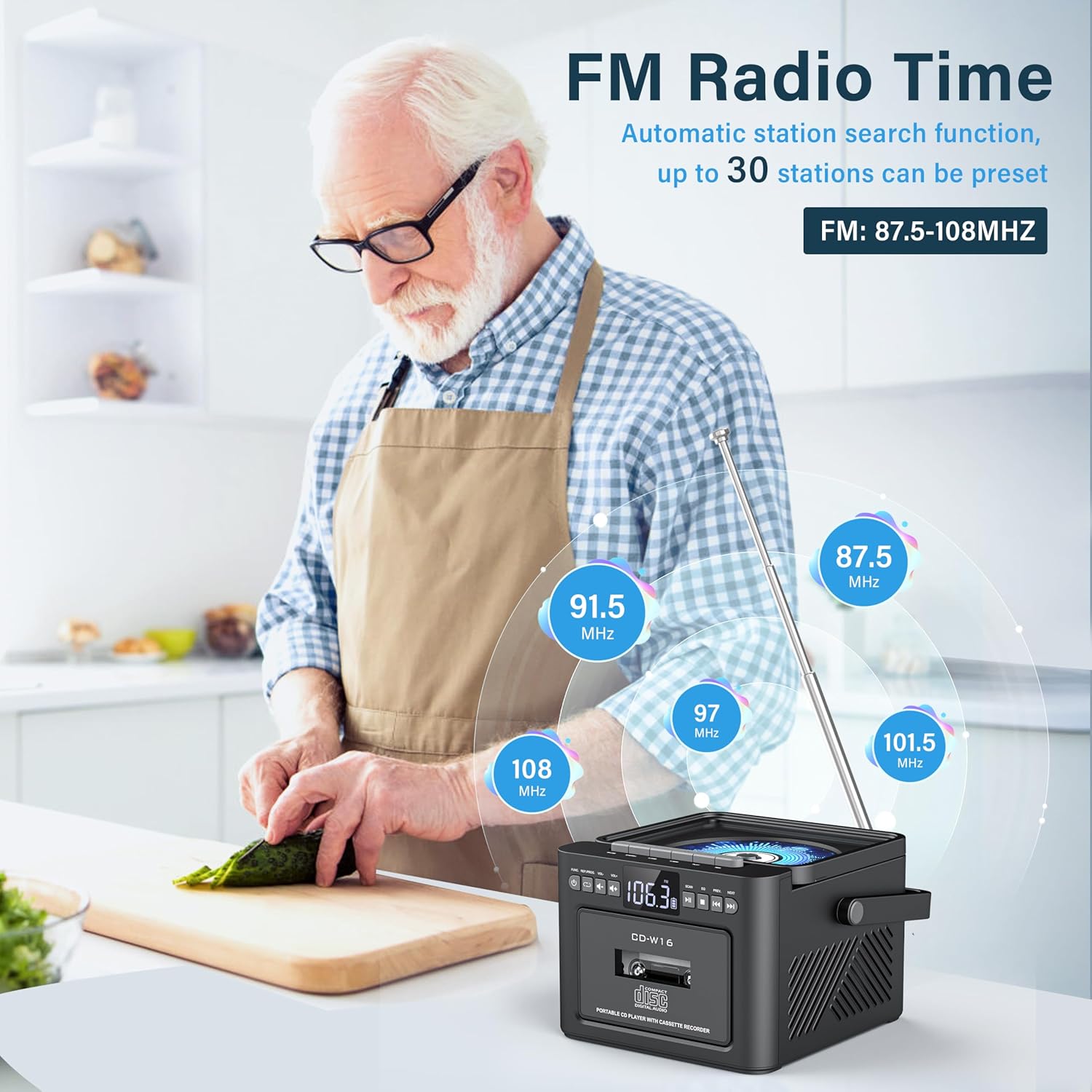
Immagine: A user in a kitchen setting with the Greadio GB-W18 boombox, demonstrating its FM radio capabilities and the range of frequencies it can receive.
Bluetooth (Wireless Receiver)
- Premere il tasto Modalità button until 'BLUE' or 'BT' appears on the display. The unit will enter pairing mode, indicated by a flashing Bluetooth icon.
- Sul tuo dispositivo mobile (smartphone, tablet, ecc.), attiva il Bluetooth e cerca i dispositivi disponibili.
- Select 'Greadio GB-W18' (or similar name) from the list to pair.
- Una volta effettuato l'abbinamento, puoi riprodurre l'audio dal tuo dispositivo tramite lo stereo portatile.
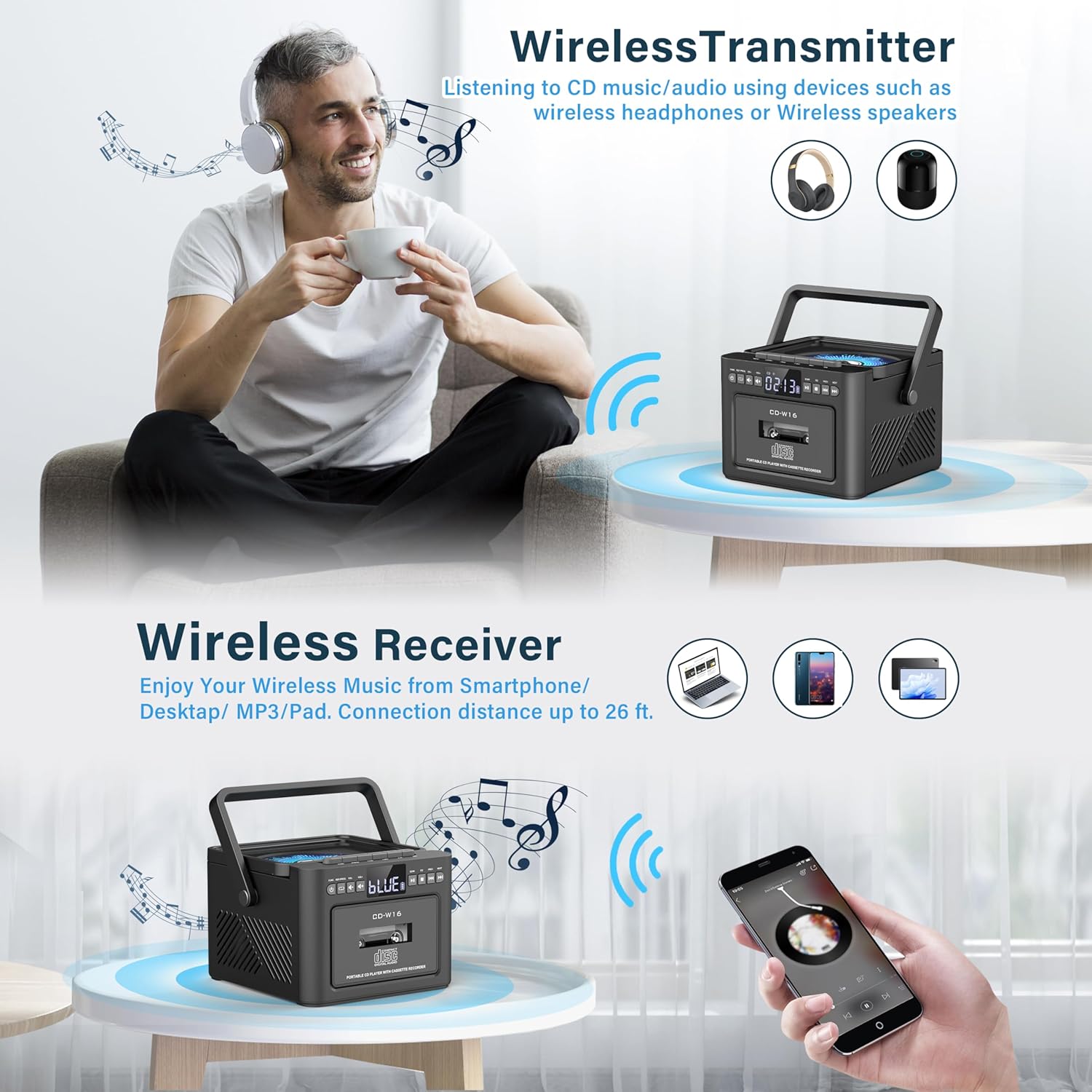
Immagine: The Greadio GB-W18 boombox demonstrating its wireless capabilities, functioning as both a wireless transmitter (for headphones/speakers) and a wireless receiver (for streaming from smartphones/tablets).
USB Drive & TF/SD Card Playback
- Insert a USB drive into the USB port or a TF/SD card into the TF/SD card slot.
- Premere il tasto Modalità finché sul display non appare la scritta 'USB' o 'TF'.
- The unit will automatically detect and play MP3 files dal dispositivo di archiviazione.
- Utilizzare il Riproduci/Pausa, Fermare, E Salta/Cerca pulsanti per controllare la riproduzione.
Ingresso AUX
- Connect an external audio device (e.g., MP3 player, smartphone) to the AUX input jack using a 3.5mm audio cable (not included).
- Premere il tasto Modalità finché sul display non compare la scritta "AUX".
- Riproduci l'audio dal tuo dispositivo esterno. Il suono verrà emesso tramite gli altoparlanti del boombox.
Telecomando
The included remote control allows for convenient operation of most functions from a distance. Point the remote control directly at the front panel of the boombox. Functions include power on/off, mode selection, volume adjustment, playback controls (play, pause, stop, skip), and radio tuning.
Timer di spegnimento
The unit features a sleep timer function. Refer to the remote control or specific button on the unit (if available) to set a timer for automatic power-off. This feature is useful for falling asleep to music.
Manutenzione
- Pulizia: Utilizzare un panno morbido e asciutto per pulire l'esterno dell'unità. Non utilizzare detergenti abrasivi o solventi.
- Cura delle lenti CD: Se si verificano problemi di riproduzione del CD, utilizzare un disco specifico per la pulizia delle lenti dei CD.
- Pulizia della testina della cassetta: Regularly clean the cassette heads with a cotton swab lightly damptrattato con alcol isopropilico per garantire una qualità audio ottimale e prevenire danni al nastro.
- Cura della batteria: Per una durata ottimale della batteria, evitare di scaricarla completamente frequentemente. Caricare l'unità regolarmente, anche se non viene utilizzata per periodi prolungati.
- Magazzinaggio: Se non si utilizza l'unità per un lungo periodo, conservarla in un luogo fresco e asciutto, lontano dalla luce solare diretta e da temperature estreme.
Risoluzione dei problemi
| Problema | Possibile causa | Soluzione |
|---|---|---|
| L'unità non si accende. | La batteria è scarica. | Connect the unit to a power source using the Type-C USB cable and allow it to charge. |
| Nessun suono dagli altoparlanti. | Volume is too low or muted. Incorrect mode selected. Headphones connected. | Aumentare il volume. Premere il tasto Modalità button to select the correct source. Disconnect headphones. |
| Il CD salta o non viene riprodotto. | CD is dirty, scratched, or inserted incorrectly. CD lens is dirty. | Clean the CD. Reinsert the CD correctly. Use a CD lens cleaner. |
| Scarsa ricezione radio FM. | Antenna non estesa. Segnale debole. | Estendere completamente l'antenna FM. Riposizionare l'unità per una migliore ricezione. |
| Il dispositivo Bluetooth non riesce ad associarsi. | Boombox not in pairing mode. Device too far. | Ensure boombox is in Bluetooth mode and flashing. Move device closer (within 26 ft). |
| Cassette playback distorted. | Cassette heads are dirty. Tape is old or damaged. | Clean cassette heads. Try a different tape. |
Specifiche
- Numero modello: GB-W18
- Dimensioni del prodotto: 7.56 x 7.56 x 5.16 pollici
- Peso dell'articolo: 2.99 libbre
- Tecnologia di connettività: Bluetooth 5.0
- Tipo di altoparlante: Doppio altoparlante stereo
- Batteria: Built-in 5000mAh Rechargeable Lithium Ion Battery
- Potenza in ingresso: CC 5 V (tipo C)
- Supporti supportati: CD, CD-R, CD-RW, Cassette Tape, USB Drive (MP3 format, up to 32GB), TF/SD Card (MP3 format, up to 32GB), AUX Input
- Frequenza radio FM: Frequenza 87.5-108 MHz
Garanzia e supporto
Greadio products are designed for reliability and performance. For any questions, technical support, or warranty inquiries, please refer to the contact information provided with your purchase or visit the official Greadio websito. Conservare la prova d'acquisto per eventuali reclami in garanzia.