1. Introduzione
This manual provides detailed instructions for the installation, configuration, and operation of your SODOLA 12 Port 10Gb Managed Switch. This device is designed to enhance network performance with high-speed connectivity and advanced management features, suitable for home labs, small businesses, and professional network environments.
2. Prodotto finitoview
The SODOLA 12 Port 10Gb Managed Switch features a robust design with a combination of 10 Gigabit Ethernet ports to support diverse network requirements.
2.1 Caratteristiche principali
- Hybrid 10G Port Flexibility: 8x10G SFP+ ports for fiber/DAC and 4x10GBase-T RJ45 ports for versatile high-speed connections.
- Web Gestione: Facile da usare web GUI for configuring LACP, QoS, VLAN, SNMP, and other network management functions.
- Raffreddamento efficiente: Built-in fans dynamically adjust speed to maintain stable 10G performance and prevent overheating.
- Design montabile su rack: 1U compact design with included mounting brackets for easy installation in racks or cabinets.
- Ampia compatibilità: RJ45 ports support 10G/5G/2.5G/1G/100M speeds, ensuring backward compatibility with existing network devices.
2.2 Disposizione del pannello frontale

Immagine 2.2.1: Pannello frontale view highlighting the Reset Button, Power Indicator, 4x10G RJ45 Ports, and 8x10G SFP+ Ports.
2.3 Configurazione della porta

Immagine 2.3.1: Detailed port configuration, illustrating adaptive speed rates for RJ45 ports (1G/2.5G/5G/10G) and SFP+ ports (1G/2.5G/10G modules). Compatible cables include CAT5e, CAT6, and CAT7 for RJ45 connections.
3. Contenuto della confezione
Verify the contents of your package upon unboxing. If any items are missing or damaged, please contact customer support.

Immagine 3.1.1: Illustration of included accessories and the switch unit.
- SODOLA 12 Port 10G Managed Ethernet Switch (Model: SL-SWTGW2C48NS)
- Cavo di alimentazione
- Rack Ears (for 1U rack mounting)
- Manuale d'uso
- Certificate of Inspection
4. Configurazione e installazione
4.1 Installazione fisica
The switch can be installed on a desktop or mounted in a standard 1U rack.
- Posizionamento sul desktop: Posizionare l'interruttore su una superficie piana e stabile. Assicurarsi che vi sia un'adeguata ventilazione attorno al dispositivo.
- Montaggio su rack: Attach the included rack ears to the sides of the switch using the provided screws. Secure the switch into a standard 19-inch rack.
4.2 Collegamento di alimentazione
Connect the power cord to the AC input port on the rear of the switch and then to a suitable power outlet (AC 100-240V). The Power Indicator LED on the front panel will illuminate when the device receives power.
4.3 Connessioni di rete
Connect your network devices (servers, workstations, NAS, routers, access points) to the RJ45 or SFP+ ports using appropriate Ethernet cables or SFP/SFP+ modules and fiber optic cables.
- Porte RJ45: Use CAT5e, CAT6, or CAT7 cables for optimal performance. These ports support auto-negotiation for speed (100M/1G/2.5G/5G/10G) and Auto-MDI/MDIX.
- Porte SFP+: Insert compatible 1G, 2.5G, or 10G SFP/SFP+ transceiver modules and connect with appropriate fiber optic or DAC cables.
5. Web Interfaccia di gestione
The SODOLA 12 Port 10Gb Managed Switch can be configured and monitored via a web-interfaccia utente grafica (GUI) basata su.
5.1 Accesso al Web Interfaccia

Immagine 5.1.1: Steps for accessing the web interfaccia di gestione.
- Cancella la cache del browser: Assicurati che web browser's cache is cleared to prevent issues with loading the interface.
- Adjust Network Settings: Connect your computer directly to one of the switch's RJ45 ports.
- Set PC IP to Match Switch Subnet: Configure your computer's network adapter with a static IP address within the same subnet as the switch's default IP. For example, se l'IP predefinito dello switch è 192.168.2.1, set your PC's IP to 192.168.2.100 con una subnet mask di 255.255.255.0.
- Access Login Page: Aprire un web browser e vai all'indirizzo IP predefinito: http://192.168.2.1.
- Login: Inserisci le credenziali predefinite:
Nome utente: amministratore
Password: amministratore
5.2 Funzioni di gestione delle chiavi

Immagine 5.2.1: Sopraview di disponibile web funzionalità di gestione.
IL web interface provides access to various advanced network management features, including:
- LACP (Link Aggregation Control Protocol): Combina più collegamenti fisici in un unico collegamento logico per aumentare la larghezza di banda e la ridondanza.
- QoS (Qualità del servizio): Assegnare la priorità al traffico di rete per garantire che le applicazioni critiche ricevano una larghezza di banda sufficiente.
- VLAN (rete locale virtuale): Segmenta la tua rete in domini di trasmissione più piccoli e isolati per migliorare sicurezza e prestazioni.
- SNMP (Simple Network Management Protocol): Monitora i dispositivi di rete e gestisci le prestazioni della rete.
- Multicast: Efficiently send data to a group of recipients.
- DHCP: Configure DHCP server or relay functions.
- Impostazione IP: Configure the switch's IP address and related network parameters.
- Mirroring delle porte: Monitor network traffic by sending a copy of packets from one port to another.
6. Configurazione Examples
6.1 Impostazioni della porta
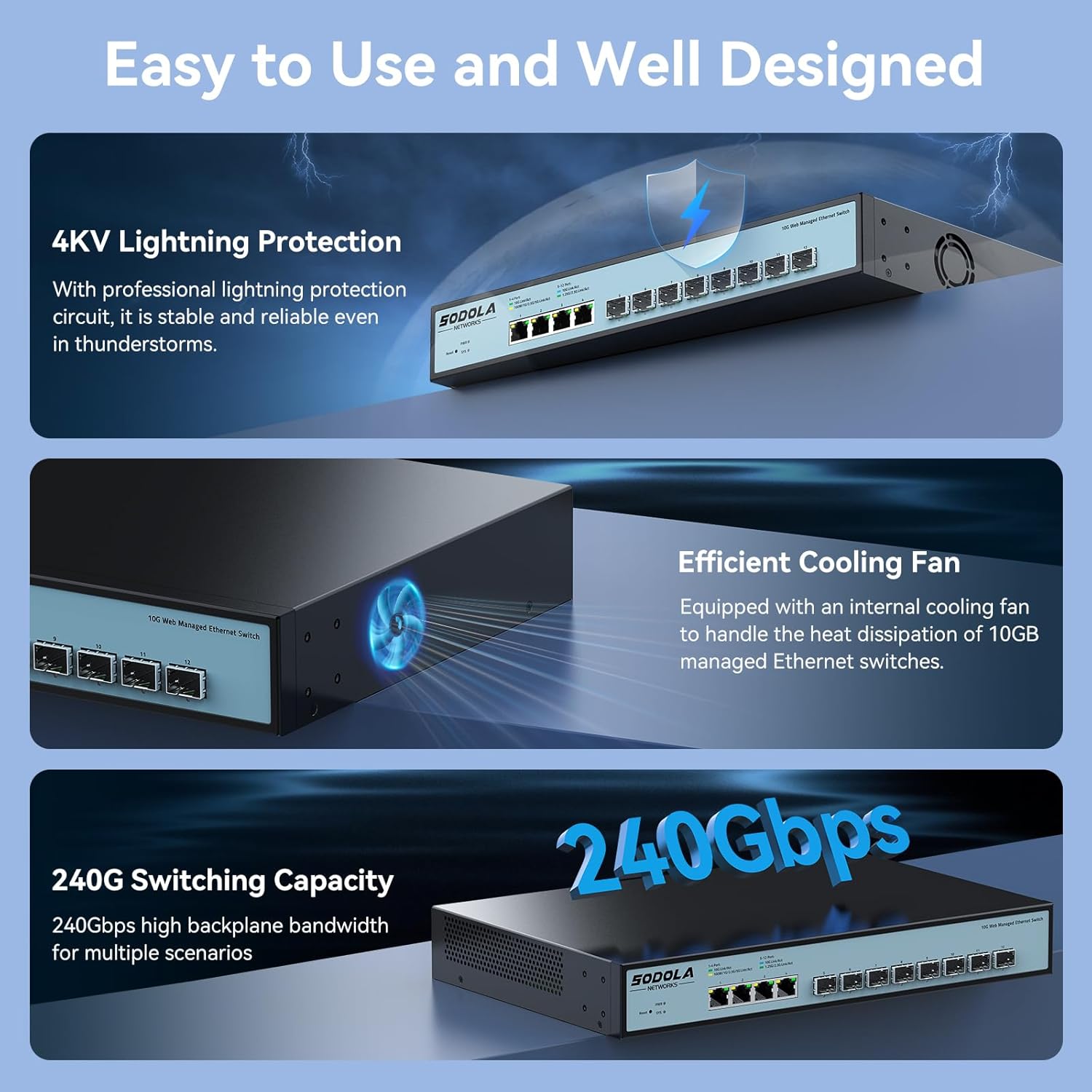
Immagine 6.1.1: Example of port configuration in the web interfaccia.
All'interno del web interface, navigate to the port settings section to configure individual port parameters such as speed, duplex mode, and flow control. Remember to click "Apply" after making changes and then "Save" to retain configurations after a reboot.
6.2 10G LAN Setup Case

Immagine 6.2.1: Example network topology for a 10G LAN setup.
This diagram illustrates a common setup for a 10G Local Area Network (LAN) suitable for home or Small Office/Home Office (SOHO) environments. It demonstrates how the SODOLA switch can integrate with a router, Network Attached Storage (NAS) utilizing LACP for increased throughput, WiFi 7 Access Points, 10G-capable PCs, and segmented VLANs for different device groups like printers.
7. Manutenzione
7.1 Sistema di raffreddamento
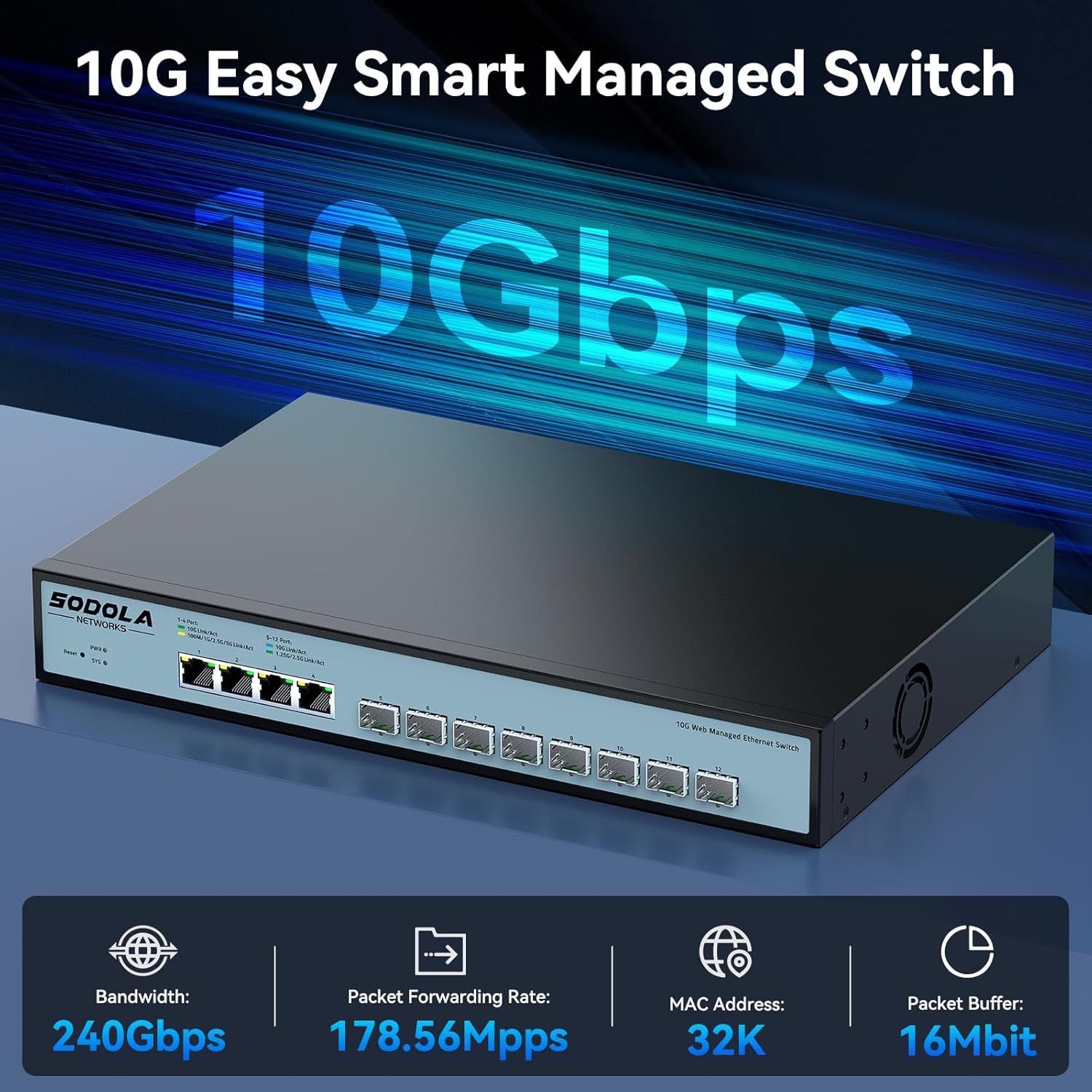
Immagine 7.1.1: Internal cooling fan for heat dissipation.
The switch is equipped with an efficient cooling fan to manage heat dissipation, ensuring stable operation, especially during high workloads. Ensure that the fan vents are not obstructed to allow for proper airflow.
7.2 Cura generale
- Keep the device in a clean, dry environment, away from direct sunlight and heat sources.
- Evitare di esporre l'interruttore a umidità o temperature estreme.
- Pulire l'esterno dell'interruttore con un panno morbido e asciutto. Non utilizzare detergenti liquidi o spray.
- Controllare periodicamente la presenza di aggiornamenti del firmware sul sito del produttore websito per garantire prestazioni e sicurezza ottimali.
8. Risoluzione Dei Problemi
Questa sezione fornisce soluzioni ai problemi più comuni che potresti riscontrare.
8.1 Nessun potere
- Assicurarsi che il cavo di alimentazione sia collegato saldamente sia all'interruttore sia a una presa di corrente funzionante.
- Verificare che la presa di corrente funzioni collegandovi un altro dispositivo.
- Check the Power Indicator LED on the front panel. If it is off, there may be a power supply issue.
8.2 Nessuna connettività di rete
- Check the Link/Act LEDs for the connected ports. A solid green or amber light indicates a link, and blinking indicates activity. If the LED is off, check the cable connection and the connected device.
- Ensure that the Ethernet cables are properly seated and not damaged.
- Verify that the connected devices are powered on and configured correctly.
- If using SFP+ ports, ensure the SFP/SFP+ modules are correctly inserted and compatible with the connected device.
8.3 Impossibile accedere Web Interfaccia
- Confirm your computer's IP address is within the same subnet as the switch's default IP (e.g., 192.168.2.x).
- Assicurati di utilizzare l'indirizzo IP predefinito corretto (192.168.2.1) e le credenziali (admin/admin).
- Prova a cancellare il tuo web cache del browser o utilizzando un browser diverso.
- If the switch's IP address has been changed and forgotten, a factory reset may be necessary. Refer to the reset procedure in the full manual (if available) or contact support.
9. Specifiche
| Marca | Sodola |
| Numero di modello | 4x10G RJ45+8x10G SFP+(Managed) |
| Tipo di interfaccia | 4x10G RJ45, 8x10G SFP+ |
| Numero di porte | 12 |
| Velocità di trasferimento dati | 10 Gigabit al secondo |
| Materiale della cassa | Metallo |
| Peso dell'articolo | 4.4 libbre |
| Dimensioni del pacco | 14.57 x 11.42 x 3.35 pollici |
| Dispositivi compatibili | Desktop, portatile, server |
10. Informazioni sulla sicurezza
- Leggere attentamente tutte le istruzioni prima di utilizzare il dispositivo.
- Non aprire il dispositivo casing. All'interno non ci sono parti riparabili dall'utente.
- Utilizzare solo l'alimentatore fornito con il dispositivo.
- Assicurare una corretta messa a terra del dispositivo.
- Avoid installing the device in areas with high humidity, dust, or extreme temperatures.
- Scollegare l'alimentazione prima di pulire o spostare il dispositivo.
11. Garanzia e supporto
SODOLA products are designed for reliability and performance. For warranty information or technical support, please refer to the official SODOLA webo contattare il distributore locale. Conservare la ricevuta d'acquisto per eventuali reclami in garanzia.
Produttore: Shenzhen hongyavision Technology Co.,Ltd.