
Ledvion LVT10002_1m4s
Ledvion 1m Single-Phase Track Lighting System with 4 GU10 Adjustable Spotlights, White
Modello: LVT10002_1m4s
Introduzione
This manual provides instructions for the safe and efficient installation, operation, and maintenance of your Ledvion 1m Single-Phase Track Lighting System. Please read this manual thoroughly before installation and retain it for future reference.
The Ledvion track lighting system offers a modern and flexible lighting solution for various indoor spaces. It features a 1-meter single-phase track with four adjustable GU10 spotlights, allowing you to direct light precisely where needed. The system is designed for easy installation and is compatible with energy-efficient LED GU10 lamps, offering dimmable functionality with an external dimmer (not included).
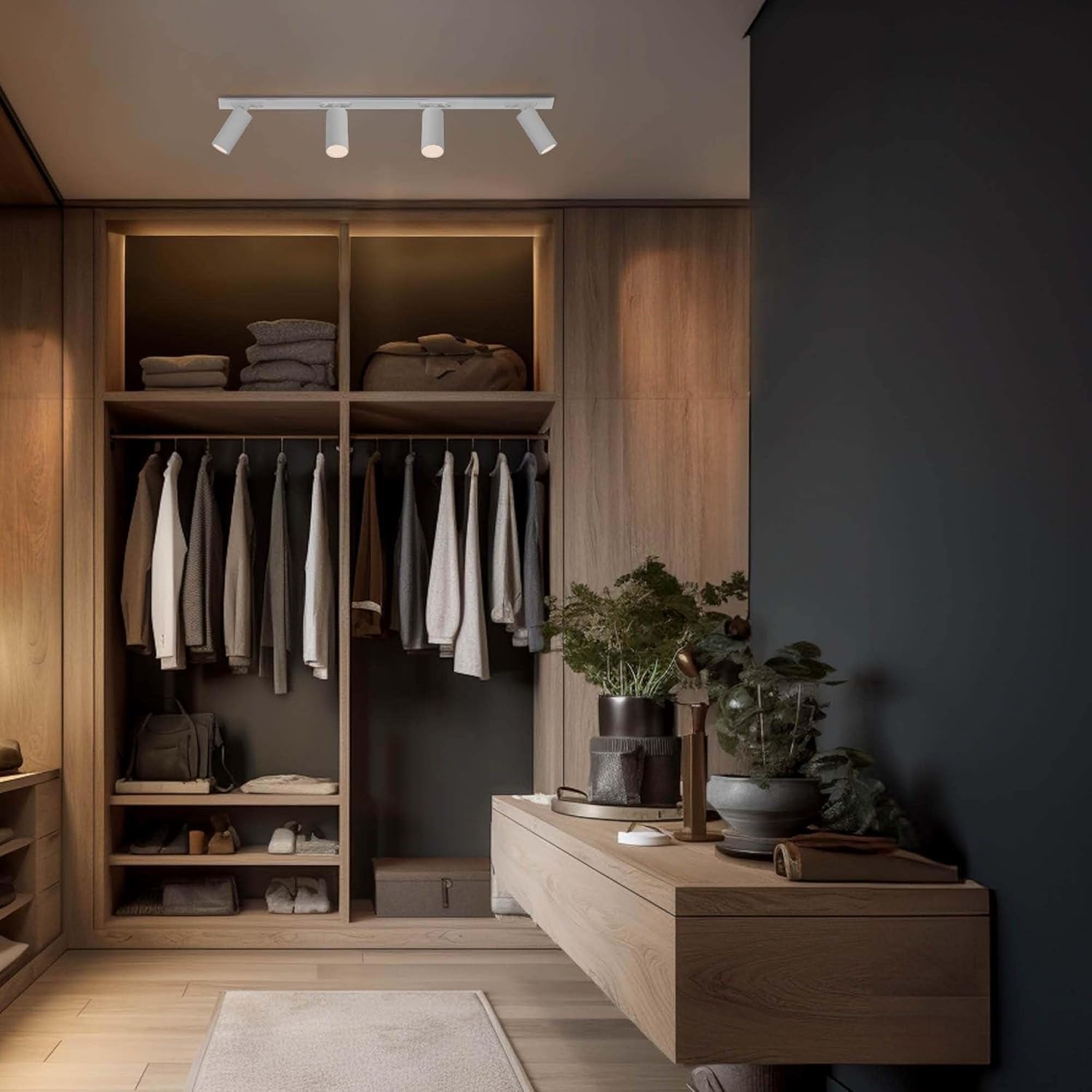
Image: The Ledvion track lighting system installed in a modern closet, demonstrating its application in illuminating specific areas.
Informazioni sulla sicurezza
AVVERTIMENTO: Electrical installation should only be performed by a qualified electrician or in accordance with local electrical codes. Always disconnect power at the main circuit breaker before installation, maintenance, or changing lamps.
- Ensure the power supply is turned off before handling any electrical components.
- Non superare il limite massimo di wattage specified for GU10 lamps.
- Questo prodotto è progettato esclusivamente per uso interno.
- Tenere il prodotto lontano da acqua e umidità.
- Non tentare di modificare il prodotto. Qualsiasi modifica potrebbe invalidare la garanzia e comportare rischi per la sicurezza.
- Assicurarsi che tutti i collegamenti siano sicuri per evitare rischi elettrici.
Cosa c'è nella scatola
Prima di procedere con l'installazione, verificare che tutti i componenti siano presenti e integri.
- 1x 1-meter Single-Phase Track
- 4x GU10 Adjustable Spotlights (lampnon è incluso)
- Materiale di montaggio (viti, tasselli)
- Connettore di alimentazione

Immagine: Un esploso view of the Ledvion track lighting system components, including the track, four spotlights, and installation hardware.
Configurazione e installazione
Follow these steps for proper installation of your track lighting system.
1. Prepararsi per l'installazione
- Spegni l'alimentazione: Locate the main circuit breaker and turn off the power to the area where you will install the track lighting.
- Segna punti di montaggio: Hold the track against the ceiling or wall at the desired installation location. Use a pencil to mark the drilling points for the mounting screws.
2. Mount the Track
- Fori di perforazione: Praticare i fori nei punti contrassegnati. Inserire i tasselli forniti, se necessario.
- Traccia sicura: Attach the track to the ceiling or wall using the provided screws. Ensure the track is securely fastened.
3. Collegare l'alimentazione
- Collegamento dei cavi: Connect the electrical wires from your ceiling/wall to the power connector of the track. Ensure correct polarity (Live, Neutral, Earth).
- Connettore sicuro: Attach the power connector to the track.
4. Install Spotlights
The spotlights feature a plug-and-play locking system for easy installation.

Image: Visual guide for the plug-and-play installation of a spotlight onto the track, showing the unlock and lock positions.
- Inserire GU10 Lamps: Gently insert GU10 lamps (not included) into each spotlight fixture.
- Attach Spotlights: Align the spotlight adapter with the track. Push the spotlight into the track and rotate the locking mechanism to secure it in place.
- Riposizionamento: Spotlights can be easily added, removed, or repositioned along the track as needed.

Immagine: Un dettaglio view of a single GU10 spotlight mounted on the track, showing its connection point.
Istruzioni per l'uso
Once installed, your Ledvion track lighting system is ready for use.
- Accensione: Ripristinare l'alimentazione all'interruttore principale.
- Regola i riflettori: Each spotlight can be tilted up to 90 degrees and rotated 350 degrees horizontally. Adjust the spotlights to direct light to your desired areas.
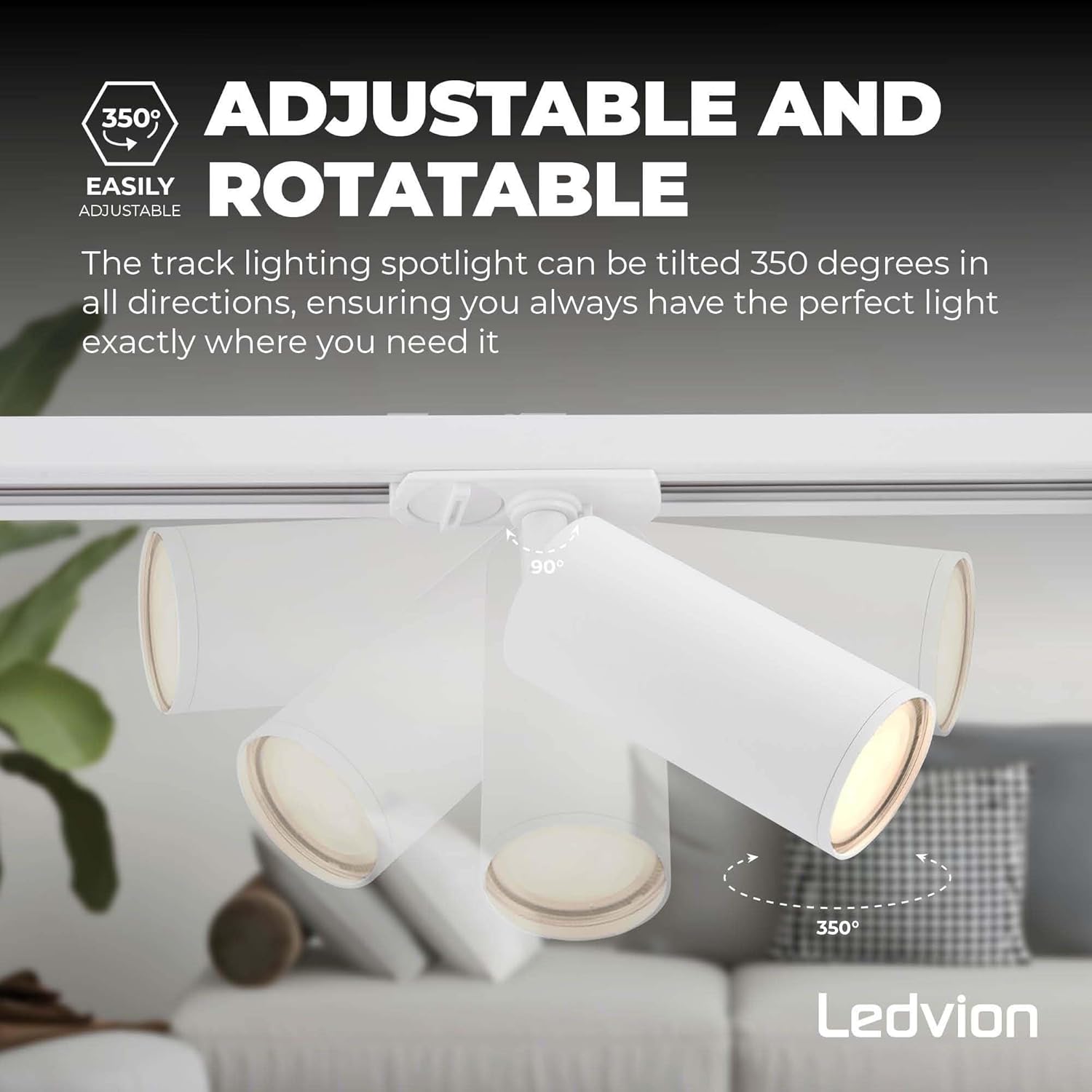
Image: A visual representation of the adjustable features of the spotlights, showing their range of motion for tilting and rotation.
- Oscuramento (opzionale): If using dimmable GU10 LED lamps and an external dimmer switch (not included), you can adjust the light intensity.
- Anti-Glare Grid (Optional): If you have the optional anti-glare grid, it can be easily added or removed from the front of the spotlight to prevent glare.

Image: The optional anti-glare grid feature, showing its honeycomb structure and ease of installation/removal from the spotlight.
Manutenzione
- Pulizia: Scollegare l'alimentazione prima della pulizia. Pulire il binario e i faretti con un panno morbido e asciutto. Non utilizzare detergenti abrasivi o solventi.
- Lamp Sostituzione: Ensure power is off. Carefully remove the old GU10 lamp and insert a new one.
- Ispezione: Controllare periodicamente tutti i collegamenti e i punti di montaggio per verificarne la sicurezza.
Risoluzione dei problemi
| Problema | Possibile causa | Soluzione |
|---|---|---|
| La luce non si accende. | No power supply; faulty lamp; loose connection. | Check circuit breaker. Replace lamp. Ensure spotlight is securely locked onto the track and power connector is properly wired. |
| Sfarfallio di luce. | Sciolto lamp; incompatible dimmer; poor connection. | Assicurare lamp is fully inserted. Use a dimmer compatible with LED lamps. Check spotlight connection to the track. |
| Spotlight falls off track. | Spotlight not securely locked. | Ensure the locking mechanism on the spotlight is fully engaged and rotated to the locked position. |
Specifiche
- Marca: Ledvio
- Numero modello: LVT10002_1m4s
- Dimensioni del prodotto: Dimensioni: 105 x 15 x 15 cm
- Peso dell'articolo: 1.36 kg
- Materiale: Alluminio
- Numero di luci: 4
- Voltage: 230 Volt
- Fonte di energia: Elettrico
- Tipo di lampadina: LED (GU10 fitting, lampnon è incluso)
- Stile: Single-Phase Track Lighting System
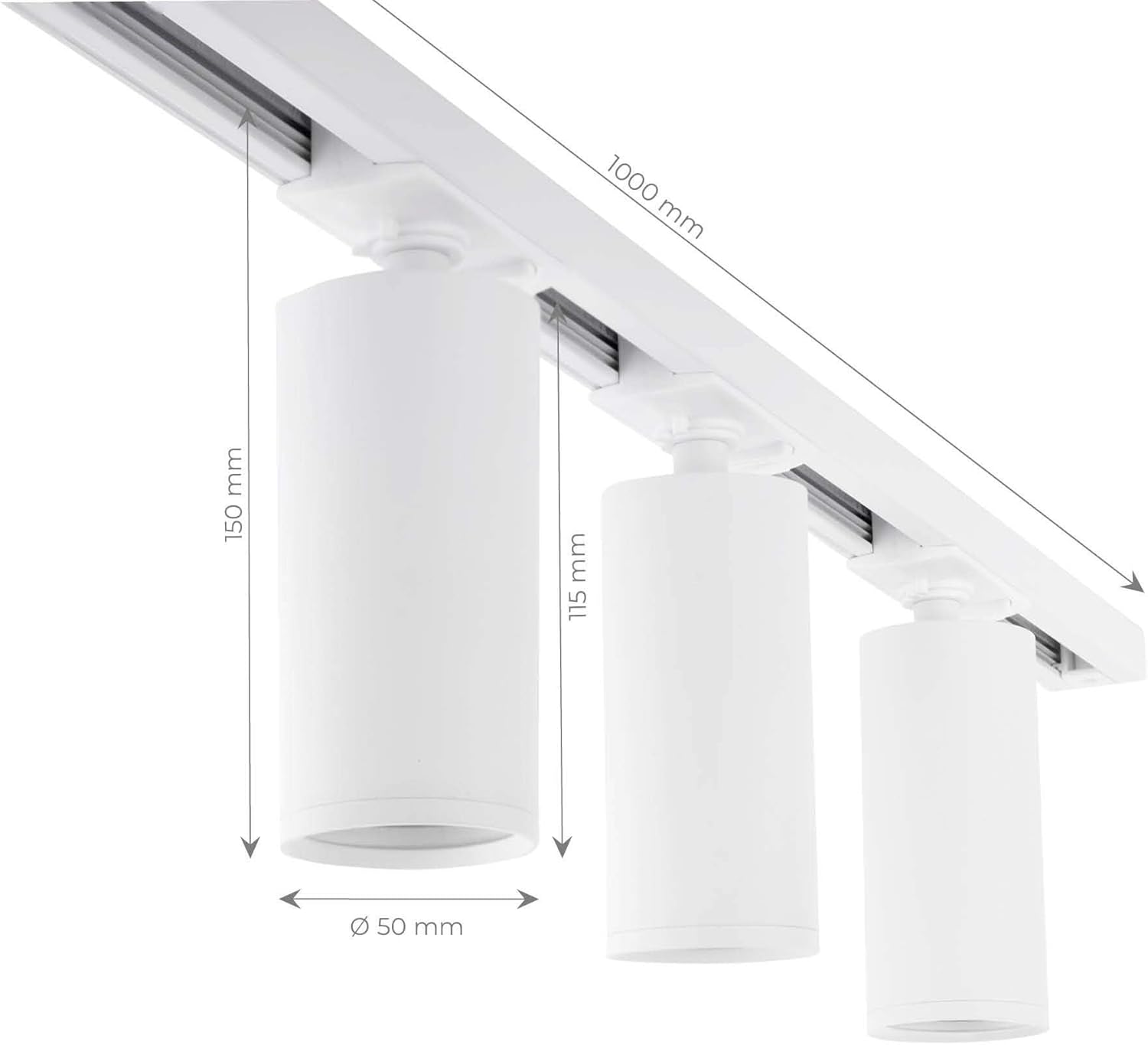
Image: A diagram illustrating the key dimensions of the track and spotlights, including track length (1000mm) and spotlight height (150mm) and diameter (50mm).
Garanzia e supporto
This Ledvion product is covered by a standard manufacturer's warranty. For specific warranty terms and conditions, please refer to the documentation included with your purchase or contact Ledvion customer support.
For technical assistance, troubleshooting, or questions regarding your product, please contact Ledvion customer service through their official websito o rivenditore presso cui è stato acquistato il prodotto.
Accessori opzionali
Expand your Ledvion track lighting system with optional accessories (sold separately) to customize your lighting setup.

Immagine: Un overview of optional accessories such as power feeders with cover plates or I-connectors, X-connectors, T-connectors, and pendant spotlights, allowing for system expansion.
Ask a question about this manual
Ask about setup, troubleshooting, compatibility, parts, safety, or missing instructions. Manuals+ will review the question and use this page’s manual context to help answer it.