
Introduzione
Thank you for choosing the Devoko Electric Sit-Stand Desk. This manual provides essential information for the safe and efficient assembly, operation, and maintenance of your new adjustable height desk. Please read these instructions carefully before use and retain them for future reference.

Image: The Devoko Electric Sit-Stand Desk integrated into a modern office environment, showcasinil suo design e la sua funzionalità.
Installazione e assemblaggio
Your Devoko desk is designed for straightforward assembly. All necessary tools and detailed instructions are included in the package. We recommend assembling the desk in the area where it will be used.
Passaggi di montaggioview:
- Disimballare i componenti: Estrarre con cautela tutti i componenti dall'imballaggio e verificarli con l'elenco dei componenti incluso.
- Montare il telaio: Follow the instructions to connect the metal frame components, ensuring all screws are securely tightened.
- Allega Desktop: Place the desktop onto the assembled frame and secure it using the provided fasteners.
- Installa il Pannello di controllo: Mount the electric control panel to the underside of the desk in the designated location.
- Connetti alimentazione: Plug the power cable into the control box and then into a wall outlet.
- Fissare il supporto del monitor: Secure the monitor stand to the desktop as per instructions.

Image: Illustration of the desk frame assembly, highlighting the robust metal structure.

Image: A detailed diagram illustrating the desk's dimensions (160cm length, 70cm depth, 73-118cm height range) and key features like the cable pass-through hole.
Istruzioni per l'uso
Regolazione dell'altezza:
The Devoko Electric Sit-Stand Desk allows for smooth and quiet height adjustments between 73 cm and 118 cm. Use the Up and Down arrow buttons on the control panel to adjust the desk to your desired height. The current height is displayed on the LED screen.

Image: Visual representation of the desk's height range, demonstrating its versatility for both sitting (73cm) and standing (118cm) positions.
Preimpostazioni di memoria:
The control panel features two memory preset buttons (labeled '1' and '2') to save your preferred sitting and standing heights. To set a memory position:
- Regolare la scrivania all'altezza desiderata utilizzando le frecce Su/Giù.
- Press and hold one of the memory buttons (1 or 2) until the LED display flashes or beeps, indicating the height has been saved.
To recall a saved height, simply press the corresponding memory button (1 or 2). The desk will automatically move to the programmed height.
Pannello di controllo Fineview:

Immagine: Un dettaglio view of the control panel, showing the LED height display, two memory preset buttons, and Up/Down adjustment buttons.
- Display a LED: Mostra l'altezza attuale della scrivania in centimetri.
- Pulsanti di memoria (1, 2): Store and recall two preferred height settings.
- Frecce su/giù: Manually adjust the desk height.
Caratteristiche principali
Supporto per monitor integrato:
The desk includes an ergonomic monitor stand designed to elevate your screen to an optimal viewing height, promoting better posture and reducing neck and back strain. This also helps in organizing your workspace by providing an additional layer for storage.
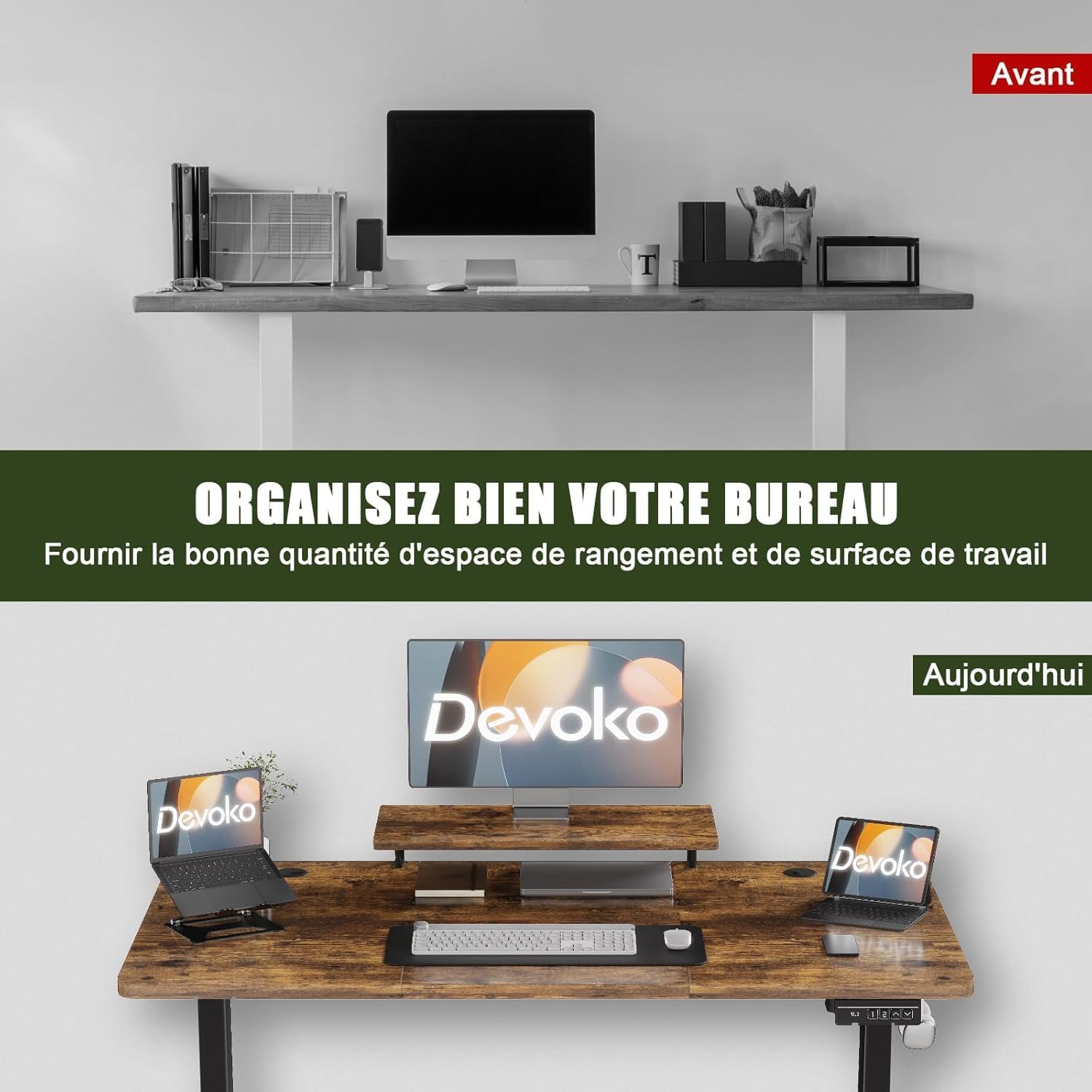
Immagine: Un example of an organized workspace on the Devoko desk, featuring the integrated monitor stand and efficient use of space.

Immagine: Un dettaglio view of the integrated monitor stand, showing its placement and design on the desktop.
Gestione dei cavi:
To maintain a tidy and hazard-free workspace, the desk is equipped with a cable management tray and pass-through holes. Route your power cords and data cables through these features to keep them organized and out of sight.

Image: An illustration demonstrating the cable management solutions, including cable pass-through holes and an under-desk tray.
Gancio per cuffie:
A convenient hook is located on the underside of the desk, allowing you to hang your headphones or other accessories, keeping your desktop clear and organized.
Manutenzione
To ensure the longevity and optimal performance of your Devoko Electric Sit-Stand Desk, follow these simple maintenance guidelines:
- Pulizia: Pulisci la superficie del desktop con un pannoamp cloth to remove dust and spills. For stubborn marks, use a mild cleaning solution. Immediately wipe dry with a clean, dry cloth.
- Evitare prodotti chimici aggressivi: Do not use abrasive cleaners, strong solvents, or harsh chemicals, as these can damage the desk's finish.
- Controllare le connessioni: Controllare periodicamente tutte le viti e i bulloni per assicurarsi che siano ben serrati. Serrarli nuovamente se necessario.
- Cura del cavo: Ensure power cables are not pinched or strained during height adjustments.
Risoluzione dei problemi
If you encounter any issues with your Devoko Electric Sit-Stand Desk, please refer to the following common problems and solutions:
- La scrivania non si muove:
- Controllare che il cavo di alimentazione sia collegato saldamente sia alla scrivania sia alla presa a muro.
- Verificare che la presa a muro funzioni testandola con un altro dispositivo.
- If the desk has been overloaded, remove some weight and try again. The maximum load capacity is 60 kg.
- Movimento irregolare o rumore:
- Assicurarsi che la scrivania sia posizionata su una superficie piana.
- Check all assembly screws and bolts for tightness.
- The motor operates quietly (below 50dB), but unusual noises may indicate an obstruction or loose part.
- Preset di memoria non funzionanti:
- Re-program the memory presets by following the instructions in the "Operating Instructions" section.
- Codice di errore sul display:
- If an error code appears, try unplugging the desk from the power outlet for 10-15 minutes, then plug it back in to reset the system.
- Consultare il produttore website or customer support for specific error code meanings.
Specifiche del prodotto
| Caratteristica | Specificazione |
|---|---|
| Numero di modello | 0463 |
| Dimensioni (L x P x A) | Dimensioni: 160 cm x 70 cm x 73-118 cm |
| Altezza minima | 73 centimetri |
| Altezza massima | 118 centimetri |
| Spessore della scrivania | 25 millimetri |
| Peso | 24.4 kg |
| Capacità di carico massima | 60 kg |
| Materiale del telaio | Metallo |
| Materiale del desktop | Legno ingegnerizzato |
| Colore | Brown (Rustic Brown Finish) |
| Meccanismo di sollevamento | Elettrico |
| Caratteristiche speciali | Electric height adjustment, Monitor stand, Ergonomic design |
| Assemblaggio richiesto | Sì (Strumenti e istruzioni inclusi) |
| Istruzioni per la cura | Cancella con pubblicitàamp panno, pulire con un panno asciutto |

Image: The desk's robust construction is demonstrated by a test showing its ability to reliably lift a 60 kg load, tested over 20,000 cycles.
Informazioni sulla garanzia
The Devoko Electric Sit-Stand Desk comes with a Garanzia limitata. Please refer to the warranty card included in your package for specific terms, conditions, and duration of coverage. This warranty typically covers manufacturing defects and malfunctions under normal use.
Assistenza clienti
For any questions, assistance with assembly, troubleshooting, or warranty claims, please contact Devoko customer support. You can typically find contact information on the product packaging, the warranty card, or by visiting the official Devoko websito. Quando contatti l'assistenza, tieni a portata di mano il numero del modello (0463) e i dettagli dell'acquisto.