
1. Introduzione
This manual provides essential information for setting up, operating, maintaining, and troubleshooting your SHARP 55FJ2E 4K UHD Smart TV. Please read these instructions carefully before using your television to ensure proper functionality and safety.
2. Cosa è incluso
Verificare che tutti i componenti siano presenti nella confezione:
- SHARP 55FJ2E 4K UHD Smart TV
- Telecomando
- 2 batterie AAA
- TV Stand Installation Kit
- Guida veloce
3. Impostazione
3.1 Fissaggio del supporto TV
Carefully place the TV screen-down on a soft, clean surface to prevent damage. Attach the included stand components to the bottom of the TV using the provided screws. Ensure the stand is securely fastened before placing the TV upright.
Alternatively, the TV supports VESA wall mounting (400 x 300 mm) for compatible wall brackets (sold separately).
3.2 Collegamento di dispositivi esterni
Connect your external devices such as cable boxes, gaming consoles, or media players to the appropriate ports on the TV.
- HDMI Ports (3x HDMI 4K @ 60 Hz (2.1)): For high-definition audio and video devices.
- USB Ports (2x): For connecting USB storage devices or other peripherals.
- Ingresso antenna: For connecting a terrestrial antenna.
- Ingresso satellitare: For connecting a satellite dish.
- Presa per cuffie: Per l'ascolto privato.
- Uscita audio ottica digitale: Per il collegamento a sistemi audio esterni.
- Porta LAN (RJ45): Per una connessione Internet cablata.
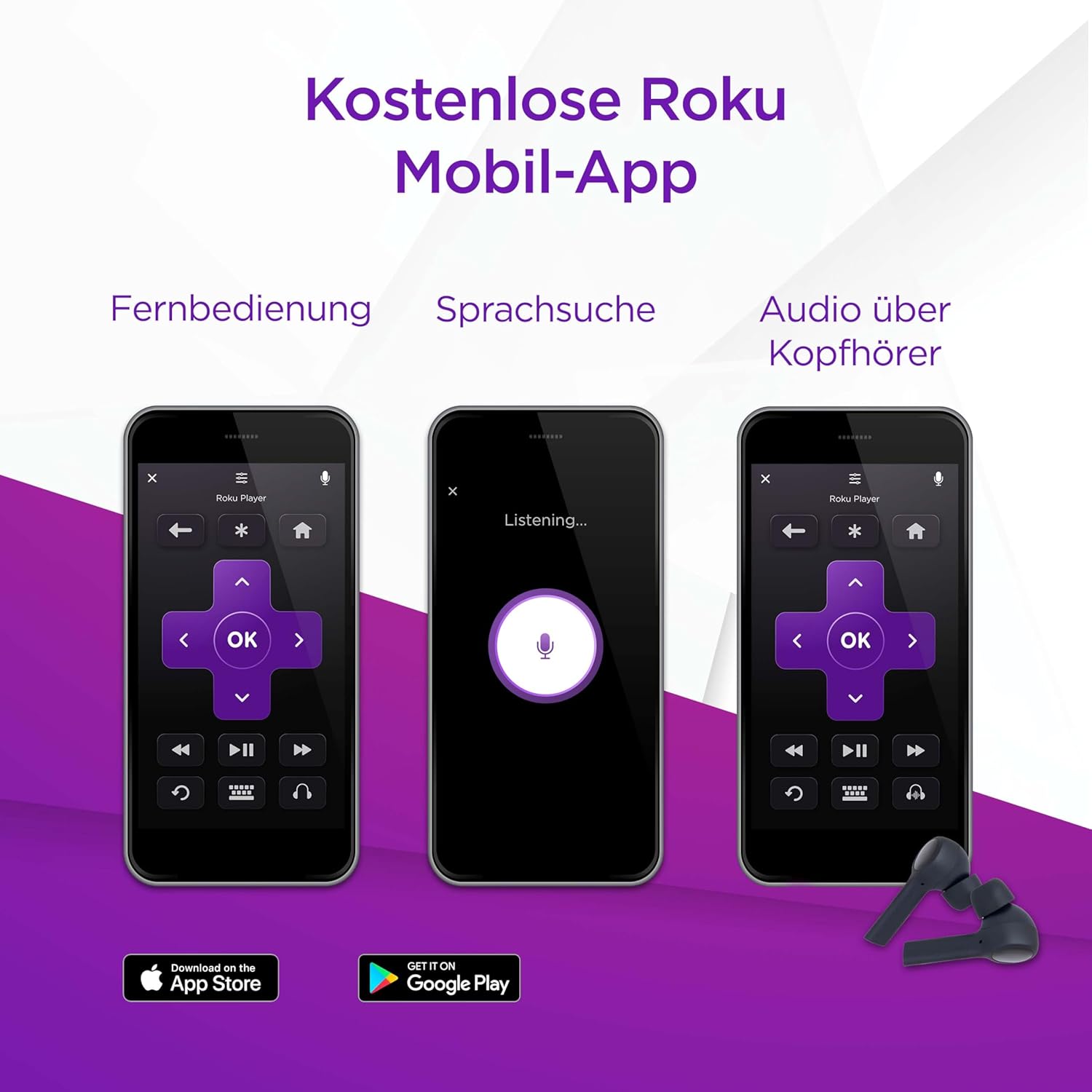
Immagine: Lato view of the TV displaying connectivity ports.
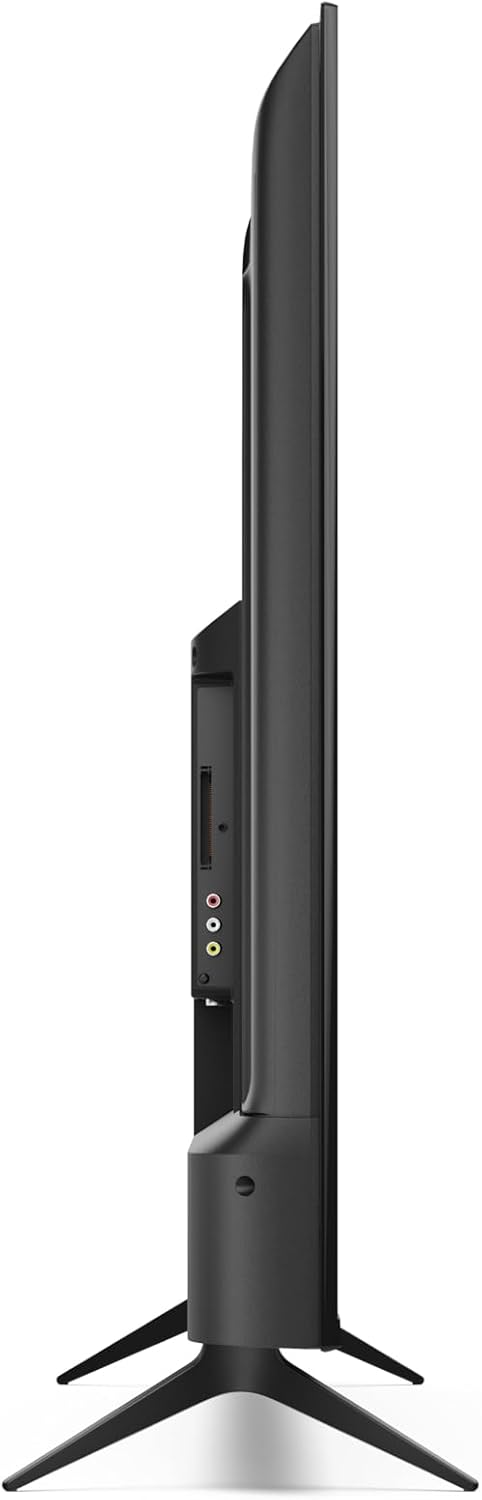
Immagine: Posteriore view of the TV with port layout.
3.3 Initial Power On and Roku TV Setup
After connecting all necessary cables, plug the TV into a power outlet. Press the power button on the remote control or the TV. Follow the on-screen instructions to complete the initial Roku TV setup, including network connection (Wi-Fi or LAN) and channel scanning.

Immagine: Frontale view of the Sharp 55FJ2E TV.
4. Utilizzo del televisore
4.1 Funzioni del telecomando
The included remote control allows you to navigate the Roku TV interface and control your television. Insert the 2 AAA batteries into the remote control before use.

Image: Sharp Roku TV Remote Control.
- Pulsante di accensione: Accende o spegne la TV.
- Guida: Accesses the program guide.
- Navigation Pad (Up/Down/Left/Right): Moves through menus and options.
- Pulsante OK: Conferma le selezioni.
- Volume su/giù: Regola il livello del suono.
- Muto: Silences the TV sound.
- Controlli di riproduzione: Play, Pause, Fast Forward, Rewind.
- Pulsante Home: Returns to the Roku TV home screen.
- Pulsanti numerici: Per l'ingresso diretto del canale.
- Esci/Indietro: Ritorna alla schermata precedente o esce da un menu.
4.2 Roku TV Interface Navigation
The Roku TV home screen provides access to streaming channels, input sources, and settings. Use the navigation pad and OK button on your remote to browse.

Image: Roku TV Home Screen Interface.
- Canali di streaming: Access pre-installed apps like YouTube, Netflix, Prime Video, Disney+, and Apple TV.
- TV in diretta: Access broadcast channels via antenna or satellite.
- Ingressi: Select connected devices (e.g., HDMI 1, USB).
- Impostazioni: Adjust picture, sound, network, and system settings.
4.3 App mobile Roku
You can also control your SHARP Roku TV using the free Roku Mobile App on your smartphone or tablet. The app offers remote control functionality, voice search, and private listening via headphones.
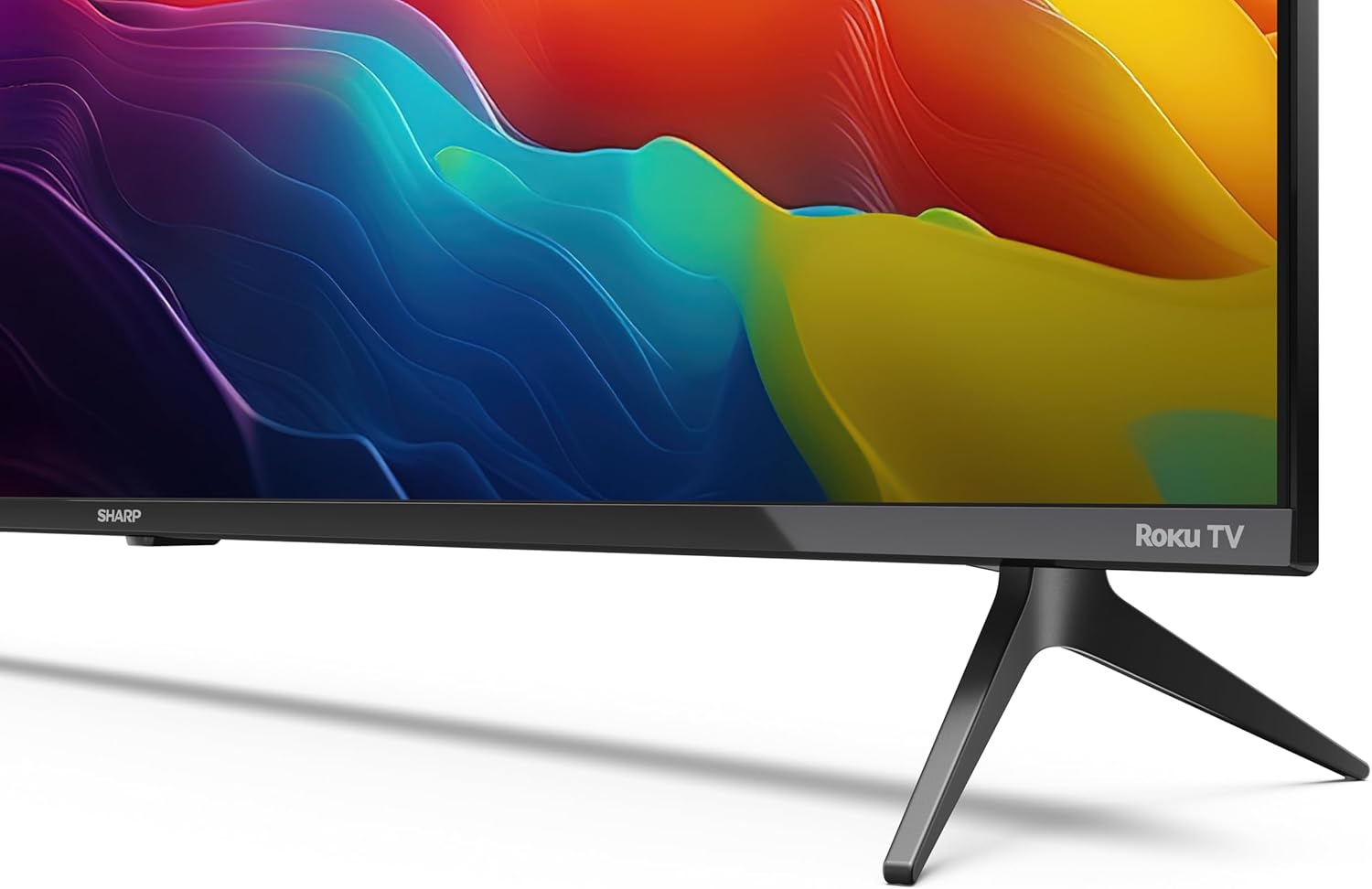
Image: Roku Mobile App features.
5. Manutenzione
5.1 Pulizia del televisore
- Schermo: Gently wipe the screen with a soft, lint-free cloth. For stubborn marks, use a screen cleaning solution specifically designed for TVs, applied to the cloth, not directly to the screen.
- Mobiletto: Wipe the TV cabinet with a soft, dry cloth. Avoid using abrasive cleaners or solvents.
5.2 Aggiornamenti software
Your Roku TV automatically receives software updates to improve performance and add new features. Ensure your TV is connected to the internet for these updates to download and install.
6. Risoluzione Dei Problemi
Se riscontri problemi con la tua TV, fai riferimento alle seguenti soluzioni comuni:
- Nessun potere: Check if the power cord is securely plugged into both the TV and the wall outlet. Try a different outlet.
- Nessuna immagine, ma suono: Ensure the correct input source is selected. Check cable connections to external devices.
- Nessun suono, ma immagine: Check the volume level and mute status. Verify audio cable connections to external sound systems.
- Il telecomando non funziona: Replace the AAA batteries. Ensure there are no obstructions between the remote and the TV's IR sensor.
- Problemi di connessione di rete: Restart your router and modem. Re-enter your Wi-Fi password in the TV's network settings. For wired connections, ensure the Ethernet cable is properly connected.
- Controllo genitori: If content is blocked, check parental control settings. These are typically protected by a PIN.
For further assistance, consult the online support resources for Roku TV or contact Sharp customer support.
7. Specifiche
| Caratteristica | Specificazione |
|---|---|
| Numero di modello | 55FJ2E |
| Dimensioni dello schermo | 55 pollici (139 cm) |
| Tecnologia di visualizzazione | GUIDATO |
| Risoluzione | 4K UHD (3840 x 2160 px) |
| Frequenza di aggiornamento | Frequenza 60 Hz |
| Supporto HDR | L'HDR10 |
| Motion Enhancement Technology | Movimento attivo 400 |
| Sistema operativo | Sistema operativo Roku |
| Modalità di uscita audio | Dolby Digital, Dolby Digital Plus |
| Sistema di altoparlanti | Front silk tweeter (10W), Down-firing woofer (10W) |
| Porte HDMI | 3 (4K @ 60 Hz, 2.1) |
| Porte USB | 2 |
| Connettività | Wi-Fi, LAN (RJ45), Antenna, Satellite, Headphone, Digital Optical Audio Out |
| Tipo di sintonizzatore | UHD DVB-T/T2/C/S/S2 (MPEG4 + 10 bits HEVC/H.265) |
| Standard di montaggio VESA | 400 x 300 millimetri |
| Dimensioni del prodotto (P x L x A) | 9.1 x 123.1 x 71.8 cm (senza supporto) |
| Consumo energetico (SDR) | 67.0 L |
| Consumo energetico (HDR) | 114 L |
| Consumo energetico in standby | 0.5 L |
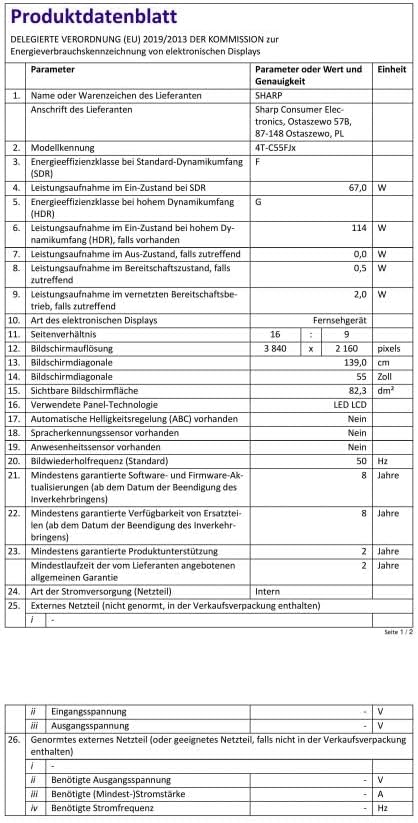
Image: Product Data Sheet (German).
8. Garanzia e supporto
8.1 Informazioni sulla garanzia
Warranty details for your SHARP 55FJ2E TV are typically provided with the product packaging or available on the official Sharp websito. Conservare la prova d'acquisto per eventuali reclami in garanzia.
8.2 Assistenza clienti
For technical support, service, or further inquiries, please visit the official Sharp website or contact their customer service department. Contact information can usually be found in the quick guide or on the manufacturer's websito.