
1. Introduzione
Thank you for choosing the Intenso Buds Plus TWS T313AE Wireless Earbuds. These earbuds are designed to provide a superior audio experience with advanced features such as Active Noise Cancellation (ANC), Environmental Noise Cancellation (ENC), and Bluetooth 5.4 connectivity. This manual provides essential information for setting up, operating, and maintaining your earbuds.
2. Contenuto della confezione
Si prega di controllare la confezione per verificare la presenza dei seguenti elementi:
- Intenso Buds Plus TWS Earbuds (Left and Right)
- Custodia di ricarica
- Cavo di ricarica USB
- Diverse misure di gommini auricolari
- Manuale d'uso
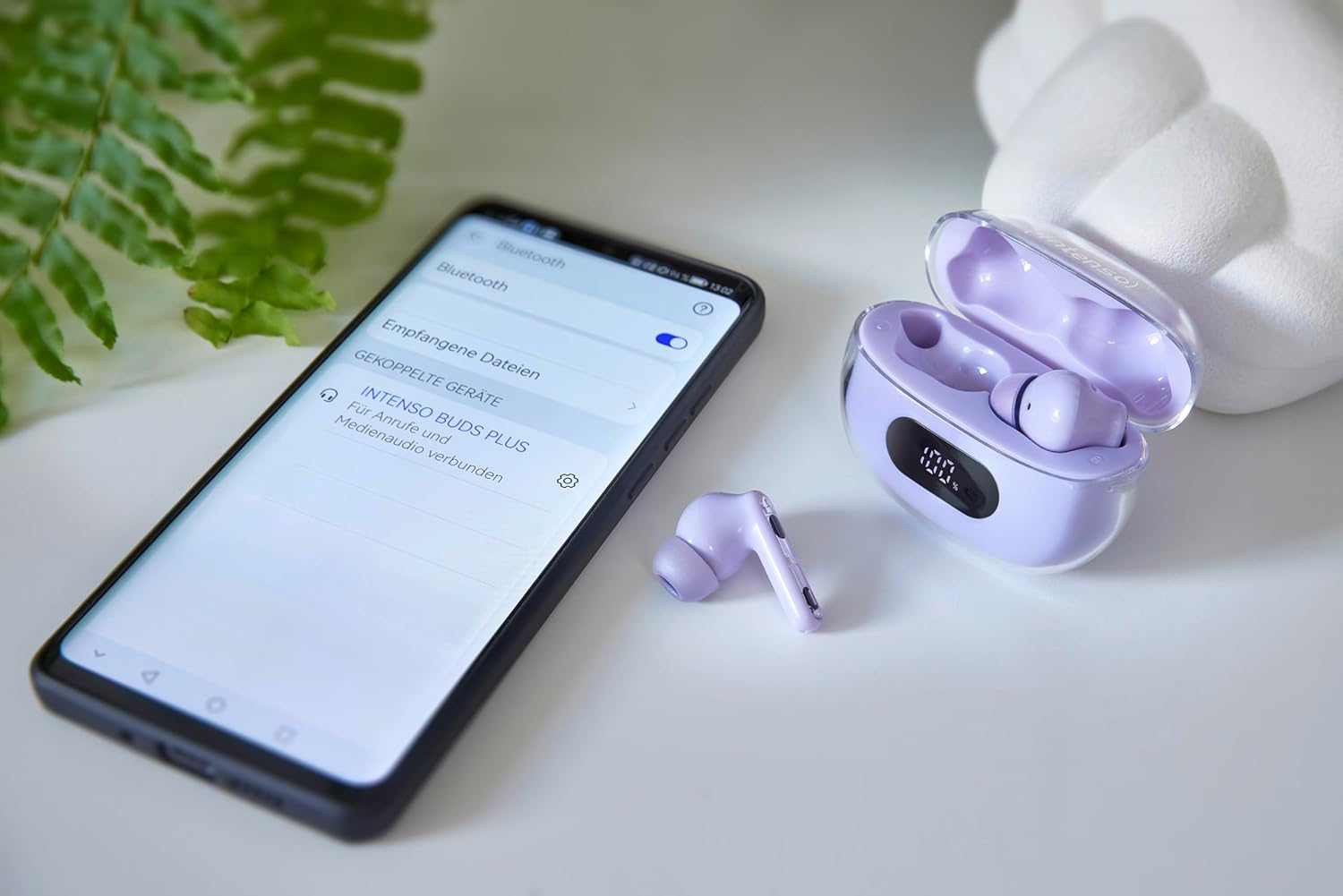
Image: Intenso Buds Plus TWS earbuds, charging case, and a smartphone displaying Bluetooth pairing settings.
3. Prodotto finitoview
The Intenso Buds Plus TWS earbuds feature a compact design with a transparent charging case. The earbuds are equipped with touch controls and integrated microphones for clear communication.

Image: Earbuds in open charging case with digital display.

Image: Features highlighted: ANC, ENC, and LED display.

Image: Charging case with 100% battery display.

Image: Close-up of individual earbuds.
4. Impostazione
4.1 Ricarica degli auricolari e della custodia
Before first use, fully charge the earbuds and the charging case. The charging case features an LED display to indicate the battery level.
- Riporre gli auricolari nella custodia di ricarica.
- Collegare la custodia di ricarica a una fonte di alimentazione USB utilizzando il cavo USB in dotazione.
- Il display LED sulla custodia mostrerà lo stato di carica.
- A full charge typically takes approximately 1.5 to 2 hours for the case and earbuds.

Image: LED status display on the charging case.
4.2 Associazione Bluetooth
The Intenso Buds Plus earbuds utilize Bluetooth 5.4 for a stable and fast connection.
- Assicurarsi che gli auricolari siano carichi e all'interno della custodia di ricarica.
- Aprire la custodia di ricarica. Gli auricolari entreranno automaticamente in modalità di associazione.
- Sul tuo dispositivo (smartphone, tablet, laptop), vai alle impostazioni Bluetooth.
- Cercare available devices and select "Intenso Buds Plus" from the list.
- Una volta effettuata la connessione, sentirai un tono di conferma e gli auricolari saranno pronti per l'uso.

Image: Earbuds and case next to a smartphone.
5. Istruzioni per l'uso
5.1 Comandi touch
The earbuds feature intuitive touch controls for managing audio playback, calls, and noise cancellation modes.
- Riproduci/Pausa: Un solo tocco su uno degli auricolari.
- Traccia successiva: Tocca due volte l'auricolare destro.
- Traccia precedente: Tocca due volte l'auricolare sinistro.
- Rispondi/Termina chiamata: Un solo tocco su uno degli auricolari.
- Rifiuta chiamata: Tieni premuto uno degli auricolari per 2 secondi.
- Aumenta volume: Tocca tre volte l'auricolare destro.
- Volume basso: Tocca tre volte l'auricolare sinistro.
- Attiva l'assistente vocale: Tenere premuto uno dei due auricolari per 3 secondi (quando non si è impegnati in una chiamata).
5.2 Noise Cancellation Modes (ANC, ENC, Transparency)
The earbuds offer various modes to control your listening environment:
- Cancellazione attiva del rumore (ANC): Riduce il rumore ambientale, consentendoti di concentrarti sull'audio.
- Cancellazione del rumore ambientale (ENC): Enhances voice clarity during calls by filtering out background noise.
- Modalità trasparenza: Ti consente di ascoltare l'ambiente circostante continuando a goderti l'audio, utile per la consapevolezza in ambienti affollati.
To switch between ANC, Transparency, and Normal modes, press and hold the touch area on the left earbud for 2 seconds. ENC is automatically active during calls.
5.3 Durata della batteria
The earbuds provide up to 7 hours of playback on a single charge. The charging case extends the total playtime to approximately 25 hours, allowing for multiple recharges on the go.

Image: Illustration of battery life with and without charging case.
6. Manutenzione
To ensure the longevity and optimal performance of your Intenso Buds Plus earbuds, follow these maintenance guidelines:
- Pulizia: Pulisci regolarmente gli auricolari e la custodia di ricarica con un panno morbido, asciutto e privo di lanugine. Non utilizzare detergenti abrasivi o solventi.
- Suggerimenti per le orecchie: Rimuovere periodicamente i gommini auricolari e pulirli con acqua e sapone neutro. Assicurarsi che siano completamente asciutti prima di riapplicarli.
- Contatti di ricarica: Keep the charging contacts on both the earbuds and inside the case clean and free of debris to ensure proper charging.
- Magazzinaggio: Quando non li usi, riponi gli auricolari nella custodia di ricarica per proteggerli da polvere e danni.
- Resistenza all'acqua: The earbuds are water-resistant. Avoid submerging them in water or exposing them to excessive moisture. Dry them thoroughly if they get wet.
7. Risoluzione Dei Problemi
Se riscontri problemi con gli auricolari, fai riferimento alle seguenti soluzioni comuni:
| Problema | Possibile causa | Soluzione |
|---|---|---|
| Gli auricolari non si accoppiano | Low battery; Bluetooth off; Earbuds not in pairing mode; Device already connected to another Bluetooth device. | Charge earbuds and case; Ensure Bluetooth is enabled on your device; Place earbuds in case, close, then open to re-enter pairing mode; Disconnect from other devices. |
| Nessun suono | Volume troppo basso; auricolari non collegati; sorgente audio in pausa. | Increase volume on earbuds and device; Reconnect earbuds; Check audio playback on your device. |
| Scarsa qualità del suono | Ear tips not properly sealed; Earbuds dirty; Interference. | Try different size ear tips for a better fit; Clean earbuds and ear tips; Move closer to your device or away from sources of interference. |
| Gli auricolari non si caricano | Charging cable faulty; Charging contacts dirty; Power source issue. | Try a different USB cable; Clean charging contacts; Use a different USB port or power adapter. |
8. Specifiche
| Nome del modello | Gemme più |
| Numero di modello | 3720313 |
| Marca | Intenso |
| Tecnologia di connettività | Senza fili (Bluetooth 5.4) |
| Posizionamento dell'orecchio | In-ear |
| Fattore di forma | In-ear (auricolare) |
| Cancellazione del rumore | Cancellazione attiva del rumore (ANC), cancellazione del rumore ambientale (ENC) |
| Tipo di controllo | Controllo touch |
| Caratteristiche speciali | Noise Cancellation, Volume Control, Touch Control, Noise Isolation, Lightweight |
| Composizione della batteria | Litio-polimero |
| Batteria ricaricabile | SÌ |
| Tempo di riproduzione (auricolari) | Fino a 7 ore |
| Tempo di riproduzione totale (con custodia) | Fino a 25 ore |
| Livello di resistenza all'acqua | Resistente all'acqua |
| Materiale | Plastica |
| Dispositivi compatibili | Mobile phone, Tablet, Laptop, Game console, Car audio system |
9. Garanzia e supporto
Intenso products are designed for reliability and performance. For warranty information, technical support, or customer service inquiries, please refer to the contact details provided on the Intenso official websito o la documentazione di acquisto.
Si prega di conservare la prova d'acquisto per eventuali reclami in garanzia.