
Introduzione
This manual provides detailed instructions for the safe and efficient operation of your Longer Ray5 20000mW Laser Engraver with Air Assist Kit. Please read this manual thoroughly before using the device to ensure proper setup, operation, and maintenance. Retain this manual for future reference.
Informazioni sulla sicurezza
AVVERTIMENTO: Laser engravers are powerful tools that can cause serious injury if not used correctly. Always follow these safety guidelines:
- Quando si utilizza la macchina, indossare sempre occhiali di protezione laser adeguati.
- Non guardare mai direttamente il raggio laser o il suo riflesso.
- Assicurarsi che l'area di lavoro sia ben ventilata per dissipare fumi e vapori.
- Tenere i materiali infiammabili lontano dal percorso del laser.
- Non lasciare la macchina incustodita durante il funzionamento.
- Assicurarsi che la macchina sia posizionata su una superficie stabile e piana.
- Tenere bambini e animali domestici lontani dall'area operativa.
- Scollegare l'alimentazione prima di effettuare qualsiasi intervento di manutenzione o regolazione.
- Familiarizzare con le procedure di spegnimento di emergenza.
Contenuto della confezione
Verificare che tutti i componenti siano presenti nella confezione:
- Longer Ray5 20000mW Laser Engraver Unit
- Pompa di assistenza ad aria
- Ugello e tubo di assistenza all'aria
- Adattatore di alimentazione
- Cavo USB
- Occhiali di sicurezza
- Manuale dell'utente (questo documento)
- Materiale Samples (may vary)

Image: Air assist kit components including the pump, nozzle, and tubing.
Impostare
- Disimballaggio: Rimuovere con attenzione tutti i componenti dalla confezione.
- Montaggio: Follow the included quick start guide for assembling the main laser engraver frame and attaching the laser module.
- Air Assist Installation:
- Connect the air assist pump to the designated port on the laser module using the provided tubing.
- Ensure the air assist nozzle is securely attached to direct airflow to the engraving/cutting point.
- Collegamento elettrico: Collegare l'adattatore di alimentazione all'incisore e quindi a una presa di corrente idonea.
- Connessione al computer: Connect the engraver to your computer via USB, or prepare for Wi-Fi/TF card connection.

Image: The Longer Ray5 laser engraver with the air assist pump connected and ready for operation.
Istruzioni per l'uso
1. Software e connettività
The Longer Ray5 supports various software and connection methods:
- Software compatibile: LaserGRBL and LightBurn.
- Sistemi operativi: Supports Windows 7+, MacOS, and Linux.
- Metodi di connessione: Wi-Fi, USB, App, and TF card.
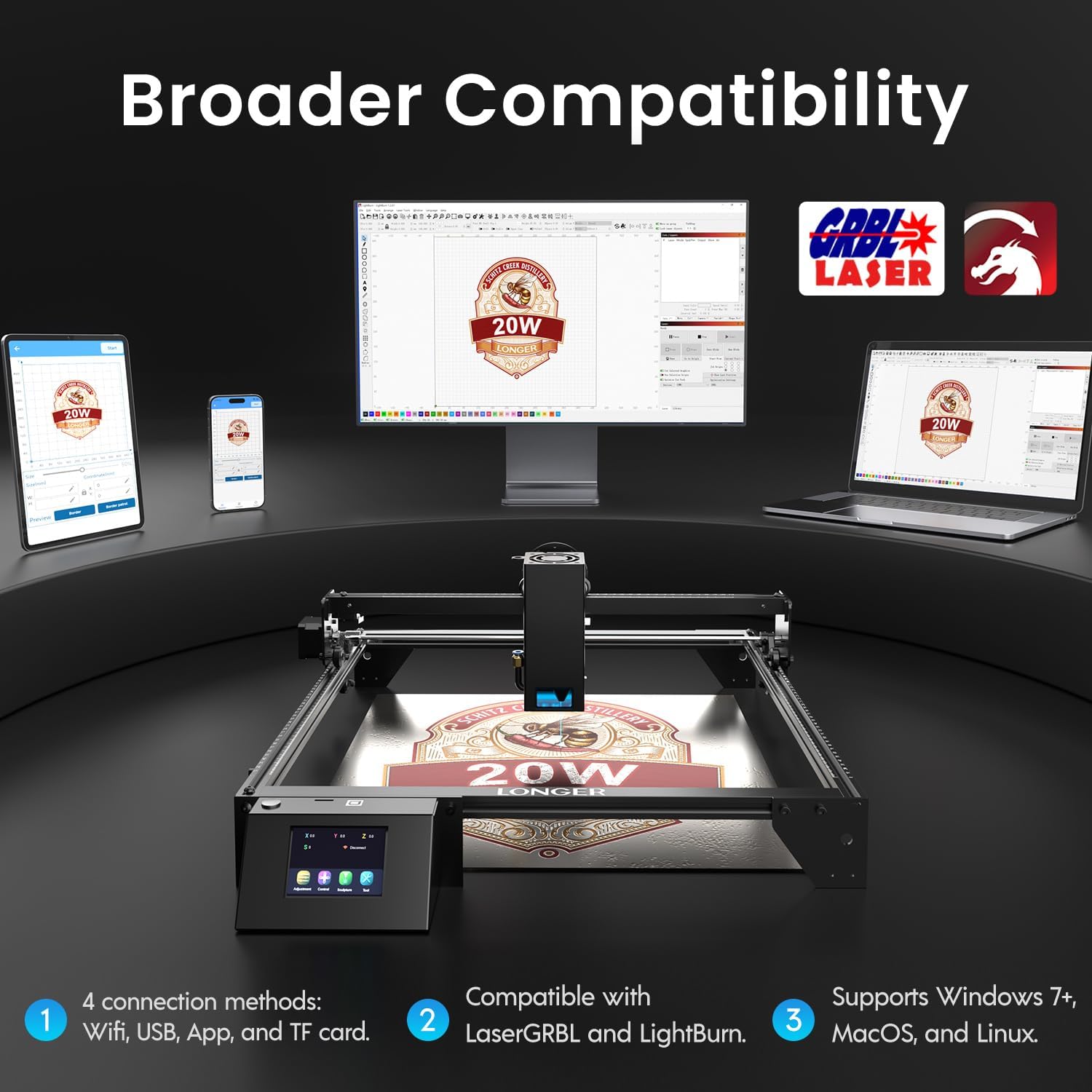
Image: Display showing the Longer Ray5's compatibility with LaserGRBL and LightBurn software, and various connection options including Wi-Fi, USB, App, and TF card across Windows, MacOS, and Linux operating systems.
2. Capacità di incisione e taglio
The 20W diode laser offers high-efficiency performance for various materials.
- Taglio: Capable of cutting up to 25mm of wood and 35mm of acrylic. It can also cut 0.05mm metal.
- Incisione: Engrave hundreds of colors on metallic steel and a wide range of other materials.
- Materiali: Acrylic, metal, wood, stainless steel, and more.
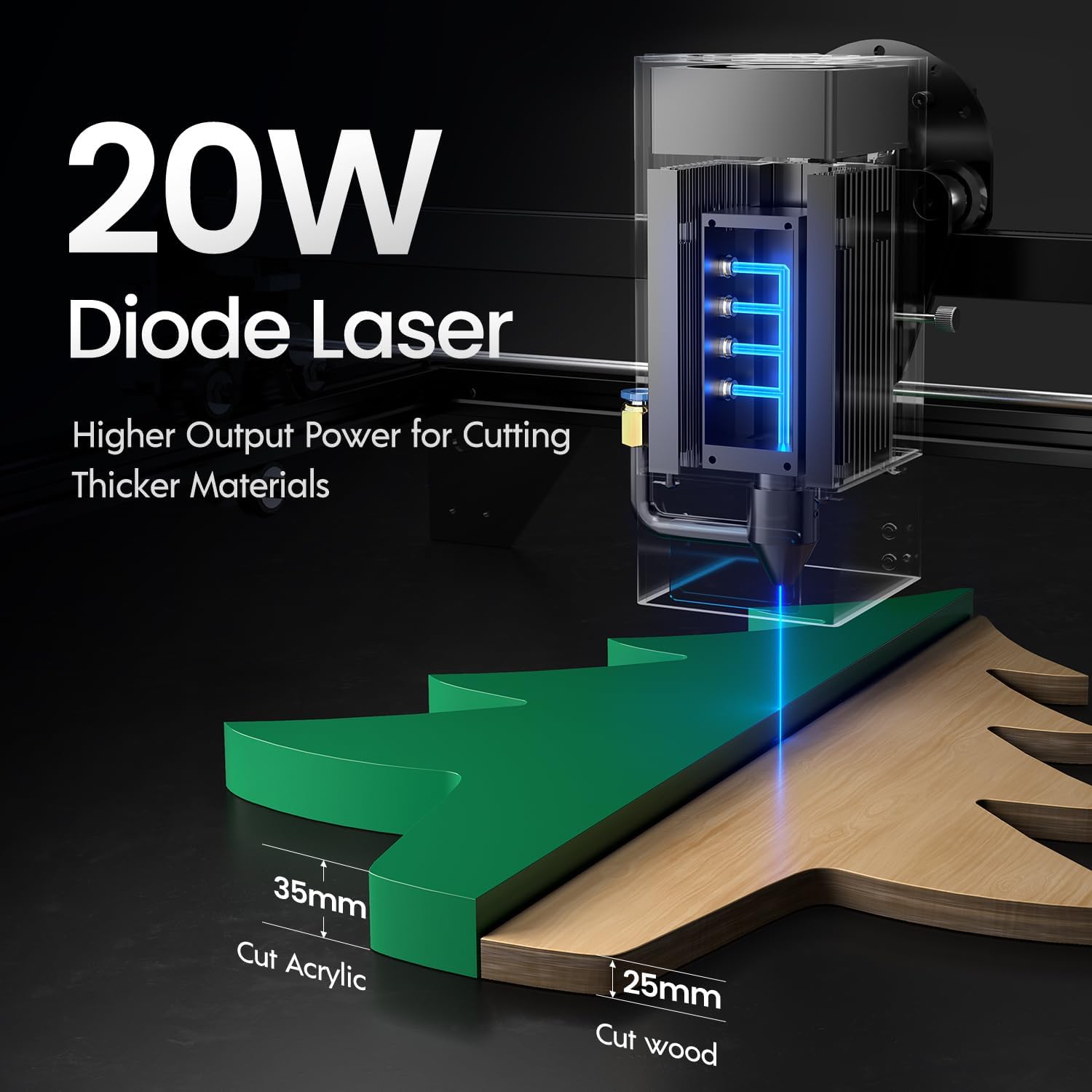
Image: Illustration demonstrating the 20W diode laser's capability to cut 25mm wood and 35mm acrylic.

Immagine: Examples of engraving capabilities, showcasing over 380 colors on metallic surfaces and other DIY artworks.

Image: A collection of various items demonstrating the versatile material selection for engraving and cutting, including wood, metal, and acrylic.
3. Funzione Air Assist
The integrated air assist kit significantly improves cutting and engraving quality.
- Enhanced Cutting: The adjustable airflow (10-30L/min) suppresses smoke and dust, preventing laser energy attenuation and ensuring cleaner, smoother edges.
- Reduced Yellowing: Air assist helps prevent charring and yellowing on materials during laser processing, especially for wood and acrylic.

Image: A visual comparison showing the benefits of air assist, resulting in cleaner cuts and reduced processing time (e.g., 12 minutes with air assist vs. 20 minutes without).
4. Funzionamento continuo
The Longer Ray5 is designed for powerful continuous working capacity, supporting 24/7 continuous engraving. A single computer can control multiple machines.

Image: Depiction of multiple Longer Ray5 machines working simultaneously, illustrating continuous operation and the ability for one computer to control several units.
Manutenzione
Una manutenzione regolare garantisce prestazioni ottimali e prolunga la durata del tuo incisore laser.
- Pulisci la lente laser: Pulire periodicamente la lente laser con un panno morbido e privo di lanugine e una soluzione detergente per lenti per mantenere la qualità del raggio.
- Rimozione detriti: Remove any accumulated dust or debris from the work area and machine components.
- Controllare cinghie e guide: Inspect drive belts for tension and wear. Keep linear rails clean and lubricated as per manufacturer recommendations.
- Filtro di assistenza all'aria: If your air assist pump has a filter, clean or replace it regularly to ensure efficient airflow.
- Aggiornamenti del firmware: Controllare il produttore websito per eventuali aggiornamenti firmware disponibili per migliorare le prestazioni o aggiungere funzionalità.
Risoluzione dei problemi
Questa sezione affronta i problemi più comuni che potresti incontrare.
| Problema | Possibile causa | Soluzione |
|---|---|---|
| Il laser non si accende | Power not connected, software error, laser module fault. | Check power connections. Verify software settings. Contact support if laser module is suspected faulty. |
| Scarsa qualità di incisione/taglio | Incorrect focus, dirty lens, wrong power/speed settings, material issues, no air assist. | Adjust laser focus. Clean the laser lens. Optimize power/speed settings for the material. Ensure air assist is active. |
| La macchina non si connette al computer | USB cable issue, driver not installed, Wi-Fi configuration error. | Try a different USB port/cable. Install necessary drivers. Reconfigure Wi-Fi connection. |
| Fumo/fumi eccessivi | Insufficient ventilation, air assist not active or weak. | Ensure proper ventilation. Check air assist pump and tubing for blockages. Increase air assist flow. |
Specifiche
| Caratteristica | Dettaglio |
|---|---|
| Numero di modello | RAGGIO5 |
| Potenza di uscita laser | 20000 mW (20 W) |
| Tipo di laser | Laser a diodi |
| Profondità di taglio (legno) | Fino a 25 mm |
| Cutting Depth (Acrylic) | Fino a 35 mm |
| Metal Cutting Capability | 0.05mm |
| Air Assist Flow | 10-30 L/min (Adjustable) |
| Schermo tattile | 3.5 pollici |
| Connettività | Wi-Fi, USB, App, TF Card |
| Software compatibile | LaserGRBL, LightBurn |
| Sistema operativo supportato | Windows 7+, MacOS, Linux |
| Produttore | Più lungo |
| Data prima disponibilità | 1 agosto 2024 |
Garanzia e supporto
Per informazioni sulla garanzia e supporto tecnico, fare riferimento al sito ufficiale Longer webo contattare direttamente il servizio clienti. Conservare la ricevuta d'acquisto come prova d'acquisto per eventuali reclami in garanzia.
Risorse online: Visitare il Longer Store on Amazon per ulteriori informazioni e supporto sul prodotto.