
beeprt BY-480BT
Manuale utente della stampante termica per etichette Bluetooth BEEPRT BY-480BT
Model: BY-480BT
Introduzione
This manual provides comprehensive instructions for the setup, operation, and maintenance of your BEEPRT BY-480BT Bluetooth Thermal Label Printer. Designed for efficiency and compatibility, this printer is ideal for small businesses and home offices, enabling high-speed printing of various thermal labels.
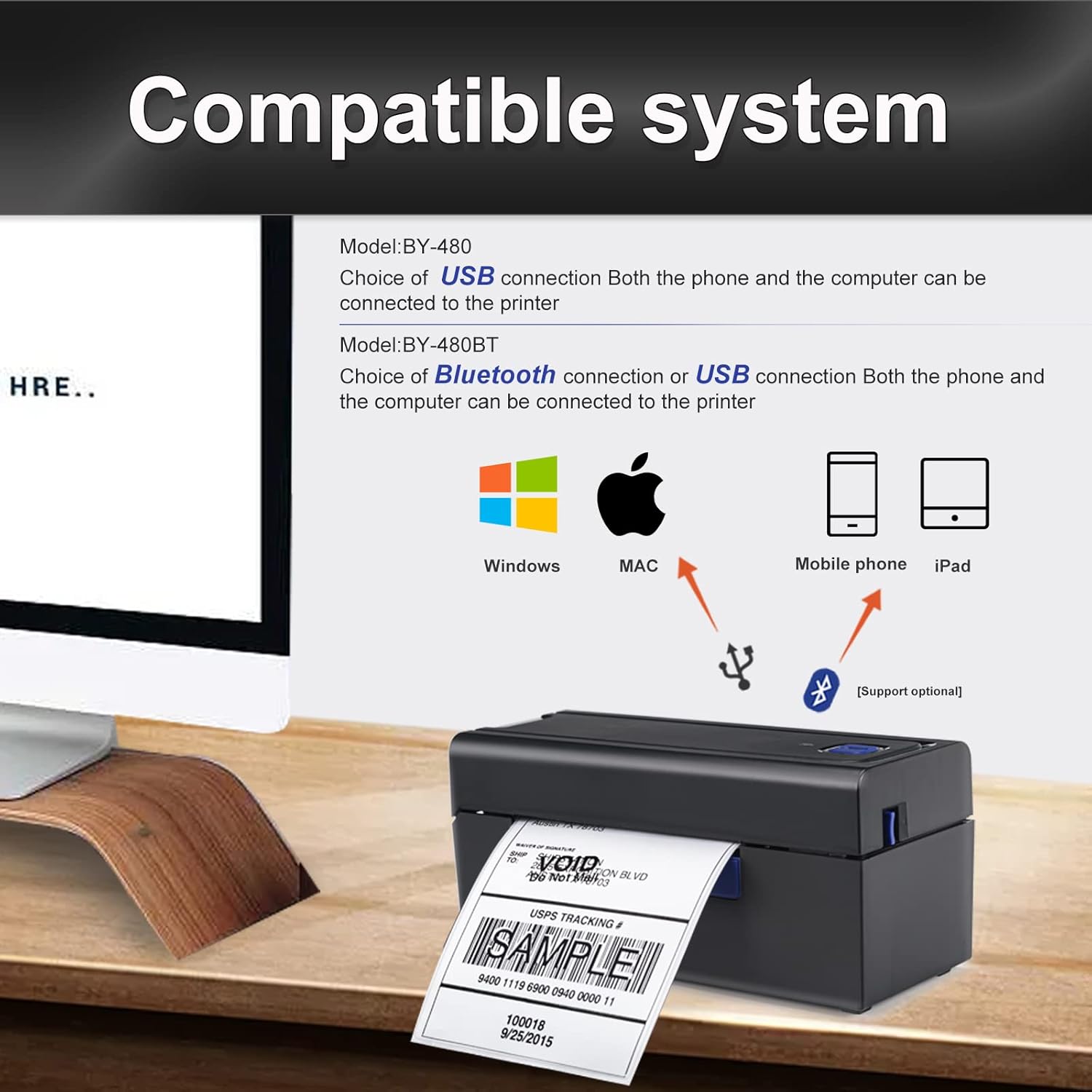
The BY-480BT model supports both Bluetooth and USB connectivity, making it compatible with Android, iOS, and Windows operating systems. It delivers clear, high-resolution prints without the need for ink or ribbon.
Informazioni sulla sicurezza
Leggere attentamente tutte le istruzioni di sicurezza prima di utilizzare la stampante per garantirne un funzionamento sicuro e corretto. Conservare il presente manuale per riferimento futuro.
- Utilizzare solo l'adattatore di alimentazione fornito con la stampante.
- Non esporre la stampante ad acqua, umidità o temperature estreme.
- Evitare di posizionare la stampante alla luce diretta del sole o vicino a fonti di calore.
- Non tentare di smontare o riparare la stampante autonomamente. Rivolgersi a personale qualificato.
- Assicurare una ventilazione adeguata attorno alla stampante durante il funzionamento.
Contenuto della confezione
Verificare che tutti gli articoli siano presenti nel pacco:
- Stampante termica per etichette BEEPRT BY-480BT
- Adattatore di alimentazione
- Cavo da USB-A a USB-B
- USB-C to USB-A Adapter (small)
- Labels (sample pack, e.g., 50 4"x6" labels)
- Manuale dell'utente (questo documento)

Impostare
1. Configurazione fisica
Connetti alimentazione: Collegare l'adattatore di alimentazione alla porta di alimentazione della stampante e quindi a una presa a muro.
Carica etichette: Open the printer cover. Insert the thermal labels into the paper slot, ensuring the print side is facing up. Adjust the paper guides to fit the label width snugly. Close the cover.

Immagine: Un dettaglio view of the printer's internal structure, highlighting the paper guide and thermal printhead for proper label loading. Calibrazione delle etichette: After loading labels, press and hold the main button on the printer until it beeps. The printer will automatically feed a few labels to detect and calibrate the label size. This step is crucial for accurate printing.
2. Software and Connectivity Setup
The BY-480BT printer offers multiple connectivity options:
For iOS/Android Devices (Bluetooth):
- Download the "Shipping Printer" app from Google Play Store or Apple App Store.
- Open the app and pair the printer within the app's settings. Do not pair directly through your device's Bluetooth settings.
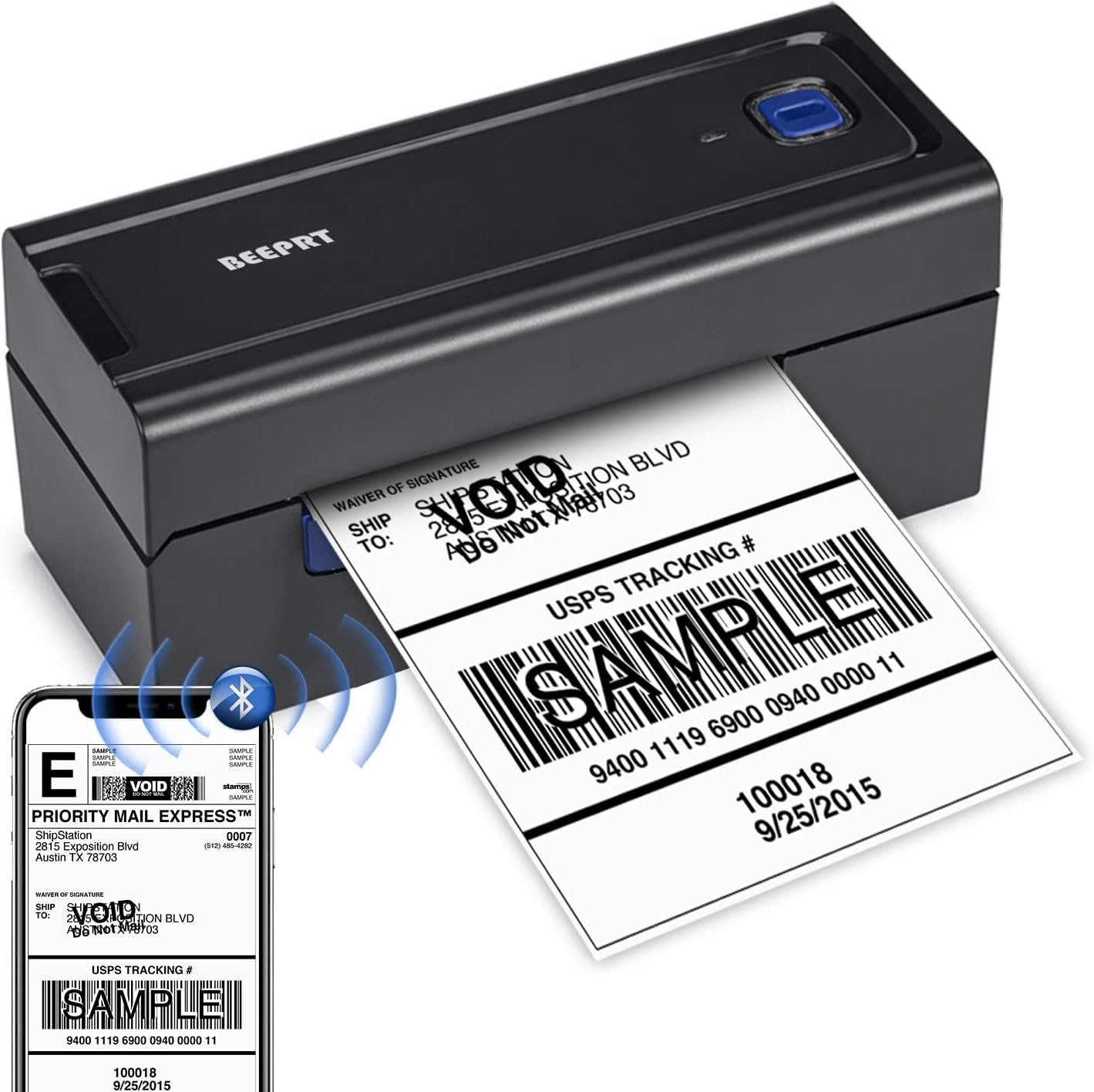
Image: The BEEPRT BY-480BT printer actively printing a label, with a smartphone showing the label design and Bluetooth connectivity icon. For Windows Devices (Bluetooth or USB):
- For Bluetooth connection, ensure your Windows 8 or later device has Bluetooth enabled. Drivers can be installed from the manufacturer's recommended website (refer to the included quick start guide for the specific URL). During driver installation, select Bluetooth as the connection method.
- For USB connection, connect the printer to your computer using the provided USB cable. Install the necessary drivers from the manufacturer's recommended websito.
For Mac OS Devices (USB Only):
- Mac OS devices do not support Bluetooth printing with this model. Connect the printer via USB cable.
- Install the appropriate drivers from the manufacturer's recommended websito.
Istruzioni per l'uso
Etichette di stampa
- Ensure the printer is powered on and connected to your device (via Bluetooth or USB).
- Open the document or application from which you wish to print your label (e.g., shipping platform, PDF view(ehm).
- Select the BEEPRT BY-480BT printer from your device's print dialogue.
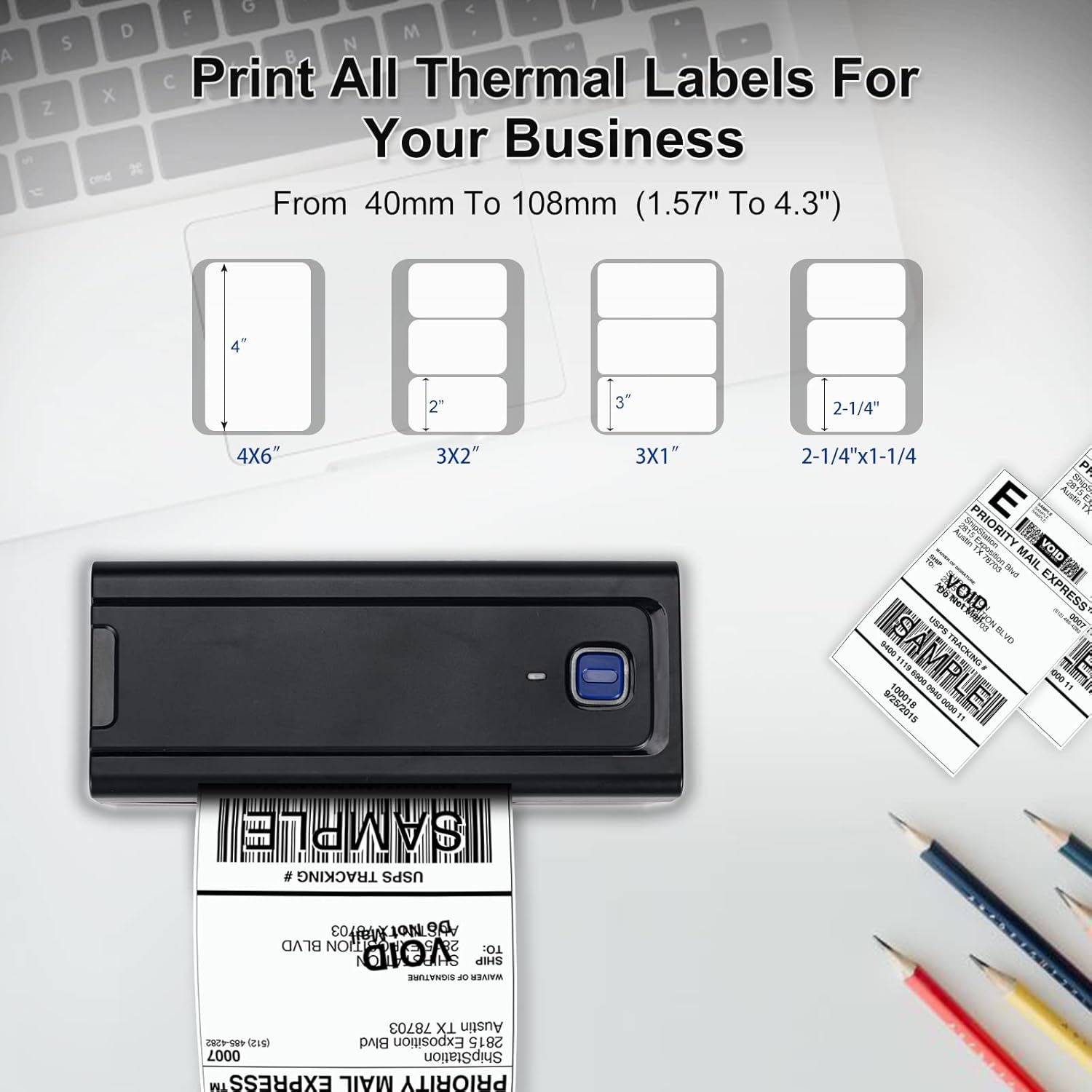
- Adjust print settings as needed, such as paper size (e.g., 4x6 inches). The printer supports thermal labels with widths from 1.57" (40mm) to 4.3" (108mm) and no height limitation.
- Initiate the print command. The printer will begin printing at a high speed of up to 150mm/s, capable of producing approximately 72 4x6 labels per minute.

Piattaforme compatibili
The BEEPRT BY-480BT printer is compatible with a wide range of shipping and e-commerce platforms, including but not limited to:
- Lazada, Amazon, Etsy, Shopee, UPS
- Shopify, J&T Express, DHL, XPS Ship, eBay
- Shipwire, Shippo, Kerry, PayPal, Easyship
- Easypost, ShipWorks, Poshmark, Endicia, ORDORO

Manutenzione
Pulizia della testina di stampa
To ensure optimal print quality and prolong the life of your printer, regularly clean the thermal print head.
- Spegnere la stampante e scollegare il cavo di alimentazione.
- Aprire il coperchio della stampante.
- Se la stampante è stata utilizzata di recente, attendere qualche minuto affinché la testina di stampa si raffreddi.
- Pulire delicatamente la superficie della testina di stampa con un tampone imbevuto di alcol o un panno privo di lanugine leggermenteampened with isopropyl alcohol. Do not use abrasive materials.
- Lasciare asciugare completamente la testina di stampa prima di chiudere il coperchio e ricollegare l'alimentazione.
Assistenza generale
- Keep the printer free from dust and debris. Use a soft, dry cloth for external cleaning.
- Store labels in a cool, dry place away from direct sunlight to prevent degradation.
- Avoid placing heavy objects on top of the printer.
Risoluzione dei problemi
| Problema | Possibile causa | Soluzione |
|---|---|---|
| La stampante non risponde / Non stampa | Power issue, loose cable, incorrect driver, Bluetooth not paired correctly. | Check power connection. Ensure USB cable is securely connected. For Bluetooth, verify pairing within the "Shipping Printer" app (for mobile) or through driver setup (for Windows). Reinstall drivers if necessary. |
| Poor print quality (grainy text, faded prints) | Dirty print head, low-quality labels, incorrect print settings, monochrome output expectation. | Clean the print head as per maintenance instructions. Ensure you are using high-quality thermal labels. Verify print resolution settings (printer supports 203 DPI). Note that this printer is designed for monochrome (black) printing only. |
| Le etichette non vengono alimentate correttamente / Inceppamenti della carta | Labels loaded incorrectly, paper guides not adjusted, label calibration needed. | Ensure labels are loaded straight and the paper guides are snug against the label edges. Perform label calibration by holding the main button until it beeps. |
| Problemi di connettività delle app mobili | Incorrect pairing method, app glitches. | Always pair the printer within the "Shipping Printer" app, not directly through your phone's Bluetooth settings. Ensure the app is updated to the latest version. Restart the app and printer. |
| Driver installation difficulties (Windows/Mac) | Incorrect driver source, operating system compatibility. | Refer to the quick start guide for the official driver download website. Ensure you download the correct driver for your operating system (Windows 8+ or Mac OS). Mac OS requires USB connection for printing. |
Specifiche
| Caratteristica | Dettaglio |
|---|---|
| Nome del modello | DA-480BT |
| Marca | beeprt |
| Tecnologia di stampa | Termico |
| Tecnologia di connettività | Bluetooth, USB |
| Uscita della stampante | Monocromo |
| Velocità di stampa massima in bianco e nero | 150 mm/s (circa 72 etichette/minuto per 4x6) |
| Risoluzione | 203 x 203 DPI |
| Dimensione massima del supporto | 4.3 inches (108mm) width, no height limit |
| Larghezza etichetta compatibile | Da 1.57" (40 mm) a 4.3" (108 mm) |
| Dispositivi compatibili | PC (Windows), Laptops (Windows, Mac), Smartphones (Android, iOS), iPad |
| Metodo di controllo | App, USB Driver |
| Peso dell'articolo | 1.54 libbre (0.7 kg) |
| Dimensioni del prodotto | 80 x 199 x 85 mm (3.14"P x 7.78"L x 3.34"A) |
| Codice UPC | 768795531689 |
Garanzia e supporto
For warranty information and technical support, please refer to the official BEEPRT website or contact their customer service directly. Details are typically provided in the quick start guide included with your product.
Conservare la ricevuta d'acquisto come prova d'acquisto per eventuali reclami in garanzia.
Ask a question about this manual
Ask about setup, troubleshooting, compatibility, parts, safety, or missing instructions. Manuals+ will review the question and use this page’s manual context to help answer it.