
imuto 649P2
imuto 20W PD 10000mAh Portable Charger User Manual
Modello: 649P2
Introduzione
This manual provides essential instructions for the safe and efficient use of your imuto 20W PD 10000mAh Portable Charger, Model 649P2. Please read this guide thoroughly before operating the device and retain it for future reference.
Contenuto della confezione
- imuto Slimmest 20W Portable Charger ×1
- Cavo da USB-C a USB-C ×1
- Guida rapida ×1

Image: The imuto portable charger, a USB-C to USB-C cable, and the user manual are shown as included items.
Impostare
1. Ricarica iniziale del Power Bank
Before first use, fully charge your imuto portable charger. Use the provided USB-C to USB-C cable and connect it to a compatible 18W Power Delivery (PD) wall charger (not included). The four LED indicators will illuminate to show the charging progress.
- Tempo di ricarica: Approximately 5 hours with an 18W PD charger.
- Indicatori LED: Ogni LED rappresenta circa il 25% della capacità della batteria.

Image: The imuto portable charger is connected to a wall charger via a USB-C cable for recharging. The text indicates a 5-hour recharge time with an 18W PD charger.

Image: A graphic illustrating the faster recharging time of the imuto 18W 10000mAh power bank (5 hours) compared to a standard 10W 10000mAh power bank (10 hours).
Istruzioni per l'uso
1. Ricarica dei dispositivi
The imuto portable charger features both USB-C and USB-A output ports for charging various devices.
- USB-C Output (PD 20W): Connect your device using a USB-C to USB-C cable or a USB-C to Lightning cable (not included). This port supports Power Delivery for fast charging compatible devices like iPhones and iPads.
- USB-A Output (18W): Connect your device using a standard USB-A charging cable. This port is suitable for a wide range of smartphones, earbuds, and other USB-powered accessories.
- Ricarica simultanea: You can charge two devices concurrently using both the USB-C and USB-A ports. The total output will be shared, with a maximum combined output of 15W (5V/3A).
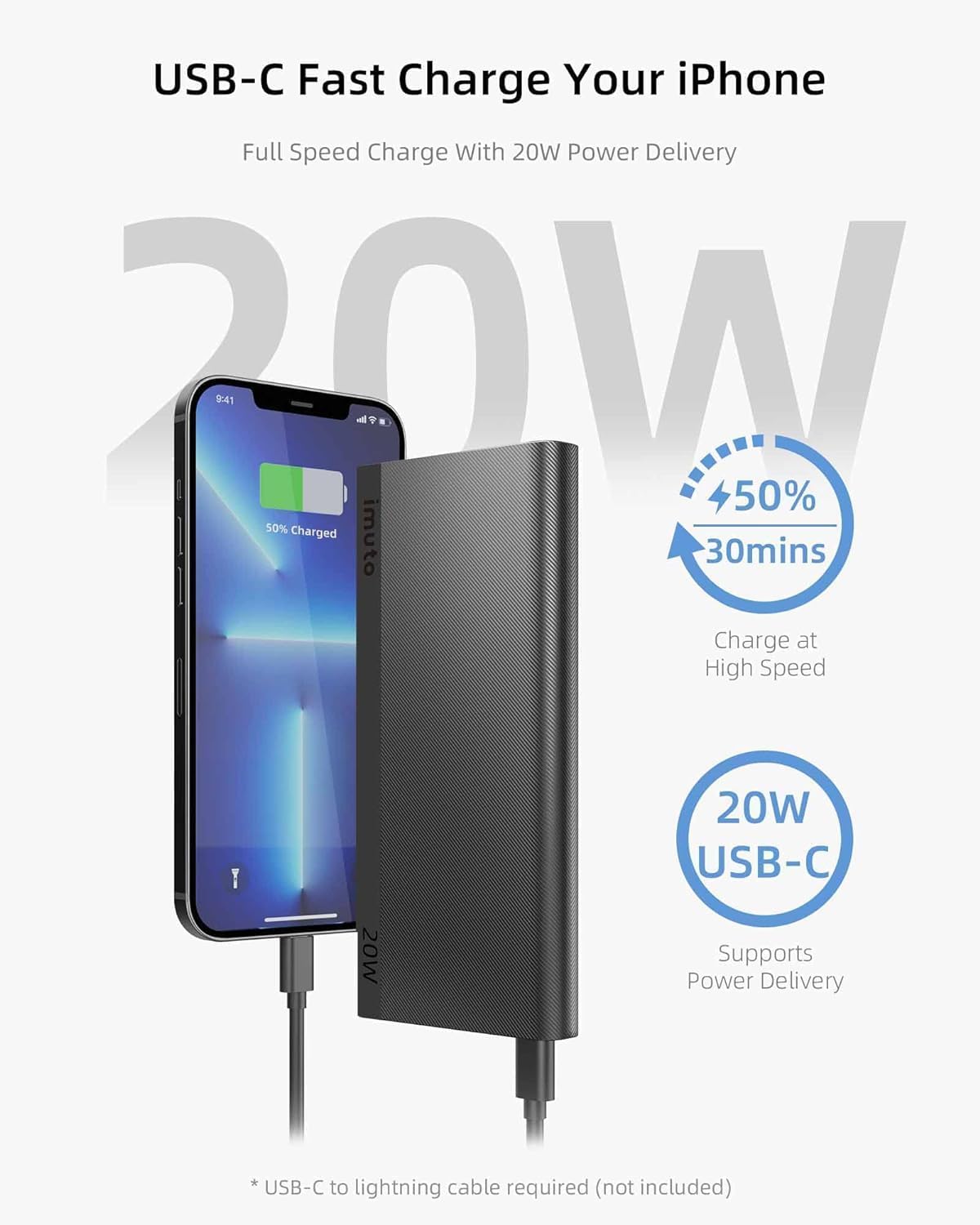
Image: An iPhone is shown connected to the imuto portable charger's USB-C port, illustrating fast charging with 50% charge in 30 minutes.
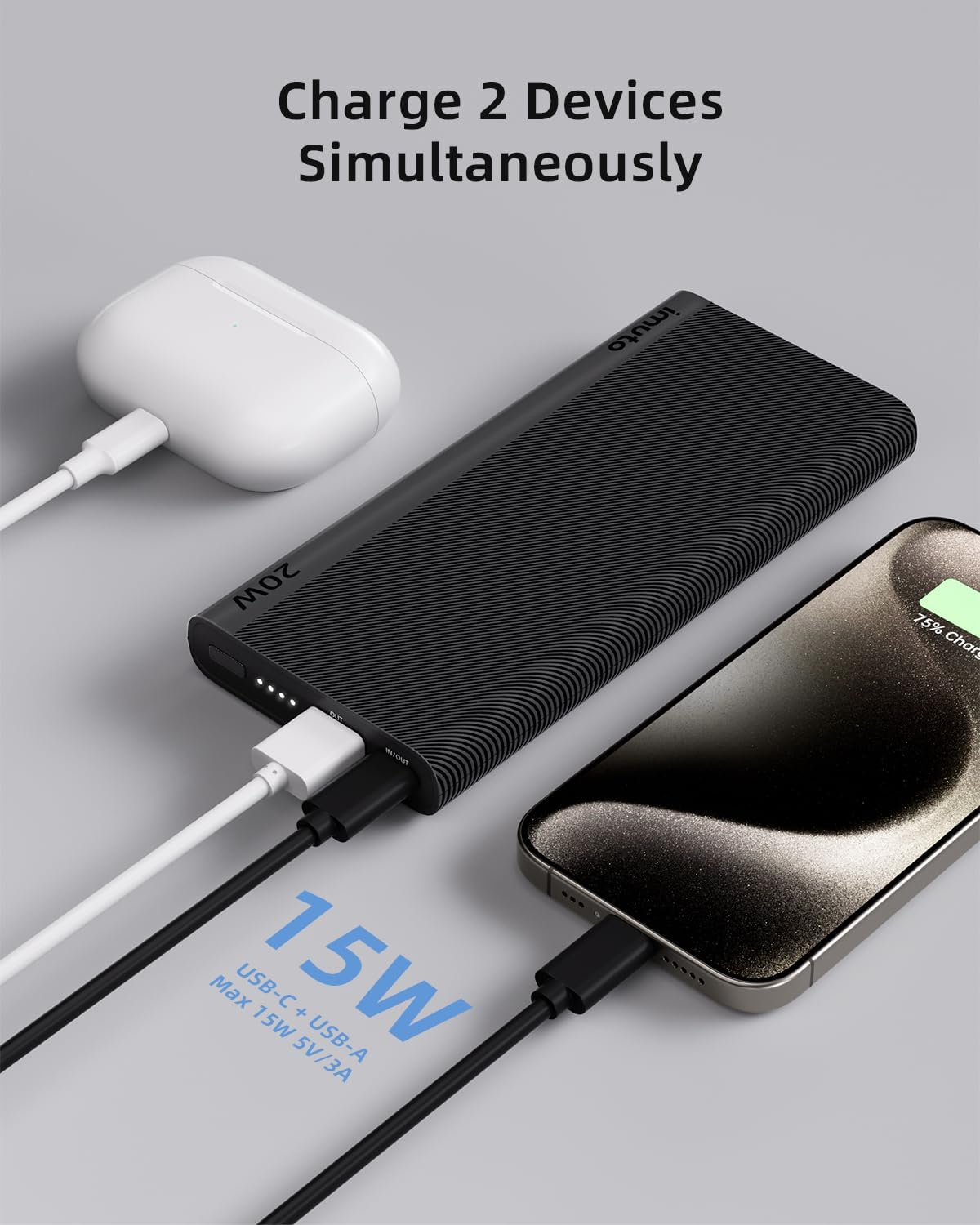
Image: The imuto portable charger is shown charging an iPhone via its USB-C port and a pair of AirPods via its USB-A port simultaneously.

Image: A diagram illustrating the simultaneous charging capabilities, showing a tablet connected to the USB-C port and a phone to the USB-A port.
2. Controllo del livello della batteria
The four LED indicators on the side of the power bank display the remaining battery capacity:
- 4 LED: 75% - 100% caricato
- 3 LED: 50% - 75% caricato
- 2 LED: 25% - 50% caricato
- 1LED: 0% - 25% caricato
3. Bidirectional USB-C Port
The USB-C port functions as both an input for recharging the power bank (18W) and an output for charging your devices (20W PD).

Image: A close-up diagram of the imuto portable charger's ports, highlighting the USB-C port's bidirectional capability for 18W input and 20W output.
4. Compatibilità universale
The imuto portable charger is designed to be compatible with a wide range of devices, including:
- Potenza 20W: iPhone 12-15 series, iPad models.
- QC 18W: Samsung Galaxy S series, Google Pixel.
- Potenza 18W: iPhone 8-11 series.
- Altri: Gaming consoles, earbuds, smartwatches, handheld fans, and other USB-powered devices.
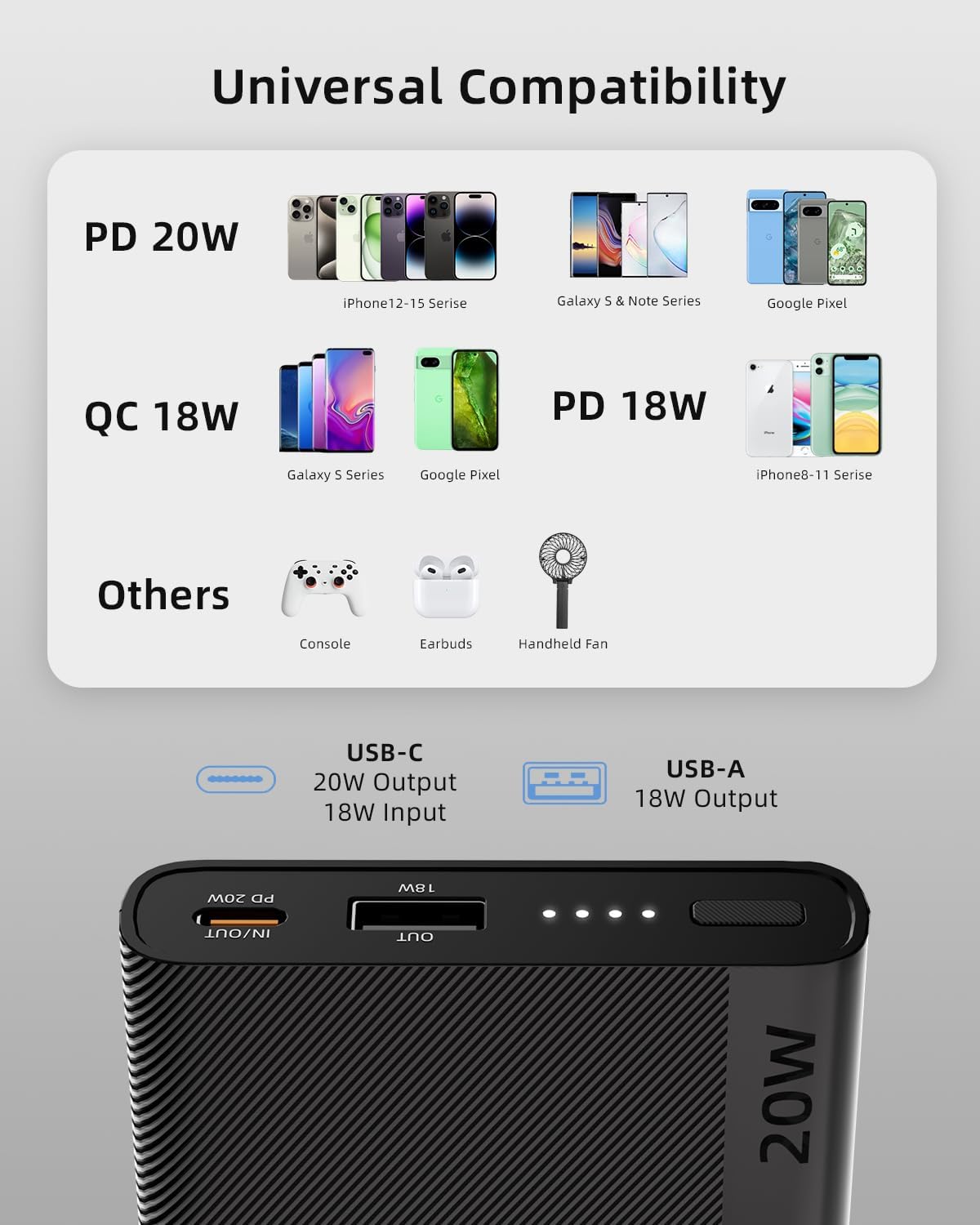
Image: A visual representation of universal compatibility, showing various smartphones, tablets, earbuds, and other gadgets that can be charged by the power bank.

Image: A compatibility chart categorizing devices like iPhones, Samsung Galaxy, Google Pixel, iPads, and MacBooks, indicating their compatibility with the charger.
Manutenzione
- Tenere il power bank lontano da temperature estreme, luce solare diretta e liquidi.
- Evitare di far cadere o sottoporre il dispositivo a forti impatti.
- Pulire la superficie con un panno morbido e asciutto. Non utilizzare detergenti abrasivi o solventi.
- For long-term storage, charge the power bank to approximately 50% every three months to preserve battery health.
Risoluzione dei problemi
1. Il power bank non si carica
- Assicurarsi che il cavo di ricarica sia collegato saldamente sia alla porta di ingresso USB-C del power bank sia al caricabatterie da parete.
- Verify that the wall charger is functioning correctly and provides sufficient power (preferably 18W PD).
- Prova a utilizzare un cavo USB-C diverso.
2. Il dispositivo non si carica dal power bank
- Verificare che il power bank abbia una carica sufficiente (fare riferimento agli indicatori LED).
- Assicurati che il cavo di ricarica sia collegato saldamente sia al power bank sia al dispositivo.
- Prova a utilizzare un cavo di ricarica diverso o una porta diversa sul power bank.
- Verifica che il tuo dispositivo sia compatibile con le specifiche di uscita del power bank.
3. Ricarica lenta
- Assicurati di utilizzare un cavo compatibile con la ricarica rapida e che il tuo dispositivo supporti la ricarica rapida.
- When charging two devices simultaneously, the total output is shared, which may result in slower charging for each device.
- I fattori ambientali (ad esempio le temperature estreme) possono influire sulla velocità di ricarica.
4. imuto SafetyGuard+ Technology
Your imuto portable charger is equipped with MultiProtect 3.0 safety features to ensure protection against:
- Controllo della temperatura
- Protezione contro le sovratensioni
- Short-Circuit Prevention
- Protezione da sovraccarico
- Input High-Voltage Protezione
- Uscita ad alto volumetage Protezione
- Input Current Regulation
- Regolazione della corrente di uscita
- Automatic Current Matching
- Static Resistance

Immagine: Un esploso view diagram of the imuto portable charger, highlighting various safety protections such as input/output high-voltage protection, current regulation, short-circuit protection, and static resistance.
Specifiche
| Numero di modello | 649P2 |
| Capacità della batteria | 10000 mAh |
| Ingresso USB-C | 18 W (erogazione di potenza) |
| Uscita USB-C | 20 W (erogazione di potenza) |
| Uscita USB-A | 18W |
| Total Output (USB-C + USB-A) | Massimo 15 W (5 V/3 A) |
| Dimensioni | 5.4 x 2.6 x 0.6 pollici |
| Peso | 8.3 once |
| Colore | Nero |
| Caratteristiche speciali | Fast Charging, Lightweight, Over Charging Protection, Pocket Size, Slim, Airline Approved |

Image: A hand holding the imuto portable charger next to a smartphone, illustrating its slim and lightweight design with dimensions of 5.4 x 2.6 x 0.6 inches and a weight of 7 oz (as depicted in the image).

Image: A person holding the imuto portable charger at an airport, with text indicating it is airline approved (37Wh / 10000mAh).
Garanzia e supporto
imuto provides a Garanzia senza pensieri di 2 anno for this product. For any inquiries, technical assistance, or warranty claims, please contact our Assistenza clienti 24 ore su 7, XNUMX giorni su XNUMX.
Please refer to the Quick Start Guide included in your package for contact details or visit the official imuto websito per ulteriori informazioni.
Ask a question about this manual
Ask about setup, troubleshooting, compatibility, parts, safety, or missing instructions. Manuals+ will review the question and use this page’s manual context to help answer it.