
1. Importanti istruzioni di sicurezza
Before operating the UREVO Smart Treadmill, please read and understand all safety instructions. Keep this manual for future reference.
- Posizionamento: Place the treadmill on a flat, stable surface with at least 2 meters (6.5 feet) of clear space behind it and 0.6 meters (2 feet) on each side. Ensure it is not placed on thick carpet that could obstruct ventilation.
- Energia: Connect the treadmill to a properly grounded outlet. Do not use extension cords or adapters. Unplug the treadmill when not in use or before cleaning/maintenance.
- Bambini e animali domestici: Keep children and pets away from the treadmill, especially when it is in operation. This equipment is not intended for use by persons with reduced physical, sensory, or mental capabilities unless supervised.
- Condizioni mediche: Consult a physician before starting any exercise program, especially if you have pre-existing medical conditions. Stop exercising immediately if you feel faint, dizzy, or experience pain.
- Arresto di emergenza: Always attach the safety key clip to your clothing before starting a workout. In case of an emergency, pulling the safety key will immediately stop the treadmill.
- Limite di peso: Do not exceed the maximum user weight capacity of the treadmill.
- Calzature: Quando si utilizza il tapis roulant, indossare sempre calzature sportive adatte.
2. Prodotto finitoview
The UREVO Smart Treadmill URTM036 is a versatile 3-in-1 fitness machine designed for both walking and running, suitable for home and office environments. It features an adjustable 9% auto incline, smart connectivity via the UREVO App, and an advanced 8-point shock absorption system for joint protection. The treadmill includes dual display screens, handrails, and an anti-slip holder for devices, enhancing user experience and safety.
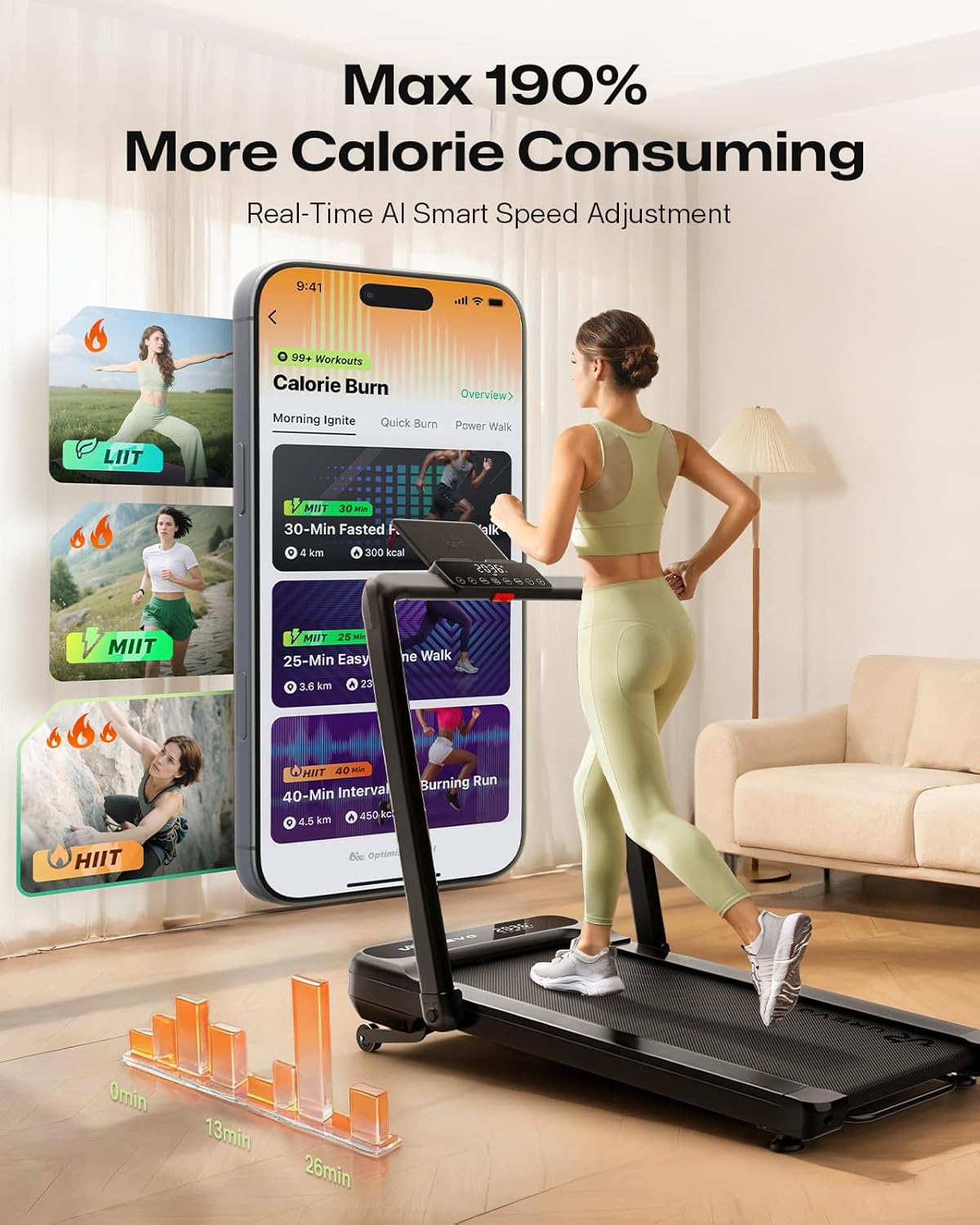
Figure 2.1: UREVO Smart Treadmill URTM036 in a home environment.

Figure 2.2: Dual-screen display and control panel for monitoring workout data.
3. Impostazione
The UREVO Smart Treadmill URTM036 is designed for quick and easy setup with no assembly required. Simply unpack, unfold, and plug in.
3.1 Disimballaggio e posizionamento
- Estrarre con cautela il tapis roulant dalla confezione.
- Place the treadmill on a firm, level surface, ensuring adequate clearance around the unit as described in the safety instructions.

Figure 3.1: The treadmill is ready to use directly from the box, requiring no assembly.
3.2 Apertura del tapis roulant
The treadmill can be used in two configurations: folded for walking under a desk or unfolded with handrails for running.
- To unfold the handrails for running mode, gently lift the handrail assembly until it locks into place.
- Prima dell'uso, assicurarsi che tutti i meccanismi di bloccaggio siano saldamente inseriti.
3.3 Collegamento di alimentazione
- Locate the power cord and plug it into a standard, grounded electrical outlet.
- Accendere l'interruttore principale, solitamente situato vicino all'ingresso del cavo di alimentazione.
Video 3.1: This video demonstrates the unpacking, unfolding, and initial setup of the UREVO Smart Treadmill, including how to transition between walking and running modes.
4. Istruzioni per l'uso
The UREVO Smart Treadmill offers various modes and features to customize your workout.
4.1 Accensione e spegnimento
- Ensure the treadmill is plugged in and the main power switch is on.
- Press the power button on the control panel or remote control to turn the treadmill on.
- To turn off, press and hold the power button or use the main power switch.
4.2 Utilizzo del telecomando
The included remote control allows for convenient adjustment of speed and mode during your workout.
- Avvio/Arresto: Premere per iniziare o terminare un allenamento.
- Regolazione della velocità: Utilizzare i pulsanti '+' e '-' per aumentare o diminuire la velocità del nastro.
- Modalità: Cycle through different workout modes or programs.
4.3 Regolazione della velocità e dell'inclinazione
- Modalità di camminata: Speed range 0.6-4.0 mph. Ideal for casual strolls or under-desk use.
- Modalità di esecuzione: Speed range 0.6-7.6 mph. For more intense cardio workouts.
- Inclinazione automatica: The treadmill features a 9% adjustable incline. Use the dedicated incline controls on the panel or remote to adjust the gradient, increasing calorie burn and workout intensity.
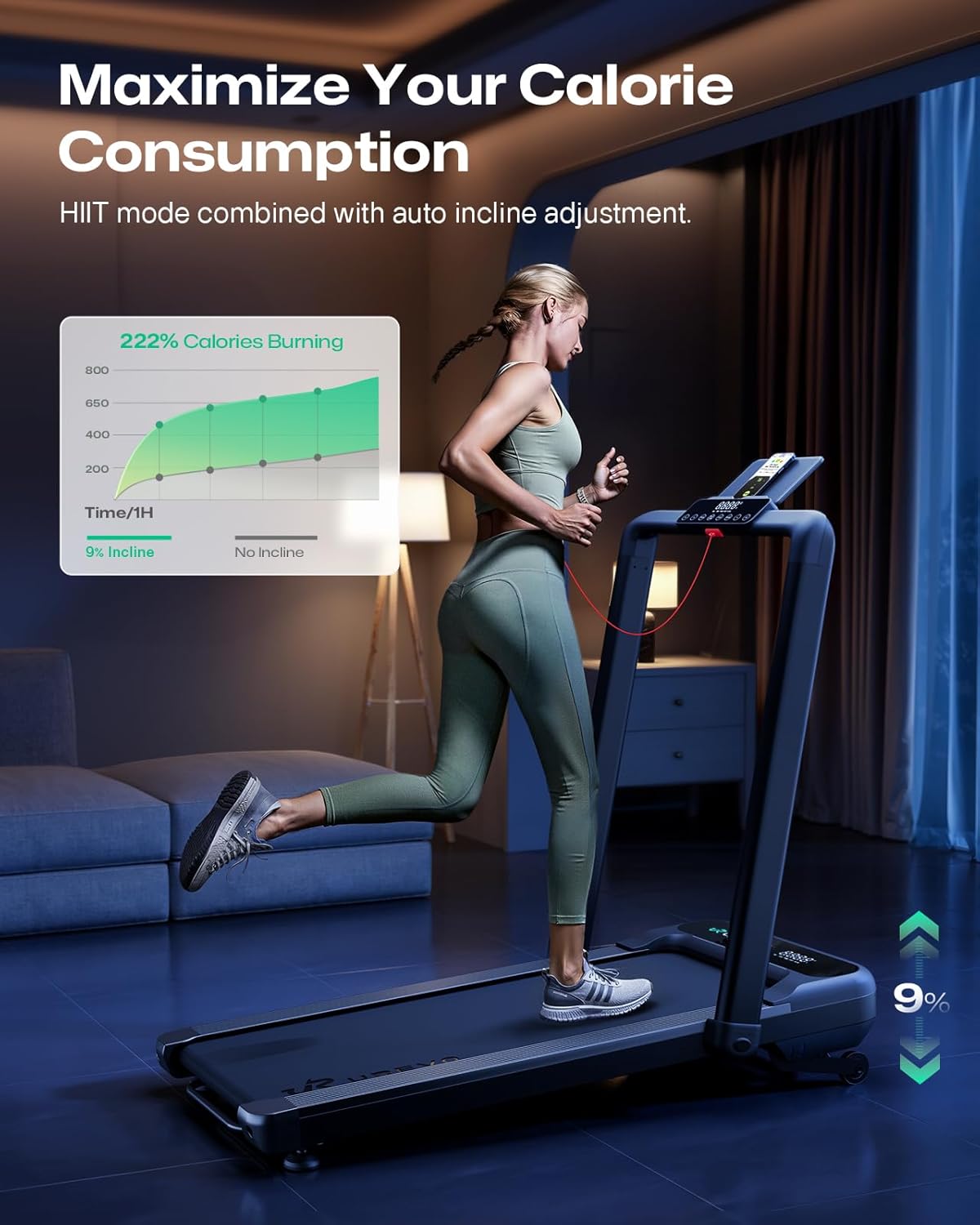
Figure 4.1: Utilizing the 9% auto incline feature to maximize calorie consumption.
4.4 Smart Connectivity and UREVO App
Enhance your fitness journey by connecting your treadmill to the UREVO App.
- Scarica l'app UREVO dall'app store del tuo dispositivo.
- Segui le istruzioni nell'app per associare il tuo tapis roulant tramite Bluetooth.
- The app allows you to track workout details, participate in virtual city experiences, engage in challenge modes, and monitor your progress.

Figure 4.2: Explore virtual routes and track progress using the UREVO App.

Figure 4.3: Experience AI Rhythm Fit for an immersive running session.
4.5 programmi preimpostati
The treadmill includes 6 pre-set HIIT programs designed to provide varied and effective workouts. Refer to the display or app for program details and selection.
5. Manutenzione
Regular maintenance ensures the longevity and optimal performance of your UREVO Smart Treadmill.
5.1 Pulizia
- Pulisci le superfici del tapis roulant con un pannoamp panno dopo ogni utilizzo per rimuovere sudore e polvere.
- Non utilizzare detergenti abrasivi o solventi.
5.2 Lubrificazione
The running belt requires periodic lubrication to reduce friction and extend its lifespan. Refer to the included user manual for specific lubrication instructions and recommended lubricant type.
5.3 Tensione e allineamento della cinghia
Check the running belt tension and alignment regularly. If the belt feels loose or is drifting to one side, adjust it according to the instructions in the full user manual or contact customer support.
5.4 Conservazione
The UREVO Smart Treadmill is designed for easy storage due to its foldable design.
- To fold the treadmill, ensure it is powered off and unplugged.
- Gently lower the handrail assembly until it is flat against the running deck.
- The treadmill can then be easily moved using its built-in wheels and stored under a sofa or desk.

Figure 5.1: The treadmill's compact design allows for easy storage under furniture.
6. Risoluzione Dei Problemi
If you encounter issues with your UREVO Smart Treadmill, refer to the following common problems and solutions.
- Il tapis roulant non si avvia: Ensure the power cord is securely plugged into a grounded outlet, the main power switch is on, and the safety key is correctly inserted.
- La cinghia slitta o esita: The running belt may require tension adjustment or lubrication. Refer to the maintenance section or the full user manual for detailed instructions.
- Rumori insoliti: Controllare che non vi siano parti allentate o corpi estranei sotto la cinghia. Se il rumore persiste, contattare l'assistenza clienti.
- Display non funzionante: Assicurarsi che tutti i collegamenti siano ben saldi. Se il problema persiste, spegnere e riaccendere il tapis roulant.
- Problemi di connettività dell'app: Ensure Bluetooth is enabled on your device and the treadmill. Try restarting both the app and the treadmill.
For problems not listed here or if solutions do not resolve the issue, please contact UREVO customer support.
7. Specifiche
| Caratteristica | Specificazione |
|---|---|
| Dimensioni del prodotto | 138.99 x 64.44 x 16.94 cm (54.72" x 25.39" x 6.69") |
| Numero modello articolo | URTM036 |
| Colore | Nero |
| Materiale | Acciaio legato, telaio in alluminio |
| Peso dell'articolo | 39 kg (85.98 libbre) |
| Potenza | 2.5 cavalli |
| Velocità massima | 7.6 miglia all'ora |
| Walking Speed Range | 0.6 - 4.0 mph |
| Running Speed Range | 0.6 - 7.6 mph |
| Inclinazione | 9% Adjustable Auto Incline |
| Tipo di visualizzazione | LED (schermi doppi) |
| Display del misuratore | Distance, Speed |
| Numero di programmi | 6 HIIT Programs |
| Fonte di alimentazione | Elettrico con cavo |
| Caratteristiche speciali | Auto Incline, Shock Absorbent (8-point system), Smart Connectivity |
| Componenti inclusi | Chiave di sicurezza, kit di attrezzi, manuale utente |
| Pubblico di destinazione | Adulto |
8. Garanzia e supporto
UREVO stands behind the quality of its products. This treadmill comes with a manufacturer's warranty covering defects in materials and workmanship. Please refer to the warranty card included with your product for specific terms, conditions, and duration.
8.1 Assistenza clienti
If you have any questions, require technical assistance, or need to make a warranty claim, please contact UREVO customer support. Contact information can typically be found on the UREVO official websito o sulla scheda di garanzia fornita con il prodotto.
When contacting support, please have your model number (URTM036) and purchase information ready.