
1. Introduzione
This manual provides comprehensive instructions for the setup, operation, maintenance, and troubleshooting of your SGNICS K55 Military Smart Watch. Please read this manual carefully before using your device to ensure proper functionality and longevity.
The SGNICS K55 is a rugged, tactical smartwatch designed for durability and multi-functional use. It features a 1.85-inch HD display and is constructed from a special aluminum alloy material, having passed military-grade tests for extreme temperatures, low pressure, and dust resistance. This watch is suitable for use in various challenging environmental conditions.
Le caratteristiche principali includono:
- Comunicazione: Ability to make and receive calls, and play music via Bluetooth connection.
- Monitoraggio fitness: Over 20 sports modes, step counter, and activity tracking.
- Monitoraggio della salute: 24-hour heart rate monitoring, blood oxygen reference, and sleep tracking.
- Durata: Military-grade tested, water-resistant for daily use (not for swimming or diving).
- Durata della batteria: Up to 5-7 days of use, with a standby time of approximately 15 days.
2. Contenuto della confezione
Dopo aver aperto la confezione, verificare che siano presenti tutti i componenti:
- 1 x SGNICS K55 Smart Watch
- 1 cinturino per orologio
- 1 x Cavo di ricarica
- 1 x Manuale utente (questo documento)
3. Guida all'installazione
3.1 Ricarica del dispositivo
Before initial use, fully charge your SGNICS K55 Smart Watch. Connect the provided charging cable to the charging port on the back of the watch and to a standard USB power adapter (not included). The watch has a built-in 350mAh battery, which typically takes approximately 2 hours to fully charge. A full charge provides up to 5-7 days of active use or about 15 days of standby time.
3.2 Installazione dell'app e associazione
To unlock the full functionality of your SGNICS K55 Smart Watch, you need to download and install the companion application on your smartphone (Android or iOS). Refer to the watch screen or the quick start guide for the specific app name or QR code.
- Scarica l'App: Scan the QR code displayed on the watch or in the quick start guide, or search for the designated app in your phone's app store (Google Play Store for Android, Apple App Store for iOS).
- Abilita Bluetooth: Assicurati che il Bluetooth sia abilitato sul tuo smartphone.
- Apri l'app: Avvia l'app installata e segui le istruzioni sullo schermo per creare un account o effettuare l'accesso.
- Aggiungi dispositivo: Within the app, navigate to the "Add Device" or "Pair Device" section. The app will search for available Bluetooth devices.
- Seleziona il tuo orologio: Select "K55" or the corresponding device name from the list. Confirm the pairing request on both your phone and the watch if prompted.
- Connect Audio Bluetooth (for calls/music): For call and music playback features, you may need to connect a separate Bluetooth profile. After pairing the watch with the app, go to your phone's Bluetooth settings and look for another "K55_Audio" or similar entry. Connect to this profile to enable audio functions.
 Image: The SGNICS K55 Smart Watch showing an incoming call screen, demonstrating its call functionality.
4. Istruzioni per l'uso
4.1 Navigazione di base
The SGNICS K55 Smart Watch features a touch-sensitive display and physical buttons for navigation. Swipe left, right, up, or down on the screen to access different menus and features. The side buttons, labeled "OPEN" and "DOWN" (or similar icons), typically serve as power/back and shortcut/scroll functions, respectively.
4.2 Effettuare e ricevere chiamate
Once the audio Bluetooth is successfully connected, you can make and receive calls directly from your watch. When a call comes in, the watch will display the caller ID. You can answer or reject calls using the on-screen prompts. To make a call, access the dialer or contact list on your watch.
4.3 Modalità sportive e monitoraggio del fitness
The watch supports over 20 sports modes, including walking, running, basketball, football, cycling, rope skipping, and mountain climbing. To start a workout:
- Swipe to the sports mode menu on your watch.
- Seleziona l'attività desiderata.
- Tap to start the tracking.
The watch will record data such as steps, distance, calories burned, and heart rate during your activity. This data will be uploaded to the companion app for detailed analysis and goal setting.
 Image: Multiple SGNICS K55 Smart Watches showcasing the 1.85-inch HD screen, various sport modes, and long battery life.
4.4 Monitoraggio sanitario
The SGNICS K55 provides 24-hour real-time activity tracking and health monitoring features:
- Monitoraggio della frequenza cardiaca: L'orologio monitora costantemente la frequenza cardiaca. Puoi view la tua frequenza cardiaca attuale e i dati storici nell'app. Note: This device is not a medical instrument and should not be used for medical diagnosis or treatment.
- Blood Oxygen Reference: The watch can provide a reference for your blood oxygen levels. Note: This feature is for reference only and not for medical use.
- Monitoraggio del sonno: The watch automatically detects and tracks your sleep patterns, including total sleep duration, sleep score, and different sleep stages (light, deep, awake).
 Image: Watch displays showing blood oxygen, heart rate, and sleep monitoring data.
 Image: The SGNICS K55 Smart Watch displaying real-time heart rate data.
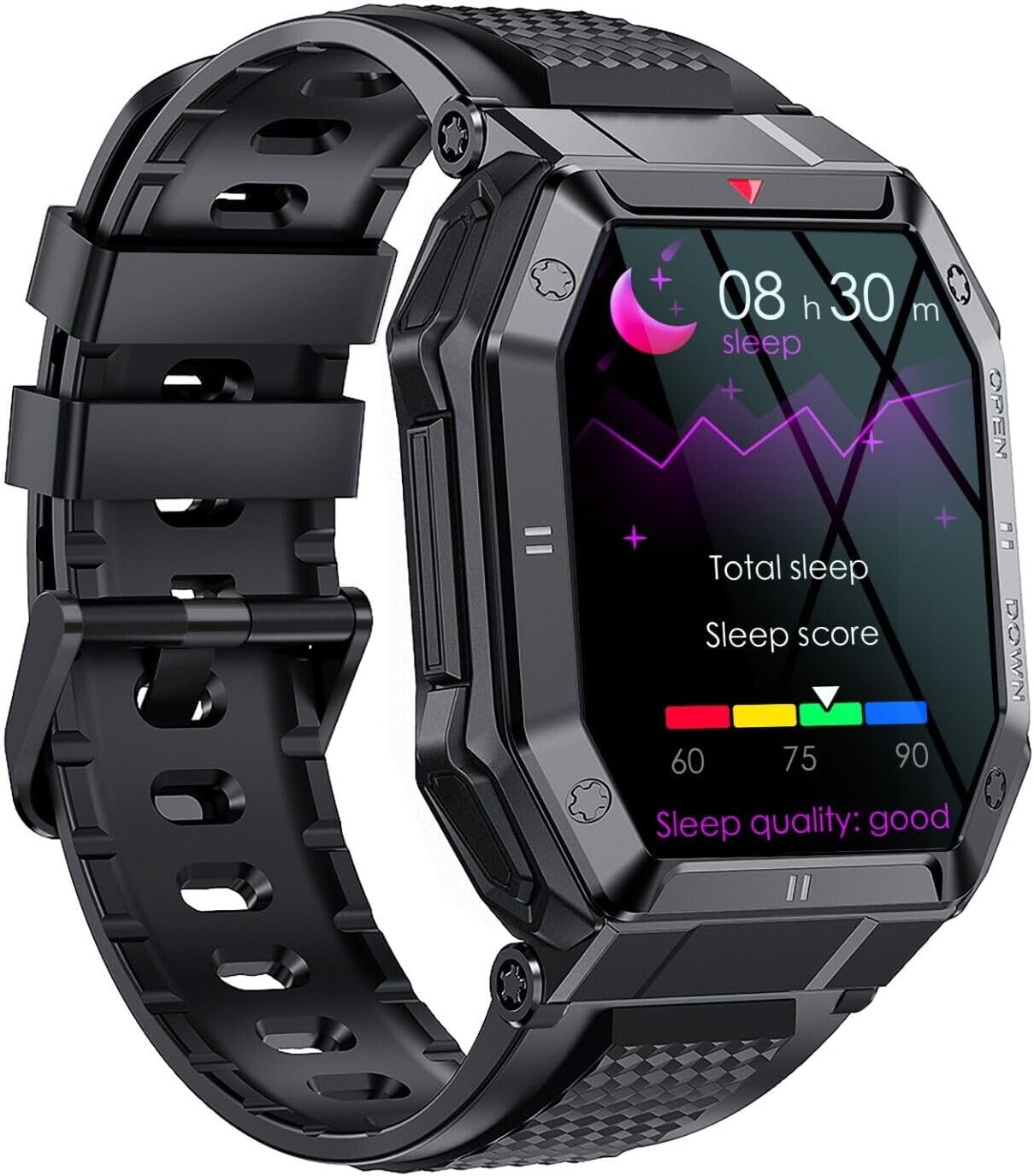 Image: The SGNICS K55 Smart Watch displaying sleep tracking data.
4.5 Altre funzioni
The SGNICS K55 Smart Watch offers additional useful features:
- Previsioni del tempo
- Sveglie
- Camera controller (remote shutter for your phone's camera)
- Music control (play, pause, skip tracks on your phone)
- Promemoria sedentario
- App message reminders
- SMS reminders
- Trova la funzione del telefono
- Cronometro
 Image: The SGNICS K55 Smart Watch displaying a grid of icons representing various smart functions.
5. Manutenzione
5.1 Resistenza all'acqua
The SGNICS K55 Smart Watch is designed to be water-resistant for daily activities such as washing hands or jogging in the rain. However, it is non suitable for swimming, diving, showering, or sauna use. Exposure to hot water, steam, or high-pressure water jets may damage the device.
5.2 Pulizia
To clean your watch, gently wipe the screen and body with a soft, lint-free cloth. If necessary, slightly dampen the cloth with water. Avoid using harsh chemicals, abrasive materials, or strong detergents, as these can damage the watch's finish and seals. Ensure the charging contacts on the back of the watch are kept clean and dry for optimal charging performance.
5.3 Conservazione
When not in use for extended periods, store the watch in a cool, dry place away from direct sunlight and extreme temperatures. It is recommended to charge the watch periodically (e.g., once every few months) to maintain battery health.
6. Risoluzione Dei Problemi
If you encounter issues with your SGNICS K55 Smart Watch, please refer to the following common solutions:
- L'orologio non si accende: Assicurati che l'orologio sia completamente carico. Collegalo al cavo di ricarica e lascialo caricare per almeno 30 minuti prima di riprovare ad accenderlo.
- Impossibile associare il telefono:
- Assicurati che il Bluetooth sia abilitato sul telefono e sull'orologio.
- Assicurati che l'orologio si trovi nel raggio di azione del Bluetooth del tuo telefono.
- Riavvia sia il telefono che l'orologio.
- Try unpairing and re-pairing the device through the app and your phone's Bluetooth settings.
- Assicurati che l'app complementare sia aggiornata.
- Call/Music audio not working: Verify that the separate audio Bluetooth profile (e.g., "K55_Audio") is connected in your phone's Bluetooth settings.
- Dati sanitari inesatti: Ensure the watch is worn snugly on your wrist, about one finger's width above the wrist bone. Keep the sensor on the back of the watch clean. Remember that the watch is not a medical device.
- Breve durata della batteria: Ridurre la luminosità dello schermo, disattivare le notifiche non necessarie e limitare il monitoraggio continuo della frequenza cardiaca se non necessario. Assicurarsi che l'orologio sia completamente carico.
Se il problema persiste, contatta l'assistenza clienti per ulteriore assistenza.
7. Specifiche
| Marca | SGNICS |
| Nome del modello | K55 |
| Display | 1.85 inch HD IPS Screen |
| Materiale | Lega di alluminio |
| Colore | Nero |
| Capacità della batteria | 350 mAh agli ioni di litio |
| Tempo di ricarica | Circa 2 ore |
| Durata della batteria | 5-7 giorni (uso tipico), 15 giorni (standby) |
| Connettività | Bluetooth |
| Sistema operativo | Wear OS (as per product data, though this might be a generic OS for smartwatches) |
| Caratteristiche speciali | Heart Rate Monitor, Call Function, Multi-Sport Modes, Sleep Tracker |
| Resistenza all'acqua | Daily use (washing hands, rain); Not for swimming/diving/hot water. |
| Componenti inclusi | Smart Watch, Band, Charging Cable, User Manual |
8. Garanzia e supporto
Your SGNICS K55 Smart Watch comes with a Garanzia di 60 giorni dalla data di acquisto. La presente garanzia copre i difetti di fabbricazione in condizioni di normale utilizzo. Non copre i danni causati da uso improprio, incidenti, modifiche non autorizzate o mancato rispetto delle istruzioni contenute nel presente manuale.
For warranty claims, technical support, or any questions regarding your product, please contact the seller or manufacturer through the platform where you purchased the device. Please have your purchase details and model number (K55) ready when contacting support.