
REDTIGER RTH30GSO
REDTIGER Dash Cam OBD Hardwire Kit (Model RTH30GSO) Instruction Manual
Model: RTH30GSO | Brand: REDTIGER
1. Prodotto finitoview
The REDTIGER Dash Cam OBD Hardwire Kit with USB C Port is designed to provide continuous power to your REDTIGER dash camera for 24/7 parking monitoring. This kit ensures your dash cam remains operational even when the vehicle's engine is off, offering low voltage protection to prevent battery drain. It supports a wide input voltage range of 12V-24V and delivers a stable 5V/3A MAX output via its Type-C port, making it compatible with various REDTIGER dash cam models.
2. Caratteristiche principali
- Monitoraggio del parcheggio 24 ore su 24, 7 giorni su 7: Provides continuous power to your REDTIGER dash cam for uninterrupted surveillance, even when the vehicle is parked.
- Vestibilità universale: Compatible with 12V to 24V vehicle electrical systems, delivering a consistent 5V/3A MAX output via a Type-C port for various REDTIGER dash cam series.
- Installazione semplice: Draws power directly from the OBD port, simplifying the setup process with a clean, non-invasive installation.
- Compatibilità estesa: Engineered to work with most vehicles and features a Type-C USB port for broad device compatibility.
- Basso volumetage Protezione: Interrompe automaticamente l'alimentazione della dash cam se la batteria del veicolo è scaricatage drops below a user-selectable threshold, preventing complete battery discharge.
3. Contenuto della confezione
The REDTIGER Dash Cam OBD Hardwire Kit includes the following components:
- OBD Hardwire Kit with USB C Port
- Manuale d'uso
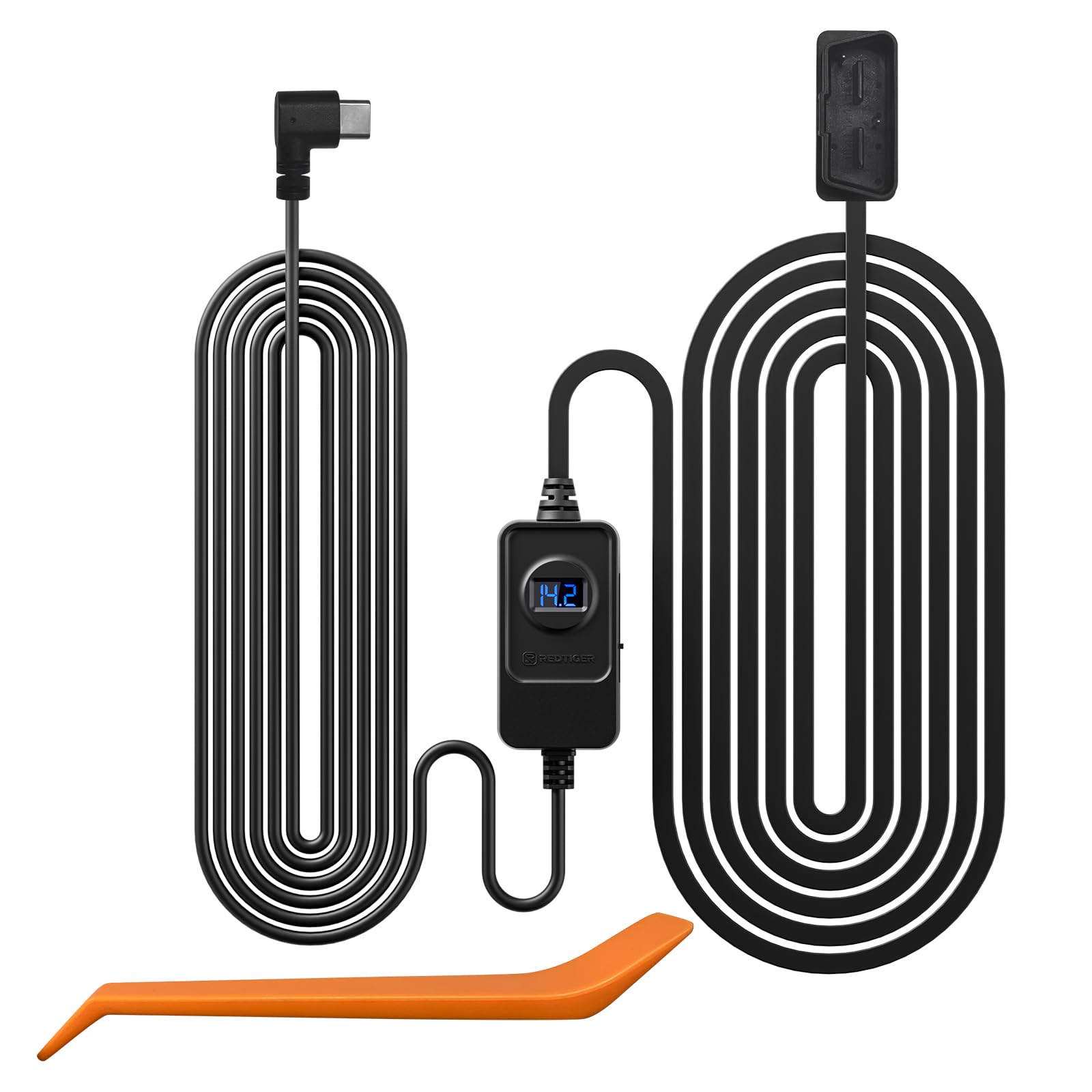
4. Guida all'installazione
This OBD hardwire kit is compatible with all REDTIGER series dash cams (e.g., F7N, F7NP, F7NT, F7NS, F8, F9, F17, F4, F77 Mini Dash Cam and T27/T700 Mirror Dash Cams). Please note that this hardwire kit is not suitable for dash cams from other brands.
4.1 Locating the OBD Port
The most common location for a vehicle's OBD interface is on the lower left side of the trim panel beneath the steering wheel. However, the exact location may vary depending on the vehicle's make, model, and year. Some common alternative locations include above the accelerator pedal, near the driver's side fuse box, or in front of the gear shifter. Consult your vehicle's owner's manual or maintenance manual for the precise location.

4.2 Installazione passo passo
- Step 1: Connect to OBD Port
After unpacking the OBD hardwire kit, connect its OBD plug to your car's OBD port. - Step 2: Position Voltage Regolatore
Posizionare il volumetage regulator controller in a suitable location where you can conveniently adjust the protection voltage and monitor the voltage visualizzazione. - Step 3: Connect to Dash Cam
Connect the USB Type-C interface of the OBD hardwire kit to your dash cam. Verify that the dash cam powers on correctly.


It is strongly recommended to refer to your vehicle's manual or seek professional assistance if you are unsure about any installation steps.
5. Istruzioni per l'uso
5.1 24/7 Parking Monitoring
Once the hardwire kit is correctly installed, your REDTIGER dash cam will automatically enter parking monitoring mode when the vehicle is turned off. This feature ensures continuous recording to protect your vehicle from incidents while parked.


5.2 Basso volumetage Protezione
Il kit hardwire è dotato di basso volume regolabiletage protection to prevent your car battery from draining completely. You can select from predefined voltage cut-off levels (e.g., 12.4V, 12.0V, 11.6V for 12V vehicles, and corresponding levels for 24V vehicles). The kit will automatically cut power to the dash cam if the battery voltage drops below the selected threshold, ensuring enough power remains to start your vehicle.


6. Specifiche
| Caratteristica | Dettaglio |
|---|---|
| Marca | TIGRE ROSSE |
| Nome del modello | RTH30GSO |
| Tecnologia di connettività | OBD |
| Ingresso volumetage | 12V-24V |
| Volume di uscitatage/corrente | 5 V/3 A MAX |
| Porta di uscita | USB di tipo C |
| Caratteristica speciale | Parking Monitor, Low Voltage Protezione |
| Lunghezza del cavo | Circa 11.5 piedi |
| Dispositivi compatibili | REDTIGER Dash Cams (F7N/F7NP/F7NT/F7NS/F8/F9/F17/F4/F77 Mini Dash Cam and T27/T700 Mirror Dash Cams etc.) |
7. Manutenzione
To ensure optimal performance and longevity of your REDTIGER Dash Cam OBD Hardwire Kit, follow these general maintenance guidelines:
- Controlla regolarmente tutte le connessioni per assicurarti che siano sicure.
- Keep the hardwire kit and its components clean and free from dust or debris.
- Avoid exposing the kit to extreme temperatures or direct sunlight for prolonged periods.
- Do not attempt to modify or disassemble the unit, as this may void the warranty and cause damage.
8. Risoluzione Dei Problemi
If you encounter issues with your REDTIGER Dash Cam OBD Hardwire Kit, consider the following troubleshooting steps:
- La Dash Cam non si accende:
- Ensure the OBD plug is securely inserted into the vehicle's OBD port.
- Verify the Type-C connector is firmly plugged into the dash cam.
- Controllare il volume della batteria del veicolotage using the regulator's display. If it's below the set cut-off, the kit will not supply power.
- Modalità parcheggio non attiva:
- Confirm that parking mode is enabled in your dash cam's settings.
- Ensure the hardwire kit is correctly installed and receiving continuous power from the OBD port.
- Problemi di consumo della batteria:
- Regola il volume bassotage protection setting on the hardwire kit to a higher threshold if your vehicle's battery is frequently draining.
- Ensure your vehicle's battery is in good condition.
Per ulteriore assistenza, contattare l'assistenza clienti REDTIGER.
9. Garanzia e supporto
The REDTIGER Dash Cam OBD Hardwire Kit comes with an 18-month assurance for quality problems. For any quality-related issues or technical support, please reach out to RedtigerDirect, the seller, or REDTIGER customer service.
Please feel free to reach us if any professional help is needed. Always use the dedicated hardwire kit for your REDTIGER dash cam, as other brands' kits may not be compatible.
Ask a question about this manual
Ask about setup, troubleshooting, compatibility, parts, safety, or missing instructions. Manuals+ will review the question and use this page’s manual context to help answer it.