
1. Prodotto finitoview
The Morelax Ear Wax Removal Tool is an advanced device designed for safe and effective ear canal cleaning. It features a high-definition camera and smart connectivity to provide a clear visual of the ear canal during use. This tool is compatible with both iOS and Android devices.
- Omnidirectional 360° Field of View & 1080P HD Camera: Built-in high-precision lens with 5 million pixels, 360° wide-angle design, and 6 LED lights for clear 1080P HD resolution viewing of the ear canal.
- Intelligent Visual APP Operation: Connects directly to an exclusive APP via Wi-Fi, allowing for photo taking, video recording, and lag-free viewing with a 20fps transfer rate.
- Integrated Ear Scoop Design: Features a closely combined camera and ear scoop for enhanced safety and ease of use, preventing accidental detachment.
- Batteria a lunga durata: Equipped with a 350mAh rechargeable battery, providing 90 minutes of use on a full charge and up to 30 days of standby time.
- IP67 impermeabile: The otoscope, earplugs, and lenses are IP67 waterproof, allowing for cleaning with water or alcohol swabs. Do not immerse the entire otoscope in water.
2. Cosa c'è nella scatola
Verificare che tutti i componenti siano presenti al momento dell'apertura della confezione:
- Otoscope with light (1)
- Cavo di ricarica di tipo C (1)
- Silicone ear spoons (6)
- Manuale del prodotto (1)
- 8-piece ear wax removal tool kit (1)

Figure 2.1: Included components of the Morelax Ear Wax Removal Kit.
3. Configurazione e connessione APP
Follow these steps to set up your Morelax Ear Wax Removal Tool and connect it to the companion app:
- Carica il dispositivo: Fully charge the device using the provided Type-C charging cable before first use. The indicator light will show red during charging and turn off when fully charged.
- Scarica l'App: Scan the QR code below with your mobile device or visit your mobile browser to download the 'Cooleer' app. The app is compatible with iOS and Android.
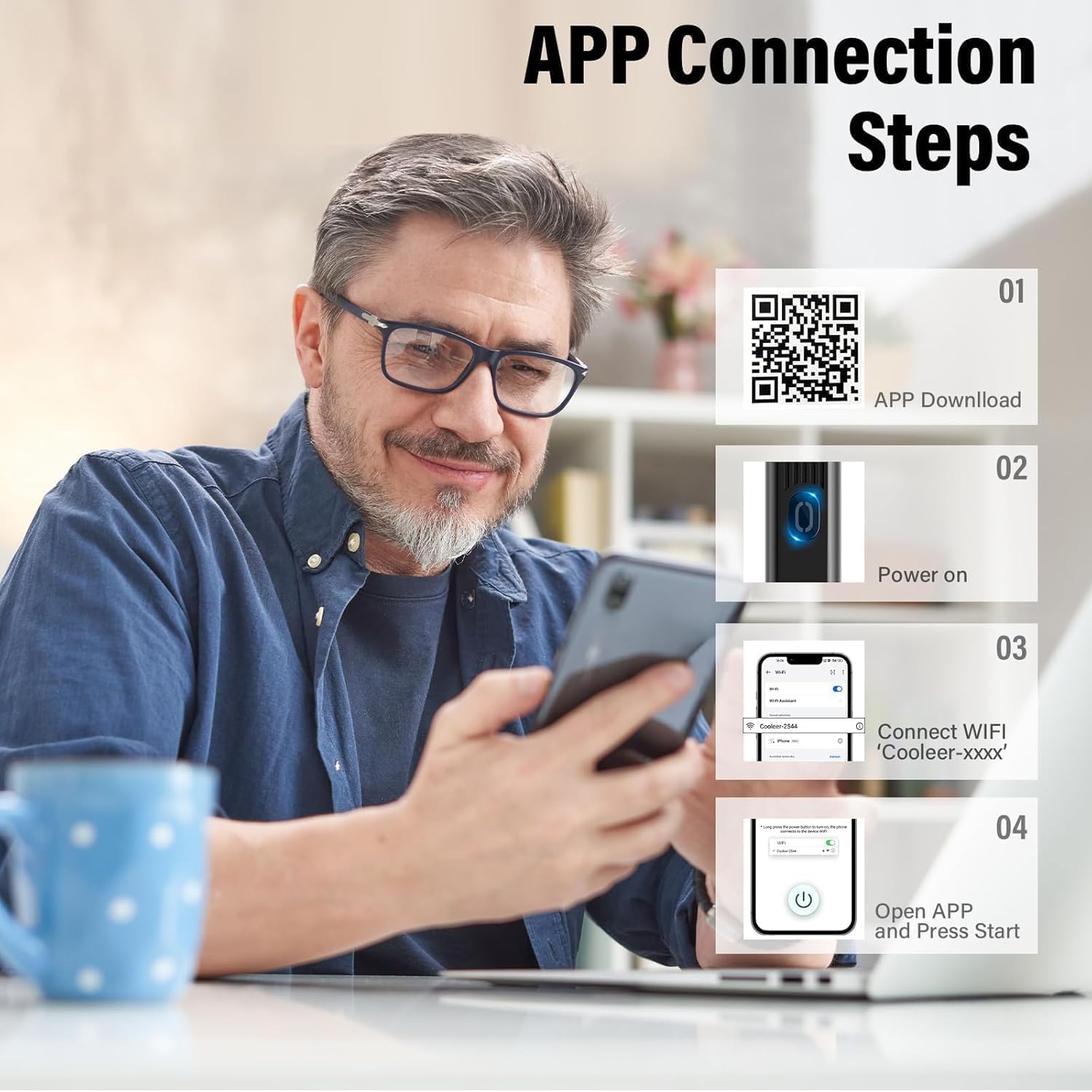
- Accensione: Press and hold the power button on the device for 2 seconds to turn it on. The indicator blue light will illuminate.
- Connettiti al Wi-Fi: Go to your phone's Wi-Fi settings and connect to the device's local Wi-Fi network, typically named 'Cooleer-xxxx'.
- Apri l'app: Launch the 'Cooleer' app. The device's camera feed should now be visible on your screen. Click the start button within the app to begin using the product.
Video 3.2: Demonstration of connecting the ear wax removal tool to a smartphone via Wi-Fi and viewil condotto uditivo.
4. Istruzioni per l'uso
Once connected, the app will display a real-time view from the ear camera. Carefully insert the ear scoop into the ear canal while observing the live feed on your device. Use gentle movements to remove earwax.
- Guida visiva: The 1080P HD camera and 6 LED lights provide a clear, illuminated view, allowing precise navigation within the ear canal.
- Safe Ear Scoop: The integrated silicone ear scoop is designed to be soft and secure, minimizing the risk of injury.
- Utilizzo versatile: The tool can be used for examining and cleaning not only ears but also the nose, throat, teeth, and skin.
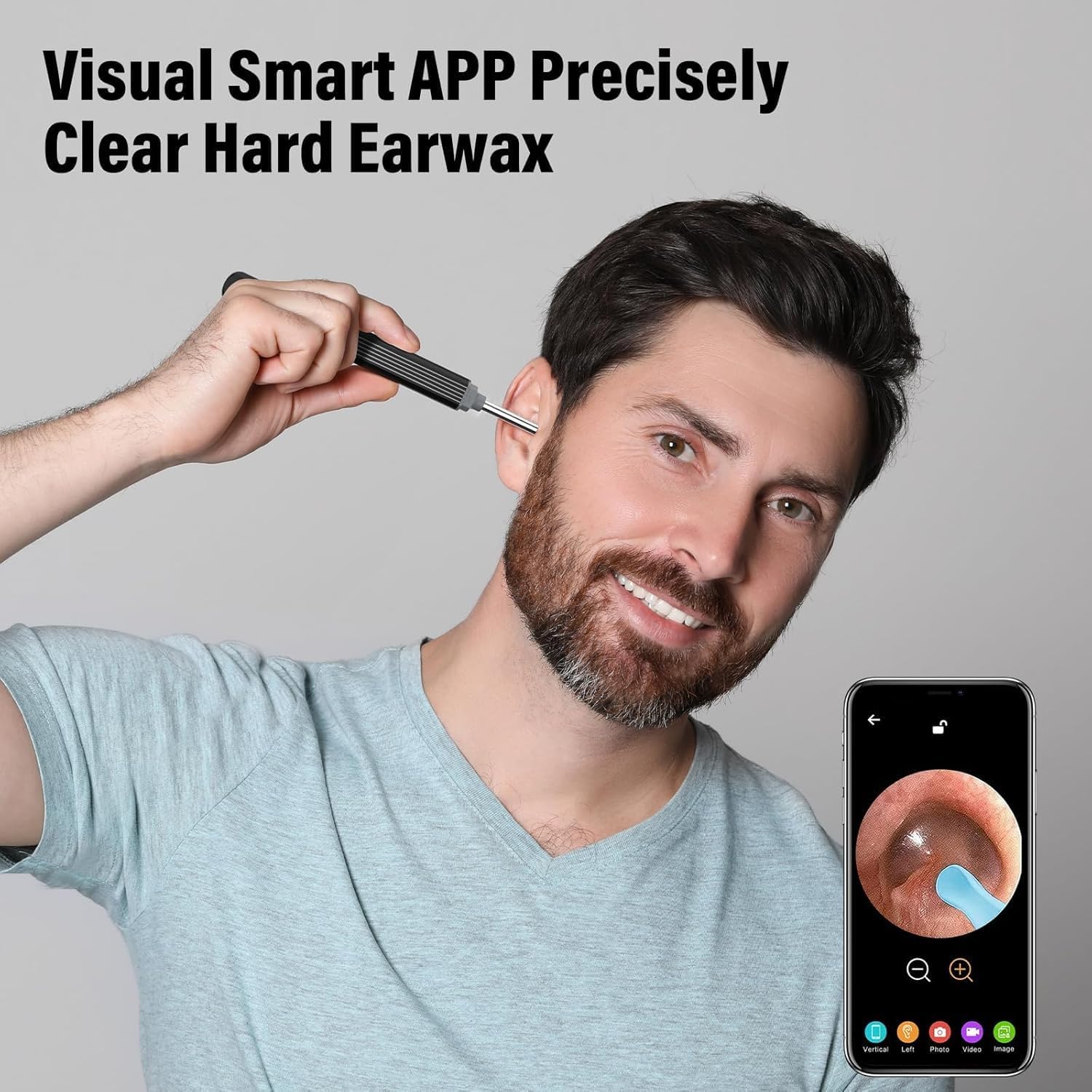
Figure 4.1: Visual Smart APP for precise earwax removal.

Figure 4.2: Versatile applications of the ear wax removal tool.
Video 4.3: Demonstration of the ear wax removal tool in action, showing the clear visuals on a connected smartphone.
5. Manutenzione
Una corretta manutenzione garantisce la longevità e l'igiene del tuo dispositivo:
- Pulizia: After each use, the otoscope, earplugs, and lenses can be cleaned with water or wiped with alcohol swabs. Ensure the device is dry before storage.
- Attenzione impermeabile: While the lens is IP67 waterproof, do not immerse the entire otoscope in water.
- Silicone Ear Scoop Replacement: The silicone ear scoops are easily replaceable. Ensure they are securely attached before use.

Figure 5.1: IP67 Waterproof Lens for easy cleaning.

Figure 5.2: Integrated Ear Spoon Design for secure and easy replacement.
6. Risoluzione Dei Problemi
Fare riferimento ai seguenti problemi comuni e alle relative soluzioni:
- Il dispositivo ha rifiutato la connessione?
If the device Wi-Fi is connected to another phone, the phone with the app cannot use the product. If the phone has set Wi-Fi that cannot connect to the Internet or the phone detects abnormal Wi-Fi, it will automatically replace it with its own Wi-Fi, then the Wi-Fi of the product is disconnected and cannot be used. - La connessione Wi-Fi è instabile?
Se il Wi-Fi visualizza il messaggio "Connesso ma nessun accesso a Internet, cambiare?", fare clic su "No". Se si fa clic su "Sì", il dispositivo passa automaticamente a una rete Internet e il prodotto non può essere utilizzato. Se la copertura Wi-Fi della propria area di rete è forte, il Wi-Fi del dispositivo verrà sostituito automaticamente. A questo punto, si consiglia di recarsi in aree con Wi-Fi debole o assente per connettersi al Wi-Fi del prodotto e utilizzarlo. Se si desidera navigare in Internet mentre si utilizza questo prodotto, è possibile utilizzare solo il proprio traffico dati e il Wi-Fi rimarrà connesso ai prodotti. Se ci si connette frequentemente a Internet, è possibile eliminare solo tutte le connessioni Wi-Fi a Internet. - Perché il dispositivo squilla?
This feature reminds you to use the equipment to avoid going too deep into the ear canal, ensuring safety. - Non si accende o non si illumina?
Please charge the item fully first to check. Try another charger to ensure it's not a charging issue. - Is a password required for the default Wi-Fi?
Connect to its Wi-Fi without a password. - La connessione APP è instabile.
Close and restart the product, then reconnect to the APP.
7. Specifiche
| Dimensioni del prodotto | 4.33 x 3.94 x 58.66 pollici; 0.63 once |
| Numero modello articolo | Electric ear wax removal Kit |
| Batterie | È necessaria 1 batteria agli ioni di litio (inclusa) |
| Data prima disponibilità | 16 ottobre 2024 |
| Produttore | Più rilassato |
| ASIN | B0DDG8CPFC |
8. Garanzia e supporto
Your Morelax Ear Wax Removal Tool comes with a standard return policy allowing for refunds or replacements within 30 days of purchase.
Per assistenza clienti e supporto tecnico, contattare:
- E-mail: support@eotoscop.us
- Telephone 1 (U.S.): +1 6264203418 (Mon-Fri: 9:00-17:00 PST)
- Telephone 2 (U.S.): +1 6264203417 (Mon-Fri: 17:00-24:00 PST)