
YYK-Q16 Pro
Manuale utente per auricolari Bluetooth con touch screen intelligente
Model: YYK-Q16 Pro
Introduzione
Thank you for choosing the Intelligent Touch Screen Open Bluetooth Earphones. This manual provides essential information for the proper use, setup, and maintenance of your new earphones. Please read it thoroughly before use to ensure optimal performance and longevity.
These true wireless open-ear earbuds feature Bluetooth 5.4 connectivity, double noise reduction, and a touch screen for intuitive control. They are designed for comfort and functionality during various activities, including fitness, running, and cycling.
Contenuto della confezione
Dopo aver disimballato il prodotto, verificare che siano presenti tutti gli elementi elencati di seguito:
- Headphones with hanging ears (Earbuds)
- Cavo di ricarica di tipo C.
- Custodia protettiva
- Manuale di istruzioni del prodotto (questo documento)

Image: The Intelligent Touch Screen Open Bluetooth Earphones, showing the earbuds and their charging case with a digital display.
Impostare
1. Ricarica iniziale
Before first use, fully charge the earphones and the charging case. Connect the provided Type-C charging cable to the charging port on the case and plug the other end into a USB power source (e.g., computer USB port, wall adapter). The charging time is approximately 1.5 hours.
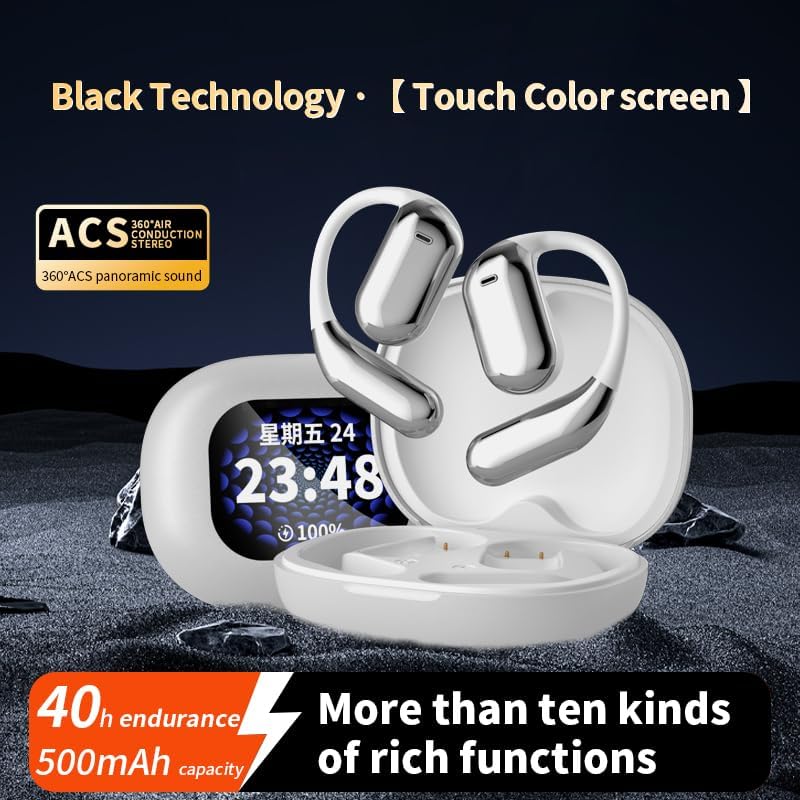
Image: The earbuds and charging case, highlighting the 40-hour endurance and 500mAh battery capacity.
2. Associazione con un dispositivo Bluetooth
- Assicurarsi che gli auricolari siano carichi e all'interno della custodia di ricarica.
- Aprire la custodia di ricarica. Gli auricolari entreranno automaticamente in modalità di associazione.
- Sul tuo dispositivo abilitato Bluetooth (smartphone, tablet, ecc.), vai alle impostazioni Bluetooth.
- Cercare available devices and select "YYK-Q16 Pro" (or similar name) from the list.
- Una volta effettuata la connessione, un suono o un indicatore di conferma indicheranno l'avvenuta associazione.
The transmission range is approximately 10 meters (barrier-free).
Istruzioni per l'uso
Controllo touch screen
The earphones feature an LCD full-color touch screen on the charging case for easy control of various functions.

Image: The smart touch screen interface on the charging case, displaying various control options such as equalizer, spatial audio, and music playback.
- Riproduzione musicale: Control play/pause, skip tracks directly from the touch screen.
- Impostazioni di riduzione del rumore: Adjust Active Noise Cancellation (ANC) modes.
- Equalizer Options: Switch between different sound profiles (Bass, Jazz, Vocals, Balanced).
- Audio spaziale: Activate spatial audio features for an immersive experience.
Active Noise Cancellation (ANC)
The earphones incorporate intelligent broadband deep noise cancellation technology, capable of blocking up to 99.44% of external noise. This feature allows for a quieter listening experience in noisy environments.
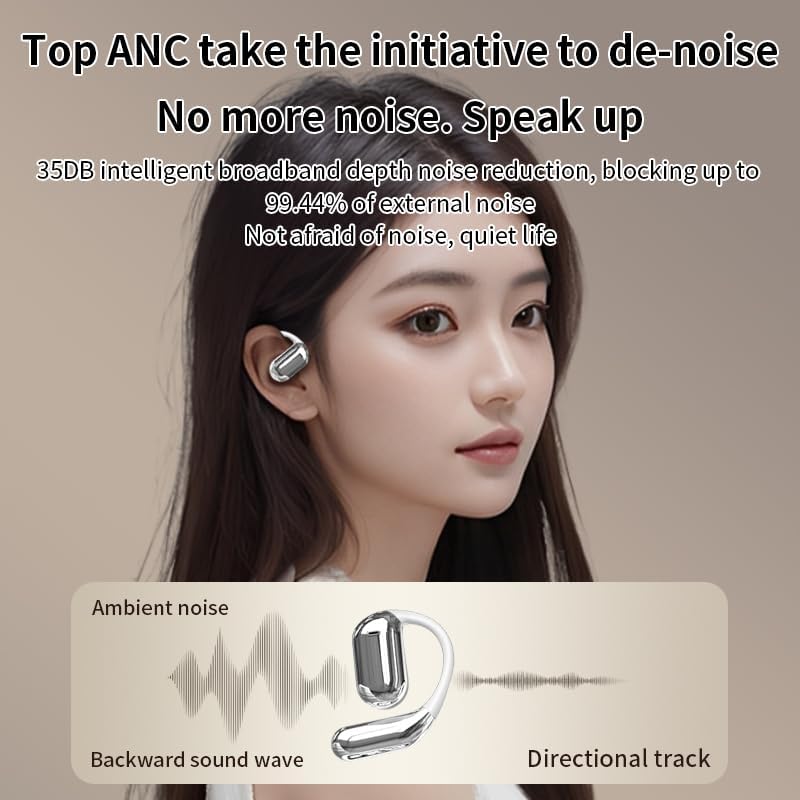
Image: Diagram illustrating how Active Noise Cancellation works by counteracting ambient noise with a backward sound wave.
Comodità e vestibilità
Designed as open-ear earphones, they provide a comfortable fit without entering the ear canal, making them suitable for extended wear and physical activities. Each earbud weighs approximately 8 grams.

Image: A person wearing the open-ear earphones, demonstrating their comfortable and secure fit.
Manutenzione e cura
- Pulizia: Utilizzare un panno morbido, asciutto e privo di lanugine per pulire gli auricolari e la custodia di ricarica. Non utilizzare detergenti abrasivi o solventi.
- Magazzinaggio: When not in use, store the earphones in their protective case to prevent damage and keep them clean.
- Resistenza all'acqua: The product description mentions IPX5 waterproof rating. While this offers protection against splashes and sweat, avoid submerging the earphones in water.
- Cura della batteria: Per prolungare la durata della batteria, evitare di scaricarla completamente frequentemente. Caricarla regolarmente, soprattutto se non utilizzata per periodi prolungati.
Risoluzione dei problemi
| Problema | Possibile causa | Soluzione |
|---|---|---|
| Gli auricolari non si accoppiano | Low battery; Out of range; Device Bluetooth off; Already paired with another device. | Charge earphones; Move closer to device; Enable Bluetooth; Disconnect from other devices and re-pair. |
| Nessun suono | Volume too low; Earphones not connected; Media not playing. | Increase volume on device and earphones; Reconnect earphones; Start media playback. |
| Scarsa qualità del suono | Interference; Earphones too far from device; Obstructions. | Move away from sources of interference; Reduce distance to device; Ensure no major obstructions. |
| Il display della custodia di ricarica non funziona | Batteria della custodia scarica. | Caricare la custodia di ricarica. |
Specifiche
| Caratteristica | Dettaglio |
|---|---|
| Modello del prodotto | Q16 Pro headphones with hanging ears (YYK-Q16 Pro) |
| Versione Bluetooth | V5.4 |
| Gamma di frequenza | 2.4 Ghz~2.48 Ghz |
| Gamma di trasmissione | >=10m (Barrier free) / 32.8 Feet |
| Capacità della batteria (custodia) | 500mAh |
| Endurance Time (Total) | 40 ore |
| Endurance Time (Single Use) | 10 ore |
| Tempo di ricarica | Circa 1.5 ore |
| Interfaccia di ricarica | Tipo C |
| Controllo del rumore | Active Noise Cancellation (ANC) |
| Tipo di controllo | Touch Control (LCD Full-Color Touch Screen) |
| Forma dell'auricolare | Orecchio aperto |
| Impedenza | 16 Ohm |
| Resistenza all'acqua | IPX5 (from product description) |
Garanzia e supporto
Per informazioni sulla garanzia e sull'assistenza clienti, fare riferimento ai recapiti forniti dal rivenditore o dal rappresentante ufficiale del produttore. websito. Conservare la ricevuta d'acquisto come prova d'acquisto per eventuali reclami in garanzia.
For further assistance or technical inquiries, please contact customer service.
Ask a question about this manual
Ask about setup, troubleshooting, compatibility, parts, safety, or missing instructions. Manuals+ will review the question and use this page’s manual context to help answer it.