
1. Introduzione
This manual provides detailed instructions for the installation, operation, and maintenance of your Zunate RTL8852BE AX1800H Mini PCIe Network Adapter. This high-performance wireless card is designed to provide fast and stable network connectivity for compatible devices, supporting Wi-Fi 6 (802.11ax) with dual-band operation (2.4GHz and 5GHz) and Bluetooth 5.2. It offers wireless speeds up to 1800Mbps (574Mbps on 2.4GHz and 1200Mbps on 5GHz) and utilizes MU-MIMO technology for efficient multi-device communication.

Figura 1: Fronte view of the Zunate RTL8852BE AX1800H Mini PCIe Network Adapter.
2. Guida all'installazione
The Zunate RTL8852BE AX1800H is a Mini PCIe card designed for internal installation in compatible devices such as laptops or desktop computers with a Mini PCIe slot.
2.1 Precauzioni di sicurezza
- Always power off and unplug your device before opening its casing.
- Scaricare l'elettricità statica dal corpo toccando un oggetto metallico collegato a terra.
- Handle the network adapter by its edges to avoid touching the gold connectors or components.
- Refer to your device's manufacturer manual for specific instructions on opening the casing and accessing the Mini PCIe slot.
2.2 Installazione hardware
- Preparazione del dispositivo: Power down your computer completely and disconnect it from the power source.
- Apri il casing: Carefully open your computer's casing to access the internal components, specifically the Mini PCIe slot.
- Locate the Mini PCIe slot: Identify an available Mini PCIe slot on your motherboard.
- Insert the network adapter: Gently align the Zunate RTL8852BE AX1800H network adapter with the Mini PCIe slot. Insert the card firmly but carefully until it is seated properly.
- Proteggi la carta: Use the provided screws (refer to Figure 2) to secure the network adapter in place.
- Connect antennas (if applicable): If your device uses external antennas, connect them to the "1MAIN" and "2AUX" connectors on the card (refer to Figure 3).
- Chiudete il casing: Carefully close your computer's casing e ricollegare l'alimentazione.

Figure 2: The network adapter module shown with two securing screws.

Figura 3: Fronte view of the network adapter showing "1MAIN" and "2AUX" antenna connectors, and the back view showing the PCB.
2.3 Installazione del driver
After physical installation, you may need to install drivers for the operating system to recognize and utilize the network adapter.
- Installazione automatica: Modern operating systems (e.g., Windows 10/11, recent Linux distributions) may automatically detect and install the necessary drivers upon startup.
- Installazione manuale: If drivers are not installed automatically, visit the Zunate official websito o del produttore del chipset website (RTL8852BE) to download the latest drivers for your operating system. Follow the provided installation instructions.
3. Funzionamento
3.1 Connessione Wi-Fi
- Once drivers are installed, your computer's Wi-Fi functionality should be enabled.
- Accedi alle impostazioni di rete del tuo sistema operativo.
- Select the desired Wi-Fi network (SSID) from the list of available networks.
- Enter the network password (if required) and connect.
- The adapter supports dual-band (2.4GHz and 5GHz) Wi-Fi 6 (802.11ax) for optimal performance.
3.2 Associazione Bluetooth
- Assicurati che il Bluetooth sia abilitato nelle impostazioni del tuo computer.
- Metti il tuo dispositivo Bluetooth (ad esempio cuffie, mouse, tastiera) in modalità di associazione.
- In your computer's Bluetooth settings, search for new devices.
- Seleziona il tuo dispositivo dall'elenco e segui le istruzioni visualizzate sullo schermo per completare il processo di associazione.
- The adapter supports Bluetooth 5.2 for enhanced connectivity.
3.3 Tecnologia MU-MIMO
This network adapter features MU-MIMO (Multi-User, Multiple-Input, Multiple-Output) technology. When paired with a compatible MU-MIMO router, this technology allows the router to communicate with multiple devices simultaneously, improving network efficiency and overall speed, especially in environments with many connected devices.
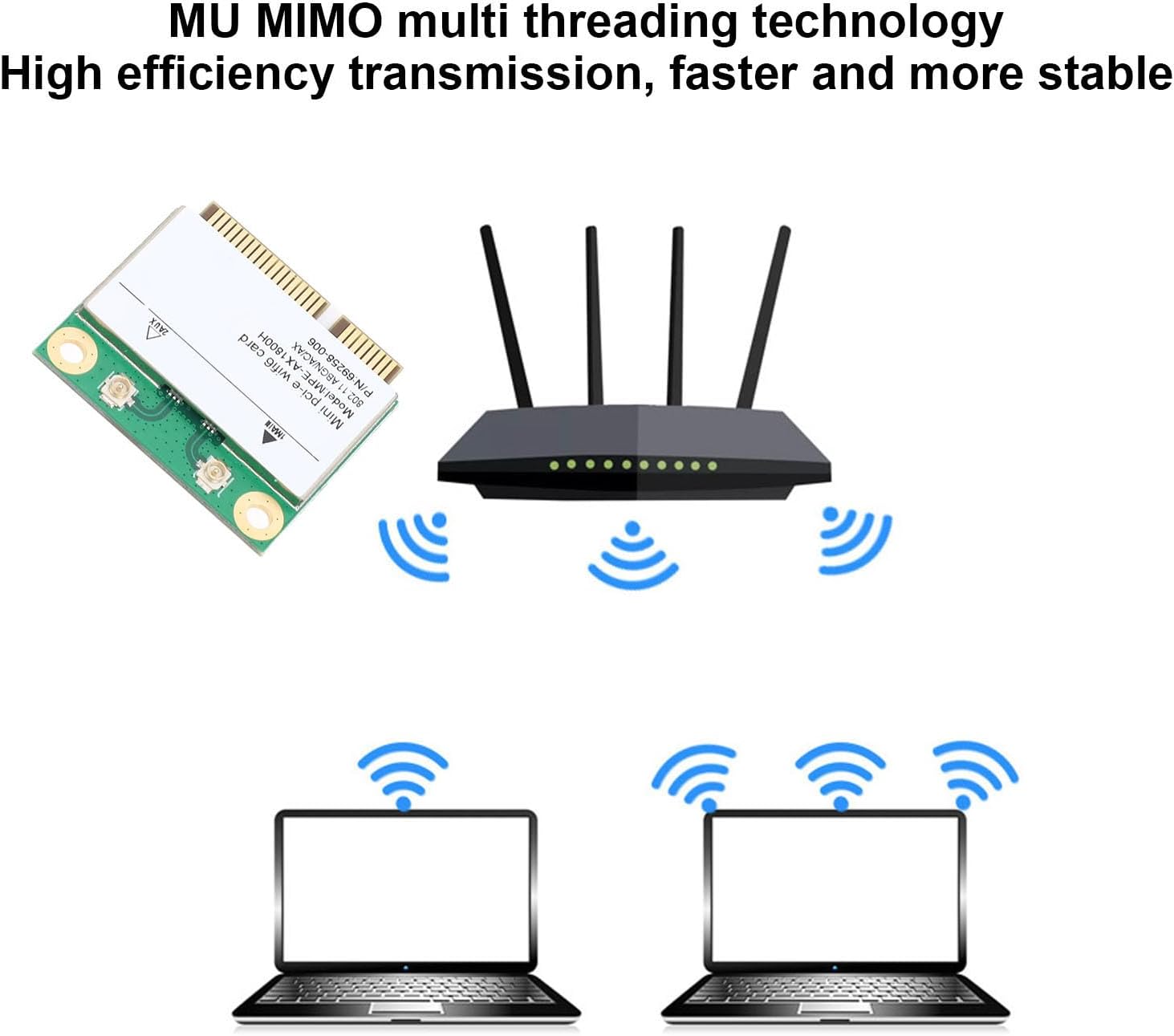
Figure 4: Illustration of MU-MIMO technology providing seamless connection to multiple devices.
4. Manutenzione
- Aggiornamenti driver: Regularly check the Zunate or chipset manufacturer's website for updated drivers. Keeping your drivers current can improve performance, stability, and security.
- Ispezione fisica: Periodically inspect the card for any signs of damage or loose connections, especially if you experience connectivity issues.
- Pulizia: Ensure the internal environment of your computer is clean and free of dust to prevent overheating and maintain optimal performance of all components, including the network adapter.
5. Risoluzione Dei Problemi
| Problema | Possibile causa | Soluzione |
|---|---|---|
| Wi-Fi not detected or no networks found. |
|
|
| Slow Wi-Fi speeds or unstable connection. |
|
|
| Il dispositivo Bluetooth non si associa. |
|
|
6. Specifiche
| Caratteristica | Dettaglio |
|---|---|
| Modello | RTL8852BE AX1800H (Zunateqpzm6yfw0d) |
| Interfaccia | Mini pcie |
| Wi-Fi standard | 802.11ax (Wi-Fi 6) |
| Bande di frequenza | 2.4 GHz, 5 GHz |
| Max Wi-Fi Speed (2.4GHz) | 574 Mbps |
| Max Wi-Fi Speed (5GHz) | 1200 Mbps |
| Total Max Wi-Fi Speed | 1800 Mbps |
| Versione Bluetooth | 5.2 |
| Supporto tecnologico | MU-MIMO |
| Compatibilità del sistema | Windows, Linux (specific versions may vary) |
| Materiale | PCB |
| Dimensioni del pacco | 2.36 x 1.57 x 0.39 pollici |
| Peso dell'articolo | 0.141 once |
7. Informazioni sulla garanzia
For specific warranty details regarding your Zunate RTL8852BE AX1800H Mini PCIe Network Adapter, please refer to the warranty card included with your product or visit the official Zunate websito. I termini e le condizioni della garanzia possono variare in base alla regione e al rivenditore.
8. Assistenza clienti
If you encounter any issues or have questions not covered in this manual, please contact Zunate customer support. You can typically find contact information on the official Zunate websito o tramite la piattaforma di acquisto del tuo prodotto.