
SMRGBCD001
Wireless Mouse for Laptop PC Bluetooth RGB Rechargeable Mouses
Manuale d'uso
Brand: Generic | Model: SMRGBCD001
1. Introduzione
Grazie per l'acquistoasing the Generic Wireless Mouse. This manual provides detailed instructions for setting up, operating, and maintaining your new mouse to ensure optimal performance and longevity. Please read this manual thoroughly before using the product and keep it for future reference.
This sleek and stylish wireless mouse is designed to elevate your computing experience. Its ergonomic design ensures comfortable use for extended periods, while the smooth gliding surface allows for precise cursor control. Featuring a striking RGB lighting system that cycles through a vibrant spectrum of colors, this mouse adds a touch of flair to your desktop setup. With its plug-and-play functionality and reliable wireless connectivity, you can bid farewell to tangled cords and enjoy seamless operation. Crafted with durability in mind, this mouse is built to withstand the demands of daily use.
2. Prodotto finitoview
The Generic Wireless Mouse combines ergonomic comfort with advanced features for an enhanced user experience. Key features include:
- Seamless RGB Lighting: A vibrant RGB lighting strip that cycles through a spectrum of colors.
- Design ergonomico: Contoured shape and textured grips for comfortable and secure handling.
- Tracciamento preciso: High-precision optical sensor for smooth and accurate cursor control.
- Doppia connettività: Supports 2.4GHz wireless connection and Bluetooth (3.0 and 5.2) for versatile pairing.
- Batteria ricaricabile: Built-in 500mAh lithium polymer battery for extended use.
- Pulsanti silenziosi: Mute buttons for a quiet clicking experience.
- Collega e usa: No software installation required for 2.4GHz mode.
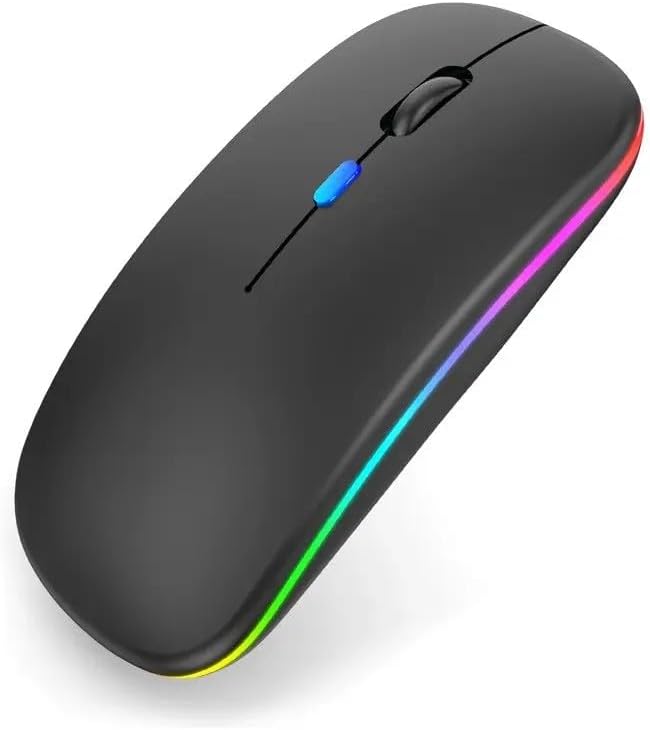
Figura 2.1: Fronte view of the Generic Wireless Mouse, showcasing its sleek black design and vibrant RGB lighting strip along the sides.

Figura 2.2: Il sottile profile of the wireless mouse, highlighting its rechargeable light feature and indicating support for both Bluetooth and USB receiver connectivity.
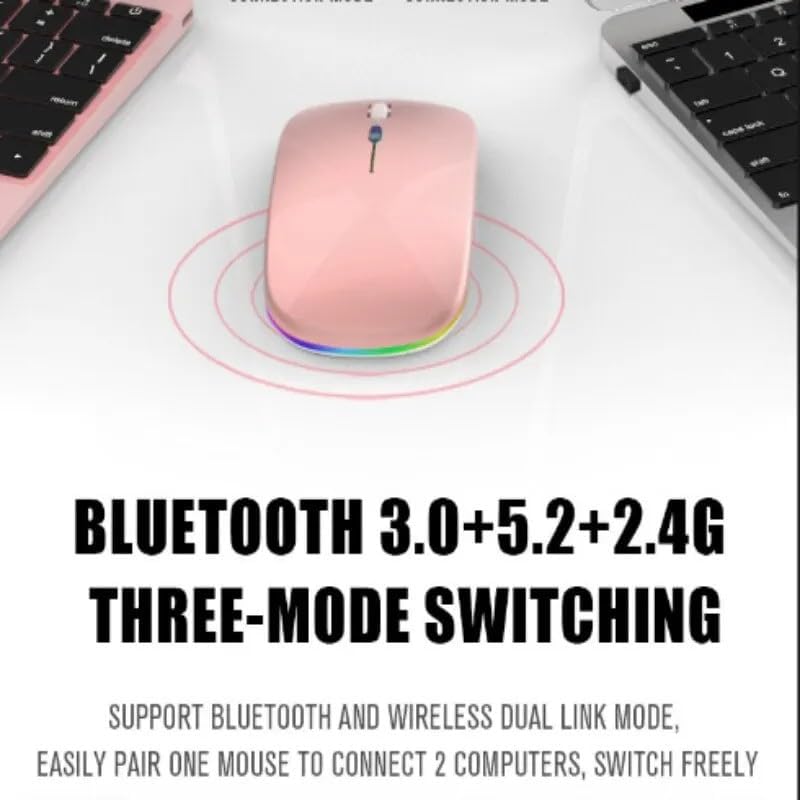
Figure 2.3: Illustration of the mouse's versatile connectivity options, supporting Bluetooth 3.0, Bluetooth 5.2, and 2.4G wireless modes, allowing connection to multiple devices.
3. Impostazione
3.1 Carica iniziale
Before first use, it is recommended to fully charge the mouse. Connect the included USB charging cable to the mouse's charging port and the other end to a USB power source (e.g., computer USB port, USB wall adapter).

Figure 3.1: The mouse connected to a charging cable, illustrating its 500mAh battery and long endurance after a single charge.
The RGB lighting may indicate charging status. A full charge typically provides up to 60 days of use, depending on usage patterns and RGB lighting settings.
3.2 Collegamento del mouse
Your mouse supports two primary connection modes: 2.4GHz Wireless and Bluetooth.
3.2.1 Connessione wireless a 2.4 GHz
- Locate the USB nano receiver, usually stored in a compartment on the bottom of the mouse.
- Collega il nano-ricevitore USB a una porta USB disponibile sul tuo computer.
- Accendere il mouse utilizzando l'interruttore di alimentazione situato nella parte inferiore.
- Switch the mouse to 2.4G mode (refer to the mode switch on the bottom of the mouse).
- Il computer dovrebbe rilevare e installare automaticamente i driver necessari. Il mouse è pronto per l'uso.
3.2.2 Connessione Bluetooth
The mouse supports Bluetooth 3.0 and Bluetooth 5.2. You can easily pair one mouse to connect to two computers and switch freely between them.
- Accendi il mouse utilizzando l'interruttore di alimentazione in basso.
- Switch the mouse to Bluetooth mode (BT1 or BT2, refer to the mode switch on the bottom of the mouse).
- Sul tuo computer o dispositivo, apri le impostazioni Bluetooth.
- Cercare new devices. The mouse should appear as "Wireless Mouse" or similar.
- Seleziona il mouse da associare. Segui le istruzioni sullo schermo.
- Una volta associato, il mouse è pronto per l'uso.
4. Istruzioni per l'uso
4.1 Accensione/spegnimento
Use the power switch located on the bottom of the mouse to turn it ON or OFF.
4.2 Cambio delle modalità di connessione
The mouse features a mode switch on its underside, allowing you to toggle between 2.4G wireless mode and two Bluetooth modes (BT1, BT2). This enables seamless switching between up to three connected devices.
4.3 Regolazione DPI
The mouse typically features a DPI (Dots Per Inch) button, often located near the scroll wheel, to adjust cursor sensitivity. Press this button to cycle through different DPI settings (e.g., 800, 1200, 1600 DPI) to match your preference and task requirements.
4.4 Controllo dell'illuminazione RGB
The mouse features dynamic RGB lighting. The lighting typically activates automatically when the mouse is in use. Some models may allow cycling through different lighting modes or turning the lighting off by pressing a specific button (often the DPI button or a dedicated light button) or a combination of buttons. Refer to the product's specific button functions for detailed control.

Figure 4.1: The mouse's colorful and cool RGB lights, designed to enhance the aesthetic of your desktop setup.
4.5 Funzione clic silenzioso
This mouse is designed with mute buttons, providing a quiet clicking experience. This feature is particularly beneficial in quiet environments, ensuring you do not disturb others.

Figure 4.2: Demonstrating the silent button feature, allowing for comfortable and undisturbed use, even in quiet environments.
5. Manutenzione
5.1 Pulizia
Per pulire il mouse, strofinare delicatamente la superficie con un panno morbido, asciutto o leggermente asciutto.amp panno. Evitare l'uso di prodotti chimici aggressivi, detergenti abrasivi o umidità eccessiva, poiché potrebbero danneggiare la finitura del mouse o i componenti interni.
5.2 Cura della batteria
- Evitare di esporre il mouse a temperature estreme (calde o fredde) poiché ciò potrebbe compromettere la durata della batteria.
- If the mouse will not be used for an extended period, it is advisable to turn it off to conserve battery life.
- Charge the mouse using only the provided cable or a compatible USB charging cable.
6. Risoluzione Dei Problemi
| Problema | Possibile soluzione |
|---|---|
| Il mouse non risponde (2.4 GHz) |
|
| Il mouse non risponde (Bluetooth) |
|
| Cursore irregolare o saltellante |
|
| Le luci RGB non funzionano |
|
| Il mouse non si carica |
|
7. Specifiche
| Caratteristica | Dettaglio |
|---|---|
| Numero di modello | SMRGBCD001 |
| Marca | Generico |
| Tecnologia di connettività | Bluetooth (3.0, 5.2), 2.4GHz USB Wireless |
| Tecnologia di rilevamento del movimento | Ottico |
| Colore | Nero |
| Caratteristica speciale | Ergonomic Design, RGB Lighting, Silent Click Buttons |
| Tipo di batteria | 1 batteria ai polimeri di litio (500 mAh) |
| Produttore | Ch |
| Data prima disponibilità | 26 agosto 2024 |
8. Garanzia e supporto
Per informazioni sulla garanzia e sull'assistenza clienti, fare riferimento alla documentazione inclusa con l'acquisto o visitare il sito ufficiale del produttore. websito. Conservare la prova d'acquisto per eventuali reclami in garanzia.
If you encounter any issues not covered in this manual, please contact the retailer or manufacturer's customer service for assistance.