
1. Introduzione
The TIMBOOTECH Wireless HDMI Transmitter and Receiver system provides a solution for wireless video and audio transmission. This system features built-in screens and control buttons for real-time monitoring of pairing status, connected receivers, and channel selection, ensuring optimal signal quality. It supports up to four receivers simultaneously and offers an extended transmission range of up to 1000 feet (300 meters). Additional features include an HDMI loop-out port and an integrated cooling fan for enhanced performance and reliability.
This device is suitable for various applications, including home entertainment, business presentations, indoor and outdoor filming, live broadcasts, concerts, and gaming setups. It operates on dual-band 2.4GHz and 5.8GHz frequencies, providing stable, interference-free performance with an ultra-low latency of 0.06 seconds.
2. Contenuto della confezione
Si prega di verificare che tutti gli articoli elencati di seguito siano inclusi nel pacchetto:
- 1 x trasmettitore HDMI wireless (TX)
- 2 x ricevitore HDMI wireless (RX)
- 2 cavo HDMI
- 2 cavo di alimentazione USB-C
- 1 adattatore Mini HDMI
- 1 x adattatore Micro HDMI
- 2 x supporto per slitta fredda
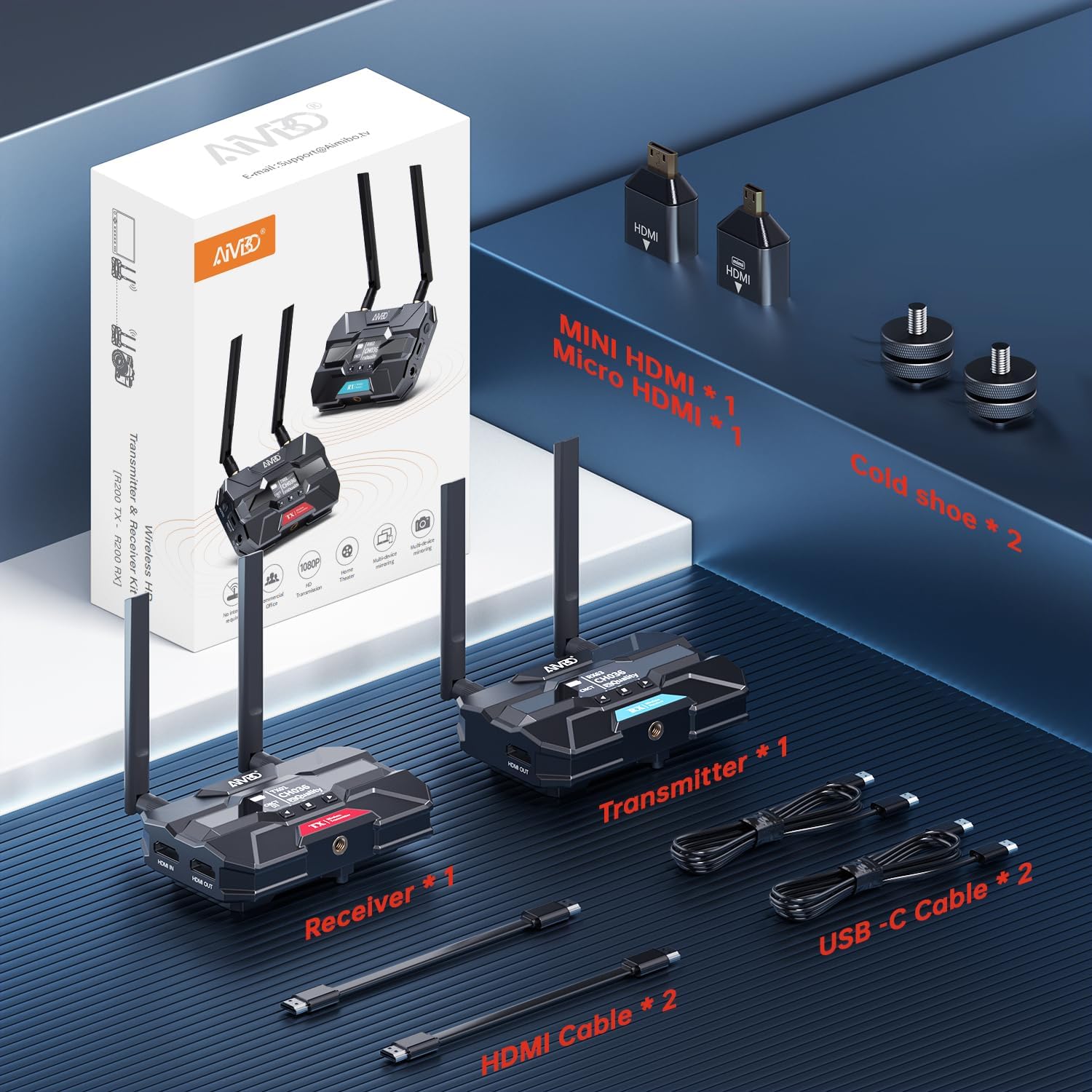
Image: Contents of the TIMBOOTECH Wireless HDMI system package, showing the transmitter, receiver, various cables (HDMI, USB-C), and adapters (Mini HDMI, Micro HDMI), along with cold shoe mounts.
3. Prodotto finitoview
The TIMBOOTECH Wireless HDMI system consists of a Transmitter (TX) and Receiver (RX) units, each equipped with essential features for reliable operation.
Unità trasmettitore (TX)
- Display OLED: Shows current status, channel, and signal quality.
- Pulsanti di controllo: For navigation and settings adjustment.
- Porta HDMI IN: Connects to your video source (e.g., camera, laptop).
- HDMI OUT (Loop-Out) Port: Connects to a local monitor for simultaneous viewing.
- Ingresso alimentazione CC 12 V: Primary power connection.
- Ingresso alimentazione USB-C: Alternative power connection.
- Ventola di raffreddamento: Previene il surriscaldamento durante l'uso prolungato.
- antenne: Per la trasmissione del segnale wireless.
Unità ricevente (RX)
- Display OLED: Shows current status, channel, and signal quality.
- Pulsanti di controllo: For navigation and settings adjustment.
- Porta HDMI OUT: Connects to your display device (e.g., TV, projector).
- Ingresso alimentazione CC 12 V: Primary power connection.
- Ingresso alimentazione USB-C: Alternative power connection.
- Ventola di raffreddamento: Previene il surriscaldamento durante l'uso prolungato.
- antenne: Per la ricezione del segnale wireless.

Immagine: un primo piano view of the TIMBOOTECH Wireless HDMI Transmitter (red label) and Receiver (blue label) units, highlighting their OLED screens, control buttons, and antennas.

Image: A collage illustrating key features of the TIMBOOTECH Wireless HDMI system, including its triple power options, integrated OLED screen, 5.8G chip, cooling fan, and camera mount compatibility.
4. Istruzioni per l'installazione
Follow these steps to set up your TIMBOOTECH Wireless HDMI system:
- Collegare il trasmettitore (TX):
- Connect your HDMI video source (e.g., camera, laptop, Blu-ray player) to the HDMI IN port on the Transmitter using an HDMI cable.
- (Opzionale) Se desideri view the source on a local display, connect an HDMI cable from the HDMI OUT (Loop-Out) port on the Transmitter to your local TV or monitor.
- Collegare il ricevitore (RX):
- Collegare un cavo HDMI dal Uscita HDMI port on each Receiver to your desired display device (e.g., TV, monitor, projector).
- Power On the Devices:
- Connect the provided DC 12V power adapters to the CC 12V input ports on both the Transmitter and all Receiver units, then plug them into a power outlet. Alternatively, you can use the USB-C power cables for power. (Note: For optimal performance, especially over long distances, using the DC 12V power adapter is recommended.)
- Press the power button on each unit to turn them on.
- Verifica connessione:
- Once powered on, the OLED screens on both the Transmitter and Receiver(s) will display their status. They should automatically pair. Look for indicators like "CNCT" (Connected) and matching channel numbers (e.g., TX CH036, RX CH036).
- If pairing does not occur automatically, refer to the "Operating Instructions" section for manual channel selection.

Image: A visual representation of the wireless HDMI setup, demonstrating how the Transmitter (TX) connects to a primary TV and TV Stick via loop-out, while a Receiver (RX) transmits the signal to a second TV in another room.
5. Istruzioni per l'uso
5.1 Accensione/spegnimento
- Per accendere, premere il ENERGIA button on each unit.
- Per spegnere, tenere premuto il pulsante ENERGIA pulsante fino allo spegnimento dell'unità.
5.2 Monitoring Status via OLED Screen
The built-in OLED screen provides real-time information:
- Indicatore TX/RX: Identifies the unit as Transmitter or Receiver.
- Numero del canale (CH): Displays the current operating channel. Ensure TX and RX units are on the same channel for connection.
- Connection Status (CNCT): Indicates if the unit is connected to its counterpart.
- Qualità del segnale: Shows the strength and quality of the wireless signal.
5.3 Selezione del canale
If you experience interference or connection issues, you can manually change the operating channel:
- On both the Transmitter and Receiver units, use the control buttons (usually up/down or menu buttons) to navigate to the channel selection option.
- Select a new channel. Ensure both the TX and all RX units are set to the same channel for proper communication.
- The system will attempt to re-establish connection on the new channel.
5.4 Using HDMI Loop-Out
The Transmitter's HDMI OUT (Loop-Out) port allows you to connect a local display while simultaneously transmitting the signal wirelessly to one or more Receivers. This is useful for monitoring the source content directly at the transmission point.
5.5 Configurazione multi-ricevitore
The system supports connecting a single Transmitter to up to four Receivers simultaneously. To add more Receivers:
- Ensure the additional Receiver(s) are powered on.
- Verify that the channel displayed on the new Receiver matches the channel of the active Transmitter. If not, adjust the channel on the Receiver.
- The new Receiver should automatically connect to the Transmitter.

Image: A stadium setting with multiple screens, illustrating the capability of the TIMBOOTECH system to transmit to up to four receivers over a range of 1000 feet, ideal for large-scale events.
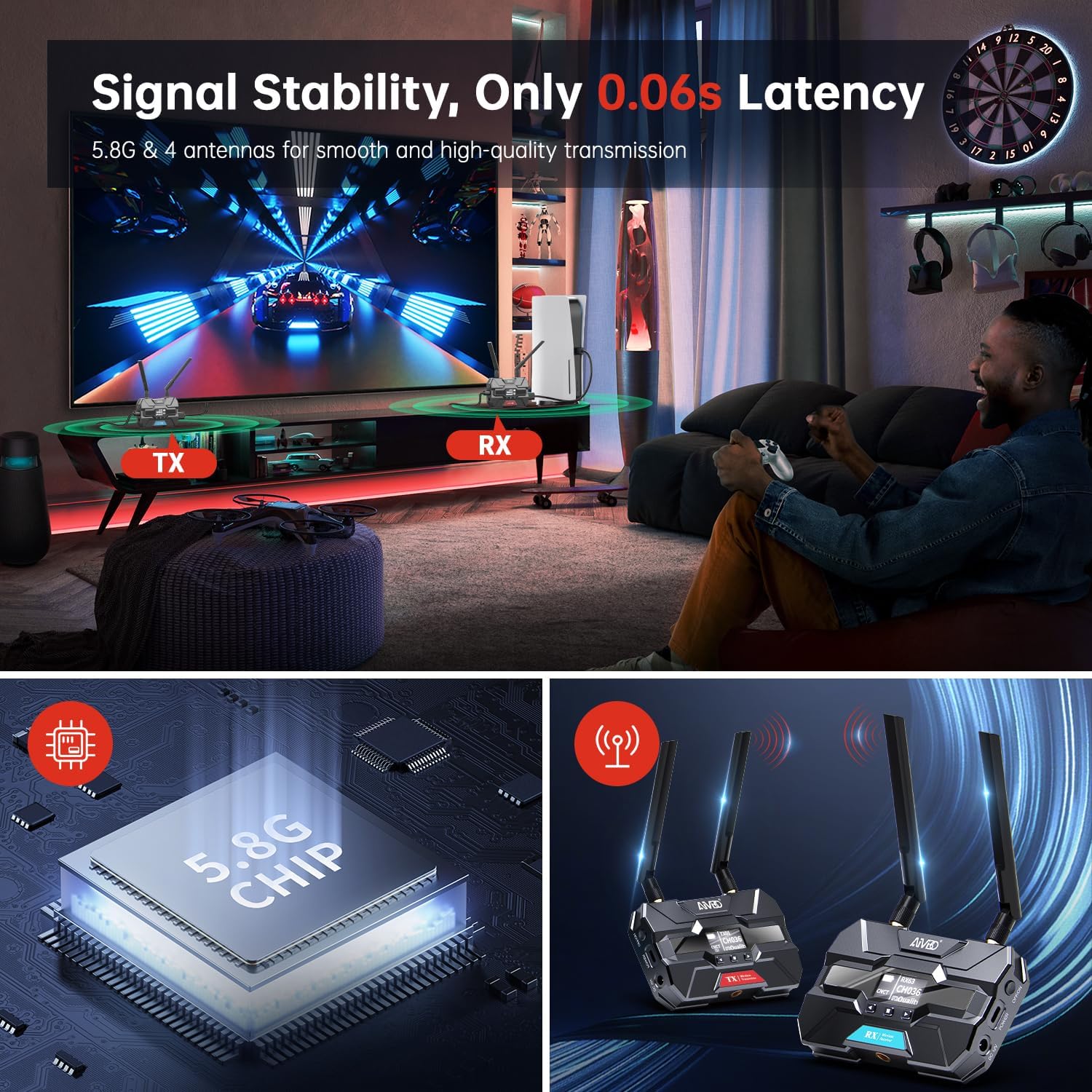
Image: A gaming environment demonstrating the TIMBOOTECH Wireless HDMI system's stable signal and ultra-low latency (0.06s), crucial for responsive gaming experiences.
6. Manutenzione
- Pulizia: Utilizzare un panno morbido e asciutto per pulire l'esterno delle unità. Non utilizzare detergenti liquidi o solventi.
- Ventola di raffreddamento: The built-in cooling fan helps maintain optimal operating temperature. Ensure the fan vents are not obstructed to allow proper airflow.
- Magazzinaggio: Quando non vengono utilizzati per lunghi periodi, conservare i dispositivi in un luogo fresco e asciutto, lontano dalla luce solare diretta e da temperature estreme.
7. Risoluzione Dei Problemi
If you encounter issues with your TIMBOOTECH Wireless HDMI system, please refer to the following troubleshooting tips:
| Problema | Possibile causa | Soluzione |
|---|---|---|
| Nessun segnale sul display |
|
|
| Poor signal quality, flickering, or dropped connection |
|
|
| Unità non accoppiate |
|
|
| Surriscaldamento |
|
|
8. Specifiche
- Numero modello: c6e2f051-b1a5-4eb1-920e-7e082da52f8c
- Gamma di trasmissione: Fino a 1000 piedi (300 m)
- Latenza: 0.06 secondi
- Frequenza wireless: Dual-band 2.4GHz and 5.8GHz
- Maximum Receivers: 4 (one Transmitter to four Receivers)
- Tecnologia di connettività: Cavo HDMI
- Tipo di connettore: Cavo HDMI
- Caratteristica speciale: Built-in Cooling Fan, OLED Display, HDMI Loop-Out
- Dispositivi compatibili: Televisions, Monitors, Projectors, Cameras, Laptops, Blu-ray players, Set-top boxes, PCs, DSLRs, Satellites, DVDs
- Potenza in ingresso: DC 12V (recommended), USB-C
- Produttore: TIMBOOTECH
9. Garanzia e supporto
For warranty information and technical support, please refer to the documentation provided with your purchase or contact TIMBOOTECH customer service through their official channels. Keep your purchase receipt for warranty claims.