
MOOER GE150
MOOER GE150 Multi Effects Pedal and AIR P05 Wireless System User Manual
Model: GE150 | Brand: MOOER
Introduzione
The MOOER GE150 is a portable multi-effects pedal designed for electric, acoustic, and bass guitars, offering a wide range of tones and features. It integrates 151 effects, 55 amplifier models, a looper, drum machine, and an expression pedal. This manual also covers the included AIR P05 2.4 GHz wireless system, providing high-quality, low-latency audio transmission for enhanced performance flexibility.
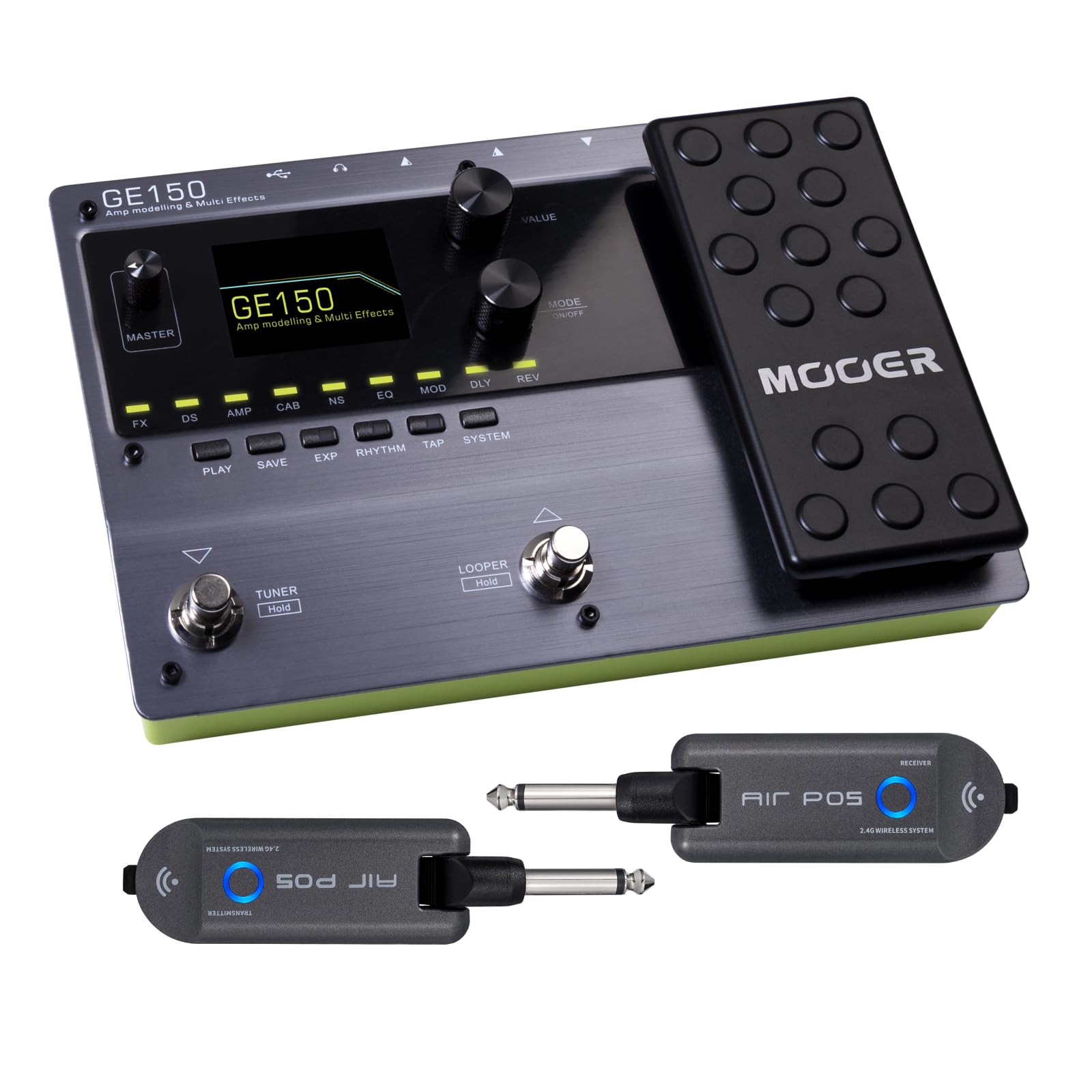
Davanti view of the MOOER GE150 Multi Effects Pedal, showing the display, control knobs, footswitches, and expression pedal.
Impostare
GE150 Pedal Connection
- Collegamento elettrico: Connect the included DC 9V 300mA power adapter to the GE150's power input.
- Input dello strumento: Connect your guitar to the GE150's 1/4" mono input jack.
- Uscita audio: Connect the GE150's 1/4" mono output jacks (L/R) to your amplifier, mixer o interfaccia audio.
- Cuffie: For silent practice, connect headphones to the 1/8" stereo headphone jack.
- Ingresso AUX: Use the 1/8" stereo AUX IN to connect external audio sources like an MP3 player for jamming.
- Connessione USB: Connect the GE150 to a computer via the USB port for firmware updates, software editing, or USB audio recording.

The GE150 connected in a home studio setup, demonstrating connections to a laptop and headphones.

Lato view of the GE150 showing input, output, and power connections.
AIR P05 Wireless System Setup
- Carica: Ensure both the transmitter and receiver units are fully charged using the included USB cable. The built-in 400mAh rechargeable battery provides up to 8 hours of operation.
- Collegare il trasmettitore: Plug the AIR P05 transmitter into your guitar's output jack.
- Collegare il ricevitore: Plug the AIR P05 receiver into the GE150's input jack or directly into your amppiù vivace.
- Abbinamento: The units should automatically pair. If not, press the pairing button on both units to establish a connection.
- Seleziona canale: The AIR P05 offers 4 selectable channels. Press the channel button to cycle through available channels and find the optimal one for interference-free performance.
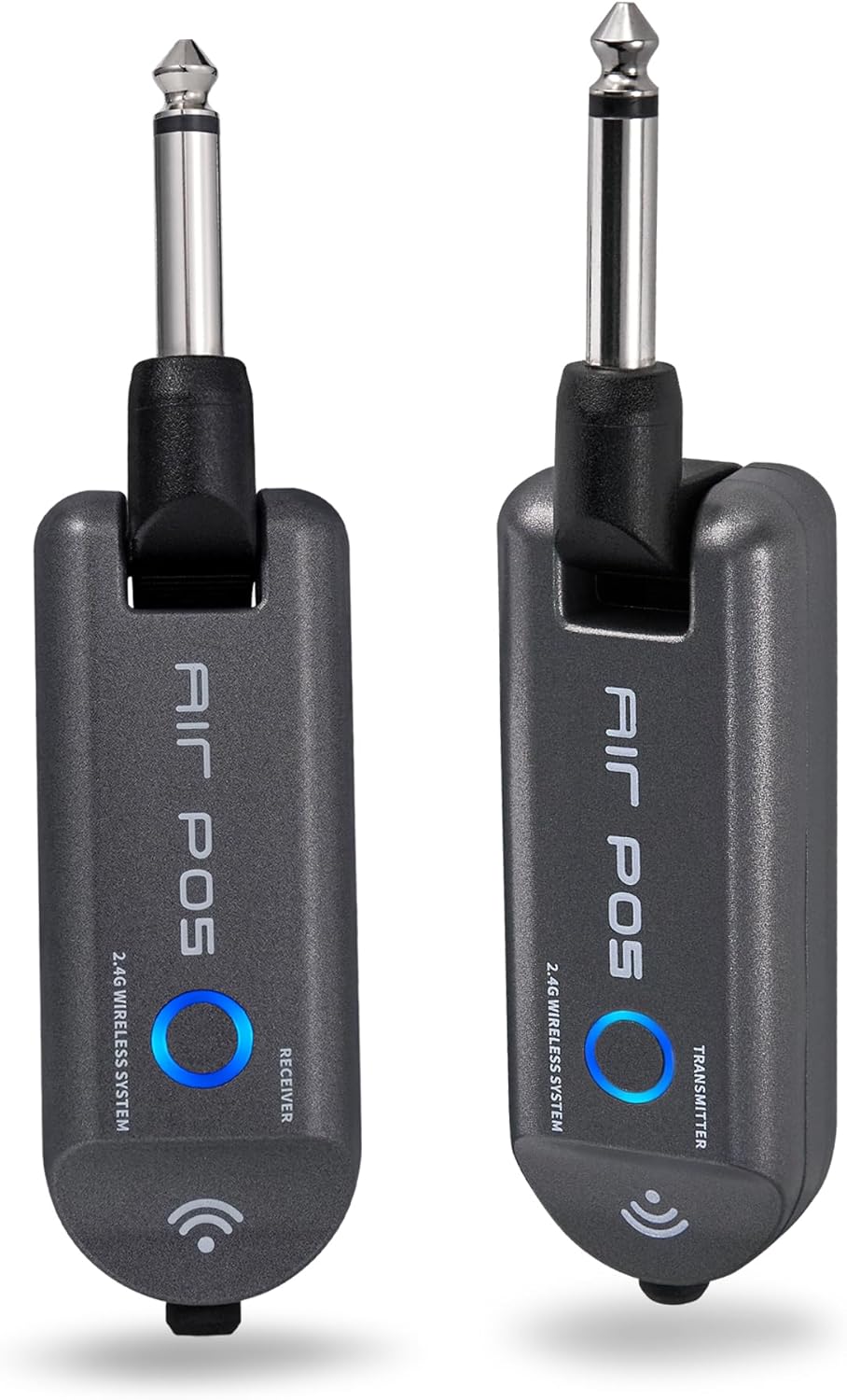
The MOOER AIR P05 wireless system, showing the transmitter and receiver units.

The AIR P05 wireless system highlighting its 4 selectable channels for optimal signal.

Diagram illustrating the wireless connection from guitar to pedal and amplifier using the AIR P05 system.
Istruzioni per l'uso
GE150 Multi-Effects Pedal
- Accensione/spegnimento: Tenere premuto il pulsante di accensione per accendere o spegnere l'unità.
- Navigazione: Use the main display and control knobs to navigate through menus and adjust parameters.
- Effetti: The GE150 features 151 different effects. Use the dedicated FX, DS, AMP, CAB, NS, EQ, MOD, DLY, REV buttons to access and edit effect blocks.
- AMP Modelli: Access 55 high-quality AMP models utilizing MNRS technology. These models simulate the dynamics and feel of real tube amplificatori.
- IR Files: The pedal supports 26 user slots for loading third-party Impulse Response (IR) files, allowing for custom cabinet simulations.
- Pedale di espressione: Utilize the built-in expression pedal to control various effects parameters or volume levels in real-time.
- Crochet: The 80-second looper allows for recording and overdubbing phrases. Activate it using the dedicated footswitch.
- Drum Rhythms & Metronome: Access 40 types of drum rhythms and 10 metronome settings for practice or songwriting.
- Sintonizzatore: Engage the built-in tuner by holding the designated footswitch.
- Salvataggio delle preimpostazioni: After adjusting effects and settings, save your custom tones to user presets for quick recall.

The GE150 display showing a selected preset and the active effect modules.
AIR P05 Wireless System
- Modalità di sospensione automatica: The AIR P05 features an automatic sleep mode to conserve battery life when not in use. It will reactivate upon detecting signal.
- 2.4GHz ISM Technology: The system uses 2.4GHz ISM worldwide technology for low-distortion and low-signal-loss audio transmission.
- Compatibilità: The wireless system is suitable for electric guitar, bass guitar, acoustic guitar, and other instruments with a 1/4" output.

The AIR P05 wireless system demonstrating its plug-and-play functionality with various instruments and a multi-effects pedal.
Manutenzione
- Pulizia: Use a soft, dry cloth to clean the pedal and wireless units. Avoid abrasive cleaners or solvents.
- Magazzinaggio: Conservare il dispositivo in un luogo fresco e asciutto, lontano dalla luce solare diretta e da temperature estreme.
- Battery Care (AIR P05): For optimal battery life, avoid fully discharging the AIR P05 units frequently. Recharge regularly.
- Aggiornamenti del firmware: Controllare periodicamente il MOOER ufficiale website for firmware updates to ensure optimal performance and access new features.
Risoluzione dei problemi
- Nessuna uscita audio:
-
- Controllare tutti i collegamenti dei cavi (strumento, uscita, alimentazione).
- Ensure the GE150 is powered on and not in bypass mode.
- Verify volume levels on the GE150, your amplifier, and instrument.
- For the AIR P05, ensure both transmitter and receiver are charged, paired, and on the same channel.
- Wireless Signal Interference:
-
- Change the channel on the AIR P05 wireless system to avoid interference from other 2.4GHz devices.
- Ensure there are no large metal objects or other wireless transmitters directly between the AIR P05 units.
- Il pedale non risponde:
-
- Scollegare e ricollegare l'alimentazione.
- Perform a factory reset if necessary (refer to the full manual for specific instructions).
Specifiche
| Marca | MOOER |
| Nome del modello | GE150 |
| Effetti di uscita audio | Distortion, Delay, Chorus, Reverb, Modulation, Preamp, Pitch-Shifting, Overdrive, Flanger, Multi-Effect |
| Tipo di controlli | Footswitch, Expression Pedal |
| Fonte di alimentazione | Battery Powered (AIR P05), DC 9V 300mA (GE150) |
| Interfaccia Hardware | HP-HSC, USB |
| Formato del segnale | Analogico |
| Tipo di connettore | USB, 1/4" Mono Jack, 1/8" Stereo Jack |
| Componenti inclusi | AIR P05 Wireless System |
| Samptasso di ling | 44.1KHz |
| Sampling Precisione | 24 bit |
| Gamma dinamica | 98 dB |
| Formato IR | WAV |
| IR Samptasso di ling | 44.1K |
| IR Sampling Precisione | 24 bit |
| IR Sampling punti | 512 |
| Dimensioni | Dimensioni: 230 x 155.99 x 32.8 mm |
| Peso | 1 kg |

Detailed specifications for the MOOER GE150 and AIR P05 wireless system.
Informazioni sulla garanzia
MOOER products typically come with a manufacturer's warranty. Please refer to the warranty card included with your product or visit the official MOOER webVisita il sito per i termini e le condizioni di garanzia dettagliati specifici per la tua regione e la data di acquisto. Conserva la prova d'acquisto per eventuali reclami in garanzia.
Supporto
For further assistance, technical support, or to download the latest firmware and software, please visit the official MOOER websito:
You may also contact MOOER customer service through the contact information provided on their websito.
Ask a question about this manual
Ask about setup, troubleshooting, compatibility, parts, safety, or missing instructions. Manuals+ will review the question and use this page’s manual context to help answer it.