
1. Prodotto finitoview
The FLEXISPOT Electric Standing Desk QB2 SET is designed to provide a stable and efficient workspace with adjustable height capabilities. This desk features a robust dual-motor system and an intelligent control panel for ease of use.
Caratteristiche principali:
- Potenti motori doppi: Ensures greater stability and efficiency, with a maximum speed of up to 25 mm/s.
- Supporto stabile: Static load capacity of 120 kg and dynamic load capacity of 100 kg, providing secure support for various office equipment.
- Pannello di controllo intelligente: Features four memory functions for easy height adjustment and an anti-collision system for safety.
- Altezza regolabile: The desk height can be adjusted from 70 cm to 119 cm to suit different user requirements and work preferences.
- One-Piece Tabletop: A seamless 120x60cm tabletop for a clean and modern aesthetic.
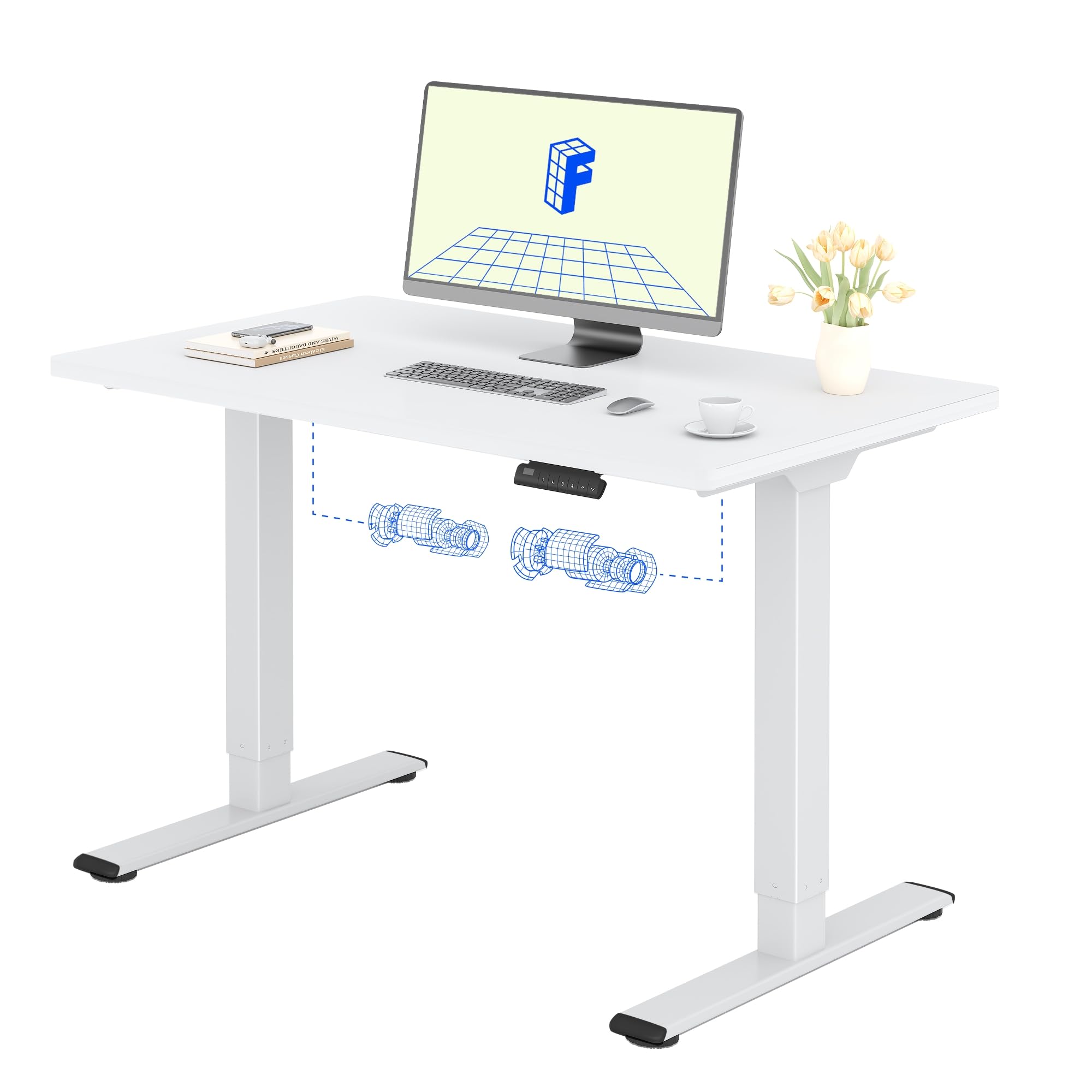

2. Informazioni sulla sicurezza
Si prega di leggere e comprendere tutte le istruzioni di sicurezza prima del montaggio e dell'uso per evitare lesioni o danni al prodotto.
- Do not exceed the maximum allowed weight of 70 kg (moving) or 100 kg (statico)Il sovraccarico può causare instabilità e danni.
- Pay close attention to stability when adjusting the height. Ensure the desk is level and all items are securely placed.
- Be cautious of obstacles in the vicinity that could cause a collision during height adjustment. The desk is equipped with an anti-collision system, but manual vigilance is always recommended.
- Per evitare incidenti, tenere bambini e animali domestici lontani dalla scrivania durante il funzionamento.
- Ensure all cables are properly managed and secured to avoid entanglement or damage during movement.

3. Installazione e assemblaggio
The FLEXISPOT Electric Standing Desk is designed for straightforward assembly. An instruction manual is included with your purchase. It is recommended that due persone assemble the desk to ensure safety and ease.
Suggerimenti per il montaggio:
- Leggi il manuale: Rimettere con attenzioneview the included assembly instructions before starting.
- Utensili: All necessary tools are typically included. A small electric screwdriver can speed up the process, but is not essential. You may need a pencil and a wood drill bit for minor pilot holes.
- Disimballaggio: The desk is shipped in two separate packages for maximum protection: one for the desktop and one for the frame. Ensure both packages have arrived before beginning assembly.
- Tempo: Assembly typically takes around 1 hour for one person, taking their time.


4. Istruzioni per l'uso
The FLEXISPOT Electric Standing Desk offers intuitive controls for adjusting its height and saving preferred positions.
Funzioni del pannello di controllo:
- Pulsanti su/giù: Use the up (▲) and down (▼) arrows to manually adjust the desk height.
- Preimpostazioni di memoria (1, 2, 3, 4): The control panel allows you to save up to four preferred height settings. To save a height: adjust the desk to your desired height, then press and hold one of the memory buttons (1-4) until you hear a beep or see the display flash, indicating the height is saved.
- Display a LED: Mostra l'altezza attuale della scrivania in centimetri.
- Sistema anticollisione: This safety feature automatically stops and slightly reverses the desk's movement if it encounters an obstacle during height adjustment.
Intervallo di regolazione dell'altezza:
La scrivania può essere regolata da un'altezza minima di 70 centimetri ad un'altezza massima di 119 centimetri.


5. Manutenzione
Proper maintenance ensures the longevity and optimal performance of your FLEXISPOT Electric Standing Desk.
Pulizia:
- The desk surface and frame are easy to clean. Use a secco o damp stoffa to wipe away dust and spills.
- Evitare l'uso di prodotti chimici aggressivi o detergenti abrasivi, poiché potrebbero danneggiare la finitura.
Cura generale:
- Controllare regolarmente tutte le viti e gli elementi di fissaggio per assicurarsi che siano ben serrati. Serrare nuovamente se necessario.
- Keep the area around the desk clear to allow for smooth height adjustments and to prevent the anti-collision system from being triggered unnecessarily.
- Do not place excessively heavy objects on the desk, especially when moving, to avoid straining the motors.
6. Risoluzione Dei Problemi
If you encounter any issues with your FLEXISPOT Electric Standing Desk, refer to the following common troubleshooting steps.
Problemi comuni e soluzioni:
- Desk Not Moving / No Power:
- Controllare che il cavo di alimentazione sia collegato saldamente sia alla scrivania sia alla presa a muro.
- Assicurarsi che la presa a muro funzioni collegandovi un altro dispositivo.
- Desk Wobbles at High Height:
- Assicurarsi che tutte le viti di montaggio siano serrate.
- Verify that the desk is on a level surface. Adjust the leveling feet if necessary.
- Distribuire il peso in modo uniforme sulla scrivania.
- Codice di errore sul display:
- Refer to the detailed troubleshooting section in the included physical manual for specific error codes and their solutions.
- Often, a simple reset can resolve minor errors. To perform a reset, unplug the desk for 10-15 seconds, then plug it back in.
- Sistema anticollisione che si attiva frequentemente:
- Ensure there are no obstructions under or above the desk during movement.
- Check if any cables are interfering with the desk's movement.
Se questi passaggi non risolvono il problema, contattare l'assistenza clienti FLEXISPOT per ulteriore assistenza.
7. Specifiche del prodotto
| Caratteristica | Dettaglio |
|---|---|
| Marca | FLESSIBILE |
| Numero di modello | QB2 SET |
| GTIN/UPC | 840460406635 |
| Progettazione della scrivania | Scrivania in piedi |
| Forma | Rettangolare |
| Dimensioni del prodotto (P x L x A) | 60P x 120l x 73H cm (60D x 120W x 73H cm) |
| Dimensioni del tavolo | Dimensioni: 120 x 60 cm |
| Spessore del piano del tavolo | 1.5 centimetri |
| Colore | Cornice bianca + parte superiore bianca |
| Stile | Moderno |
| Materiale di base | Acciaio legato |
| Tipo di materiale superiore | Legna |
| Tipo di finitura | Laser, Powder Coated |
| Caratteristiche speciali | Ergonomic, Height Adjustable, Memory Presets, Anti-collision |
| Peso dell'articolo | 30 chilogrammi |
| Altezza minima | 70 centimetri |
| Altezza massima | 119 centimetri |
| Meccanismo di sollevamento | Electric (Dual Motor) |
| Capacità di carico consigliata | 100 chilogrammi |
| Persone consigliate per l'assemblaggio | 2 |
| Istruzioni di montaggio | Incluso |
| Componenti inclusi | Height adjustment mechanism, keyboard drawer (if applicable) |
| Tipologia di camera | Ufficio |
| Usi consigliati | Work, Home, Office, Gaming |

8. Informazioni sulla garanzia
FLEXISPOT provides a limited warranty for the Electric Standing Desk QB2 SET.
- Garanzia di 5 anni: Covers the frame, motors, and other mechanical components.
- Garanzia di 2 anni: Covers the controller, switch, and electronic components.
For detailed warranty terms and conditions, please refer to the warranty card included with your product or visit the official FLEXISPOT websito.
9. Assistenza clienti
Should you require assistance with your FLEXISPOT Electric Standing Desk, please utilize the following resources:
- Negozio online: Visit the official FLEXISPOT store on Amazon for product information and FAQs: FLEXISPOT Amazon Store
- Contatta il servizio clienti: For technical support, warranty claims, or any other inquiries, please contact FLEXISPOT customer service directly. Contact details can typically be found on the official FLEXISPOT websito o nella documentazione del prodotto.
- Resi: If you are not satisfied with your purchase, you may be eligible for a return within 30 days. Please refer to the return policy of your retailer or contact customer service for details.