
Introduzione
The PHYSEN Keyless Entry Fingerprint Door Lock offers advanced security and convenience for your home or office. This smart deadbolt set provides multiple unlocking methods, including fingerprint recognition, keypad codes, and traditional mechanical keys. Designed for easy installation and durable performance, it ensures reliable access control and peace of mind.
Componenti finitiview
Your PHYSEN Keyless Entry Fingerprint Door Lock package includes all necessary components for installation and operation:
- Keyless entry door lock unit
- 2 maniglie a leva
- Adjustable latch (x2)
- Setup assembly kits (screws, plates, etc.)
- 2 Backup keys

Image: All components included in the PHYSEN Keyless Entry Fingerprint Door Lock package.

Image: Visual representation of the multiple unlocking methods: fingerprint, password, spare keys, one-time password, auto-lock, and low battery alert.
Configurazione e installazione
The PHYSEN Keyless Entry Fingerprint Door Lock is designed for easy self-installation, typically requiring only a screwdriver. It is compatible with all American standard left and right-handed doors.
Controllo di compatibilità delle porte
Prima dell'installazione, assicurati che la tua porta soddisfi le seguenti specifiche:
- Door Hole: 2-1/8 pollici (54 mm)
- Minimalist Distance: ≥ 4 pollici (101.6 mm)
- Entrata: 2-3/8 inches or 2-3/4 inches (60mm or 70mm)
- Foro di chiusura: 1 pollici (25mm)
- Spessore della porta: Da 1-3/8 pollici a 2 pollici (35-55 mm)
The lock is suitable for single cylinder doors and is not compatible with mortise or integrated lock systems.
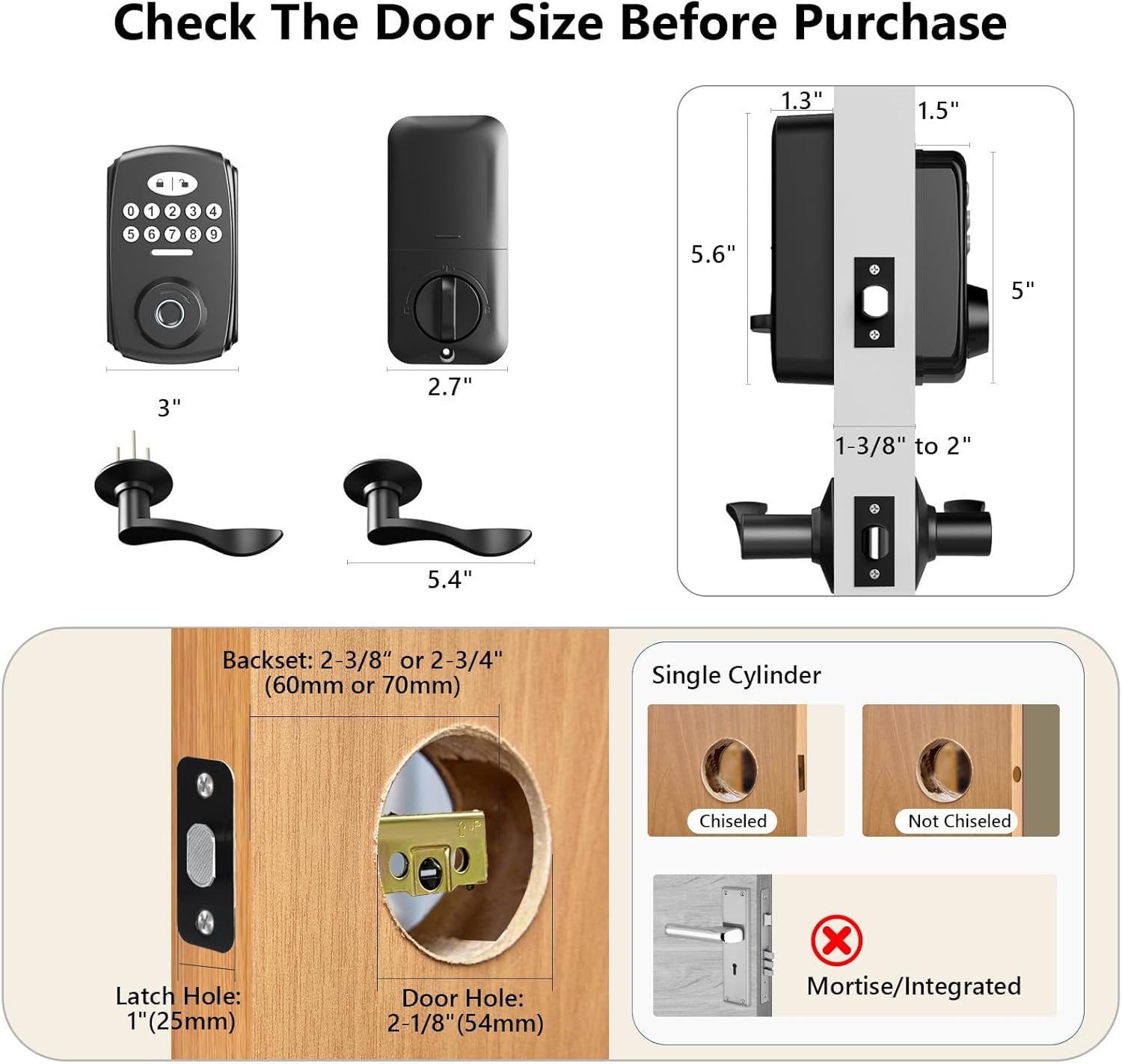
Image: Diagram illustrating required door dimensions and compatibility for installation.
Fasi di installazione
- Prepara la porta: Remove any existing deadbolt hardware. Ensure the latch is in the unlocked position before proceeding.
- Installa il fermo: Insert the adjustable latch into the door edge.
- Installa il gruppo esterno: Place the exterior keypad assembly through the door hole, aligning it with the latch.
- Installa il gruppo interno: Connect the interior assembly to the exterior assembly, ensuring proper cable routing and alignment. Secure with screws.
- Install Lever Handles: Attach the lever handles to both sides of the door. The design allows for easy adjustment for both left and right door opening directions.
- Inserire le batterie: Aprire il coperchio della batteria sul gruppo interno e inserire 4 batterie alcaline AA (non incluse).
- Operazione di prova: Follow the user manual to program and test the lock's functions.

Image: A person demonstrating the easy installation process using a screwdriver.
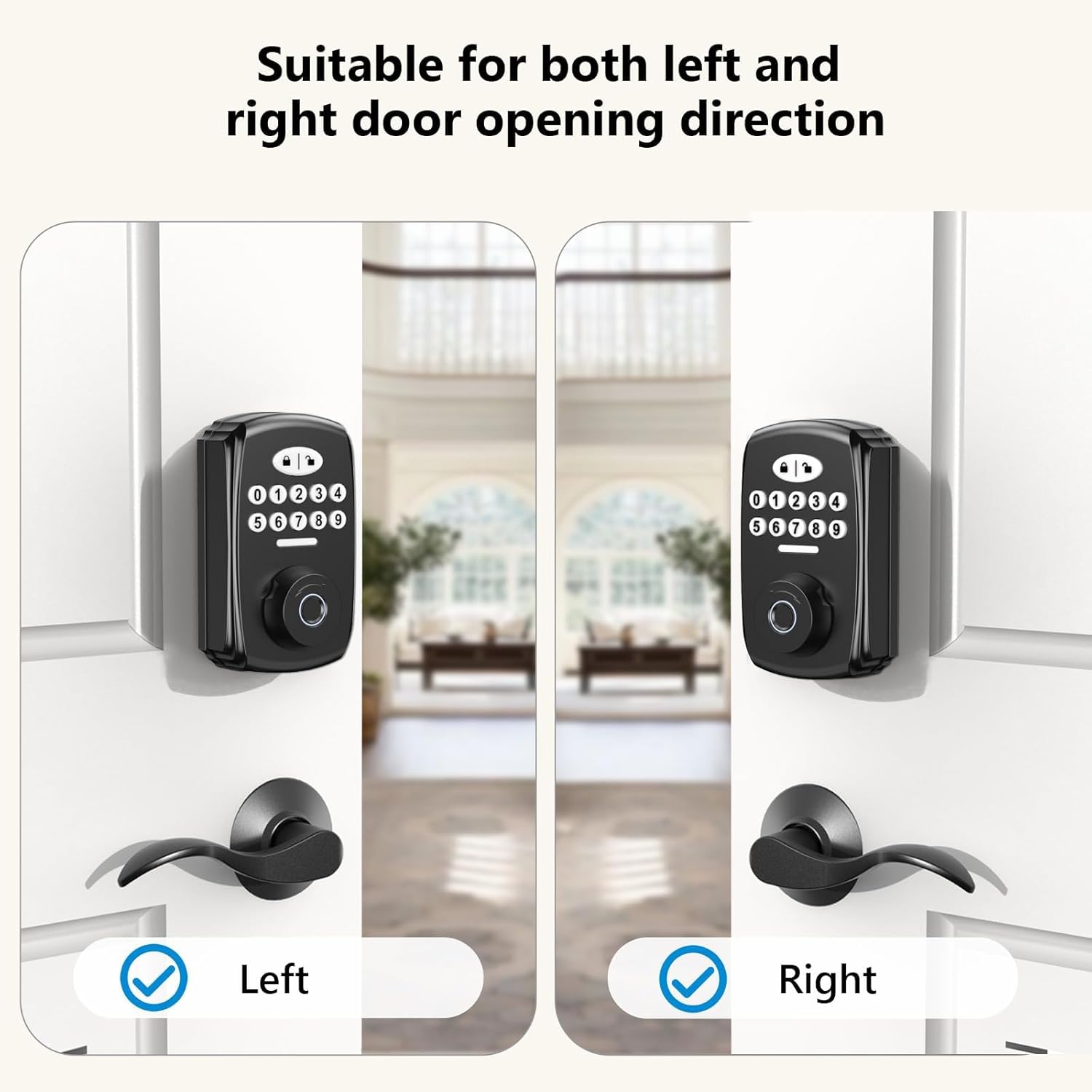
Image: The lock's design accommodates both left and right door opening directions.
Istruzioni per l'uso
The PHYSEN Smart Deadbolt offers multiple convenient ways to secure and access your property.
Sblocco tramite impronta digitale
The advanced fingerprint sensor identifies your fingerprint within 0.3 seconds and unlocks the door within 1 second, boasting a 99.99% recognition rate. Up to 100 unique fingerprints can be registered.

Image: Details on the advanced fingerprint unlock, highlighting 0.3s identification and 99.99% recognition rate.
Keypad Code Unlock
You can add up to 100 user codes for family members and create temporary codes for guests. The keypad features an anti-peeping password function, allowing you to enter random digits before or after your actual code to protect your privacy. The keypad is backlit for convenient use at night.

Image: Demonstrates the anti-peeping password feature and backlit keypad for enhanced security and convenience.
Password monouso
Generate one-time passwords for single-use access, ideal for deliveries or short-term visitors.

Image: Illustrates the use of one-time passwords for convenient access for guests or deliveries.
Funzione di blocco automatico
Configure the electronic door lock to automatically lock after 5-99 seconds. You can also use the one-touch auto-lock feature by pressing the lock key on the keypad, ensuring your door is always secured.
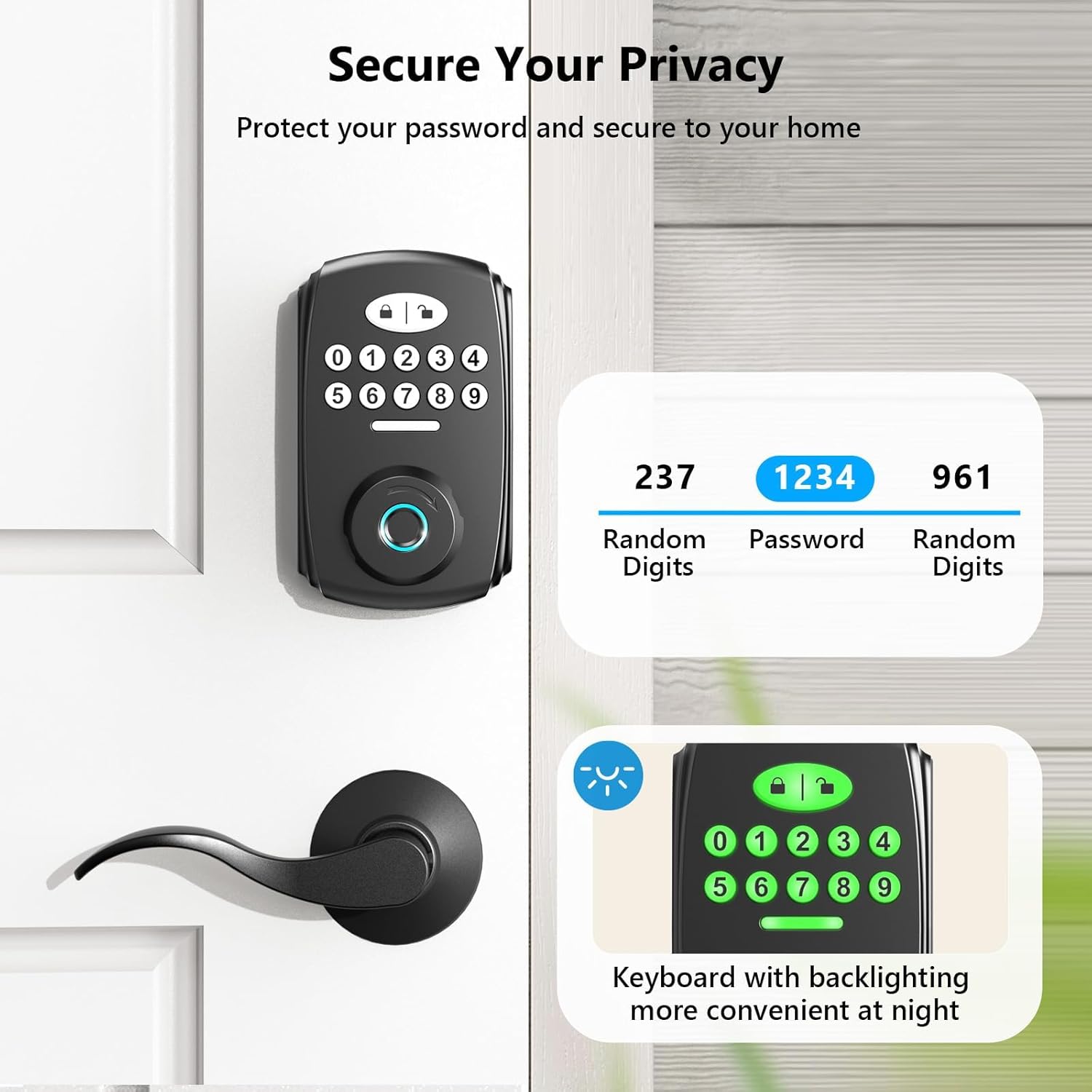
Image: Highlights the smart auto-lock feature, which can be set to lock automatically after a set time, and the one-touch locking option.
Modalità silenziosa
Activate silent mode to eliminate beeping sounds when pressing keys, providing a quiet operation experience.

Image: Depicts the silent mode feature, which mutes keypress sounds.
Sblocco con chiave meccanica
For traditional access or in case of battery depletion, the lock includes two backup mechanical keys.
Manutenzione
Proper maintenance ensures the longevity and optimal performance of your PHYSEN door lock.
Sostituzione della batteria
The lock operates on 4 AA batteries. A low battery indicator will alert you when it's time for replacement. Replace all batteries simultaneously with new alkaline batteries for best performance.

Image: Shows the low battery alert on the keypad, indicating when batteries need replacement.
Pulizia
Pulisci l'esterno della serratura con un panno morbido eamp panno. Evitare detergenti abrasivi o solventi che potrebbero danneggiare la finitura o i componenti elettronici.
Resistenza alle intemperie
The lock has an IP65 rating, making it weather-resistant and suitable for outdoor use, protecting your front door in various weather conditions.

Image: The lock is shown to be durable and functional in various weather conditions, including rain.
Risoluzione dei problemi
For detailed troubleshooting steps, please refer to the comprehensive user manual included with your product. Below are common issues and general advice:
- Tentativi di codice errati: If too many incorrect codes are entered, the system will lock out for 3 minutes and sound an alarm. Wait for the lockout period to expire before trying again.
- Impronta digitale non riconosciuta: Assicurati che il dito sia pulito e asciutto. Se il problema persiste, prova a registrare nuovamente l'impronta digitale.
- Nessun potere: Check battery installation and replace batteries if the low battery indicator is on or if the lock is unresponsive.
- Chiave meccanica non funzionante: Assicurarsi che la chiave sia completamente inserita e girata correttamente. Verificare che non vi siano ostruzioni nella serratura.
Specifiche
| Caratteristica | Dettaglio |
|---|---|
| Marca | FISEN |
| Nome del modello | Fingerprint Door Lock (MMS-1-US-B) |
| Tipo di blocco | Biometrico |
| Caratteristica speciale | Impronta digitale |
| Materiale | Alluminio |
| Colore | Nero |
| Tipo di finitura | Nero opaco |
| Dimensioni dell'articolo L x P x A | 4.9 x 3.9 x 3.1 pollici |
| Peso dell'articolo | 3.21 libbre |
| Fonte di alimentazione | 4 batterie AA (non incluse) |
| Resistenza alle intemperie | Grado di protezione IP65 |
Garanzia e supporto
PHYSEN is committed to providing high-quality products and customer satisfaction.
Piani di protezione
Sono disponibili piani di protezione estesa da acquistare per coprire il tuo dispositivo oltre la garanzia standard:
- Piano di protezione biennale: $ 6.99
- Piano di protezione biennale: $ 8.99
- Protezione completa: $16.99/month (covers all eligible past and future purchases)
Assistenza clienti
For further assistance, technical support, or warranty claims, please visit the official PHYSEN store or contact customer service through the platform where you purchased the product.
Visitare il PHYSEN Store on Amazon.