
Introduzione
Thank you for choosing TTQ Hearing Aids. This device is designed to provide clear and natural sound, enhancing your hearing experience in various environments. It combines advanced hearing aid technology with the convenience of wireless Bluetooth headphones, offering a versatile solution for individuals with moderate hearing loss. Please read this manual carefully to ensure proper use and maintenance of your device.

Prodotto finitoview
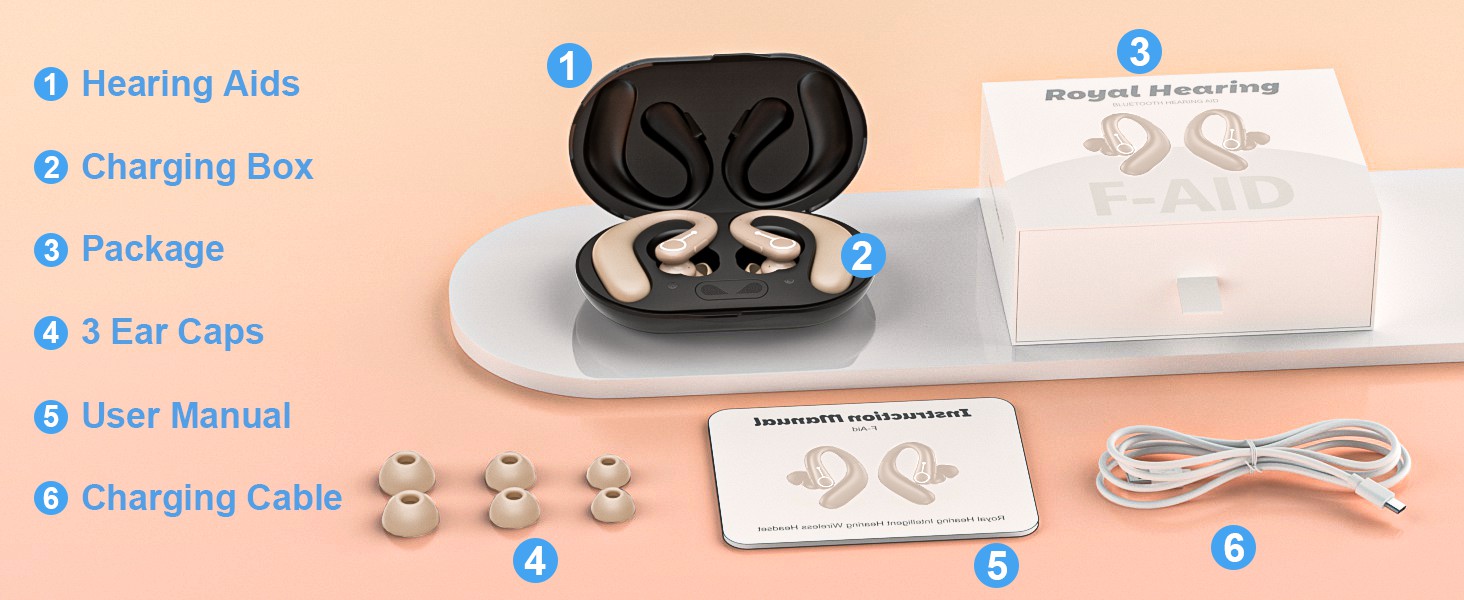
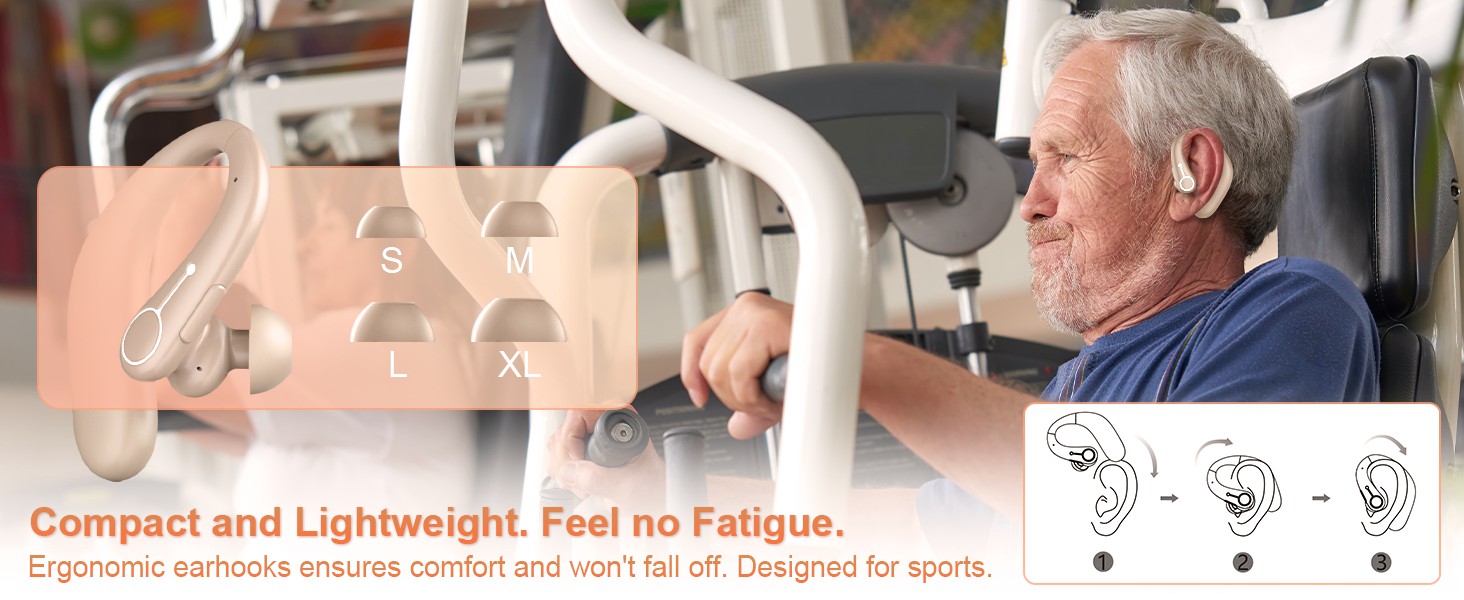
The TTQ Hearing Aids are compact, lightweight, and designed for comfortable long-term wear. They feature an ergonomic earhook design and come with multiple ear dome sizes to ensure a secure and comfortable fit.
Componenti e caratteristiche
- Apparecchi acustici: Main units with integrated DSP chip for sound processing.
- Scatola di ricarica: Portable case for charging and dehumidification.
- Cupole dell'orecchio: Six different sizes (S, M, L, XL) for optimal fit.
- Pulsante funzione: Single button for volume control, mode switching, and call management.
- Advanced Microphone: For clear sound capture and noise cancellation.
- Spia luminosa: Fornisce informazioni sullo stato.

Impostare
1. Carica del dispositivo
Before first use, fully charge the hearing aids and the charging box. The charging box features an LED display to show the remaining power and includes overcharge protection circuitry.
- Place the hearing aids into the charging slots in the charging box.
- Collega la scatola di ricarica a una fonte di alimentazione utilizzando il cavo USB in dotazione.
- A full charge takes approximately 2 hours. The hearing aids provide up to 18 hours of hearing aid use or 13 hours of Bluetooth headphone use on a single charge.

2. Selezione e adattamento delle cupole auricolari
Choose the ear domes that provide the most comfortable and secure fit in your ear canal. An improper fit can lead to whistling or reduced sound quality.
- Experiment with the different sizes (S, M, L, XL) provided.
- Gently insert the hearing aid into your ear, ensuring the earhook rests comfortably over your ear.
3. Accoppiamento Bluetooth
Your hearing aids can also function as wireless Bluetooth headphones, allowing you to connect to your smartphone or other Bluetooth-enabled devices.
- Ensure the hearing aids are powered on.
- Sul tuo dispositivo, vai alle impostazioni Bluetooth e cerca i dispositivi disponibili.
- Select "F-Aid" from the list to pair. Once connected, you can stream audio or make calls.

Istruzioni per l'uso
Accensione/spegnimento
The hearing aids automatically power on when removed from the charging case and power off when placed back in the case.
Controllo del volume
Adjust the volume using the single function button on the hearing aid.
- Pressione breve: Increases volume level. There are 5 adjustable levels (20%, 30%, 50%, 80%, 100%).
Modalità di cancellazione del rumore
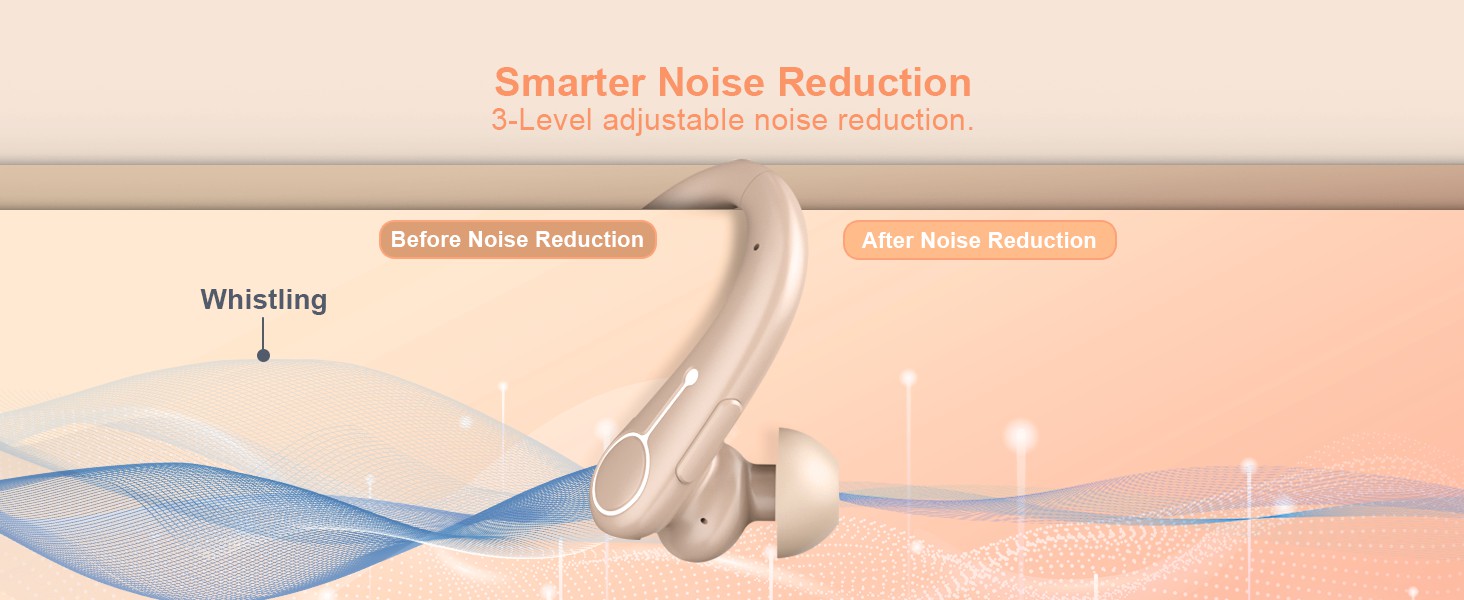
Switch between different noise reduction modes to suit your environment.
- Premere a lungo: Cycles through 3 noise reduction modes: Universal, Noise Reduction, and Strong Noise Reduction.
Bluetooth Functionality (Calls & Music)
When connected via Bluetooth, the function button also manages calls and media playback.
- Pressione breve (durante la chiamata): Rispondi/Termina chiamata.
- Long Press (during call): Rifiuta chiamata.
- Short Press (music playback): Riproduci/Pausa.

Manutenzione
Pulizia
- Regularly clean the ear domes and the body of the hearing aids with a soft, dry cloth.
- Non utilizzare acqua o soluzioni detergenti direttamente sugli apparecchi acustici.
- Ensure no earwax or debris accumulates in the sound outlet or microphone ports.
deumidificazione
The charging box supports a dehumidification function to vaporize sweat and moisture, extending the life of your hearing aids.
- Place the hearing aids in the charging box after each use, especially if exposed to moisture or sweat.
- The dehumidification process occurs automatically when the hearing aids are in the charging box.
Risoluzione dei problemi
| Problema | Possibile causa | Soluzione |
|---|---|---|
| Nessun suono o suono debole | Low battery; Ear dome clogged; Incorrect volume level; Improper fit. | Charge the device; Clean ear dome; Adjust volume; Re-fit the hearing aid or try a different ear dome size. |
| Fischi o feedback | Improper fit; Ear dome too small; Earwax buildup. | Ensure a snug fit; Try a larger ear dome; Clean ear canal and hearing aid. |
| Problemi di connessione Bluetooth | Dispositivo non in modalità di associazione; Fuori portata; Interferenza. | Ensure hearing aids are on and in pairing mode; Move closer to the connected device; Restart both devices. |
| La ricarica non funziona | Cable or adapter issue; Poor contact in charging case. | Check cable and adapter; Ensure hearing aids are correctly seated in the charging case. |
Specifiche
| Caratteristica | Dettaglio |
|---|---|
| Nome del modello | FAID |
| Marca | TTQ |
| Colore | Beige |
| Materiale | Plastica |
| Fonte di alimentazione | Alimentato a batteria |
| Durata della batteria dell'apparecchio acustico | Fino a 18 ore |
| Bluetooth Headphone Battery Life | Fino a 13 ore |
| Tempo di ricarica | Circa 2 ore |
| Livelli di volume | 5 livelli (20%, 30%, 50%, 80%, 100%) |
| Noise Reduction Modes | 3 modes (Universal, Noise Reduction, Strong Noise Reduction) |
| Dimensioni del pacco | 5.31 x 4.17 x 2.13 pollici |
| Peso dell'articolo | 8.78 once |
Informazioni importanti sulla sicurezza
Le dichiarazioni relative agli integratori alimentari non sono state valutate dalla FDA e non intendono diagnosticare, trattare, curare o prevenire alcuna malattia o condizione di salute.
Always consult with a healthcare professional before using any hearing device, especially if you have pre-existing medical conditions or experience sudden hearing loss.
Garanzia e supporto
Specific warranty details and customer support contact information are not provided in this manual. Please refer to the product packaging or the manufacturer's official websito per la registrazione della garanzia e per richieste di supporto.