
1. Introduzione
The BoxWave SlimKeys Bluetooth Keyboard is designed for portable use, offering a comfortable typing experience with its chiclet-style keys. This manual provides instructions for setting up, operating, maintaining, and troubleshooting your keyboard.
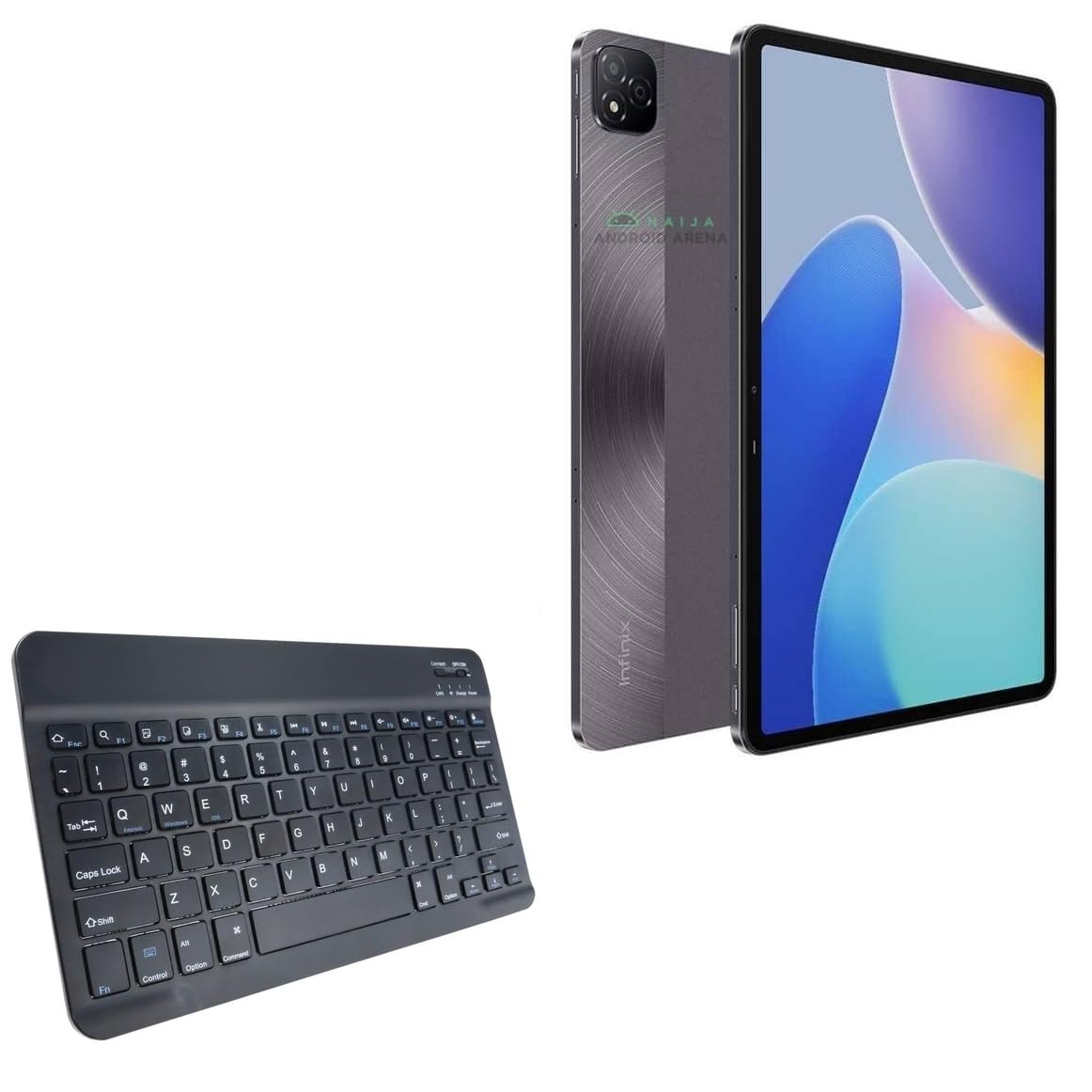
Immagine 1.1: Dall'alto verso il basso view of the BoxWave SlimKeys Bluetooth Keyboard.
2. Contenuto della confezione
Si prega di controllare la confezione per verificare la presenza dei seguenti elementi:
- BoxWave SlimKeys Bluetooth Keyboard
- Cavo di ricarica (USB)
- Manuale dell'utente (questo documento)
3. Impostazione
3.1 Ricarica della tastiera
Before initial use, fully charge the keyboard. Connect the provided USB charging cable to the keyboard's charging port and to a USB power source. The charging indicator light will illuminate during charging and turn off when fully charged.

Image 3.1: The keyboard connected to its charging cable.
To conserve battery life, use the built-in ON/OFF switch when the keyboard is not in use. The keyboard features an energy-efficient Bluetooth 3.0 design to reduce power drain.
3.2 Associazione con il dispositivo
- Ensure the keyboard is charged and powered on using the ON/OFF switch located on the top right.
- Premere il tasto Collegare button on the keyboard. The Bluetooth indicator light will begin to flash, indicating it is in pairing mode.
- On your device (e.g., Infinix Xpad, tablet, smartphone, computer), navigate to the Bluetooth settings.
- Abilita il Bluetooth sul tuo dispositivo e cerca i dispositivi disponibili.
- Seleziona "SlimKeys Keyboard" or a similar name from the list of found devices.
- Follow any on-screen prompts to complete the pairing process. A successful connection will be indicated by the Bluetooth light on the keyboard turning solid or off, depending on the model.
The SlimKeys keyboard utilizes Bluetooth 3.0 for quick and reliable pairing across various operating systems, including Android, Windows, and iOS.
4. Funzionamento
4.1 Uso generale
The SlimKeys Bluetooth Keyboard provides a full QWERTY layout with chiclet-style keys for comfortable and efficient typing. Its compact and lightweight design makes it suitable for travel and on-the-go productivity.

Image 4.1: User typing on the SlimKeys Bluetooth Keyboard.
4.2 Specialized Function Keys
The keyboard includes specialized function keys (F1-F12) that provide quick access to common commands. These functions may vary slightly depending on your device's operating system.

Immagine 4.2: Passoview of specialized function keys.
- Esc (Home): Returns to home screen.
- F1 (Search): Opens search function.
- F2 (Select All): Selects all content.
- F3 (Copy): Copies selected content.
- F4 (Paste): Pastes copied content.
- F5 (Cut): Cuts selected content.
- F6 (Skip Back): Skips to previous track.
- F7 (Play/Pause): Riproduce o mette in pausa i contenuti multimediali.
- F8 (Skip Forward): Skips to next track.
- F9 (Volume Down): Diminuisce il volume.
- F10 (Volume Up): Aumenta il volume.
- F11 (Brightness Down): Decreases screen brightness.
- F12 (Brightness Up): Increases screen brightness.
- Delete (Lock): Locks the device.
To activate these functions, press the corresponding F-key. Some functions may require pressing the Fn key simultaneously, depending on your device's operating system and settings.
5. Manutenzione
- Pulizia: Utilizzare un panno morbido, asciutto e privo di lanugine per pulire la tastiera. Per lo sporco ostinato, leggermente dampPulire il panno con acqua o un detergente delicato per dispositivi elettronici. Evitare l'eccessiva umidità.
- Magazzinaggio: When not in use for extended periods, store the keyboard in a cool, dry place. Ensure the keyboard is powered off to preserve battery life.
- Cura della batteria: Evitare di scaricare completamente la batteria frequentemente. Caricare regolarmente la tastiera, anche se non la si usa costantemente, per preservare la salute della batteria.
- Evitare i liquidi: Tenere la tastiera lontana dai liquidi per evitare danni ai componenti interni.
- Evitare temperature estreme: Do not expose the keyboard to extreme heat or cold, as this can affect battery performance and overall functionality.
6. Risoluzione Dei Problemi
6.1 La tastiera non si connette/associa
- Controlla la potenza: Assicurarsi che la tastiera sia accesa e che la batteria sia sufficientemente carica.
- Riattivare il Bluetooth: Disattiva e poi riattiva il Bluetooth sul tuo dispositivo.
- Riparazione: Go to your device's Bluetooth settings, forget or unpair the "SlimKeys Keyboard" if it's listed, then repeat the pairing steps (Section 3.2).
- Distanza: Ensure the keyboard is within the effective range of your device (typically up to 10 meters or 33 feet).
- Interferenza: Allontanarsi da altri dispositivi wireless che potrebbero causare interferenze.
- Riavvia i dispositivi: Riavvia sia il dispositivo che la tastiera.
6.2 I tasti non rispondono
- Livello della batteria: Controllare se la batteria della tastiera è scarica. Caricare la tastiera se necessario.
- Connessione: Verify that the keyboard is still connected via Bluetooth to your device.
- Chiavi pulite: Assicurarsi che non vi siano detriti incastrati sotto i tasti.
- Ricomincia: Spegnere e riaccendere la tastiera.
6.3 Lag or Delayed Input
- Livello della batteria: Low battery can sometimes affect performance.
- Distanza/Interferenza: Reduce distance to the device and minimize potential interference sources.
- Prestazioni del dispositivo: Ensure your connected device is not under heavy load, which could affect Bluetooth responsiveness.
7. Specifiche
| Nome del modello | SlimKeys Bluetooth Keyboard |
| Connettività | Bluetooth 3.0 |
| Compatibilità | Android, Windows, iOS devices (e.g., Infinix Xpad) |
| Dimensioni (circa) | 9.5 pollici (larghezza) x 5.75 pollici (profondità) x 0.2 pollici (altezza) |
| Peso | 8.6 once (circa 244 grammi) |
| Tipo di batteria | Prodotto specifico (incluso) |
| Durata della batteria | Up to 30 days (active use), 6 months (standby) |
| Produttore | ScatolaWave |
| ASIN | B0DFZ2S7C4 |

Image 7.1: Approximate dimensions of the SlimKeys Bluetooth Keyboard.
8. Garanzia e supporto
For warranty information and technical support, please refer to the documentation included with your purchase or visit the official BoxWave website. You may also contact BoxWave customer service directly for assistance.
Manufacturer: BoxWave
Per ulteriore assistenza, visitare: www.boxwave.com