
1. Prodotto finitoview
The Machenike Machcreator Mini Desktop, Model 4762H, is a compact and powerful computing solution designed for various applications, from business to everyday use. It features a 13th Gen Intel Core i7-13620H processor, 16GB DDR5 RAM, and a 512GB PCIe M.2 SSD, providing high-speed performance and efficient multitasking capabilities. This mini PC supports 4K dual monitor output and comes pre-installed with Windows 11 Pro.
Immagine: Oltreview of the Intel Core i7 processor, highlighting 10 Cores, 16 Threads, 4.90 GHz Max Turbo Frequency, and 24 MB L3 Cache.
Caratteristiche principali:
- Processore: Intel Core i7-13620H (10 core, 16 thread, fino a 4.9 GHz)
- Memoria: 16GB DDR5 SODIMM RAM (expandable up to 64GB)
- Magazzinaggio: 512GB PCIe M.2 Solid State Drive (supports dual M.2 expansion)
- Sistema operativo: Windows 11 Pro
- Grafica: Integrated Intel UHD Graphics, supporting 4K dual monitor output via HDMI 2.0 and DisplayPort 1.4
- Connettività: Wi-Fi 6, Bluetooth, 2 x RJ45 Ethernet, USB 3.2 Gen2 Type-A, USB Type-C
- Sistema di raffreddamento: Twin turbine cooling fan with deluxe all-copper radiator
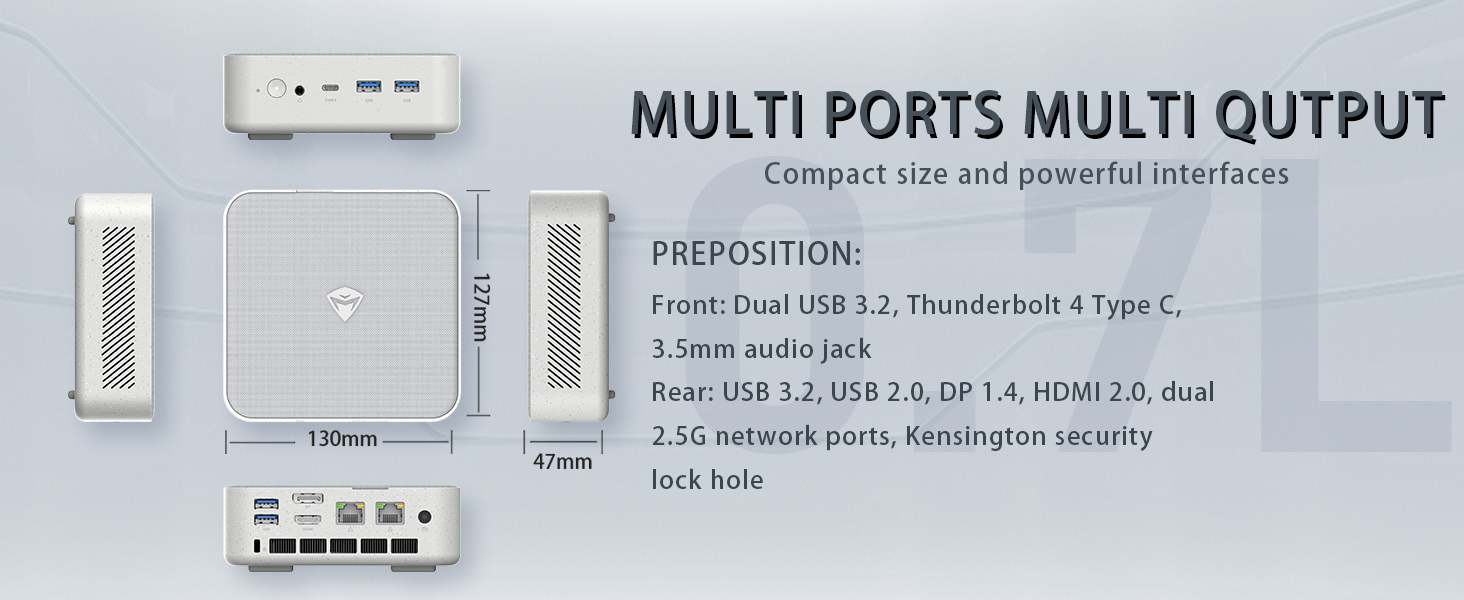
Image: Illustration of PCIe 4.0 SSD and memory slots, indicating support for up to 64GB DDR5 RAM and up to 4TB PCIe SSD expansion.
2. Guida all'installazione
2.1 Disimballaggio del dispositivo
Rimuovere con cautela tutti i componenti dall'imballaggio. Assicurarsi che siano presenti i seguenti elementi:
- Machenike Machcreator Mini Desktop (Model 4762H)
- Adattatore di alimentazione
- Manuale dell'utente (questo documento)
- (Optional) VESA Mount Kit
2.2 Collegamento delle periferiche
Prima di accendere, collega le periferiche essenziali:
- Display: Connect your monitor(s) to the HDMI 2.0 or DisplayPort 1.4 ports on the rear of the mini PC. The USB Type-C port also supports video output.
- Tastiera e mouse: Connect your USB keyboard and mouse to any of the available USB 3.2 Gen2 Type-A ports.
- Rete: For a wired connection, connect an Ethernet cable to one of the RJ45 ports. For wireless, ensure your Wi-Fi network is available.
- Energia: Connect the power adapter to the DC-in port on the mini PC, then plug the adapter into a power outlet.
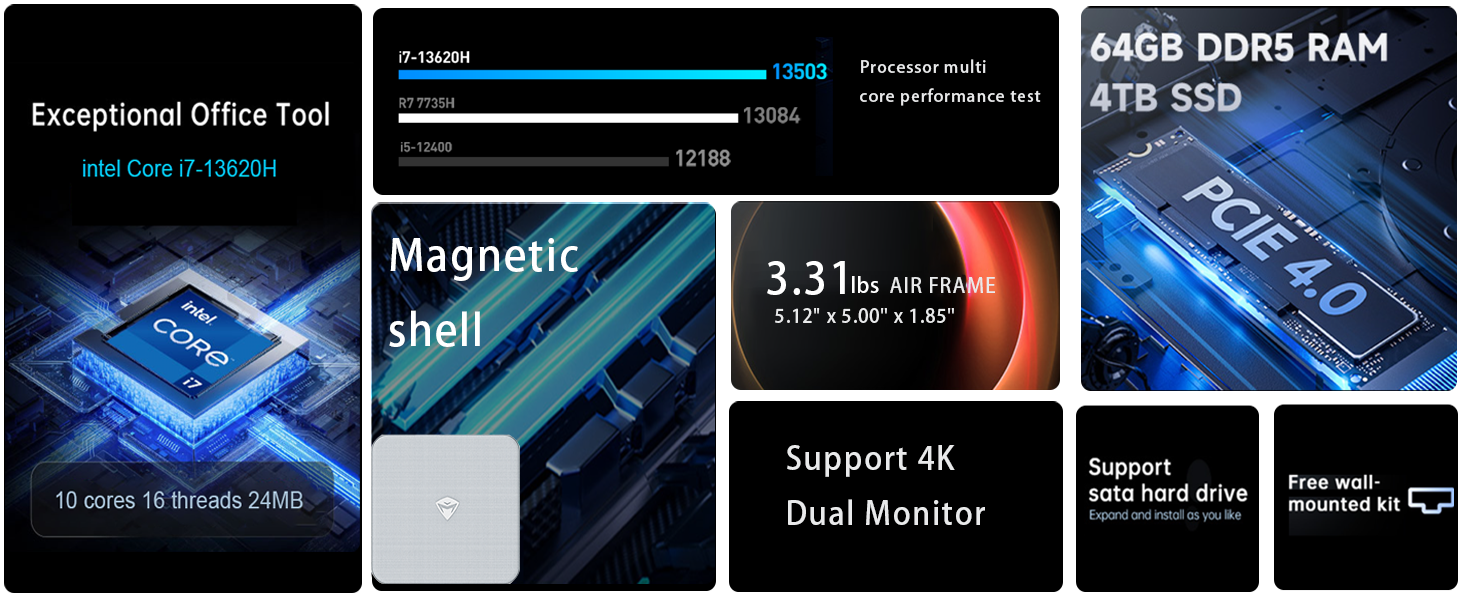
Immagine: dettagliata view of the mini PC's front and rear ports, including USB 3.2 Gen2 Type-A, USB Type-C, 3.5mm Audio Jack, HDMI 2.0, DisplayPort 1.4, and RJ45 Ethernet ports. Dimensions are also shown.
2.3 Initial Boot-up and Windows 11 Pro Setup
- Premere il pulsante di accensione situato sulla parte anteriore del mini PC.
- The system will boot into the Windows 11 Pro setup wizard. Follow the on-screen instructions to configure your language, region, network, and user account.
- Once setup is complete, your mini PC is ready for use.
3. Istruzioni per l'uso
3.1 Accensione/spegnimento
- Accensione: Premere una volta il pulsante di accensione.
- Fermare: Fare clic sul pulsante Start in Windows, quindi selezionare Arresta il sistema > Arresta il sistema.
- Ricomincia: Fare clic sul pulsante Start in Windows, quindi selezionare Arresta > Riavvia.
- Sonno: Fare clic sul pulsante Start in Windows, quindi selezionare Alimentazione > Sospensione.
3.2 Configurazione del display
The mini PC supports up to two 4K displays simultaneously. To configure display settings:
- Fare clic con il tasto destro del mouse sul desktop e selezionare "Impostazioni schermo".
- Here you can detect multiple displays, arrange them, change resolution, and adjust scaling.
3.3 Connettività di rete
- Wifi: Click the network icon in the taskbar, select your Wi-Fi network, enter the password, and connect.
- Collegamento Ethernet: Se è collegato un cavo Ethernet, il sistema dovrebbe stabilire automaticamente una connessione di rete cablata.
3.4 Cooling System Modes
The mini PC features an advanced cooling system with adjustable modes via the BIOS to optimize performance and noise levels. These modes include:
- Modalità silenzio: Prioritizes quiet operation, suitable for light tasks.
- Modalità Equilibrio: Offers a good balance between performance and noise.
- Modalità di prestazione: Maximizes performance (up to 65W power release), ideal for demanding applications.
To change these settings, access the BIOS during startup (typically by pressing Del or F2 repeatedly after powering on) and navigate to the relevant power or performance settings.
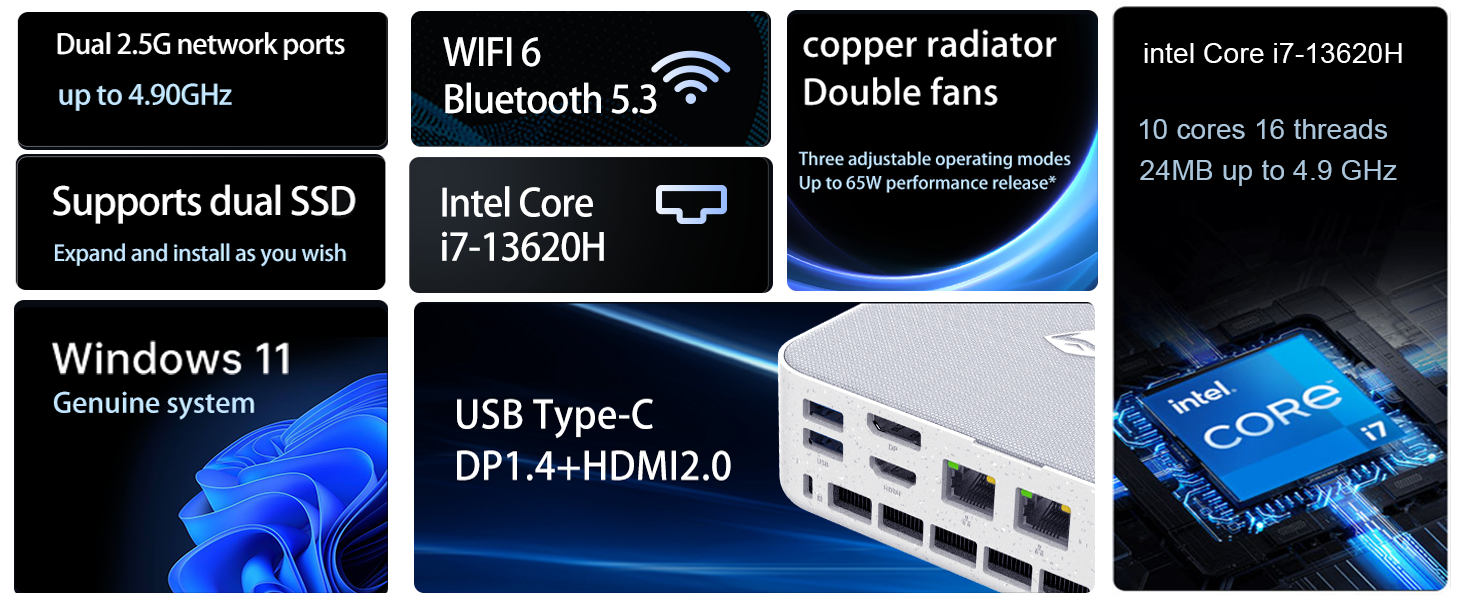
Image: Illustration of the twin turbine cooling fan and deluxe all-copper radiator, explaining how it prevents slowdowns due to overheating and offers silence, balance, and performance modes.
4. Manutenzione
4.1 Pulizia del dispositivo
To ensure optimal performance and longevity, regularly clean your mini PC:
- Power off the device and disconnect it from the power outlet.
- Per pulire l'esterno, utilizzare un panno morbido e asciutto.
- Use compressed air to gently clear dust from ventilation openings. Do not insert any objects into the vents.
4.2 Aggiornamenti software
Keep your Windows 11 Pro operating system and drivers updated to ensure security and performance:
- Aggiornamenti di Windows: Vai su Start > Impostazioni > Windows Update e controlla la presenza di aggiornamenti.
- Aggiornamenti driver: Visit the Machenike official websito per i driver più recenti per il tuo modello specifico.
4.3 Espansione di memoria e archiviazione
The Machenike Machcreator Mini Desktop supports upgrades for both RAM and storage:
- Memoria RAM: The device has 2 SODIMM slots and supports up to 64GB DDR5 RAM.
- Magazzinaggio: It supports dual PCIe M.2 SSDs, allowing for significant storage expansion up to 4TB.
Nota: Opening the device for upgrades may void your warranty. Consult a qualified technician or refer to specific upgrade guides from Machenike if available.
5. Risoluzione Dei Problemi
Questa sezione affronta i problemi più comuni che potresti incontrare. Per problemi più complessi, contatta l'assistenza clienti.
5.1 Nessun potere
- Assicurarsi che l'adattatore di alimentazione sia collegato saldamente sia al mini PC sia a una presa di corrente funzionante.
- Verificare che la presa di corrente funzioni collegandovi un altro dispositivo.
- Controllare che l'adattatore di alimentazione non presenti danni visibili.
5.2 Nessuna uscita di visualizzazione
- Verificare che il monitor sia acceso e che sia selezionata la sorgente di ingresso corretta.
- Ensure the HDMI or DisplayPort cable is securely connected to both the mini PC and the monitor.
- Se disponibile, provare un cavo di visualizzazione o un monitor diverso.
- If using multiple displays, try connecting only one display at a time.
5.3 Problemi di connettività di rete
- Cablato (Ethernet): Check if the Ethernet cable is properly connected to both the mini PC and the router/modem. Verify router/modem status.
- Senza fili (Wi-Fi): Ensure Wi-Fi is enabled in Windows settings. Restart your router/modem. Check if other devices can connect to the Wi-Fi network.
- Run Windows Network Troubleshooter (Start > Settings > Network & internet > Advanced network settings > Network troubleshooter).
6. Specifiche
Detailed technical specifications for the Machenike Machcreator Mini Desktop, Model 4762H:
| Caratteristica | Specificazione |
|---|---|
| Marca | Macchinari |
| Numero di modello | 4762 ore |
| Sistema operativo | Windows 11 Pro |
| Modello CPU | Processore Intel Core i7-13620H |
| Velocità della CPU | Up to 4.9 GHz (Max Turbo Frequency) |
| Dimensione della memoria RAM installata | 16 GB DDR5 (Expandable to 64 GB) |
| Velocità di clock della memoria | 4800 MHz |
| Slot di memoria disponibili | 2 |
| Capacità di archiviazione della memoria | 512 GB PCIe M.2 SSD (Supports dual M.2, up to 4TB) |
| Coprocessore grafico | Grafica Intel UHD (integrata) |
| Interfaccia di uscita video | HDMI 2.0, DisplayPort 1.4, USB Type-C |
| Risoluzione massima dello schermo | 3840x2160 (4K) |
| Interfaccia Hardware | 3.5mm Audio, Bluetooth, DisplayPort, Ethernet (2x RJ45), HDMI, USB, USB Type C |
| Connettività wireless | Wi-Fi 6 (802.11ax), Bluetooth |
| Dimensioni articolo (LxPxA) | 5.12 x 5 x 1.85 pollici |
| Peso dell'articolo | 49.8 libbre (Note: This weight may be a data entry error; actual weight for a mini PC is typically much less.) |
| Codice UPC | 193200587317 |
7. Garanzia e supporto
7.1 Informazioni sulla garanzia
Machenike products typically come with a limited manufacturer's warranty. Please refer to the warranty card included with your purchase or visit the official Machenike webVisita il sito per i termini e le condizioni di garanzia dettagliati specifici per la tua regione e il tuo modello di prodotto. Conserva la prova d'acquisto per eventuali reclami in garanzia.
7.2 Assistenza clienti
For technical assistance, troubleshooting beyond this manual, or warranty inquiries, please contact Machenike customer support:
- Supporto online: Visit the official Machenike webposto (www.machenike.com - exampil collegamento, il collegamento effettivo può variare) e vai alla sezione di supporto.
- Supporto via e-mail: Refer to your product documentation for the specific support email address.
- Supporto telefonico: Check the Machenike websito per i numeri di assistenza telefonica regionale.
When contacting support, please have your product model number (4762H) and serial number ready.