
1. Introduzione
Thank you for choosing the Cuifati Wearable Headlamp Camera. This device combines a high-definition 1080P video recorder with a powerful LED headlamp, designed for various outdoor activities such as cycling, running, hiking, and travel. It features a wave sensing function for the light and supports video recording with a 2.0M CMOS sensor. Please read this manual thoroughly before using the product to ensure proper operation and to maximize its lifespan.
2. Informazioni sulla sicurezza
- Non esporre il dispositivo a temperature estreme, alla luce solare diretta o a liquidi corrosivi.
- Keep the device away from water and moisture unless specifically designed for waterproof use (this model is not specified as waterproof).
- Non tentare di smontare o modificare il dispositivo. Ciò potrebbe invalidare la garanzia e causare danni.
- Use only the provided charging cable or a certified Type-C cable for charging to prevent damage to the battery and device.
- Prima del primo utilizzo, assicurarsi che il dispositivo sia completamente carico.
- Avoid pointing the LED light directly into eyes, as it can cause temporary vision impairment.
3. Contenuto della confezione
Si prega di controllare la confezione per verificare la presenza dei seguenti elementi:
- Cuifati Wearable Headlamp Telecamera
- Cinghia per la testa regolabile
- Cavo di ricarica USB di tipo C.
- Manuale dell'utente (questo documento)
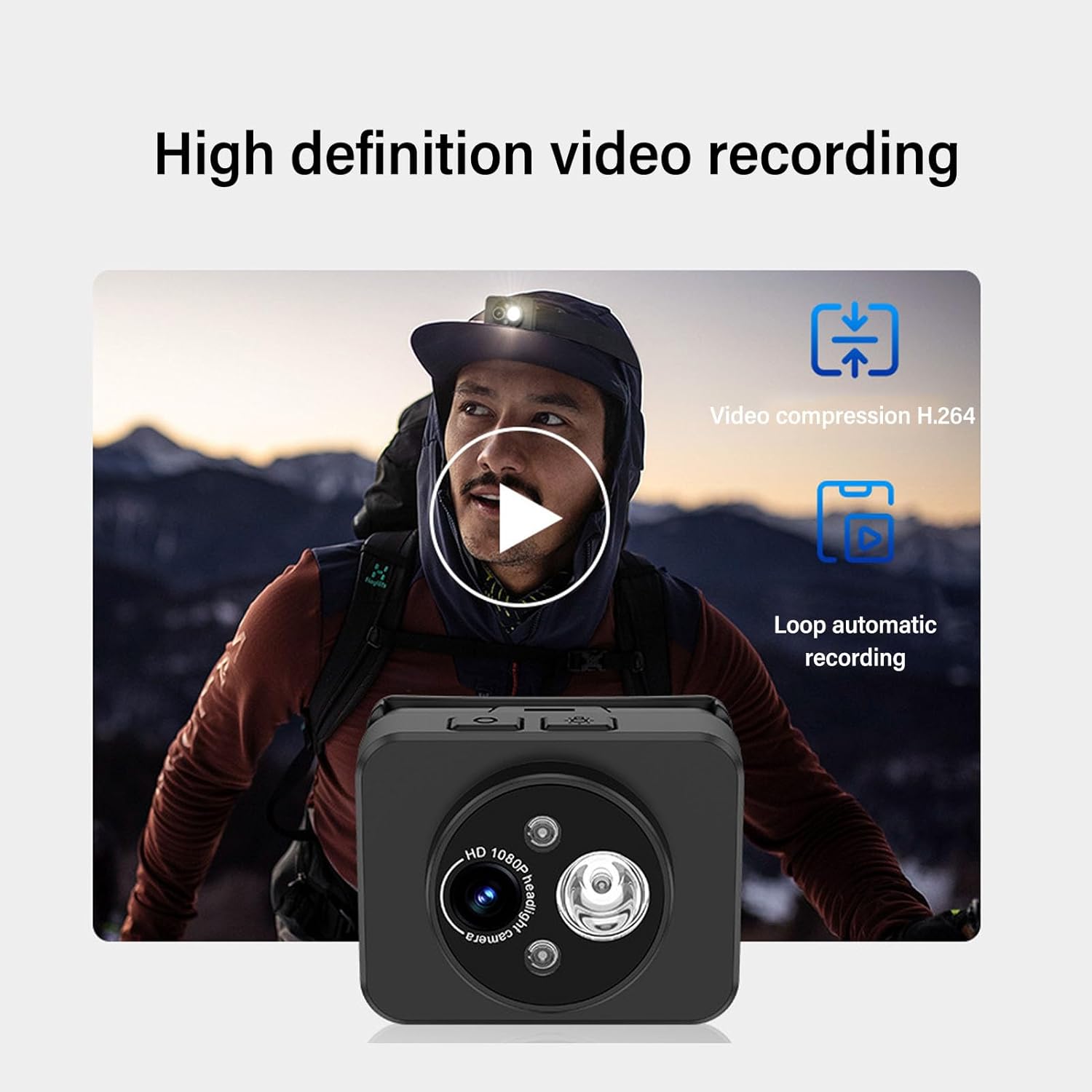
Image: Contents of the product package, including the headlamp camera unit, an adjustable head strap, and a USB Type-C charging cable.
4. Prodotto finitoview
Familiarize yourself with the components of your Cuifati Wearable Headlamp Telecamera:

Immagine: Frontale view del capoamp camera, highlighting the HD 1080P camera lens and the integrated LED flashlight.
- Obiettivo della fotocamera: Cattura video 1080P.
- Torcia a LED: Provides illumination, adjustable up to 45 degrees.
- Pulsante di accensione: Used for turning the device on/off and taking photos.
- Wave Sensor: Detects hand gestures for controlling the LED light.
- Porta di ricarica di tipo C: Per collegare il cavo di ricarica.
- Slot per scheda di memoria: Supports up to 128GB memory expansion (memory card not included).

Image: A composite image illustrating key features: 45-degree vertical adjustment of the camera/light unit, the first-person perspective recording capability, a battery charge indicator, and the memory card expansion slot.
5. Impostazione
5.1 Caricamento della batteria
- Collegare il cavo di ricarica USB Type-C in dotazione alla porta di ricarica del dispositivo.
- Collegare l'altra estremità del cavo a un adattatore di alimentazione USB standard (non incluso) o alla porta USB di un computer.
- The device features a guard function to prevent overcharging, over-discharging, and short circuits.
- Allow the device to charge fully before its first use.
5.2 Inserimento di una scheda di memoria
The device supports memory expansion up to 128GB (memory card not included).
- Individuare lo slot per la scheda di memoria sul dispositivo.
- Carefully insert a compatible memory card into the slot until it clicks into place. Ensure the card is inserted in the correct orientation.
- Per rimuoverla, premere delicatamente la scheda verso l'interno finché non scatta fuori.
5.3 Fissaggio della fascia per la testa
- Thread the adjustable head strap through the designated loops on the camera unit.
- Adjust the strap to fit comfortably and securely around your head.
6. Istruzioni per l'uso
6.1 Accensione/spegnimento
- Per accendere: Tenere premuto il pulsante di accensione per alcuni secondi finché la spia non si accende.
- Per spegnere: Premere e tenere premuto nuovamente il pulsante di accensione per alcuni secondi, finché la spia non si spegne.
6.2 Registrazione video
The device is designed to automatically enter recording mode upon startup, generating a new video file. It supports video compression and 5-minute segmented storage for convenient playback and viewing.

Image: Visual representation of the high-definition video recording capabilities, including H.264 video compression and automatic loop recording functionality.
6.3 Scattare foto
Durante la modalità di registrazione:
- Short press the Power button once to capture a photo.
- After the photo is captured, video recording will automatically resume, and a new video file verrà generato.
6.4 Adjusting Headlight Angle
The headlight can be manually adjusted up to 45 degrees to suit various close-range lighting needs.

Image: A man wearing the headlamp camera, demonstrating the 45-degree upward and downward rotation capability of the camera and light unit.
6.5 Wave Sensing Function for LED Light
This feature allows you to control the LED light with a simple hand gesture.
- Per attivare/disattivare: Refer to the device's specific button combination or setting for turning the wave sensor function on or off.
- Per utilizzare: Once activated, wave your hand approximately 5-10 cm (2-4 inches) away from the headlamp lens to turn the LED light on or off.

Image: A man hiking outdoors, wearing the headlamp camera, demonstrating the wave sensing feature for controlling the super bright, energy-saving headlight.
7. Manutenzione
- Pulizia: Use a soft, dry cloth to clean the device. For the lens, use a specialized lens cleaning cloth. Do not use harsh chemicals or abrasive materials.
- Magazzinaggio: Quando non in uso, conservare il dispositivo in un luogo fresco e asciutto, lontano dalla luce solare diretta e da temperature estreme.
- Cura della batteria: Per una durata ottimale della batteria, caricare il dispositivo regolarmente, anche se non lo si utilizza frequentemente. Evitare di scaricare completamente la batteria per periodi prolungati.
8. Risoluzione Dei Problemi
- Il dispositivo non si accende: Assicurarsi che la batteria sia carica. Collegare a una fonte di alimentazione e riprovare.
- Il video non registra: Check if a memory card is inserted correctly and has sufficient free space. The card may need to be formatted (refer to device settings if available).
- La luce LED non funziona: Check if the wave sensing function is enabled or if the light was manually turned off. Ensure the battery is charged.
- Problemi di ricarica: Verify the Type-C cable is securely connected to both the device and the power source. Try a different cable or power adapter.
9. Specifiche
| Caratteristica | Specificazione |
|---|---|
| Risoluzione video | 1080P |
| Sensore | 2.0M CMOS |
| Decodifica video | H.264 |
| Formato di archiviazione video | MP4 |
| Regolazione dei fari | Fino a 45° |
| Porta di ricarica | Tipo C |
| Espansione della memoria | Supports up to 128GB (Memory Stick PRO) |
| Fonte di alimentazione | Alimentato a batteria |
| Peso dell'articolo | 4.2 once |
| Numero modello articolo | CUIFATIepznkoc5td |
| Marca | Cuifati |
10. Garanzia e supporto
This product comes with a standard manufacturer's warranty. For detailed warranty information, please refer to the warranty card included in your package or contact Cuifati customer support.
If you encounter any issues or have questions not covered in this manual, please contact Cuifati customer support through the retailer's platform or the official Cuifati websito per assistenza.