
1. Introduzione
Welcome to the user manual for your new Infinix Zero 40 5G smartphone. This guide provides essential information to help you set up, operate, maintain, and troubleshoot your device. Please read this manual carefully to ensure optimal performance and longevity of your smartphone.
2. Cosa c'è nella scatola
Your Infinix Zero 40 5G package includes the following components:
- Infinix Zero 40 5G Device
- Adattatore di alimentazione
- Cuffie
- Custodia protettiva
- Pellicola protettiva per lo schermo
3. Dispositivo suview
Familiarize yourself with the physical features and key components of your Infinix Zero 40 5G.
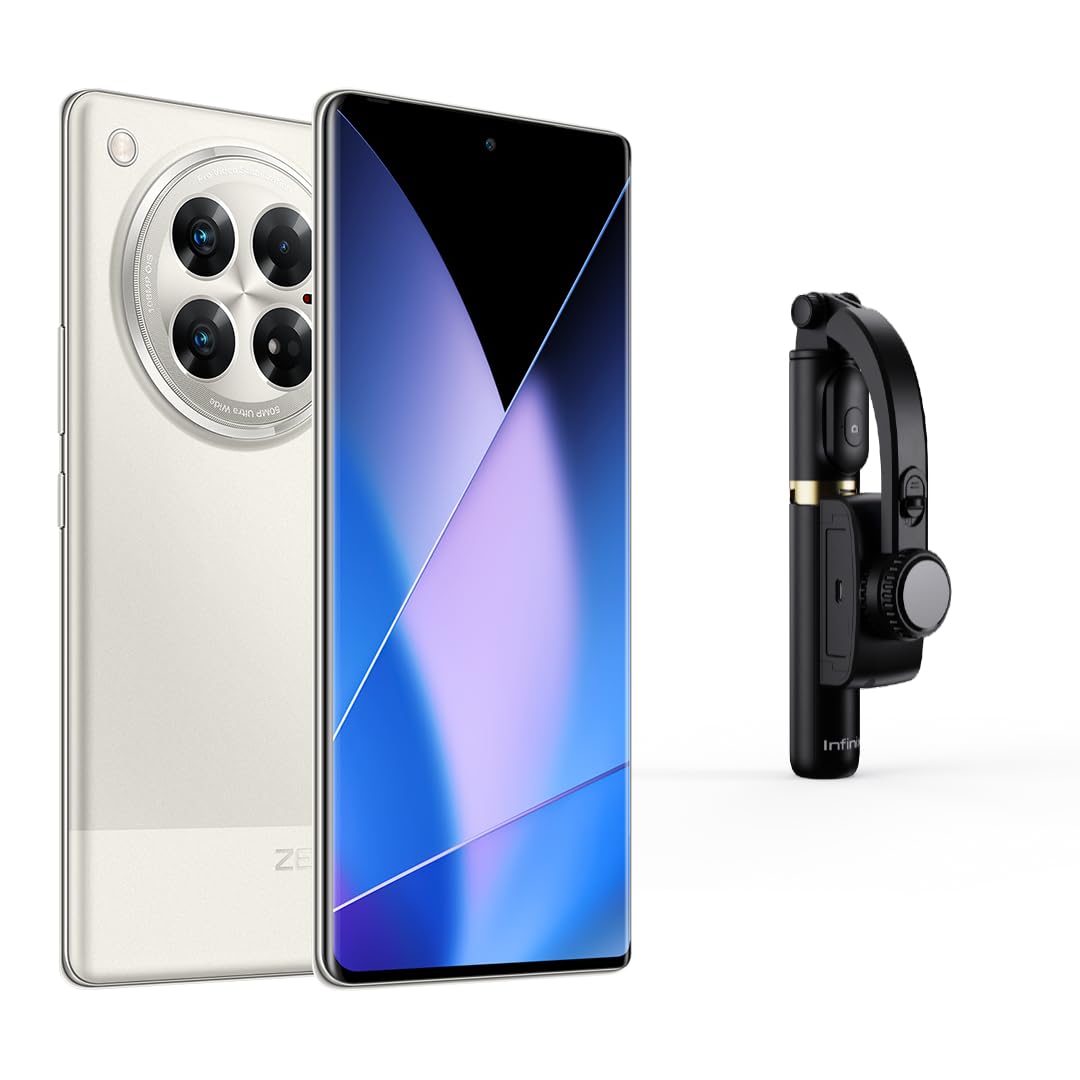
Figura 3.1: Davanti view of the Infinix Zero 40 5G, showcasing the curved AMOLED display and front camera cutout.
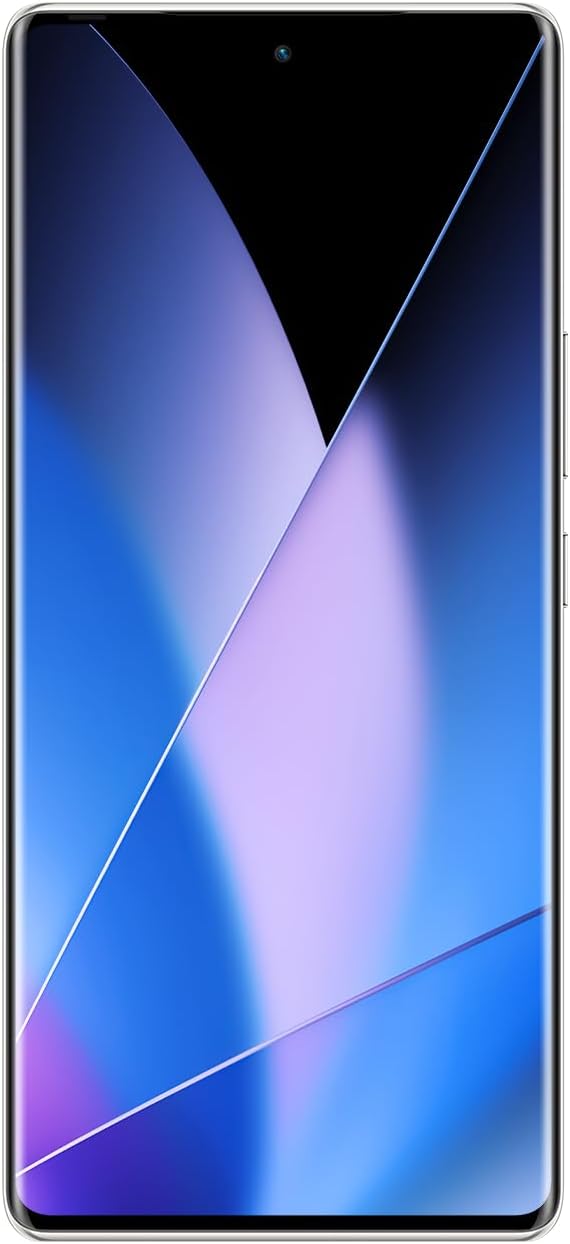
Figura 3.2: Posteriore view of the Infinix Zero 40 5G, highlighting the camera module and 'ZERO' branding.

Figura 3.3: Lato view of the Infinix Zero 40 5G, showing the power and volume buttons.

Figura 3.4: Alto/Basso view of the Infinix Zero 40 5G, illustrating the USB Type-C port and headphone jack.
4. Impostazione
4.1. Installazione della scheda SIM
- Individua il vassoio della scheda SIM sul lato del dispositivo.
- Inserire lo strumento di espulsione della SIM nel piccolo foro accanto al vassoio e spingere delicatamente finché il vassoio non fuoriesce.
- Place your Nano SIM card(s) into the designated slots on the tray. This device supports Dual SIM.
- Reinserire con cautela il vassoio della SIM nel dispositivo.
4.2. Accensione iniziale
Press and hold the Power button until the Infinix logo appears. Follow the on-screen instructions to complete the initial setup, including language selection, Wi-Fi connection, and Google account setup.
4.3. Sicurezza biometrica
Your Infinix Zero 40 5G features Face Recognition for quick and secure unlocking. During initial setup or via device settings, you can configure this feature. Ensure your face is well-lit and clear for optimal performance.
5. Istruzioni per l'uso
5.1. Sistema operativo
The Infinix Zero 40 5G runs on Androide 14, offering a user-friendly interface and access to a wide range of applications through the Google Play Store.
5.2. Visualizzazione
The device features a 6.78-inch 3D Curved AMOLED display with a 144Hz refresh rate and a resolution of 1920 x 1080 pixels, providing a smooth and vibrant visual experience.
5.3. Prestazioni
Powered by the D8200 Ultimate 5G processor with a CPU speed of 3.1 GHz, and equipped with 12GB of RAM (expandable to 24GB), the Zero 40 5G delivers robust performance for gaming, multimedia, and multitasking. It includes 512GB of internal storage.
5.4. Connettività
The device supports 5G cellular technology, Wi-Fi, and features a USB Type-C connector for charging and data transfer. It also includes integrated GPS for navigation and mobile hotspot capability.
6. Caratteristiche della fotocamera
Capture high-quality photos and videos with the advanced camera system of your Infinix Zero 40 5G.
6.1. Fotocamera posteriore
The main rear camera boasts a 108MP sensor with OIS (Optical Image Stabilization) and supports 4K video recording. It features Pro-Stable Video for smooth footage.
6.2. Fotocamera frontale
The front-facing camera has a 50MP sensor, ideal for high-resolution selfies and video calls.
6.3. Modalità di scatto
Explore various shooting modes to enhance your photography:
- Video Blog
- AI Cam with Wide Shot
- Ritratto
- Super Night with Wide Shot
- Time-lapse with Wide Shot
- Rallentatore
- Doppio video
- Sky Shop
- Esposizione lunga
- Documenti
- AR Shot
- Modalità Pro
- Supermacro
- Panorama
- Google Lens Integration
- Ultra Steady Mode
The camera also features an LED flash for low-light conditions.
7. Manutenzione
7.1. Cura della batteria
The device is equipped with a 5000 mAh Lithium-ion battery, offering up to 50 hours of talk time. To prolong battery life:
- Use the original charger and cable for fast and wireless charging.
- Evitare temperature estreme.
- Non lasciare che la batteria si scarichi completamente regolarmente.
7.2. Resistenza all'acqua
The Infinix Zero 40 5G is water-resistant. However, it is not waterproof. Avoid submerging the device in water or exposing it to high-pressure water jets. Liquid damage is not covered under warranty.
7.3. Assistenza generale
- Mantieni pulito il tuo dispositivo utilizzando un panno morbido e asciutto.
- Evitare di far cadere il dispositivo o di sottoporlo a forti urti.
- Aggiornare regolarmente il software per garantire prestazioni e sicurezza ottimali.
8. Risoluzione Dei Problemi
If you encounter issues with your device, try the following general troubleshooting steps:
- Riavvia il dispositivo: Un semplice riavvio può risolvere molti piccoli problemi software.
- Controlla gli aggiornamenti software: Assicurati che il tuo dispositivo utilizzi la versione software più recente.
- Cancella la cache dell'app: Se un'app non funziona correttamente, prova a svuotarne la cache in Impostazioni > App.
- Ripristino delle impostazioni di fabbrica: Come ultima risorsa, puoi eseguire un ripristino delle impostazioni di fabbrica (effettuando prima il backup dei dati).
For more complex issues, please contact Infinix customer support.
9. Specifiche
| Caratteristica | Specificazione |
|---|---|
| Marca | Infinito |
| Nome del modello | Zero 40 |
| Sistema operativo | Androide 14 |
| RAM installata | 12 GB (Extended to 24 GB) |
| Velocità della CPU | 3.1 GHz |
| Capacità di archiviazione della memoria | 512 GB |
| Dimensioni dello schermo | 6.78 pollici |
| Tipo di visualizzazione | AMOLED |
| Risoluzione | 1920x1080 |
| Frequenza di aggiornamento | Frequenza 144 Hz |
| Colore | Titanium Mobile |
| Number of SIM Card Slots | Doppia SIM |
| Dimensione della carta SIM | Nano |
| Tipo di connettore | USB di tipo C |
| Sicurezza biometrica | Riconoscimento facciale |
| Livello di resistenza all'acqua | Resistente all'acqua |
| Presa per cuffie | 3.5 millimetri |
| Caratteristiche speciali | Integrated GPS, Fast Charging Support, Wireless Charging, Mobile Hotspot Capability |
| Risoluzione della fotocamera frontale | 50 MP |
| Risoluzione della telecamera posteriore | 108 MP |
| Descrizione della fotocamera | Front and Rear 4K Video Blog | Pro-Stable Video |
| Flash della fotocamera | GUIDATO |
| Descrizione della batteria | Agli ioni di litio |
| Potenza della batteria | 5000 mAh |
| Tempo di conversazione telefonica | 50 ore |
| Peso dell'articolo | 195 grammi |
| Dimensioni dell'articolo | Dimensioni: 16.4 x 0.8 x 7.4 cm |
| Tecnologia cellulare | 5G |
| Tecnologia di comunicazione wireless | Wifi |
| Anno di produzione | 2024 |
| Usi specifici del prodotto | Gaming, Multimedia Consumption, Photography |
| Risoluzione di acquisizione video | Risoluzione: 3840 x 2160 (4K) |
| Frequenza dei fotogrammi | 60 fotogrammi al secondo |
10. Garanzia e supporto
10.1. Informazioni sulla garanzia
Your Infinix Zero 40 5G comes with a garanzia di due anni dalla data di acquisto. La presente garanzia copre i difetti di fabbricazione. Si prega di conservare la prova d'acquisto per eventuali reclami in garanzia.
10.2. Contatto del produttore
For technical support, service, or warranty inquiries, please contact the manufacturer:
Infinix ManufacturerD-197, 198, Sector-63
Noida, Gautam Buddha Nagar
Uttar Pradesh - 201301
You may also visit the official Infinix websito per ulteriori risorse di supporto.