
1. Prodotto finitoview
The Belkin BoostCharge Magnetic Wireless Charging Pad with Qi2 15W provides efficient and secure wireless charging for compatible devices. Featuring Qi2 technology, it delivers up to 15W of power, optimizing energy usage and protecting battery life. Its MagSafe-compatible design ensures precise alignment with a simple magnetic 'click'. This charging pad is designed for use with iPhones (14, 15, 16 series) and AirPods, offering a versatile charging solution with a non-slip base for stability.

Figure 1: Belkin BoostCharge Magnetic Wireless Charging Pad with Qi2 15W.
2. Istruzioni per l'installazione
- Disimballare il caricabatterie: Carefully remove the BoostCharge Magnetic Wireless Charging Pad and the included 5ft USB-C to USB-C cable from its packaging.
- Connettiti all'alimentazione: Insert one end of the USB-C to USB-C cable into the charging pad. Connect the other end of the cable to a compatible USB-C power adapter (power adapter not included). For optimal 15W fast charging, use a power adapter that supports PD3.1 (EPR) / PD3.0.
- Posizionamento: Place the charging pad on a flat, stable surface. The non-slip base is designed to keep the pad securely in position during use.
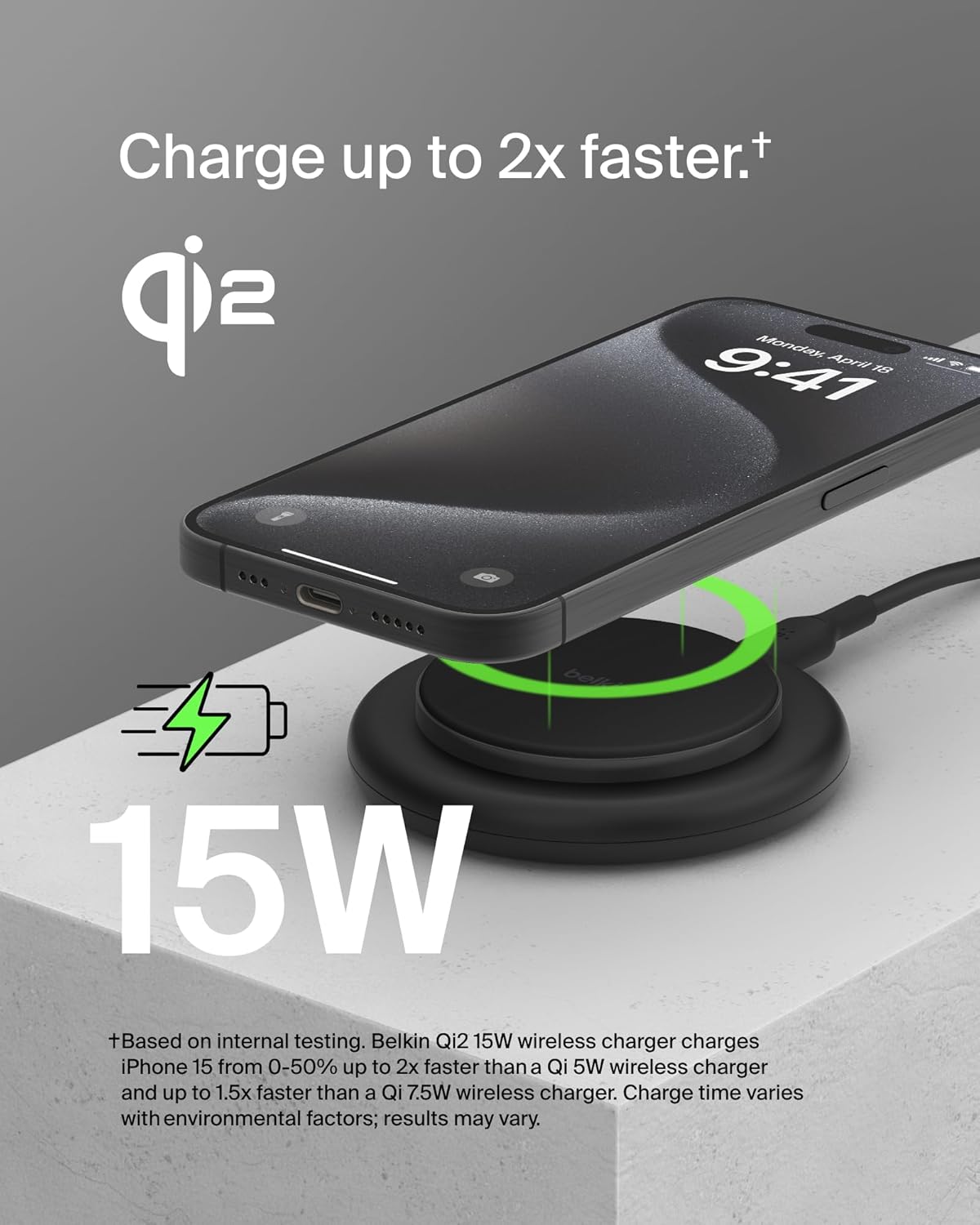
Figure 2: The Belkin BoostCharge Magnetic Wireless Charging Pad actively charging an iPhone, highlighting its 15W fast charging capability.

Figure 3: A hand lifting an iPhone from the charging pad, demonstrating the non-slip base that keeps the pad securely in place.
3. Istruzioni per l'uso
3.1 Ricarica di un iPhone
To charge your iPhone, simply place it onto the center of the charging pad. The MagSafe-compatible technology will magnetically align your device, ensuring optimal charging. A 'click' sensation confirms proper placement. The charging indicator on your iPhone will confirm that charging has begun.
3.2 Ricarica degli AirPods
Place your AirPods charging case (compatible with wireless charging) onto the center of the charging pad. Ensure the case is centered for effective charging. The indicator light on your AirPods case will show its charging status.
3.3 Fast Charging and Qi2 Technology
This charging pad utilizes Qi2 technology to deliver up to 15W of power for fast charging compatible devices. Qi2 also helps optimize energy usage and protect your device's battery health. Charging speed may vary based on environmental factors and device battery status.
3.4 Compatibilità dei casi
The charging pad is compatible with MagSafe-compatible phone cases up to 3mm thick. Ensure your case is not excessively thick or contains metal objects that could interfere with wireless charging.

Figura 4: Un primo piano view of an iPhone magnetically attached to the charging pad, illustrating the strong magnetic connection.

Figura 5: Prospettiva lateralefile of an iPhone resting on the charging pad, emphasizing its Qi2 certification.
Video 1: Official Belkin brand video showcasing various products and their features, including charging solutions.
4. Manutenzione
- Pulizia: Disconnect the charging pad from the power source before cleaning. Use a soft, dry, lint-free cloth to wipe the surface. Avoid using harsh chemicals, cleaning solvents, or abrasive cleaners.
- Magazzinaggio: Quando non in uso, conservare il caricabatterie in un luogo fresco e asciutto, lontano dalla luce solare diretta e da temperature estreme.
- Sicurezza: Do not expose the charging pad to water or other liquids. Avoid dropping or subjecting the device to strong impacts.
5. Risoluzione Dei Problemi
| Problema | Possibile causa | Soluzione |
|---|---|---|
| Dispositivo non in carica | Incorrect placement; Power adapter not connected; Incompatible case; Device not Qi2 compatible. | Ensure device is centered on the pad; Verify power adapter is securely connected and functional; Remove phone case or use a MagSafe-compatible case (max 3mm thick); Confirm device supports Qi2 wireless charging. |
| Ricarica lenta | Power adapter insufficient; Background apps; Environmental factors. | Use a PD3.1 (EPR) / PD3.0 compatible power adapter for 15W charging; Close unnecessary apps; Ensure charging in a moderate temperature environment. |
| Attacco magnetico debole | Phone case interference; Foreign objects. | Ensure phone case is MagSafe-compatible and not thicker than 3mm; Remove any metal objects or cards between the phone and charger. |
6. Specifiche
| Caratteristica | Dettaglio |
|---|---|
| Marca | Belkin |
| Numero di modello | BEL-CHG-15-MAG |
| GTIN / UPC | 745883887774 |
| Standard di ricarica wireless | Qi2 Certified, MagSafe Compatible |
| Uscita Wattage | Fino a 15W |
| Tipo di connettore | USB tipo C |
| Ingresso volumetage | 100 Volts (requires compatible power adapter) |
| Corrente di uscita | 3 Amps |
| Volume di uscitatage | 5 Volt |
| Dispositivi compatibili | iPhones (14, 15, 16 Series), Qi2 compatible devices, AirPods (wireless charging case) |
| Caratteristiche speciali | Fast Charging, Magnetic Attachment, Non-Slip Design |
| Componenti inclusi | 1 x BoostCharge Magnetic Charging Pad with Qi2, 1 x 5ft USB-C to USB-C cable |
| Materiale | Plastic (75% post-consumer recycled materials) |
| Peso dell'articolo | 0.18 chilogrammi |
7. Garanzia e supporto
7.1 Garanzia del prodotto
This Belkin BoostCharge Magnetic Wireless Charging Pad comes with a Garanzia limitata del produttore di 2 annoSi prega di conservare la prova d'acquisto per eventuali reclami in garanzia.
7.2 Connected Equipment Warranty (CEW)
Belkin offers a $ 2,500 Garanzia sulle apparecchiature collegate (CEW). This warranty provides coverage for equipment properly connected to the Belkin product if it is damaged by a surge, spike, or lightning strike while connected to a Belkin surge protector or power product. Refer to the official Belkin website for full terms and conditions of the CEW.
7.3 Assistenza clienti
Per ulteriore assistenza, supporto tecnico o richieste di garanzia, visitare il supporto ufficiale Belkin websito o contattare il servizio clienti. Puoi trovare maggiori informazioni su Supporto Belkin.