
Introduzione
Welcome to your Maxwell Fusion Smart Watch. This manual provides essential information for setting up, operating, and maintaining your device. Please read it carefully to ensure optimal performance and longevity of your smartwatch.
Cosa c'è nella scatola
- Maxwell Fusion Smart Watch
- Caricabatterie wireless
- Cinghia
- Manuale dell'utente (questo documento)
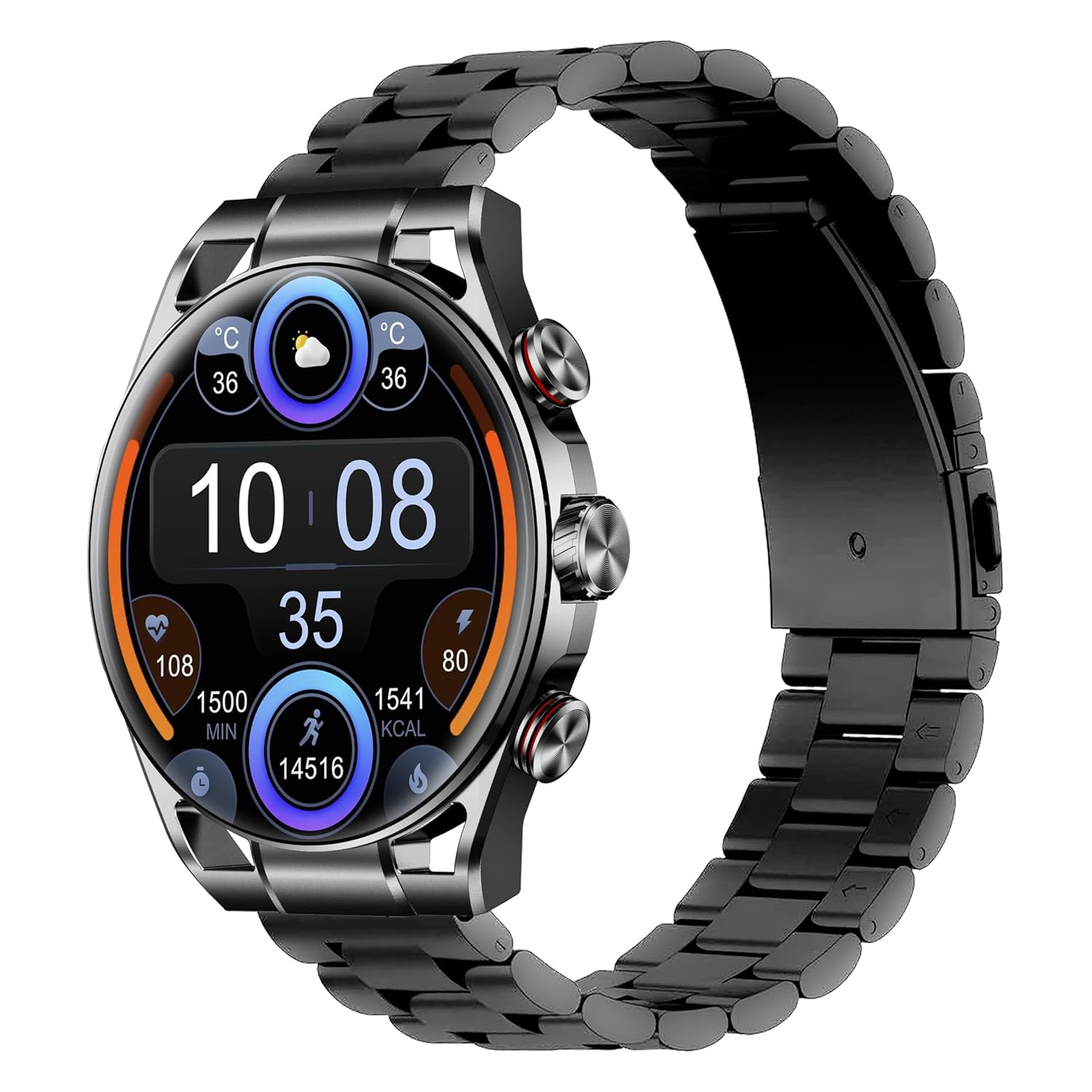
Image: The Maxwell Fusion Smart Watch with a black metal strap, displaying time and fitness metrics.
Impostare
1. Ricarica dello Smart Watch
Before first use, fully charge your Maxwell Fusion Smart Watch. Connect the wireless charger to a power source and place the watch onto the charging pad. The watch will indicate charging status. A full charge typically takes approximately 2 hours.
The watch offers an extended standby time of up to 40 days on a single charge.
2. Installazione dell'app
To unlock the full functionality of your smartwatch, download and install the companion application on your smartphone. Scan the QR code below with your phone's camera or visit the provided links.

Image: Product packaging displaying technical specifications and QR codes for the companion app.
Scarica l'app:
3. Associazione con lo smartphone
- Assicurati che il Bluetooth del tuo smartphone sia abilitato.
- Open the installed companion app on your phone.
- Follow the in-app instructions to search for and connect to your Maxwell Fusion Smart Watch. The watch uses Bluetooth 5.2 for a stable connection.
- Conferma la richiesta di associazione sia sull'orologio che sullo smartphone.
The Maxwell Fusion Smart Watch is compatible with both iOS and Android devices.
Istruzioni per l'uso
Navigazione di base
The Maxwell Fusion Smart Watch features a responsive AMOLED Retina touchscreen and three physical buttons for navigation. Swipe across the screen to access different functions and menus. Press the buttons for specific actions such as returning to the home screen or accessing quick settings.

Image: The Maxwell Fusion Smart Watch showcasing its Super AMOLED Retina screen with bright, clear visuals.
Call and SMS Functionality
Once paired with your smartphone, you can dial and answer calls directly from your wrist. You will also receive SMS notifications on your watch. Ensure your watch is within Bluetooth range of your phone for these features to work.
Modalità sportive e monitoraggio delle attività
The watch includes various sports modes to track your physical activities. Access these modes through the watch menu to monitor metrics such as steps, distance, calories burned, and activity duration. The watch supports custom activity tracking.

Image: The Maxwell Fusion Smart Watch face with icons indicating features such as water resistance, iOS/Android compatibility, sport mode, 1400 NITS brightness, and heart rate monitoring.
Monitoraggio della salute
The Maxwell Fusion Smart Watch is equipped with a Heart Rate Monitor and supports Cycle Tracking. Access these features through the watch or the companion app to monitor your health data.
Resistenza all'acqua (IP68)
Your smartwatch has an IP68 waterproof rating, making it suitable for swimming and other water-related activities. It can withstand immersion up to 1.4 meters. Avoid hot water or steam, as this can compromise the seal.

Image: A person wearing the Maxwell Fusion Smart Watch in a swimming pool, emphasizing its IP68 waterproof rating.
Luminosità dello schermo
The AMOLED Retina screen offers a brightness of up to 1400 NITS, ensuring clear visibility even in bright sunlight. Adjust the brightness settings through the watch menu for optimal viewin vari ambienti.
Manutenzione
Pulizia
Pulisci regolarmente l'orologio e il cinturino con un panno morbido eamp cloth. Avoid using harsh chemicals or abrasive materials, which can damage the finish or sensors.
Cura della batteria
Per prolungare la durata della batteria, evitare di scaricare completamente l'orologio frequentemente. Ricaricarlo quando il livello della batteria è basso. Conservare l'orologio in un luogo fresco e asciutto se non utilizzato per periodi prolungati.
Precauzioni per la resistenza all'acqua
While the watch is IP68 waterproof, it is not suitable for diving or high-pressure water activities. Do not expose the watch to hot water, steam, or detergents, as this may compromise its water resistance.
Risoluzione dei problemi
- L'orologio non si accende: Assicurati che l'orologio sia completamente carico. Collegalo al caricabatterie wireless per almeno 30 minuti.
- Impossibile associare al telefono:
- Assicurati che il Bluetooth sia abilitato sul telefono e sull'orologio.
- Assicurati che l'orologio si trovi nel raggio d'azione del tuo telefono.
- Riavvia sia l'orologio che il telefono, quindi prova nuovamente ad associarli.
- Controlla se l'app complementare è aggiornata all'ultima versione.
- Notifiche non visualizzate:
- Verify that notifications are enabled in the watch's settings and the companion app.
- Assicurati che l'orologio sia correttamente connesso al telefono tramite Bluetooth.
- Check your phone's notification settings to allow the app to send notifications.
- Dati sanitari inesatti: Assicurati che l'orologio sia ben aderente al polso, ma non troppo stretto. Pulisci regolarmente i sensori.
Specifiche
| Caratteristica | Dettaglio |
|---|---|
| Numero di modello | Fusione |
| Tipo di visualizzazione | AMOLED Retina Screen |
| Connettività | Bluetooth 5.2, Wi-Fi |
| Capacità della batteria | 360 mAh |
| Durata della batteria (Standby) | Fino a 40 giorni |
| Tempo di ricarica | Circa 2 ore |
| Resistenza all'acqua | IP68 (impermeabile fino a 1.4 metri) |
| Capacità di archiviazione della memoria | 64 MB |
| Dispositivi compatibili | iOS & Android Smartphones |
| Input dell'interfaccia umana | Touchscreen, 3 Buttons |
| Metriche misurate | Heart Rate, Activity |
| Materiale | Silicone (Band) |
| Peso | 200 grammi |
Garanzia e supporto
Maxwell provides a standard manufacturer's warranty for this product. Please refer to the warranty card included in your packaging or visit the official Maxwell websito per termini e condizioni di garanzia dettagliati.
For technical support, troubleshooting assistance, or service inquiries, please contact Maxwell customer support through their official channels.