
1. Introduzione
This manual provides detailed instructions for the setup, operation, and maintenance of your FULLJA 32-Inch WiFi Digital Picture Frame. Please read this guide thoroughly to ensure proper use and to maximize your product experience.
The FULLJA Digital Picture Frame allows you to display photos and videos from anywhere, anytime, using its WiFi connectivity and the VPhoto app. It features a 32-inch FHD IPS display, remote control, auto-rotation, and 64GB of built-in storage.
2. Contenuto della confezione
Verifica che tutti gli articoli siano presenti nel tuo pacco:
- 1x FULLJA 32-Inch Digital Picture Frame
- 1x Manuale utente
- 1x adattatore di alimentazione
- 1x Bracket (for stand or wall mounting)
- 1x telecomando

Image: Contents of the FULLJA Digital Picture Frame retail box.
3. Caratteristiche del prodotto
- 32-Inch FHD IPS Display: High-resolution screen for clear photo and video display.
- Dual WiFi 2.4G/5G: Stable and fast wireless connectivity for content transfer.
- VPhoto App Integration: Easily send photos and videos from your smartphone.
- Memoria integrata da 64 GB: Ample storage for a large collection of media.
- Funzione di rotazione automatica: Automatically adjusts display orientation (portrait or landscape).
- Telecomando: Comodo funzionamento a distanza.
- Design montabile a parete: Includes a wall-mounted hole for flexible placement.
- Funzioni aggiuntive: Slideshow mode, weather station, time alarm, adjustable brightness, auto on/off.

Immagine: Oltreview of the FULLJA Digital Picture Frame's key features.
4. Guida all'installazione
4.1 Accensione iniziale
- Unpack the digital picture frame and all accessories.
- Attach the included bracket for desktop placement or prepare for wall mounting.
- Connect the power adapter to the frame and then plug it into a power outlet.
- La cornice si accenderà automaticamente e visualizzerà la schermata di configurazione iniziale.
4.2 Connessione di rete (WiFi)
- On the frame's screen, navigate to "Settings" and select "WiFi".
- Scegli la rete WiFi 2.4G o 5G desiderata dall'elenco.
- Enter your WiFi password using the on-screen keyboard or remote control.
- Confirm the connection. Once connected, a WiFi icon will appear on the screen.
4.3 VPhoto App Installation and Pairing
The VPhoto app is essential for sending photos and videos to your frame from a smartphone.
- Scarica l'app VPhoto:
- Cercare "VPhoto" in the Apple App Store (for iOS devices) or Google Play Store (for Android devices).
- Alternatively, scan the QR codes displayed on the frame's initial setup screen or in the manual.
- Download VPhoto for iOS
- Download VPhoto for Android
- Open and Sign Up: Open the VPhoto app. If you are a new user, select "Sign Up" and fill in the required information. If you already have an account, log in directly.
- Abbina con cornice:
- On your FULLJA frame, go to "Settings" > "My Frame" to find the 9-digit connection code or QR code.
- In the VPhoto app, select "Add New Frame" and enter the 9-digit connection code or scan the QR code displayed on your frame.
- Once paired, you can begin sending media to your frame.

Image: Steps for connecting your smartphone to the digital frame via the VPhoto app.
5. Funzionamento
5.1 Invio di foto e video
- Via VPhoto App: After pairing, open the VPhoto app, select the photos or videos you wish to send, choose your frame, and tap "Send". You can send instant or timed wishes along with your media.
- Via e-mail: The frame supports receiving media via email. Refer to the frame's settings for its unique email address.
- Via Cloud Storage: The frame offers free cloud storage. Details on accessing and managing this can be found within the frame's settings or the VPhoto app.

Image: Sharing photos and videos to the frame using the VPhoto app.

Image: The frame's capacity to store a large number of photos (64GB built-in storage).
5.2 Utilizzo del telecomando
The included remote control allows for convenient navigation and setting adjustments:
- Navigazione: Use arrow keys to move through menus and select options.
- Riproduzione: Control slideshows, pause, play, and skip media.
- Accesso alle impostazioni: Quickly access various settings like brightness, volume, and display modes.
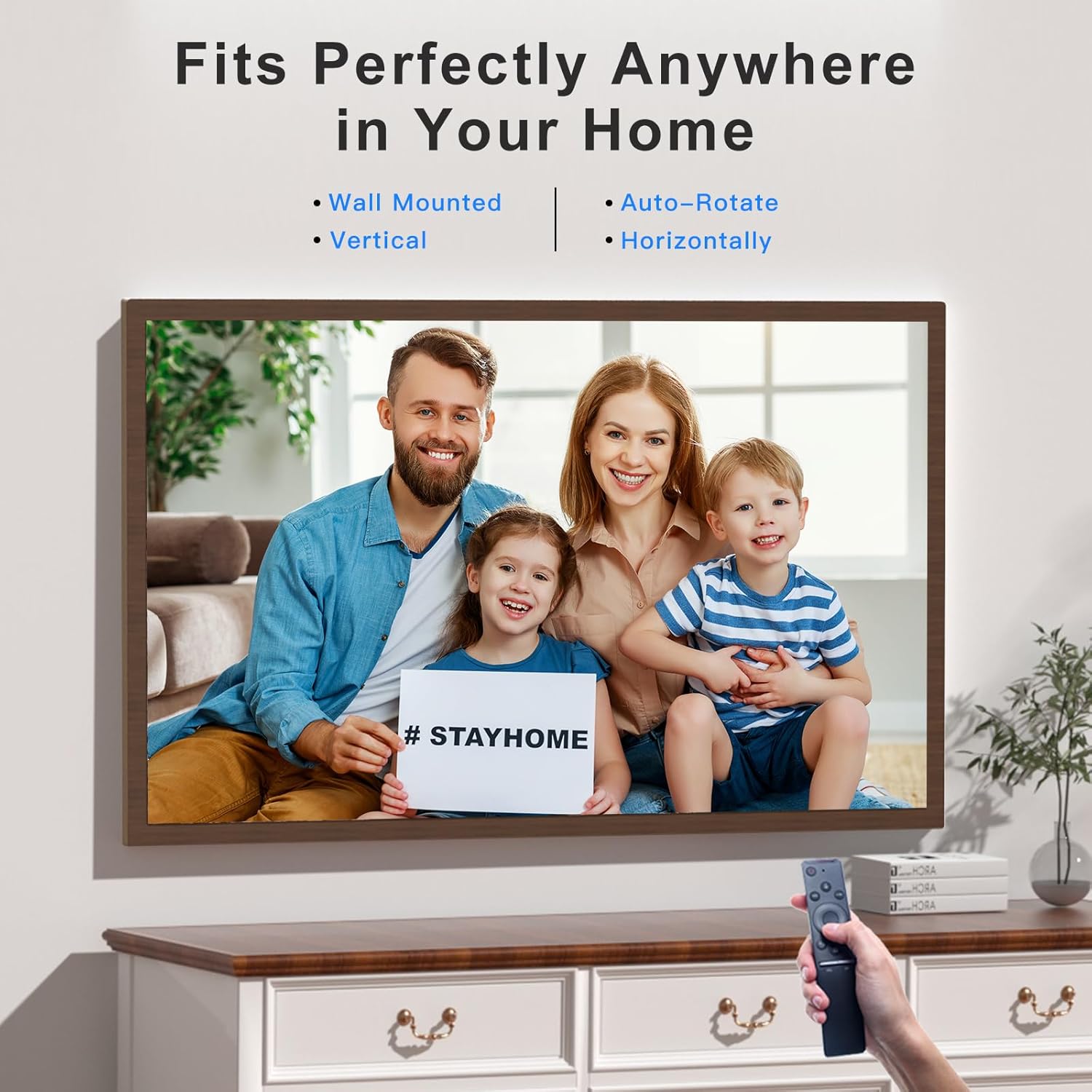
Image: Operating the digital frame with the remote control, showcasingrazie alle sue versatili opzioni di posizionamento.
5.3 Modalità di visualizzazione e impostazioni
- Modalità presentazione: Configure the interval and transition effects for your photo slideshows.
- Rotazione automatica: The frame automatically detects its orientation (horizontal or vertical) and adjusts the display accordingly.
- Regolazione della luminosità: Customize screen brightness to suit your environment.
- Weather Station & Time Alarm: Access these features through the frame's main menu.
- Split-Screen/Screen Mirror: This feature allows mirroring content from your phone to the frame.

Image: Screen Mirroring functionality, allowing content from a smartphone to be displayed on the frame in various orientations.
6. Manutenzione
- Pulizia dello schermo: Utilizzare un panno morbido e privo di lanugine per pulire delicatamente lo schermo. Per i segni ostinati, strofinare leggermenteampImmergere il panno in acqua o in una soluzione detergente per schermi. Evitare prodotti chimici aggressivi.
- Pulizia del telaio: Pulire la parte esterna del telaio con un panno asciutto e morbido.
- Magazzinaggio: Quando non viene utilizzato per lunghi periodi, conservare il telaio in un luogo fresco e asciutto, lontano dalla luce solare diretta e da temperature estreme.
- Aggiornamenti software: Periodically check for software updates through the frame's settings to ensure optimal performance and access to new features.
7. Risoluzione Dei Problemi
| Problema | Possibile soluzione |
|---|---|
| Il telaio non si accende. | Assicurati che l'adattatore di alimentazione sia collegato saldamente sia al telaio che a una presa di corrente funzionante. Prova una presa diversa. |
| Impossibile connettersi al Wi-Fi. |
|
| VPhoto app cannot find the frame. |
|
| Photos/videos are not displaying correctly. |
|
| Il telecomando non risponde. |
|
8. Specifiche
| Caratteristica | Dettaglio |
|---|---|
| Marca | PIENOJA |
| Numero di modello | 06942231800827 |
| Dimensioni dello schermo | 32 pollici |
| Risoluzione | 1920 x 1080 IPS Display (FHD) |
| Dimensioni del prodotto | 17 x 29 x 0.99 pollici |
| Peso dell'articolo | 12.43 libbre |
| Memoria interna | 64 GB |
| Connettività | Dual WiFi 2.4G/5G |
| Dispositivi compatibili | Personal Computer, Smartphone |
| Colore | Dark Wood Grain (Brown) |
| Caratteristiche speciali | Remote Control, Auto-Rotate, VPhoto App, Free Cloud Storage, Weather Station, Time Alarm, Slideshow Mode |
9. Garanzia e supporto
FULLJA is committed to providing high-quality products and customer satisfaction.
- Assistenza clienti: For any questions, technical assistance, or issues, please contact FULLJA customer support. Our team is available to provide 24-hour support. Refer to the product packaging or the official FULLJA websito per i contatti.
- Informazioni sulla garanzia: Specific warranty terms and conditions may vary. Please retain your proof of purchase for warranty claims. For detailed warranty information, visit the official FULLJA websito o contattare l'assistenza clienti.