
Introduzione
This manual provides detailed instructions for the setup, operation, and maintenance of your Phomemo PM-246S-BT Bluetooth 4x6 Shipping Label Printer. Please read this manual thoroughly before using the device to ensure proper functionality and to prevent damage.
Contenuto della confezione

Image: Contents of the Phomemo PM-246S-BT package, including the printer, cables, and quick start guide.
Prima di iniziare, verifica che tutti gli articoli siano presenti nel pacco:
- Phomemo PM-246S-BT Label Printer
- Cavo USB
- Power Cable + Adapter
- Guida rapida
- 4x6 inch Label Roll (sample)
Impostare
1. Configurazione hardware
Connetti alimentazione: Plug the power adapter into the printer and then into a power outlet.
Carica etichette: Open the printer cover. Insert the label roll with the labels facing up. Adjust the label guides to fit the width of your labels. Close the cover.
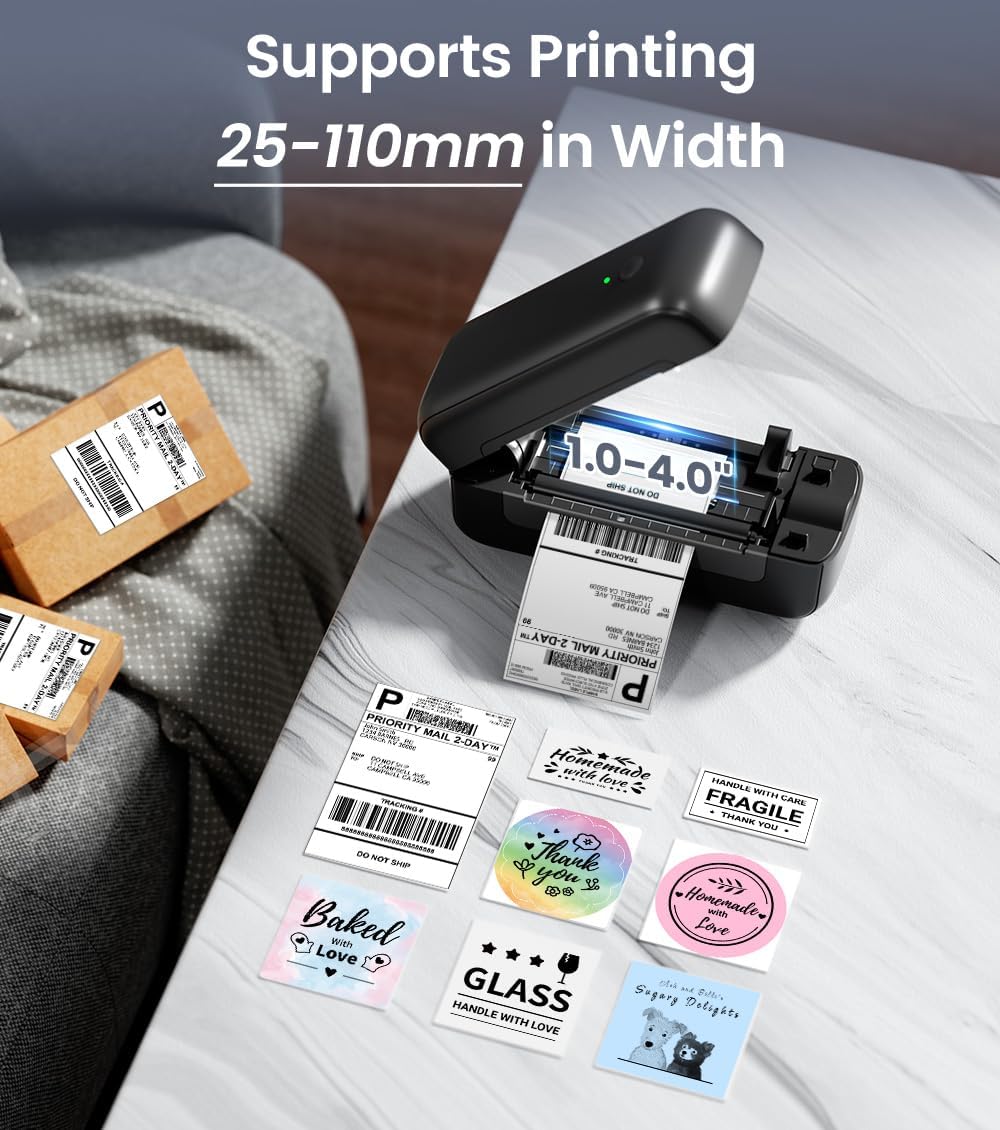
Image: The Phomemo PM-246S-BT printer demonstrating support for various label widths, from 1 to 4 inches (25-110mm).
Accensione: Press the power button. The indicator light will turn on.
2. Installazione del software e connettività
The PM-246S-BT supports both Bluetooth and USB connectivity for various operating systems.
Bluetooth Connection (iOS/Android/Mac OS/Windows/Chrome OS)

Image: The printer's wireless printing capabilities, showing Bluetooth connection to mobile devices and USB connection to computers.
Download Labelife App: For mobile devices (iOS/Android), download the "Labelife" app from the App Store or Google Play Store. For desktop (Mac OS/Windows/Chrome OS), download the Labelife software from the official Phomemo websito.

Image: Instructions for connecting the printer via Bluetooth using the Labelife mobile application.
Abilita Bluetooth: Ensure Bluetooth is enabled on your mobile device or computer.
Accoppia dispositivo: Open the Labelife app/software, search for the PM-246S-BT printer, and pair with it. The printer's indicator light may change to confirm connection.
USB Connection (Mac OS/Windows/Linux/Chrome OS)
Connetti USB: Collega la stampante al computer utilizzando il cavo USB in dotazione.
Installa i driver: For Windows, Mac OS, and Linux, download and install the appropriate printer drivers from the official Phomemo website. Chrome OS typically does not require separate driver installation.
Verifica connessione: After driver installation, the printer should be recognized by your computer's operating system.
Istruzioni per l'uso
1. Stampa di etichette
The PM-246S-BT is designed for high-speed, high-quality thermal printing.

Image: The Phomemo PM-246S-BT printer in action, demonstrating fast and clear label printing at 72 labels/min and 203 DPI.
Prepara il tuo documento: Create or open the label you wish to print using your preferred software (e.g., Labelife app, shipping platform interface, PDF view(ehm).
Seleziona stampante: In your software's print dialog, select "Phomemo PM-246S-BT" as the printer.
Regola impostazioni: Ensure the label size and orientation settings match your physical labels. The printer supports labels from 1 to 4 inches (25-116 mm) in width.
Stampa: Initiate the print command. The printer will automatically feed and print the labels.
2. Supported Applications and Platforms
The PM-246S-BT is compatible with a wide range of e-commerce and shipping platforms, making it versatile for various labeling needs.

Image: The Phomemo PM-246S-BT printer is compatible with major platforms like Amazon, Etsy, eBay, Shopify, DHL, FedEx, UPS, and more.
Gli usi comuni includono:
- 4x6 inch Shipping Labels (e.g., for Amazon FBA, Etsy, Shopify, Royal Mail, DHL, FedEx, UPS)
- Etichette per indirizzi
- Etichette con codice a barre
- Circular Logo Labels
- Price Labels
- Storage Labels

Immagine: Examples of labels that can be printed, such as shipping labels, address labels, circular labels, and barcode labels.
3. Using the Labelife App
The Labelife app provides tools for creating and customizing labels, including pre-defined templates for retail and craft businesses.
Libreria di modelli: Access a variety of pre-designed label templates.
Personalizzazione: Edit text, add images, QR codes, barcodes, and borders to create unique labels.
Stampa diretta: Print directly from the app after designing your labels.
Manutenzione
Una manutenzione regolare garantisce prestazioni ottimali e prolunga la durata della stampante.
Pulizia della testina di stampa: Use an alcohol wipe or a specialized print head cleaning pen to gently clean the thermal print head. Ensure the printer is off and cooled down before cleaning.
Pulizia del rullo: Utilizzare un morbido, damp cloth to wipe the rubber roller to remove any dust or label residue.
Rimozione della polvere: Keep the printer free from dust and debris. Use a soft brush or compressed air to clean the exterior and interior (when powered off).
Qualità dell'etichetta: Use high-quality thermal labels to prevent paper jams and ensure clear prints.
Risoluzione dei problemi
| Problema | Possibile causa | Soluzione |
|---|---|---|
| La stampante non si accende | Power cable not connected; power outlet issue | Controllare i collegamenti elettrici; provare una presa diversa. |
| Nessuna stampa in uscita | Labels loaded incorrectly; printer not connected; driver issue | Ensure labels are loaded correctly (facing up); verify Bluetooth/USB connection; reinstall printer drivers. |
| Faint or unclear prints | Print head dirty; low-quality labels; print density settings | Clean the print head; use recommended thermal labels; adjust print density in software settings. |
| Inceppamento della carta | Labels loaded incorrectly; label residue | Open cover, remove jammed labels carefully; clean roller and label path. |
| Problemi di connessione Bluetooth | Bluetooth not enabled; device not paired; interference | Ensure Bluetooth is on; re-pair device in Labelife app; move closer to printer; restart devices. |
Specifiche
| Caratteristica | Dettaglio |
|---|---|
| Nome del modello | PM-246S-BT |
| Tecnologia di stampa | Termico |
| Connettività | Bluetooth, USB |
| Risoluzione di stampa | 203 dpi |
| Max Velocità di stampa | 150 mm/s (72 etichette/minuto) |
| Supporto larghezza etichetta | 25 - 116 mm (1 - 4 pollici) |
| Sistema operativo compatibile | iOS, Android, Windows, Mac OS, Linux, Chrome OS |
| Peso dell'articolo | 1.36 chilogrammi |
| Dimensioni del prodotto | 22P x 8.8l x 8.8H centimetri |
| Max Paper Capacity (Input) | 20 sheets (or equivalent roll length) |
Garanzia e supporto
The Phomemo PM-246S-BT printer comes with a Garanzia limitata di 30 giorni. For technical support, warranty claims, or any questions regarding your product, please contact Phomemo customer service through their official websito o le informazioni di contatto fornite nella Guida rapida.
For additional resources and software downloads, visit the official Phomemo websito: www.phomemo.com