
1. Prodotto finitoview
The BoxWave PD miniSync 240W Retractable USB Type-C Cable is designed for efficient charging and data transfer. Its innovative retractable design helps keep the cable organized and tangle-free, making it ideal for portability. This cable supports up to 240 Watts of Power Delivery and high-speed data transfers.
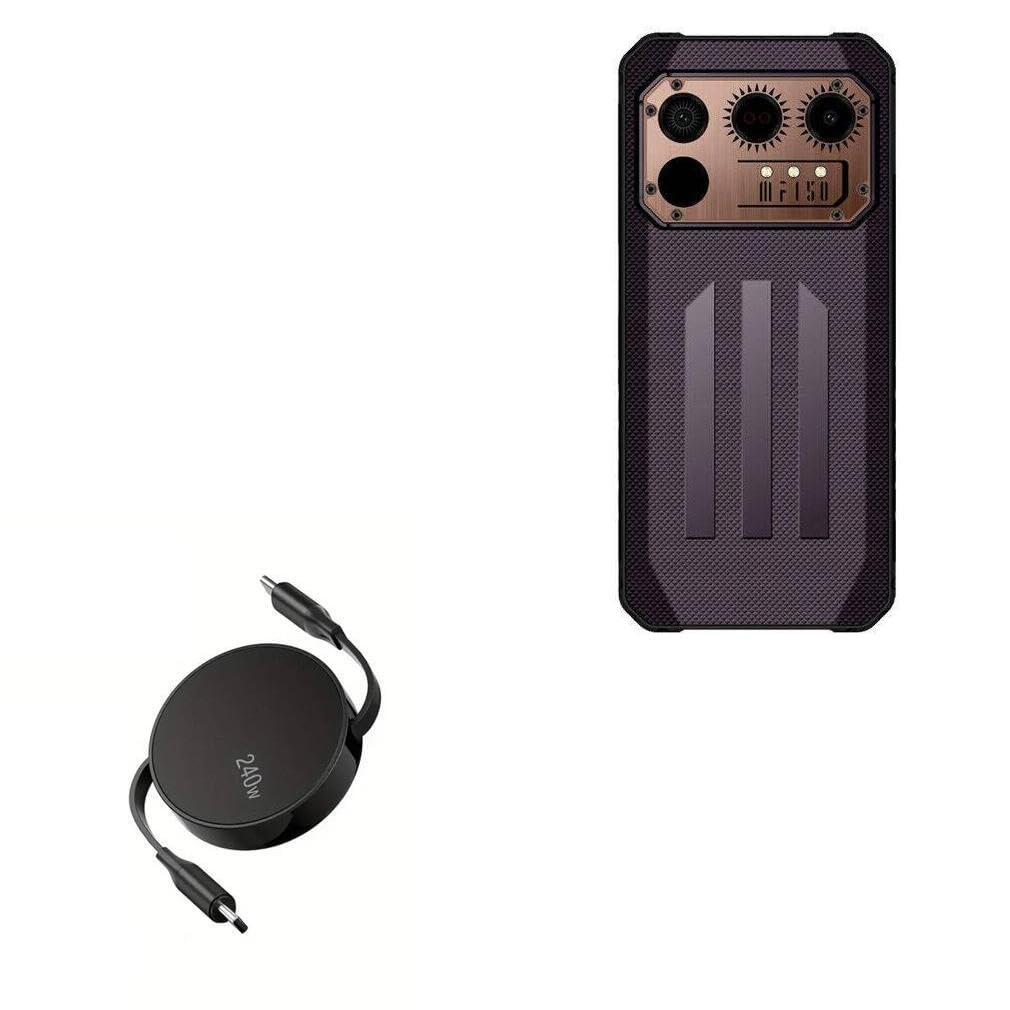
Image 1.1: The BoxWave PD miniSync 240W Retractable USB Type-C Cable in its compact, retracted state, showcasing its sleek Jet Black design and 240W power rating.

Image 1.2: A visual comparison highlighting the tangle-free design of the PD miniSync cable when retracted, contrasting it with a bundle of tangled conventional cables.
2. Configurazione e utilizzo iniziale
The PD miniSync cable features a retractable mechanism for easy storage and length adjustment.
2.1 Estensione del cavo
- Grasp both USB Type-C connectors firmly.
- Gently pull both ends simultaneously away from the central housing.
- The cable will extend and lock into one of several pre-set lengths. Stop pulling when you reach your desired length.

Image 2.1: Two hands demonstrating how to gently pull both ends of the PD miniSync cable to extend it from its central housing.
2.2 Riavvolgimento del cavo
- To retract the cable, gently pull both ends slightly further than the last locked position.
- Release the tension, and the cable will automatically retract into the central housing.
Nota: Avoid pulling only one end, as this can damage the retraction mechanism. Always pull both ends evenly.
3. Istruzioni per l'uso
3.1 Ricarica del dispositivo
- Extend the PD miniSync cable to your desired length.
- Connect one USB Type-C end to a compatible power adapter or power source (e.g., wall charger, power bank, laptop). Ensure the power source supports Power Delivery (PD) for optimal charging speeds.
- Connect the other USB Type-C end to your device's charging port.
- Your device should begin charging. The PD miniSync supports up to 240W, allowing for rapid charging with compatible devices and power sources.

Image 3.1: The PD miniSync cable connected to a laptop, demonstrating its use for Power Delivery charging.
3.2 Trasferimento dati
The PD miniSync cable also supports high-speed data transfer.
- Extend the PD miniSync cable to your desired length.
- Connect one USB Type-C end to your computer or host device.
- Connect the other USB Type-C end to your peripheral device (e.g., smartphone, tablet, external hard drive).
- Your devices should recognize each other, allowing for data synchronization and file trasferimenti a velocità fino a 5 Gbps.

Immagine 3.2: Un primo piano view of the USB-C connector, illustrating its capability for swift data syncing at speeds up to 10 Gbps (Note: Product specifications indicate 5Gbps).
3.3 lunghezze regolabili
The cable offers multiple pre-set lengths for convenience:
- 5 pollici (12 cm)
- 20 pollici (50 cm)
- 32 pollici (80 cm)
- 42 pollici (105 cm)
- 52 pollici (132 cm)
- 58 pollici (147 cm)

Image 3.3: A diagram illustrating the various adjustable lengths of the PD miniSync cable, ranging from 5 inches to 58 inches.
4. Manutenzione e cura
Proper care will extend the life of your BoxWave PD miniSync cable.
- Pulizia: Utilizzare un panno morbido e asciutto per pulire il cavo e i connettori. Evitare l'uso di prodotti chimici aggressivi o materiali abrasivi.
- Magazzinaggio: Always retract the cable fully when not in use to prevent tangling and protect the connectors. Store in a cool, dry place.
- Gestione: Avoid excessive force when extending or retracting the cable. Do not bend the cable sharply at the connectors or near the housing.
- Condizioni ambientali: Tenere il cavo lontano da temperature estreme, luce solare diretta e umidità.
5. Risoluzione Dei Problemi
If you encounter issues with your PD miniSync cable, refer to the following common solutions:
| Problema | Possibile causa | Soluzione |
|---|---|---|
| Dispositivo non in carica | Loose connection, incompatible power source, faulty device port | Ensure both ends are securely connected. Try a different power adapter or device. Clean device's charging port. |
| Velocità di ricarica lenta | Power source does not support PD, device limitation, background apps | Use a power adapter that supports USB Power Delivery (PD) and matches the cable's 240W capability. Close unnecessary applications on your device. |
| Cable not retracting/extending smoothly | Uneven pulling, internal mechanism obstruction | Always pull both ends simultaneously and evenly. Avoid forcing the mechanism. If stuck, gently try to extend and retract again. |
| Problemi di trasferimento dati | Loose connection, driver issues, incompatible device | Verify secure connections. Ensure your computer has the necessary drivers for the connected device. Test with another device or port. |
6. Specifiche
- Modello: PD miniSync (240W)
- Marca: ScatolaWave
- Colore: Nero pece
- Tipo di connettore: Da USB tipo C a USB tipo C
- Potenza erogata: Fino a 240W
- Velocità di trasferimento dati: Up to 5Gbps (USB 3.1 Standard)
- Lunghezza retratta: Circa 3 pollici
- Lunghezza estesa: Up to 58 inches (approx. 4.8 feet / 1.47 meters)
- Materiale: Durable high-quality polycarbonate, heavy-duty ribbon-style cable
- Peso dell'articolo: 1.5 once
7. Garanzia e supporto
For warranty information or technical support, please contact BoxWave Corporation directly. Refer to the product packaging or the official BoxWave websito per i dettagli di contatto e i termini di garanzia più aggiornati.
Produttore: ScatolaWave