
1. Introduzione
This manual provides essential information for the safe and efficient installation, operation, and maintenance of your Bromic Affinity Smart Heat Dimmer Controller, Model BH3130062. This 2-channel controller is designed to manage Bromic Platinum and Tungsten electric heaters, offering precise heat output adjustments and smart connectivity via Wi-Fi and Bluetooth.
Please read this manual thoroughly before installation and use, and retain it for future reference. Proper installation and adherence to these instructions are crucial for optimal performance and safety.
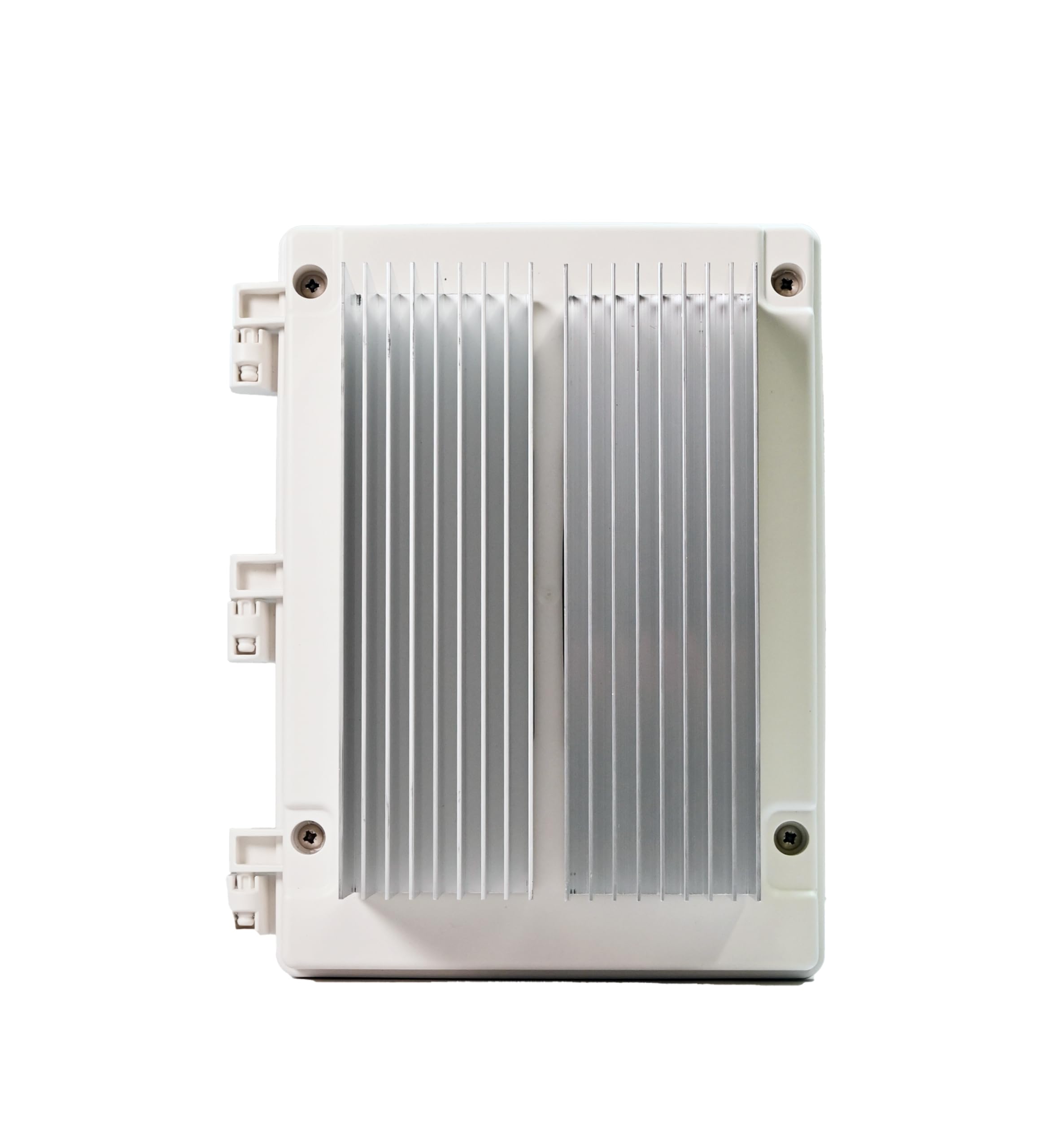
Figura 1: Fronte view of the Bromic Affinity Smart Heat Dimmer Controller.
2. Informazioni sulla sicurezza
AVVERTIMENTO: La mancata osservanza di queste istruzioni di sicurezza potrebbe causare incendi, scosse elettriche o altre lesioni o danni.
- Installation must be performed by a qualified and licensed electrician in accordance with all local and national electrical codes.
- Disconnect power at the circuit breaker before installing or servicing the controller.
- Do not operate the controller if it appears damaged.
- Ensure the power supply matches the specifications of the controller (208-277V).
- This device is designed for outdoor use with an IP54 rating, but avoid direct water spray or submersion.
- Keep children and pets away from the installation area during setup and operation.
- Do not attempt to modify or repair the controller yourself. Contact qualified service personnel.
3. Caratteristiche del prodotto
The Bromic Affinity Smart Heat Dimmer Controller offers advanced functionality for managing your electric heating system:
- Alta capacità di potenza: Supports up to 12,000 watts (6kW per channel) at 208–277 volts two-phase.
- Electric Heater Compatibility: Designed for seamless integration with Bromic Platinum and Tungsten Series electric heaters.
- Connettività intelligente: Integrated Wi-Fi (2.4GHz) and Bluetooth for remote control via the Bromic Heating App.
- Controllo app: Manage heaters, adjust settings, create zones, set timers, and enable multi-site control from your smartphone.
- Integrazione vocale: Compatibile con Amazon Alexa e Google Home per un comodo controllo vocale.
- Oscuramento preciso: Fine-tune heat output with adjustments down to 1% increments.
- Design durevole: IP54 weather-resistant rating for outdoor use, operating in temperatures from -4°F to 86°F.
- Optional Expansion: Supports an optional Expansion Board for Ethernet connectivity and 0–10V compatibility for smart home integration.
4. Installazione e configurazione
IMPORTANTE: L'installazione deve essere eseguita da un elettricista qualificato e autorizzato.
4.1 Montaggio del controller
- Choose a suitable outdoor location that is protected from direct heavy rain and sunlight, yet accessible for wiring and maintenance.
- Ensure the mounting surface is stable and can support the weight of the controller.
- Mount the controller securely using appropriate fasteners. Refer to the included mounting template for hole placement.

Figura 2: Esample of the controller mounted on an exterior wall with conduit connections.
4.2 Cablaggio elettrico
- Ensure all power is disconnected at the main circuit breaker before beginning any wiring.
- Connect the incoming power supply (208-277V, two-phase) to the designated terminals within the controller.
- Connect the Bromic electric heaters to the output channels of the controller. This 2-channel model supports two independent heater circuits.
- Follow the wiring diagram provided in the full installation guide (not included in this manual) for precise connections.
- Ensure all connections are tight and secure, and that proper grounding is established.
- Close and seal the enclosure securely after wiring to maintain its IP54 rating.
4.3 Configurazione dell'app e della rete
- Scarica il Applicazione di riscaldamento bromico dall'app store del tuo dispositivo (iOS o Android).
- Crea un account o accedi.
- Follow the in-app instructions to add your new Affinity Smart Heat Dimmer Controller. This typically involves connecting to the controller's temporary Bluetooth network or Wi-Fi hotspot, then configuring it to join your home/business 2.4GHz Wi-Fi network.
- Once connected, you can name your controller and assign heaters to specific zones.
5. Istruzioni per l'uso
The Bromic Affinity Controller is primarily operated through the Bromic Heating App.
5.1 Accensione/spegnimento di base e oscuramento
- Open the Bromic Heating App on your smartphone or tablet.
- Select the desired controller or zone.
- Tocca il Acceso/Spento button to power the connected heaters.
- Utilizzare il cursore o la percentualetage input to adjust the heat output from 1% to 100%.
5.2 Funzionalità avanzate dell'app
- Zone Creation: Group multiple heaters or channels into custom zones for simultaneous control.
- Timer: Schedule specific on/off times and heat levels for different zones or individual heaters.
- Multi-Site Control: Manage multiple Bromic Affinity controllers located at different properties from a single app.
- Controllo vocale: Integrate with Amazon Alexa or Google Home by linking your Bromic Heating account in their respective apps. Use commands like "Alexa, turn on patio heater" or "Hey Google, set lounge heat to 75%."
6. Manutenzione
The Bromic Affinity Smart Heat Dimmer Controller requires minimal maintenance to ensure long-term performance.
- Pulizia: Pulire periodicamente l'esterno del controller con un panno morbido eamp panno. Non utilizzare detergenti abrasivi o solventi. Assicurarsi che l'alimentazione sia spenta prima della pulizia.
- Ispezione: Annually inspect the wiring connections and the enclosure for any signs of wear, damage, or loose connections. If any issues are found, contact a qualified electrician for inspection and repair.
- Aggiornamenti del firmware: The Bromic Heating App will notify you of any available firmware updates for your controller. It is recommended to install these updates to ensure optimal performance and access to new features.
7. Risoluzione Dei Problemi
| Problema | Possibile causa | Soluzione |
|---|---|---|
| Il controller non si accende. | Nessuna alimentazione; interruttore automatico scattato; cablaggio difettoso. | Check circuit breaker. Verify power connections. Contact electrician if problem persists. |
| Heaters not responding. | Heaters not connected; controller not powered; app issue; heater fault. | Ensure heaters are properly wired. Check controller power. Restart app. Consult heater manual. |
| Impossibile connettersi al Wi-Fi/Bluetooth. | Incorrect Wi-Fi password; out of range; 2.4GHz network not used; interference. | Verify Wi-Fi password. Move closer to controller/router. Ensure 2.4GHz network is selected. Reduce interference. |
| La regolazione dell'intensità luminosa non funziona correttamente. | Heater incompatibility; wiring issue; controller fault. | Ensure heaters are compatible Bromic models. Check wiring. Contact support. |
If you encounter issues not listed here or if the suggested solutions do not resolve the problem, please contact Bromic Heating customer support.
8. Specifiche
| Numero di modello | BH3130062 |
| Marca | Bromic Heating |
| Canali | 2 |
| Capacità di potenza | 12,000W (6kW per channel) |
| Voltage | 208-277V (Two-Phase) |
| Connettività | Wi-Fi (2.4 GHz), Bluetooth |
| Valutazione dell'involucro | IP54 (resistente alle intemperie) |
| Temperatura di esercizio | Da -4°C a 86°C (da -20°F a 30°F) |
| Dimensioni del prodotto (L x P x A) | 11.4" x 8" x 6.4" |
| Peso dell'articolo | 5.3 libbre |
| Colore | Metal (Gray Finish) |
9. Garanzia e supporto
9.1 Informazioni sulla garanzia
This Bromic Affinity Smart Heat Dimmer Controller (Model BH3130062) comes with a Garanzia del produttore di 1 anno dalla data di acquisto. La presente garanzia copre i difetti di materiali e di fabbricazione in condizioni di normale utilizzo. Non copre i danni derivanti da installazione impropria, uso improprio, abuso, incidenti o riparazioni non autorizzate.
Conservare la prova d'acquisto per eventuali richieste di garanzia.
9.2 Assistenza clienti
For technical assistance, troubleshooting, or warranty inquiries, please contact Bromic Heating customer support. Refer to the Bromic Heating websito per le informazioni di contatto più aggiornate.
Risorse online: Visit the official Bromic Heating website for FAQs, additional documentation, and support resources.