
Prodotto finitoview
The Sharp 4T-C55FS1UR AQUOS OLED 4K Ultra HD Roku TV offers a premium viewing experience with its advanced display technology and integrated smart TV platform. This bundle includes a Walts TV Medium Full Motion Mount for flexible installation and a Walts HDTV Screen Cleaner Kit for optimal display maintenance.
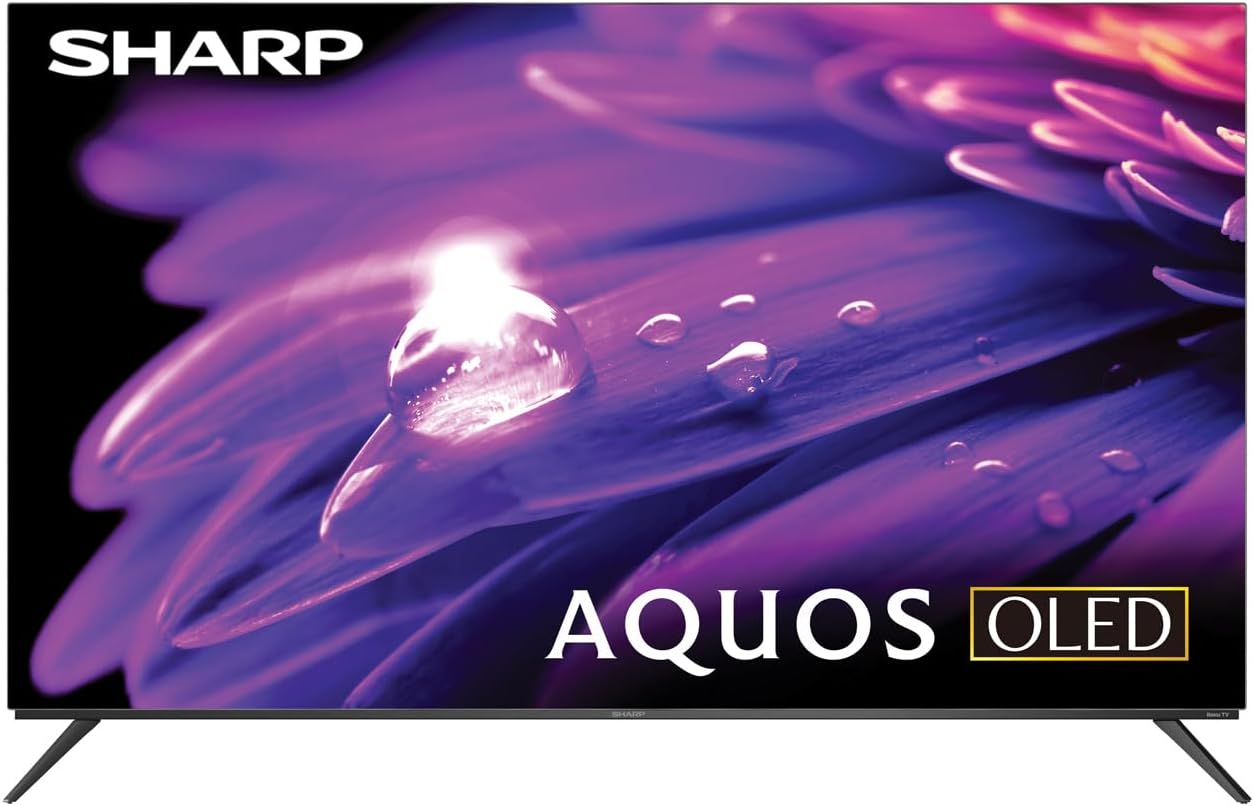
Immagine: Frontale view of the Sharp AQUOS OLED 4K Ultra HD Roku TV.
This image displays the sleek design of the Sharp AQUOS OLED TV, highlighting its thin bezels and modern aesthetic. The OLED technology ensures vibrant colors and deep blacks for an immersive viewesperienza di acquisizione.

Image: Sharp AQUOS OLED TV displaying the Roku TV home screen.
The TV features the intuitive Roku TV interface, providing access to a vast library of streaming services and apps directly from the home screen. This integration simplifies content discovery and navigation.
Video: Sharp FS1UR Series TV Product Review di Walts TV.
Questo video fornisce una panoramica completaview of the Sharp FS1UR Series TV, detailing its features, design, and performance. It offers visual demonstrations of the TV's capabilities and user interface.
Istruzioni di installazione
1. Unboxing e posizionamento iniziale
- Rimuovere con cautela tutti i componenti dall'imballaggio. Conservare l'imballaggio per eventuali trasporti o interventi di manutenzione futuri.
- Posizionare il televisore su una superficie stabile e piana oppure predisporlo per il montaggio a parete.
- Assicurare un'adeguata ventilazione attorno al televisore.
2. Installazione del supporto (facoltativa)
Se si utilizza il supporto TV incluso:
- Attach the two stand legs to the designated slots on the bottom of the TV using the provided screws.
- Ensure the legs are securely fastened. The stand provides 3.5 inches of clearance, suitable for soundbars.

Immagine: Pro lateralefile of the Sharp AQUOS OLED TV on its stand.
This image illustrates the slim profile of the TV and the design of its stand, which offers sufficient clearance for external audio devices.
3. Installazione a parete (opzionale)
If using the Walts TV Medium Full Motion Mount:
- Refer to the separate instruction manual provided with the Walts TV mount for detailed installation steps.
- The mount is compatible with 32"-65" TVs and supports VESA mounting up to 400mm x 400mm.
- It features a +3 to -10 degree viewing angle adjustment and cable management.

Immagine: Frontale view of the Walts TV Medium Full Motion Mount.
This image shows the robust construction of the full motion TV mount, designed for secure and flexible wall mounting.
4. Collegamento di periferiche
The TV features side-angled ports for easy access:
- Porte HDMI: Connect up to 4 HDMI devices (e.g., gaming consoles, Blu-ray players). One port supports eARC for enhanced audio return.
- Porte USB: Connect USB devices (e.g., flash drives) to the 2 available USB ports.
- Ingresso antenna/cavo: Collegare un'antenna o una sorgente TV via cavo.
- Porta Ethernet: Per la connessione internet cablata.
- Uscita audio digitale: Per collegare sistemi audio esterni.

Image: Close-up of the input/output ports on the back of the Sharp AQUOS OLED TV.
This image details the various connectivity options available on the TV, including multiple HDMI and USB ports, designed for convenient access whether wall-mounted or on a stand.
5. Accensione e configurazione iniziale
- Collegare il cavo di alimentazione al televisore e a una presa a muro.
- Premere il pulsante di accensione sul telecomando o sul televisore.
- Follow the on-screen instructions to complete the initial Roku TV setup, including network connection and channel scanning.
Istruzioni per l'uso
1. Roku TV Interface Navigation
- Use the directional pad on the remote to navigate menus.
- Premere il tasto OK pulsante per selezionare gli elementi.
- IL Casa button returns to the main Roku TV screen.
- Dedicated buttons for popular streaming services (e.g., Netflix, Disney+) provide quick access.
2. Impostazioni immagine e audio
Access picture and sound settings through the Roku TV menu to optimize your viewesperienza di acquisizione.
- Modalità immagine: Select from various preset modes (e.g., Movie, Standard, Vivid) or customize settings like brightness, contrast, and color.
- Supporto HDR: The TV supports HDR10, HLG, and Dolby Vision IQ for enhanced contrast and color with compatible content.
- Frequenza di aggiornamento: Enjoy smooth motion with the 120Hz refresh rate, ideal for gaming and fast-paced action.
- Audio Dolby: Utilize Dolby Audio for rich, immersive sound. Adjust audio settings for different content types.
3. Caratteristiche di gioco
For an optimal gaming experience:
- Frequenza di aggiornamento variabile (VRR): Automatically adjusts the display's refresh rate to match the game's frame rate, reducing screen tearing.
- Bassa latenza: Riduce al minimo il ritardo di input per un'esperienza di gioco più reattiva.
- Connect your next-gen consoles to the HDMI ports for full utilization of these features.
Manutenzione
1. Pulizia dello schermo
Use the Walts HDTV Screen Cleaner Kit for safe and effective cleaning:
- Ensure the TV is turned off and cool.
- Spray the non-ammonia, alcohol-free cleaning solution onto the included microfiber cloth, not directly onto the screen.
- Gently wipe the screen in a circular motion to remove dust, dirt, and fingerprints.
- The solution cleans without dripping, streaking, or staining, leaving no film or residue.

Image: Walts HDTV Screen Cleaner Kit packaging.
This image shows the Walts HDTV Screen Cleaner Kit, which is designed to safely clean various display screens without causing damage or leaving residue.
2. Assistenza generale
- Evitare di posizionare oggetti pesanti sul televisore.
- Tenere il televisore lontano dalla luce solare diretta e da fonti di calore.
- Non ostruire le aperture di ventilazione.
- Scollegare il televisore durante i temporali o quando non viene utilizzato per lunghi periodi.
Risoluzione dei problemi
| Problema | Possibile causa/soluzione |
|---|---|
| Nessun potere |
|
| Nessuna immagine / scarsa qualità dell'immagine |
|
| Nessun suono / scarsa qualità del suono |
|
| Il telecomando non funziona |
|
| Problemi di connessione di rete |
|
For further assistance, please refer to the full user manual or contact Sharp customer support.
Specifiche
- Marca: Affilato
- Nome modello: 4T-C55FS1UR
- Dimensioni dello schermo: 55 pollici (diagonale dello schermo visibile: 55" / 140 cm)
- Tecnologia di visualizzazione: AQUOS OLED
- Risoluzione: 4K Ultra HD (8.3 Million Pixels)
- Frequenza di aggiornamento: Frequenza 120 Hz
- Caratteristiche speciali: HDR10, HLG, Dolby Vision IQ, Full Roku TV Experience Built-in, Dolby Digital Audio, Variable Refresh Rate (VRR) with Low Latency for Optimized Gaming, Voice Remote Control
- Connettività: 4 HDMI (1 eARC), 2 USB, Wi-Fi Compatible, Ethernet
- Dimensioni del prodotto (P x L x A): 9.84"P x 48.27"L x 31.18"A
- Peso dell'articolo: 38.5 libbre
- Colore: Nero
- Servizi Internet supportati: Netflix, Disney+, Apple TV, Roku Channel, Discovery+, HBO Max, Paramount+, and More
Accessori inclusi:
- Sharp 4T-C55FS1UR 55" AQUOS OLED 4K Ultra HD with Dolby Audio Roku TV
- Walts TV Medium Full Motion Mount for 32-65 Inch Compatible TV's
- Walts HDTV Screen Cleaner Kit (6.8oz / 200ML, Non-Ammonia, No Alcohol)
Garanzia e supporto
For warranty information, please refer to the documentation included with your product at the time of purchase or visit the official Sharp websito. I termini e le condizioni di garanzia specifici possono variare.
Per l'assistenza clienti, visitare il sito Sharp Store su Amazon oppure contattare direttamente il servizio clienti.