
1. Introduzione
The Ulefone Armor PAD 4 Ultra is a rugged 5G tablet PC designed for durability and high performance in challenging environments. It features a 10.36-inch 2K FHD+ display, a powerful MediaTek Dimensity 6300 processor, and a large 11800mAh battery. This manual provides essential information for setting up, operating, maintaining, and troubleshooting your device.

Image: The Ulefone Armor PAD 4 Ultra tablet showcasing its rugged design in an outdoor environment.
Key features include IP68/IP69K and MIL-STD-810H certifications for water, dust, and drop resistance, a 50MP rear camera, a 32MP front camera, and a versatile 1100 lumens LED light. The tablet runs on Android 14 and offers up to 16GB RAM and 256GB internal storage, expandable up to 2TB.
2. Guida all'installazione
2.1 Contenuto della confezione
Prima di iniziare, assicurati che tutti gli articoli siano presenti nella confezione:
- Ulefone Armor PAD 4 Ultra Tablet PC
- Adattatore di alimentazione
- Cavo USB-C
- Strumento di espulsione della SIM
- Manuale dell'utente (questo documento)
2.2 Inserimento della scheda SIM/SD
- Individuare il vassoio della scheda SIM/SD sul lato del tablet.
- Utilizzare lo strumento di espulsione SIM in dotazione per aprire il vassoio.
- Carefully place your Nano SIM card(s) and/or SD card into the designated slots. The tablet supports dual Nano SIM cards or one Nano SIM card and one SD card.
- Spingere delicatamente il vassoio nel tablet finché non scatta in posizione.

Immagine: Frontale view of the Ulefone Armor PAD 4 Ultra tablet, showing its display and rugged frame.
2.3 Ricarica iniziale e accensione
- Collegare il cavo USB-C alla porta di ricarica del tablet e all'adattatore di alimentazione.
- Plug the power adapter into a wall outlet. Allow the tablet to charge for at least 30 minutes before initial use, or until the battery indicator shows sufficient charge. The 11800mAh battery supports 33W fast charging.
- Press and hold the Power button (usually located on the side) until the Ulefone logo appears on the screen.
- Seguire le istruzioni sullo schermo per completare la configurazione iniziale, inclusa la selezione della lingua, la connessione Wi-Fi e la configurazione dell'account Google.
2.4 Connettività di rete
The tablet supports 5G LTE dual SIM connectivity. Ensure your SIM card is active and your mobile data plan is configured. For Wi-Fi, navigate to Impostazioni > Rete e Internet > Wi-Fi per connettersi a una rete disponibile.
3. Istruzioni per l'uso
3.1 Navigazione di base (Android 14)
The Ulefone Armor PAD 4 Ultra runs on Android 14. Navigate using gestures or the traditional three-button navigation bar (Back, Home, Recents). Swipe up from the bottom for the app drawer, swipe down from the top for notifications and quick settings.

Image: The tablet displaying the Android 14 interface, with an HDMI connection to an external display for presentations.
3.2 Utilizzo della fotocamera
The tablet is equipped with a 50MP rear camera and a 32MP front camera. Open the Camera app to capture photos and videos. Tap to focus, pinch to zoom, and use the on-screen controls for various modes and settings.

Immagine: Un dettaglio view of the tablet's rear camera module, highlighting the 50MP sensor and the powerful LED light.
3.3 Luce LED versatile
The tablet features a powerful 1100 lumens LED light. This can be activated via a dedicated custom key or through the exclusive app. It functions as a flashlight, headlight, or portable camping luce.
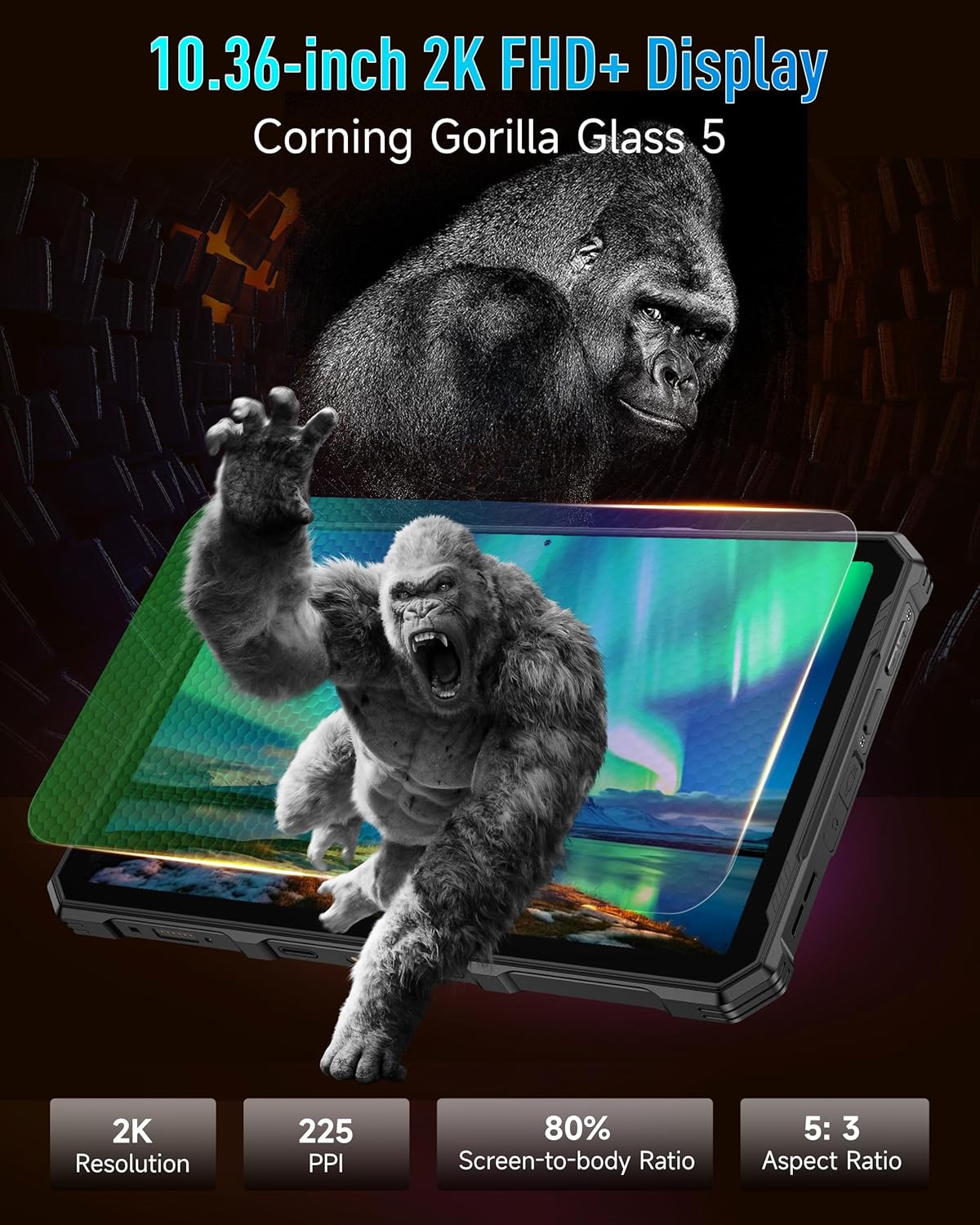
Image: The Ulefone Armor PAD 4 Ultra tablet illuminating a camping tent with its powerful LED light.
3.4 Custom Key Functionality
The tablet includes a customizable physical key. This key can be configured for single click, double click, or long press actions to quickly access specific functions or applications, such as activating the LED light or launching the camera.
3.5 Modalità Guanti
For use in cold weather or industrial environments, activate Gloves Mode in Settings > Smart Assistant > Gloves Mode. This enhances touch sensitivity, allowing the screen to respond to gloved hands.
3.6 Face Unlock and Fingerprint ID
Enhance security and convenience by setting up Face Unlock or Fingerprint ID. Go to Impostazioni > Sicurezza e privacy > Sblocco dispositivo to configure these options.
3.7 Multi-use Digital Toolbox
The tablet comes with a suite of pre-installed tools in the Digital Toolbox, including a compass, sound meter, protractor, and more. These tools are designed to assist in various outdoor and professional tasks.

Image: A construction worker utilizing the Ulefone Armor PAD 4 Ultra tablet's digital toolbox for various measurements and utilities.
3.8 Headset-free FM Radio
Enjoy FM radio without needing to connect headphones. Simply open the FM Radio app and tune into your favorite stations.
3.9 porte HDMI
The tablet features an HDMI port for connecting to external displays, such as monitors or projectors. This allows for screen mirroring or extended display functionality, useful for presentations or media consumption.
4. Manutenzione
4.1 Pulizia del dispositivo
Due to its rugged design, the Armor PAD 4 Ultra can be cleaned with water and mild soap. Ensure all port covers are securely closed before exposing the device to water. Wipe with a soft, lint-free cloth. Avoid using harsh chemicals or abrasive materials.
4.2 Cura della batteria
Per prolungare la durata della batteria:
- Evitare temperature estreme.
- Per una ricarica ottimale, utilizzare il caricabatterie e il cavo originali.
- Non scaricare completamente la batteria frequentemente.
- Se si conserva il dispositivo per un periodo prolungato, caricarlo fino a circa il 50% e spegnerlo.
4.3 Aggiornamenti software
Controlla e installa regolarmente gli aggiornamenti software per garantire prestazioni ottimali, sicurezza e accesso alle nuove funzionalità. Vai a Impostazioni > Sistema > Aggiornamento di sistema.
4.4 Caratteristiche di robustezza
The tablet is IP68/IP69K and MIL-STD-810H certified, meaning it is resistant to water, dust, and drops. While designed to be durable, avoid intentionally subjecting it to extreme conditions beyond its specifications. Ensure all port covers are sealed to maintain water and dust resistance.

Image: The Ulefone Armor PAD 4 Ultra tablet submerged in water, covered in dust, and dropped, demonstrating its IP68/IP69K and MIL-STD-810H certifications.
5. Risoluzione Dei Problemi
5.1 Il dispositivo non si accende
- Assicurarsi che la batteria sia carica. Collegare il tablet al caricabatterie e attendere qualche minuto prima di provare ad accenderlo.
- Per eseguire un riavvio forzato, tenere premuto il pulsante di accensione per almeno 10-15 secondi.
5.2 Problemi di connettività di rete
- Wifi: Check if Wi-Fi is enabled in Settings. Restart your router. Forget the network and reconnect.
- Dati mobili: Ensure your SIM card is correctly inserted and activated. Check your data plan status with your carrier. Restart the tablet.
5.3 Schermo non reattivo
- Riavviare il dispositivo tenendo premuto il pulsante di accensione.
- If the screen is frozen, perform a forced restart.
5.4 App che si bloccano o si bloccano
- Cancella la cache e i dati dell'app problematica (Impostazioni > App > [Nome app] > Archiviazione e cache).
- Disinstallare e reinstallare l'app.
- Assicurati che il software del tuo tablet sia aggiornato.
5.5 Ripristino delle impostazioni di fabbrica
If issues persist, a factory reset may be necessary. This will erase all data on your tablet, so back up important information first. Go to Impostazioni > Sistema > Opzioni di ripristino > Cancella tutti i dati (ripristino delle impostazioni di fabbrica).
6. Specifiche
| Caratteristica | Dettaglio |
|---|---|
| Marca | Ulefone |
| Numero di modello | Ulefone Armor Pad 4 Ultra |
| Dimensioni dello schermo | 10.36 pollici |
| Risoluzione nativa | 2000x1200 pixels (2K FHD+) |
| Proporzioni | 5:3 |
| Processore | MediaTek Dimensity 6300 (2400 MHz) |
| Memoria RAM | Fino a 16 GB (8 GB fisici + 8 GB virtuali) |
| Memoria interna | 256GB (2TB Expandable) |
| Sistema operativo | Androide 14 |
| Telecamera posteriore | 50MP |
| Fotocamera frontale | 32MP |
| Capacità della batteria | 11800mAh |
| Ricarica | Ricarica rapida da 33 W |
| Robustezza | IP68/IP69K, certificato MIL-STD-810H |
| Connettività | 5G LTE, Wi-Fi (2.4G/5G), Bluetooth 5.2, NFC, GPS |
| Caratteristiche speciali | 1100 Lumens LED Light, Custom Key, Gloves Mode, HDMI Port, Multi-use Digital Toolbox |
| Peso dell'articolo | 16 once |
7. Garanzia e supporto
7.1 Informazioni sulla garanzia
The Ulefone Armor PAD 4 Ultra comes with a Garanzia globale di 2 anni. This warranty covers manufacturing defects and malfunctions under normal use. Please retain your proof of purchase for warranty claims. The warranty does not cover damage caused by misuse, accidents, unauthorized repairs, or normal wear and tear.
7.2 Assistenza clienti
For technical assistance, warranty claims, or any other inquiries, please contact Ulefone customer support. Refer to the official Ulefone websito o nella documentazione di acquisto per le informazioni di contatto più aggiornate.
Your satisfaction is a priority. Should you encounter any technical issues, the dedicated support team is available to assist you.