
Mibro GS Explorer
Manuale utente dello smartwatch Mibro GS Explorer
Model: GS Explorer
Introduzione
This manual provides comprehensive instructions for the setup, operation, maintenance, and troubleshooting of your Mibro GS Explorer Smartwatch. Please read this manual carefully before using the device to ensure proper functionality and to maximize your user experience.

Figure 1: Mibro GS Explorer Smartwatch (Snow color variant).
Impostare
1. Disimballaggio e carica iniziale
Upon unboxing, ensure all components are present: Mibro GS Explorer Smartwatch, charging cable, and this user manual. Before first use, fully charge the device. Connect the magnetic charging cable to the charging points on the back of the watch and plug the USB end into a compatible power adapter (not included).

Figure 2: The Mibro GS Explorer Smartwatch connected to its magnetic charging cable, illustrating the charging process and battery life indicators.
2. Associazione con lo smartphone
- Download the official Mibro Fit application from your smartphone's app store (iOS App Store or Google Play Store).
- Assicurati che il Bluetooth sia abilitato sul tuo smartphone.
- Apri l'app Mibro Fit e segui le istruzioni sullo schermo per creare un account o effettuare l'accesso.
- Select "Add Device" or similar option within the app and choose "Mibro GS Explorer" from the list of available devices.
- Conferma la richiesta di associazione sia sull'orologio che sullo smartphone.
Istruzioni per l'uso
1. Display e navigazione
The Mibro GS Explorer features a 1.32-inch AMOLED display with a resolution of 466x466 pixels and a brightness of 1500 nits, protected by Corning Gorilla Glass 3. This ensures excellent readability even in direct sunlight and provides enhanced durability against impacts and scratches.

Figure 3: Close-up of the Mibro GS Explorer's 1.32" AMOLED display, highlighting its high resolution and brightness for clear visibility.
Navigate the watch interface by swiping across the touchscreen and using the physical buttons on the side. Specific button functions can be customized via the Mibro Fit app.
2. Modalità Sport e tracciamento GPS
The watch supports over 150 sport modes, including hiking, running, swimming, cycling, and more. To start a sport mode:
- Swipe to the "Sport" menu on your watch.
- Seleziona l'attività desiderata.
- Wait for GPS signal acquisition (if applicable) before starting your workout. The integrated dual-frequency GNSS chip provides precise real-time geolocation, typically acquiring a fix within 10 seconds.
- Press the start button to begin tracking.
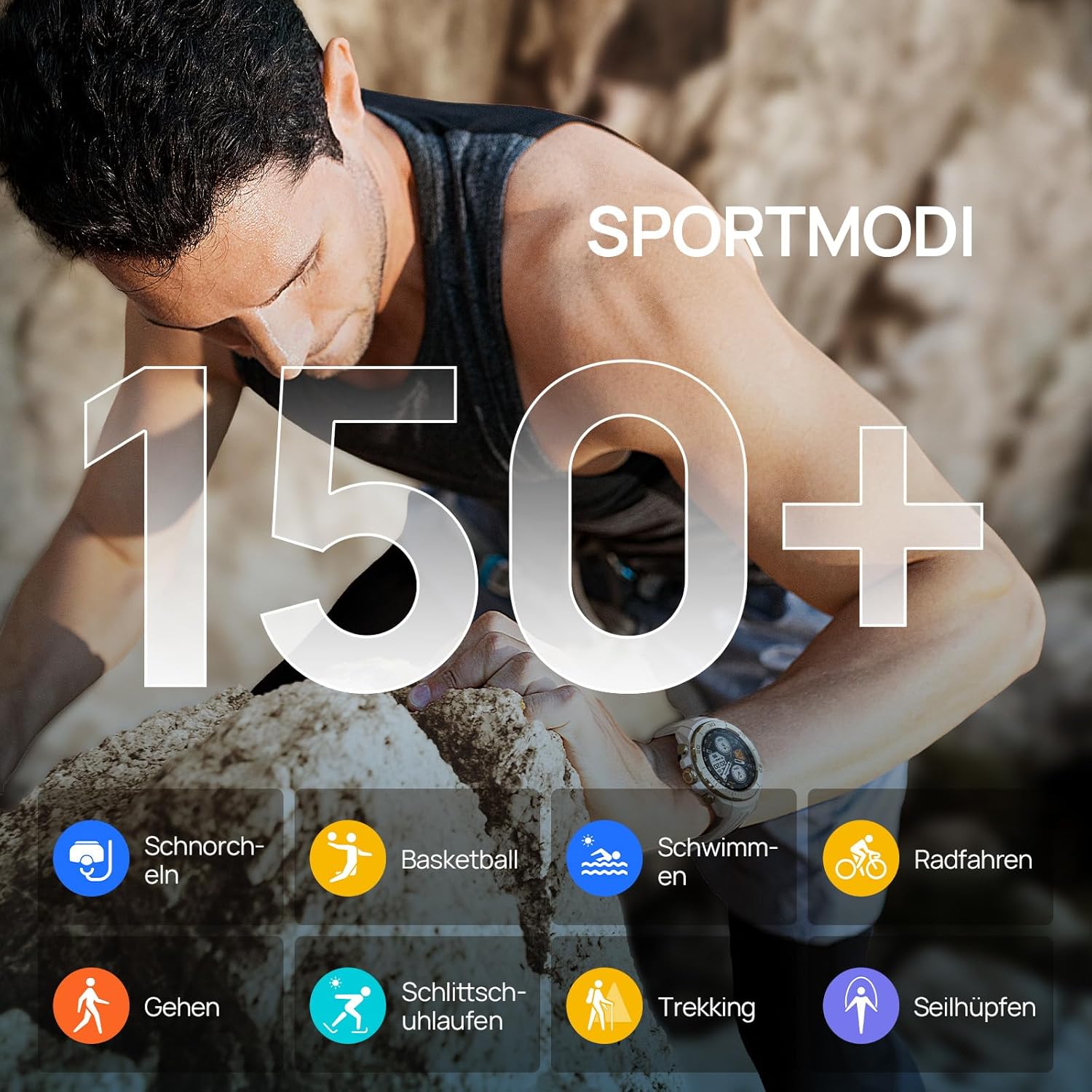
Figure 4: Visual representation of the Mibro GS Explorer's extensive range of over 150 sport modes, including snorkeling, basketball, swimming, cycling, walking, ice skating, trekking, and rope skipping.

Figure 5: The Mibro GS Explorer Smartwatch showcasing its dual-band and global GPS satellite positioning capabilities, supporting GPS/Beidou/GLONASS/Galileo/QZSS for fast and accurate tracking.
3. Monitoraggio della salute
The Mibro GS Explorer offers updated health monitoring features, including heart rate tracking, blood oxygen (SpO2) measurement, breathing training, and intelligent sleep monitoring. Access these features through the watch's health menu or the Mibro Fit app.

Figure 6: The Mibro GS Explorer Smartwatch displaying its updated health monitoring capabilities, including heart rate, blood oxygen, breathing training, and intelligent sleep tracking, as viewed on the watch and a connected smartphone app.
4. Resistenza all'acqua (10 ATM)
The watch boasts a 10 ATM water resistance rating, making it suitable for free diving up to 30 meters. It is designed to withstand hand washing, rain, and swimming activities.

Figure 7: Illustration of the Mibro GS Explorer's 10 ATM water resistance, showing its suitability for swimming, hand washing, and rain, with a user swimming in the background.
Manutenzione
1. Pulizia dell'orologio
Regularly clean your Mibro GS Explorer with a soft, damp panno. Evitare l'uso di prodotti chimici aggressivi o materiali abrasivi che potrebbero danneggiare la finitura o i sensori dell'orologio. Assicurarsi che i contatti di ricarica siano puliti e asciutti prima di procedere alla ricarica.
2. Cura della batteria
To prolong battery life, avoid exposing the watch to extreme temperatures. Charge the watch fully before long periods of inactivity. The high-density lithium-ion battery provides up to 20 days of daily use and 15 hours in continuous GPS mode.
3. Military Grade Durability
The Mibro GS Explorer is built to military standards, having passed 15 military tests including temperature extremes (-30°C to 70°C), high altitude, low pressure, dust, salt fog, and liquid contamination. While robust, avoid unnecessary harsh impacts to maintain its integrity.

Figure 8: The Mibro GS Explorer Smartwatch highlighting its 15 U.S. MIL-STD-810H military quality certification, with visuals depicting high-temperature operation, low-temperature operation, shock testing, and 10ATM water resistance.
Risoluzione dei problemi
Problemi comuni e soluzioni:
- L'orologio non si accende: Assicurati che l'orologio sia completamente carico. Collegalo al caricabatterie e attendi qualche minuto prima di provare ad accenderlo di nuovo.
- Impossibile associare lo smartphone:
- Assicurati che il Bluetooth sia attivato sul tuo telefono e che l'orologio si trovi nel raggio d'azione.
- Riavvia sia l'orologio che lo smartphone.
- Cancella la cache Bluetooth sul tuo telefono (Android) oppure dimentica il dispositivo e riassocialo (iOS/Android).
- Assicurati che l'app Mibro Fit sia aggiornata all'ultima versione.
- Tracciamento GPS impreciso:
- Assicurati di essere in un'area aperta con una chiara view del cielo per una ricezione satellitare ottimale.
- Allow the watch sufficient time (approx. 10 seconds) to acquire a GPS signal before starting an activity.
- Check for firmware updates for your watch via the Mibro Fit app.
- Health data not syncing:
- Ensure the watch is properly connected to the Mibro Fit app.
- Controlla la connessione Internet del tuo telefono.
- Riavvia l'app e l'orologio.
- Mancata risposta dello schermo:
- Perform a soft reset by holding down the power button until the watch restarts.
- Assicurarsi che lo schermo sia pulito e asciutto.
If issues persist, please refer to the official Mibro support resources or contact customer service.
Specifiche
| Caratteristica | Dettaglio |
|---|---|
| Modello | Mibro GS Explorer |
| Display | 1.32" AMOLED, 466x466 pixels, 1500 nits brightness, Corning Gorilla Glass 3 |
| Capacità di archiviazione della memoria | 1 GB |
| Capacità della batteria | 460 mAh agli ioni di litio |
| Durata della batteria (uso tipico) | Up to 20 days (daily mode), 15 hours (continuous GPS mode) |
| Connettività | Bluetooth |
| GPS | Integrated Dual-frequency GNSS (GPS/Beidou/GLONASS/Galileo/QZSS) |
| Resistenza all'acqua | 10 ATM (suitable for free diving up to 30 meters) |
| Durata | Military Standard (MIL-STD-810H certified, 15 tests) |
| Modalità sport | 150+ |
| Monitoraggio della salute | Heart Rate, SpO2, Breathing Training, Sleep Tracking |
| Forma | Girare |
| Materiale della fascia | Silicone |
| Pubblico di destinazione | Unisex Adulti |

Figure 9: Dimensions of the Mibro GS Explorer Smartwatch, showing a watch face width of 46.6mm, thickness of 12.7mm, and a total strap length of 256mm.
Informazioni sulla garanzia
Specific warranty details for the Mibro GS Explorer Smartwatch are typically provided with your purchase documentation or can be found on the official Mibro websito. Conservare la prova d'acquisto per eventuali reclami in garanzia.
Supporto e contatti
For further assistance, technical support, or customer service inquiries regarding your Mibro GS Explorer Smartwatch, please visit the official Mibro website or contact their customer support channels. Refer to the packaging or the Mibro Fit app for specific contact information.
Puoi anche visitare il Mibro Brand Store on Amazon per maggiori informazioni sul prodotto e risorse di supporto.
Ask a question about this manual
Ask about setup, troubleshooting, compatibility, parts, safety, or missing instructions. Manuals+ will review the question and use this page’s manual context to help answer it.