
1. Prodotto finitoview
This manual provides instructions for the LAMTTO 6.86-inch Wireless CarPlay Android Auto Integrated Car Audio Navigation System, model RC09. This device offers seamless smartphone integration, navigation, media playback, and parking assistance features for an enhanced driving experience.
Caratteristiche principali:
- Compatibilità wireless con Apple CarPlay e Android Auto.
- Wireless Apple Airplay and Android Cast for screen mirroring.
- Bluetooth 5.0 for stable connections, hands-free calling, and music streaming.
- Voice control support via Google Assistant or Siri.
- Integrated 1080P parking assist rear camera with 170° wide-angle and super night vision.
- Multiple audio output options: built-in speaker, FM transmitter, AUX cable, and Bluetooth.
- Easy installation with various mounting options suitable for 90% of car models.
2. Configurazione e installazione
2.1 Contenuto della confezione
Prima dell'installazione, assicurarsi che tutti i componenti siano presenti:
- LAMTTO 6.86-inch Display Audio Unit
- Parking Assist Rear Camera
- Cavo AUX
- Cigarette Adapter (with built-in FM antenna)
- Dashboard Mount Bracket (3M holder)
- Staffa di montaggio a ventosa
- User Manual (Japanese version included, this is the English version)
2.2 Scelta di una posizione di montaggio
Select a location on your dashboard or windshield that does not obstruct your view of the road or interfere with airbags. The device operates on 12-24V power, making it compatible with most passenger vehicles, trucks, and RVs.

Figure 2.2: Available Mounting Options
2.3 Installazione dell'unità principale
- Clean the chosen mounting surface thoroughly to ensure proper adhesion.
- Attach the preferred mounting bracket (3M adhesive or suction cup) to the main unit.
- Secure the main unit to the dashboard or windshield. Adjust the angle for optimal viewing.
- Connect the cigarette adapter to the unit and plug it into your vehicle's cigarette lighter socket.
2.4 Installazione della telecamera posteriore
The 1080P rear camera is IP67 waterproof and offers a 170° wide-angle view. It is intended for parking assistance only and does not support recording.
- Montare la telecamera posteriore sul retro del veicolo, assicurandosi che l'immagine sia chiara view.
- Route the camera cable to the main unit, ensuring it does not interfere with vehicle operations.
- Connect the camera cable to the designated input port on the main unit.

Figure 2.4: Rear Camera Parking Assist View
3. Guida operativa
3.1 Accensione/Spegnimento
The unit powers on automatically when connected to the vehicle's power supply via the cigarette adapter. To power off, disconnect the power adapter.
3.2 Connessione ad Apple CarPlay / Android Auto
This device supports wireless Apple CarPlay and Android Auto. Ensure your smartphone's Wi-Fi and Bluetooth are enabled.
- Sull'unità, seleziona l'icona CarPlay o Android Auto.
- Sul tuo smartphone, cerca il nome Bluetooth del dispositivo e associalo.
- Per stabilire la connessione, seguire le istruzioni visualizzate sullo schermo dell'unità e del telefono.
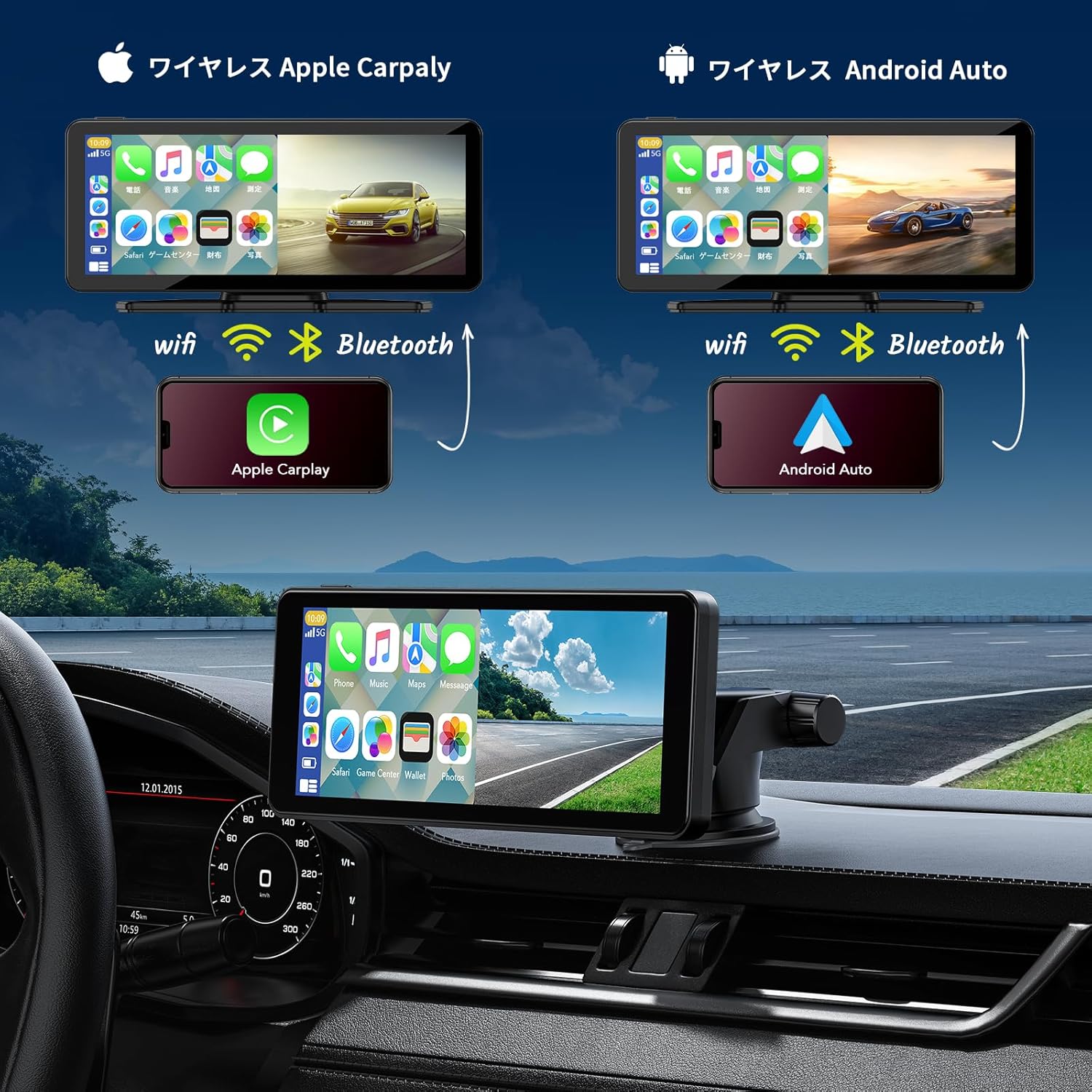
Figura 3.2: Connessione wireless CarPlay e Android Auto
3.3 Using Apple Airplay / Android Cast (Mirroring)
For iPhone users, Airplay allows screen mirroring. For Android users, Android Cast provides mirroring functionality. This feature is ideal for displaying videos or other content from your phone on the unit's screen.
- Select the Airplay or Android Cast option on the unit.
- On your smartphone, enable screen mirroring and select the device.
- Ensure both devices are connected via Wi-Fi for optimal performance.
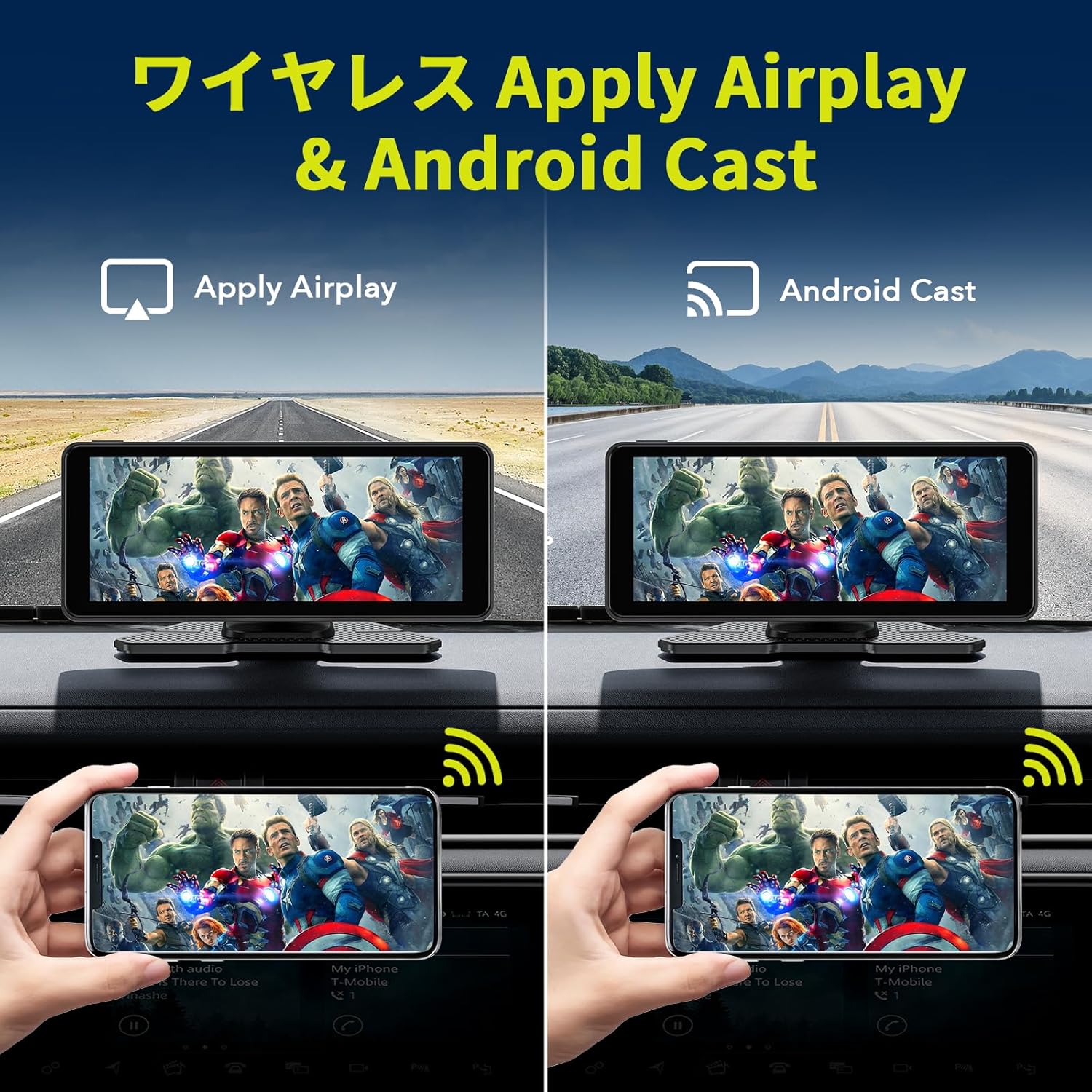
Figure 3.3: Wireless Airplay and Android Cast
3.4 Controllo vocale (Siri / Google Assistant)
Utilize your smartphone's voice assistant (Siri for Apple, Google Assistant for Android) for hands-free operation. This allows you to make calls, send messages, get directions, and control music without taking your hands off the wheel.
- Assicurati che il tuo telefono sia connesso tramite CarPlay o Android Auto.
- Activate the voice assistant using the designated button on the unit (if available) or by saying the wake word ("Hey Siri" or "Hey Google").
- Speak your command clearly into the unit's built-in microphone.
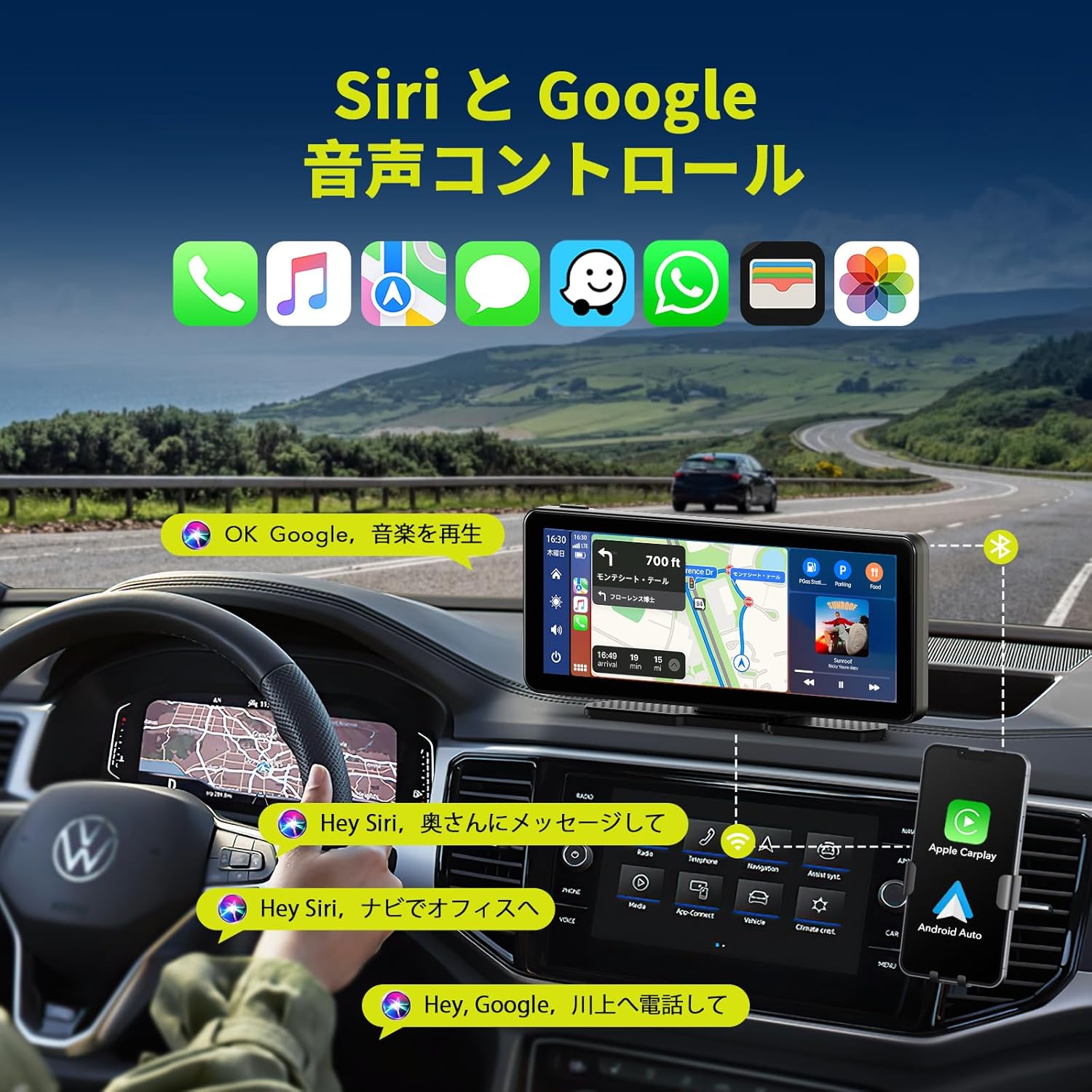
Figure 3.4: Voice Control with Siri and Google Assistant
3.5 Opzioni di uscita audio
The unit offers several ways to output audio to your car's sound system:
- Altoparlante incorporato: L'unità è dotata di un proprio altoparlante per l'uscita audio diretta.
- Trasmettitore FM: Broadcast audio to your car's FM radio by tuning both devices to the same frequency.
- Cavo AUX: Connect the provided AUX cable from the unit to your car's AUX input for a wired audio connection.
- Bluetooth: Stream audio wirelessly to your car's Bluetooth-enabled audio system (if available).

Figura 3.5: Metodi di output audio
3.6 Funzionalità schermo diviso
The unit supports split-screen display, allowing you to view two applications simultaneously, such as navigation and music playback, or the desktop and the rear camera feed.

Figura 3.6: Opzioni di visualizzazione a schermo diviso
4. Manutenzione
- Pulizia: Utilizzare un panno morbido e asciutto per pulire lo schermo e l'esterno dell'unità. Evitare detergenti abrasivi o solventi.
- Temperatura: Non esporre l'unità a temperature estreme (calde o fredde) per periodi prolungati.
- Connessioni via cavo: Controllare periodicamente tutti i collegamenti dei cavi per accertarsi che siano saldi.
- Telecamera posteriore: Keep the rear camera lens clean for clear visibility, especially in adverse weather conditions.
5. Risoluzione Dei Problemi
| Problema | Possibile causa | Soluzione |
|---|---|---|
| L'unità non si accende. | No power supply; faulty cigarette adapter. | Ensure the cigarette adapter is securely plugged in and the vehicle's power outlet is functional. Check the adapter's fuse if applicable. |
| CarPlay/Android Auto non si connette. | Bluetooth/Wi-Fi disattivati sul telefono; associazione errata; interferenza. | Ensure phone's Bluetooth and Wi-Fi are on. Re-pair the device. Move phone closer to the unit. Restart both phone and unit. |
| Nessuna uscita audio. | Incorrect audio output setting; low volume; loose AUX cable. | Check the unit's audio output settings (FM, AUX, Bluetooth, internal speaker). Increase volume. Ensure AUX cable is fully inserted. If using FM, verify frequency match. |
| La telecamera posteriore non viene visualizzata. | Loose camera connection; faulty camera. | Check the camera cable connection to the main unit. Ensure the camera is powered. |
| Il touchscreen non risponde. | Problema temporaneo del software. | Restart the unit by disconnecting and reconnecting power. |
6. Specifiche del prodotto
| Caratteristica | Dettaglio |
|---|---|
| Marca | LAMETTO |
| Numero di modello | RC09 |
| Dimensioni dello schermo | 6.86 pollici |
| Tipo di visualizzazione | LCD, touchscreen |
| Connettività | Bluetooth 5.0, Wi-Fi, USB, AUX, FM Transmitter |
| Integrazione smartphone | Wireless Apple CarPlay, Wireless Android Auto, Apple Airplay, Android Cast |
| Controllo vocale | Siri, Assistente Google |
| Telecamera posteriore | 1080P, IP67 Waterproof, 170° Wide-angle, Super Night Vision (Parking Assist Only) |
| Volume di eserciziotage | 12-24 V |
| Tipo di montaggio | Dashboard Mount (3M adhesive, Suction Cup) |
| Dimensioni (confezione) | Dimensioni: 22.6 x 14.2 x 10.4 cm |
| Peso | 980 grammi |
7. Garanzia e supporto
LAMTTO products are designed for reliability and performance. For warranty information, please refer to the specific warranty card included with your product or contact LAMTTO customer support.
Assistenza clienti:
- For technical assistance, troubleshooting, or warranty claims, please contact LAMTTO customer service through the retailer where you purchased the product or visit the official LAMTTO websito.
- Please have your model number (RC09) and purchase date ready when contacting support.