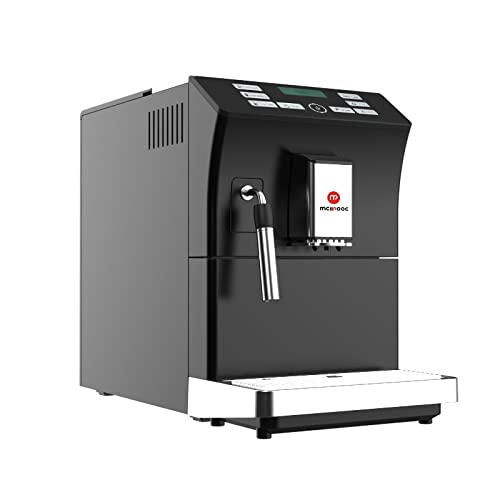
Mcilpoog WS-201 Automatic Espresso Machine User Manual
Model: WS-201 | Brand: Mcilpoog
1. Prodotto finitoview
The Mcilpoog WS-201 is a fully automatic espresso machine designed for convenience and versatility. It supports both whole coffee beans and pre-ground coffee powder, offering a wide range of beverage options through its intuitive touch screen interface. Key features include an adjustable grinding thickness, automatic cleaning functions, and a manual steam wand for milk frothing.
Image 1: Product Features. This image highlights the main functionalities of the Mcilpoog WS-201, including the steam pipe, soy flour dual-purpose, adjustable brewing dose, bean/water shortage alarm, automatic cleaning, adjustable grinding thickness, and adjustable coffee outlet height.Image 2: Touch Screen Interface. Un primo piano view of the machine's full touch screen, showing various beverage options and control buttons for easy operation.
2. Components and Parts Diagram
Familiarize yourself with the various parts of your Mcilpoog WS-201 espresso machine.
Image 3: Product Parts Diagram. This diagram illustrates the main components of the WS-201 machine, including the Water Tank, Warm Cup area, Touch Screen, Water Pans, Manual Steam Pipe, Bean Box, Main Power Switch (Machine Back), Brewing Door, and Coffee Grounds Box.
Serbatoio dell'acqua: Located at the side, holds water for brewing.
Warm Cup Area: Top surface for pre-warming cups.
Schermo tattile: Front-facing display for selecting beverages and settings.
Water Pans: Collects excess water and drips.
Manual Steam Pipe: For frothing milk manually.
Bean Box: Scomparto superiore per chicchi di caffè interi.
Interruttore di alimentazione principale: Situato sul retro della macchina.
Brewing Door: Side access panel for the brewing unit.
Coffee Grounds Box: Raccoglie i fondi di caffè usati.
3. Impostazione
Disimballaggio: Rimuovere con cautela tutti i materiali di imballaggio e le pellicole protettive dalla macchina.
Posizionamento: Place the machine on a stable, flat surface away from heat sources and direct sunlight. Ensure adequate ventilation.
Serbatoio dell'acqua: Remove the water tank, rinse it, and fill it with fresh, purified water up to the MAX level. Insert it back into the machine.
Bean Box: Open the lid of the bean box and fill it with your preferred whole coffee beans. Close the lid securely.
Collegamento elettrico: Collegare il cavo di alimentazione a una presa elettrica dotata di messa a terra.
Risciacquo iniziale: Turn on the machine. It will perform an automatic rinse cycle. Follow any on-screen prompts.
Test di durezza dell'acqua: Perform a water hardness test using the provided strip (if included) and adjust the machine's settings accordingly for optimal performance and descaling reminders.
4. Istruzioni per l'uso
4.1. Preparare l'Espresso
The machine offers various espresso options. Select your desired espresso type (e.g., Espresso, Double Espresso) from the touch screen. You can customize coffee strength and volume before brewing.
Image 4: Espresso Brewing. This image shows the machine dispensing a double espresso into a cup, demonstrating the brewing process.
4.2. Using Whole Beans or Ground Coffee
The Mcilpoog WS-201 supports both whole beans and pre-ground coffee. For whole beans, simply fill the bean box. For ground coffee, use the dedicated powder warehouse.
Image 5: Bean Tank and Powder Warehouse. This image displays the top compartments of the machine, showing the Bean Tank filled with whole coffee beans and the separate Powder Warehouse for pre-ground coffee.
Adjust the grinding thickness using the knob inside the bean box. Turn towards 'Fine' for high roast or cinnamon roast coffee beans, suitable for brewing fancy coffee. Turn towards 'Coarse' for full-city roast or high roast coffee beans, suitable for brewing black coffee.
4.3. Manual Milk Frothing
Utilize the manual steam pipe to froth milk for lattes, cappuccinos, or other milk-based beverages. Ensure the milk container is properly connected and the steam function is selected on the touch screen.
5. Manutenzione
Una manutenzione regolare garantisce la longevità e le prestazioni ottimali della tua macchina per caffè espresso.
Pulizia automatica: The machine features an auto-clean function. Follow the prompts on the touch screen to initiate cleaning cycles.
Emptying Coffee Grounds Box: Regularly empty the coffee grounds box to prevent overflow and maintain hygiene.
Cleaning Water Pans: Empty and clean the water pans as needed.
Decalcificazione: The machine will indicate when descaling is required. Use a suitable descaling solution and follow the instructions in the service menu.
Brew Group Cleaning: The brewing unit can be removed for manual cleaning. Refer to the parts diagram for its location.
6. Risoluzione Dei Problemi
In caso di problemi, consultare questa sezione prima di contattare l'assistenza.
Nessun caffè erogato: Check water tank level, coffee bean level, and ensure the brew group is correctly inserted.
Caffè debole: Adjust coffee strength settings, check grinding thickness (finer grind for stronger coffee), and ensure fresh beans are used.
La macchina non si accende: Verify power connection and check the main power switch at the back.
Messaggi di errore: Follow on-screen instructions for specific error codes. Common issues include low water, full grounds box, or descaling required.
7. Specifiche
Caratteristica
Dettaglio
Marca
Mcilpoog
Nome del modello
WS-201
Colore
Nero
Dimensioni del prodotto
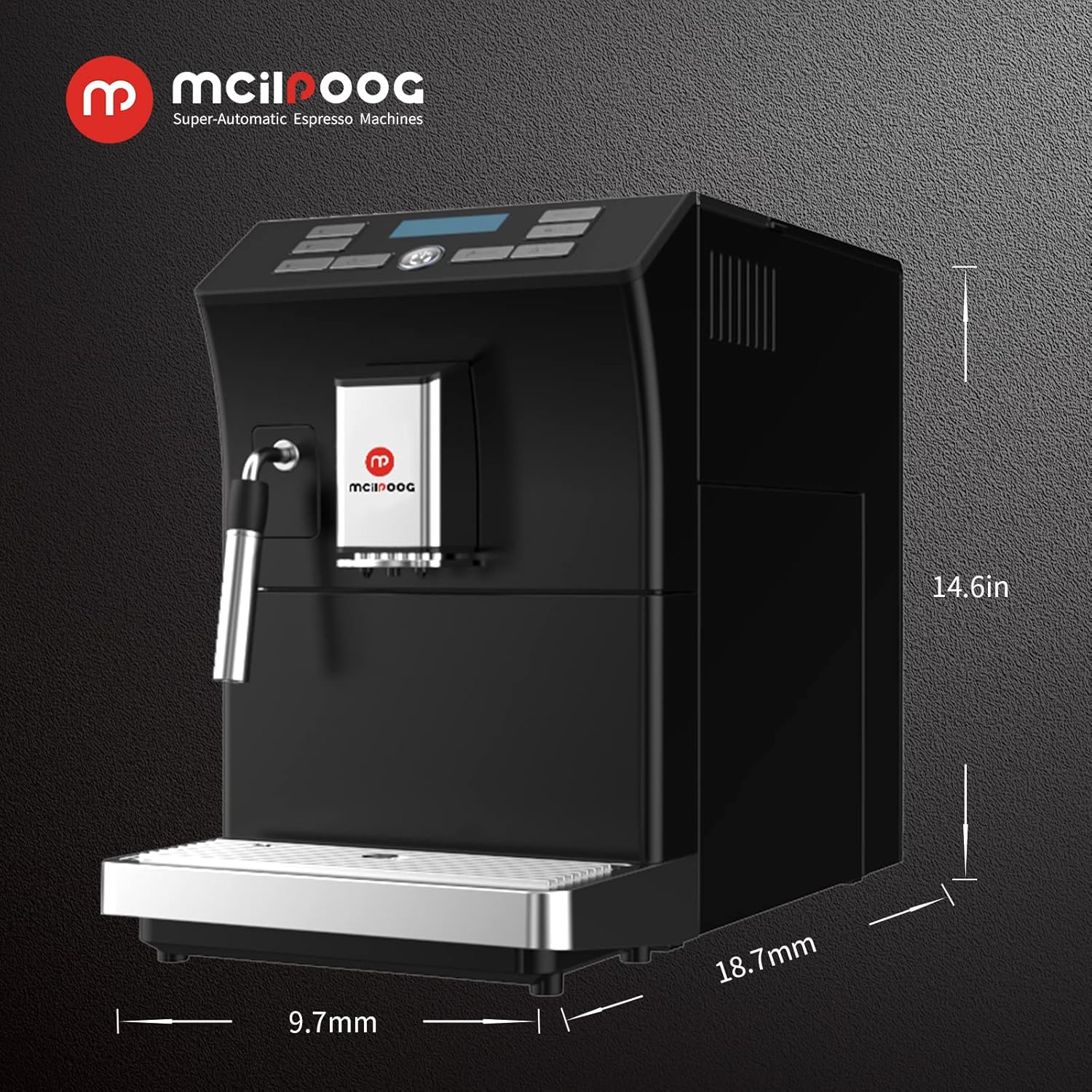
18.7"P x 9.7"L x 14.6"A
Peso dell'articolo
28 libbre
Caratteristica speciale
Funzione di pulizia automatica
Tipo di caffettiera
Macchina per caffè espresso
Usi specifici per il prodotto
Espresso
Componenti inclusi
Montalatte
Numero di articoli
1
Capacità
1.8 litri
Immagine 6: Dimensioni del prodotto. This image provides a visual representation of the machine's dimensions: 18.7 inches deep, 9.7 inches wide, and 14.6 inches high.
8. Garanzia e supporto
For warranty information, technical support, or service inquiries, please refer to the documentation included with your product or contact Mcilpoog customer service directly. Keep your purchase receipt as proof of purchase.
Ask a question about this manual
Ask about setup, troubleshooting, compatibility, parts, safety, or missing instructions. Manuals+ will review the question and use this page’s manual context to help answer it.