
Montech HP140B3IN1
Manuale di istruzioni per la ventola ARGB PWM MONTECH HP140mm 3 in 1
Model: HP140B3IN1
1. Introduzione
This manual provides comprehensive instructions for the installation, operation, and maintenance of your MONTECH HP140mm PWM ARGB Fan 3-in-1 Pack. Please read this manual thoroughly before installation and use to ensure proper function and longevity of the product. This fan kit is designed to provide efficient cooling and customizable ARGB lighting for your computer system.
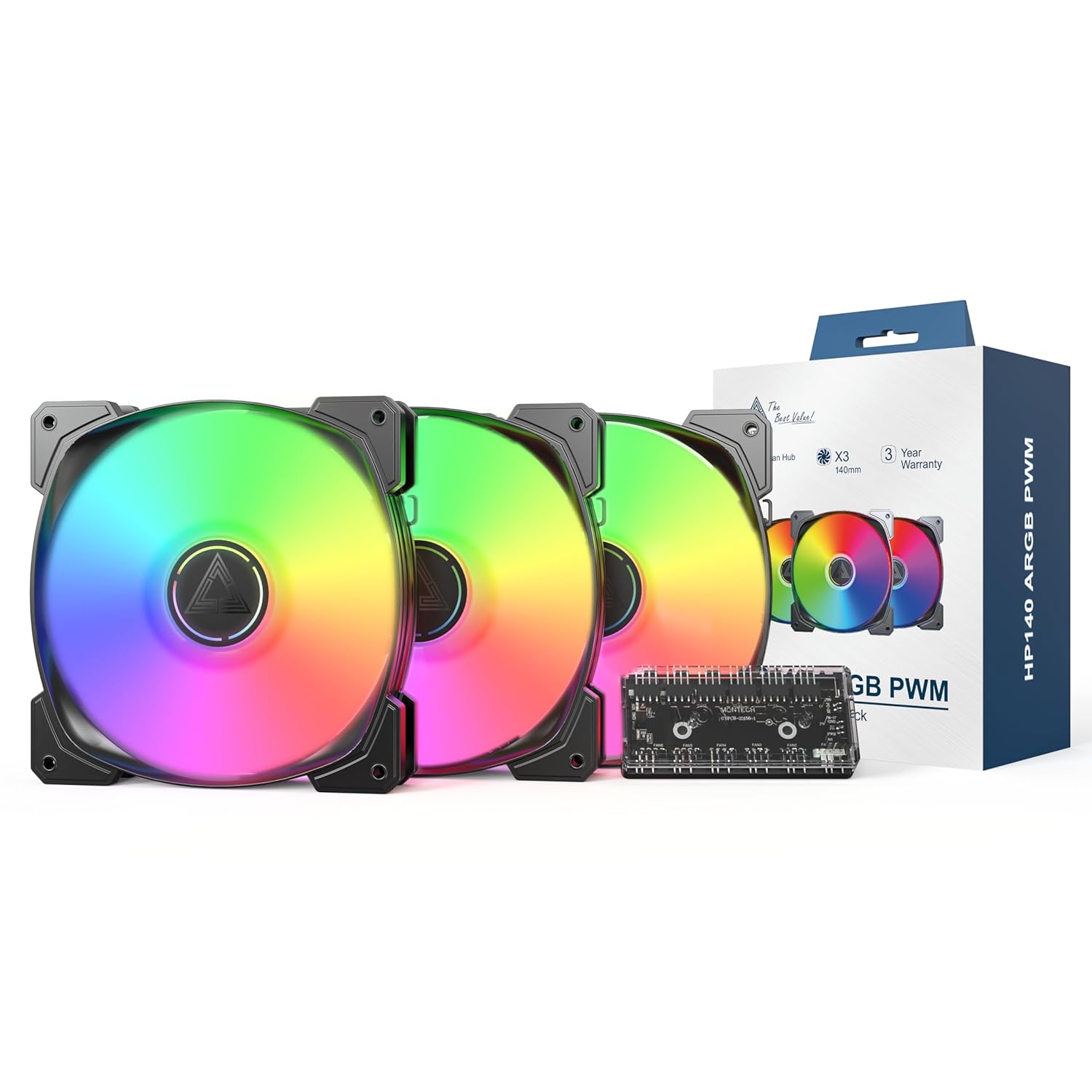
Image 1.1: MONTECH HP140mm PWM ARGB Fan 3-in-1 Pack components including three fans, a fan hub, and product packaging.
2. Contenuto della confezione
Verifica che tutti gli articoli elencati di seguito siano presenti nel tuo pacco:
- 3 x MONTECH HP140mm PWM ARGB Fans
- 1 x 6x6 Fan Hub (for fan power and ARGB control)
- Viti di montaggio
- Manuale dell'utente (questo documento)
3. Caratteristiche principali
- High Airflow Performance: Max 1600 RPM with an airflow of 95.61 CFM and static pressure of 2.95 mmH2O for effective cooling.
- Funzionamento silenzioso: Funziona con un basso livello di rumore di 29.2 dBA.
- Vivid ARGB Illumination: Features 8 LED ARGB lights for customizable lighting effects, controlled via a 4-Pin PWM connection.
- Durable Rifle Bearings: Equipped with rifle bearings and advanced lubrication for long-lasting, reliable operation and reduced friction.
- Integrated Fan Hub: Includes a 6x6 fan hub for centralized management of fan power and ARGB lighting.

Image 3.1: Illustration of optimal airflow within a PC case, demonstrating the cooling capabilities of the HP140mm fans.

Immagine 3.2: Dettagliata view of the fan's internal structure, highlighting the rifle bearing for enhanced durability and quiet operation.
4. Informazioni sulla sicurezza
- Prima dell'installazione, assicurarsi che il computer sia spento e scollegato dalla presa a muro.
- Maneggiare i componenti con cura per evitare danni.
- Refer to your motherboard manual for specific fan and ARGB header locations and voltage requisiti.
- Do not force connectors. Ensure correct orientation before plugging in.
- Tenere fuori dalla portata dei bambini.
5. Guida all'installazione
Follow these steps to install your MONTECH HP140mm PWM ARGB Fans:
- Prepara il tuo sistema: Spegni il computer e scollegalo dalla presa di corrente. Apri il case del PC.
- Identificare le posizioni di montaggio: Determine where you want to install the 140mm fans (e.g., front, top, rear of the case). Consider airflow direction (intake or exhaust).
- Montare le ventole: Place each fan in the desired location and secure it using the provided mounting screws. Ensure the fan blades are not obstructed.
- Connect to Fan Hub: Connect the 4-pin PWM fan cable from each fan to the designated fan headers on the 6x6 Fan Hub.
- Collegare i cavi ARGB: Connect the 3-pin ARGB cable from each fan to the designated ARGB headers on the 6x6 Fan Hub.
- Connect Hub to Motherboard:
- Connect the 4-pin PWM cable from the fan hub to an available 4-pin PWM fan header on your motherboard (e.g., CPU_FAN, SYS_FAN).
- Connect the 3-pin ARGB cable from the fan hub to an available 5V 3-pin ARGB header on your motherboard. Non collegare a un connettore RGB da 12 V, poiché ciò danneggerebbe i LED.
- Alimenta l'hub: Connect the SATA power connector from the fan hub to an available SATA power cable from your power supply unit (PSU).
- Gestione dei cavi: Disporre tutti i cavi in modo ordinato per garantire un flusso d'aria adeguato e una struttura pulita.
- Chiudere la custodia e accendere: Chiudi il case del PC, collega il cavo di alimentazione e accendi il computer.
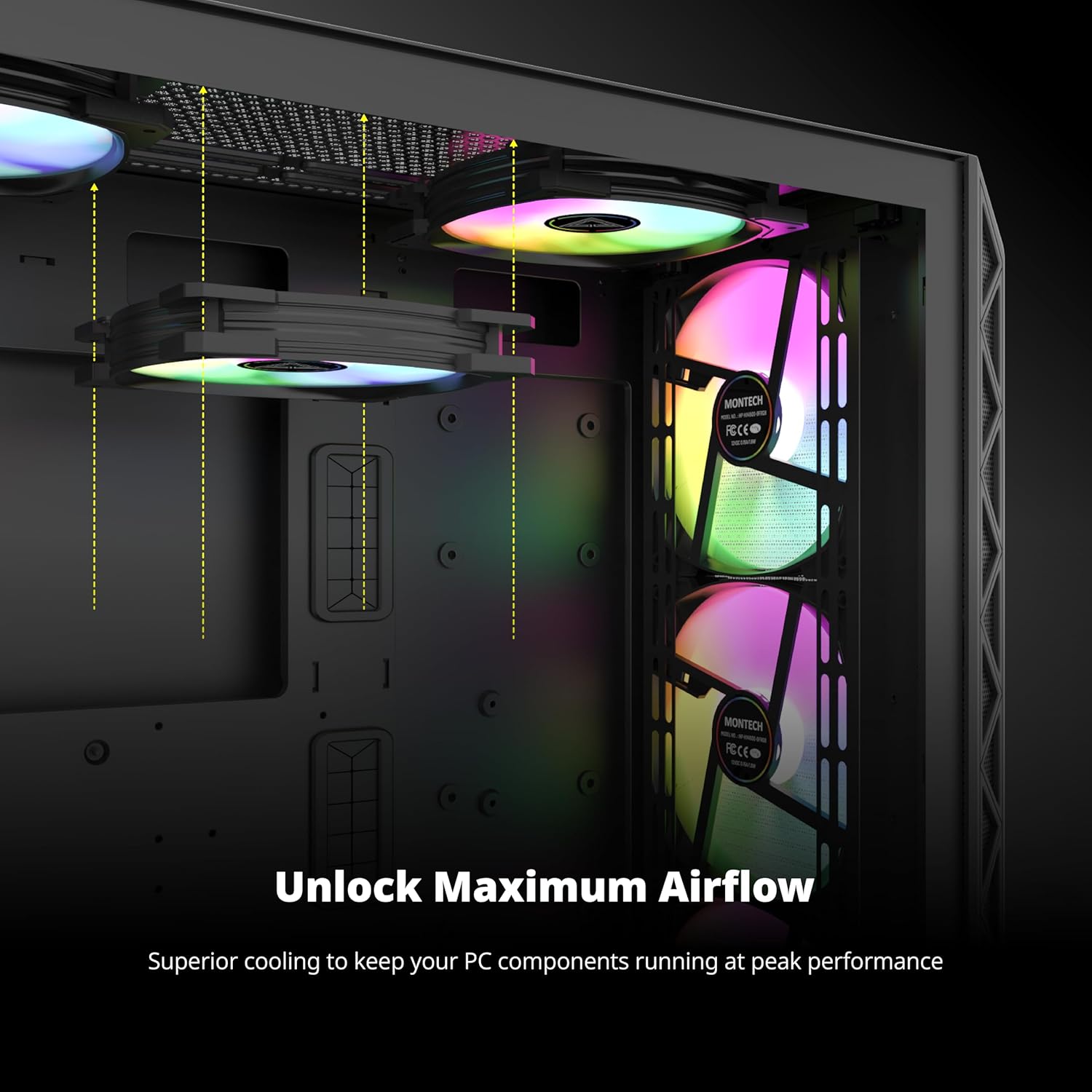
Immagine 5.1: Es.ample of HP140mm fans correctly installed within a computer case, demonstrating potential mounting positions and ARGB lighting.
6. Funzionamento
The MONTECH HP140mm fans utilize PWM (Pulse Width Modulation) for fan speed control and ARGB (Addressable RGB) for lighting effects.
- Controllo della velocità della ventola (PWM): The fan speed is automatically controlled by your motherboard based on system temperature, provided the fan hub is connected to a 4-pin PWM header. You can typically adjust fan curves and profiles through your motherboard's BIOS/UEFI settings or dedicated software (e.g., ASUS AI Suite, MSI Dragon Center, Gigabyte SIV).
- Controllo dell'illuminazione ARGB: The ARGB lighting effects are controlled via your motherboard's 5V 3-pin ARGB header. Use your motherboard's ARGB synchronization software (e.g., ASUS Aura Sync, MSI Mystic Light Sync, Gigabyte RGB Fusion, ASRock Polychrome Sync) to customize colors, patterns, and brightness.
7. Manutenzione
Una manutenzione regolare garantisce prestazioni ottimali e prolunga la durata dei ventilatori.
- Pulizia: Pulire periodicamente le pale e il telaio della ventola per rimuovere l'accumulo di polvere. Utilizzare aria compressa o un panno morbido e asciutto. Assicurarsi che la ventola sia spenta e scollegata prima di pulirla.
- Ispezione: Check for any loose cables or obstructions around the fan blades.
- Evitare i liquidi: Do not use liquid cleaners directly on the fans or hub.
8. Risoluzione Dei Problemi
| Problema | Possibile causa | Soluzione |
|---|---|---|
| I tifosi non girano | No power to fan hub or fans. Incorrect connection to motherboard. | Ensure SATA power is connected to the hub. Verify 4-pin PWM cable from hub is connected to motherboard fan header. Check all fan cables are securely connected to the hub. |
| Le luci ARGB non funzionano | Incorrect ARGB connection. Software issue. | Ensure 3-pin ARGB cable from hub is connected to a 5V 3-pin ARGB header on the motherboard (not 12V RGB). Check ARGB cables from fans to hub. Verify ARGB software settings on your motherboard. |
| Fans spinning at full speed / not controllable | PWM signal not detected. Incorrect BIOS settings. | Ensure fan hub is connected to a 4-pin PWM header (not 3-pin DC). Check motherboard BIOS/UEFI settings for fan control mode (set to PWM). |
| Rumore/vibrazioni eccessivi | Loose mounting screws. Obstruction. | Tighten mounting screws. Remove any obstructions. Ensure no cables are touching fan blades. |
9. Specifiche
| Caratteristica | Dettaglio |
|---|---|
| Numero di modello | HP140B3IN1 |
| Dimensioni della ventola | 140 mm x 140 mm x 25 mm (5.52"L x 0.99"W x 5.52"H) |
| Velocità della ventola | 600-1600 giri/min (±10%) |
| Capacità di flusso d'aria | 95.61 CFM (piedi cubi al minuto) |
| Pressione statica | 2.95 mmH2O |
| Livello di rumore | 29.2 dB(A) |
| Tipo di cuscinetto | Cuscinetto del fucile |
| Connettore di alimentazione | 4-Pin PWM |
| Connettore ARGB | 3 pin 5V ARGB |
| Volume di eserciziotage | 12 Volt (CC) |
| Dispositivi compatibili | Computer desktop |
| Metodo di raffreddamento | Aria |
| Produttore | MONTEC |
10. Garanzia e supporto
The MONTECH HP140mm PWM ARGB Fan 3-in-1 Pack is backed by a Garanzia di 3 anno dalla data di acquisto. La presente garanzia copre i difetti di fabbricazione e garantisce un funzionamento affidabile in normali condizioni d'uso.

Image 10.1: MONTECH 3-Year Warranty shield, symbolizing product reliability and customer support.
For technical support, warranty claims, or further inquiries, please visit the official MONTECH website or contact their customer service department. Please retain your proof of purchase for warranty validation.
Risorse online:
- Official MONTECH Websito: www.montechpc.com
Ask a question about this manual
Ask about setup, troubleshooting, compatibility, parts, safety, or missing instructions. Manuals+ will review the question and use this page’s manual context to help answer it.