
Introduzione
Thank you for choosing the Salter Smart Scale SA00656FEU6. This smart scale is designed to help you monitor your health and fitness progress by measuring 17 essential body metrics. For optimal performance and accurate readings, please read this instruction manual thoroughly before use and keep it for future reference.
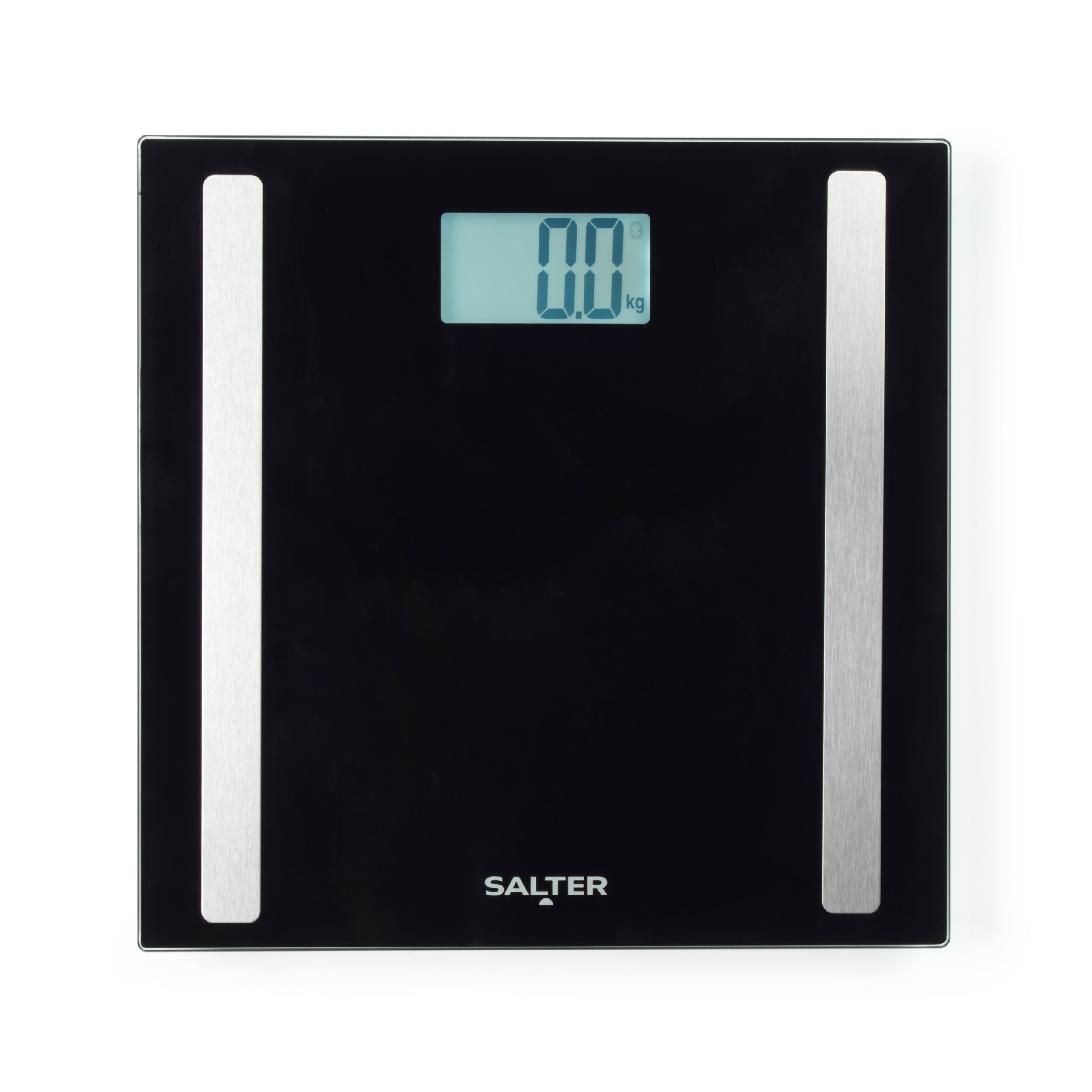
Image: The Salter Smart Scale SA00656FEU6, black with silver electrodes, displayed on a light-colored tiled floor next to a pair of jeans and a white towel.
Informazioni importanti sulla sicurezza
- Consult your doctor or medical professional before making changes to your diet, exercise plan, or physical activities.
- Questa bilancia non è destinata all'uso da parte di persone portatrici di pacemaker o altri dispositivi medici interni.
- Pregnant women should use the scale for weight measurement only. Body composition readings may not be accurate.
- Do not use on wet or slippery surfaces. Ensure the scale is placed on a hard, flat surface for accurate readings.
- Non salire sulla bilancia.
- Tenere fuori dalla portata dei bambini.
- Questa bilancia è destinata esclusivamente all'uso domestico e non è destinata a diagnosi o trattamenti medici.
Contenuto della confezione
Si prega di selezionare la casella per i seguenti elementi:
- Salter Smart Scale SA00656FEU6
- Manuale di istruzioni
- Batterie (se incluse, controllare la confezione)
Guida all'installazione
1. Installazione della batteria
- Aprire il vano batterie situato nella parte inferiore della bilancia.
- Inserire le batterie necessarie, assicurandosi della corretta polarità (+/-).
- Chiudere bene il vano batterie.
2. Download the Salter Health App
The Salter Smart Scale requires the Salter Health App for full functionality and tracking of body metrics. Download the free app from your device's app store.

Image: Graphic promoting the free download of the Salter Health App, showing the Salter logo and "Free Download" text.
3. Pair the Scale with the App
- Abilita il Bluetooth sul tuo smartphone o tablet.
- Open the Salter Health App and follow the on-screen instructions to create your user profile.
- Step onto the scale to activate it. The app should detect the scale and prompt you to pair.
- Confermare l'associazione all'interno dell'app.
4. Initial User Profile Impostare
During setup, you will be asked to enter personal details such as age, gender, height, and activity level. This information is crucial for the accurate calculation of body composition metrics.
Istruzioni per l'uso
1. Prendere una misurazione del peso
- Posizionare la bilancia su una superficie dura e piana.
- Step onto the scale with bare feet. Ensure your feet are positioned correctly on the electrodes.
- The display will show your weight.
2. Taking a Full Body Composition Measurement
For body composition analysis, ensure your feet are bare and clean, making good contact with the metal electrodes on the scale surface.
- Open the Salter Health App on your paired device.
- Sali sulla bilancia a piedi nudi.
- Remain still until the measurements are complete. The scale will display your weight, and the app will show all 17 body metrics.

Image: A graphic illustrating the 17 body metrics tracked by the Salter Smart Scale, including Weight, Body Water, Body Fat, Bone Mass, Athlete Mode, Body Mass Index, Basal Metabolic Rate, Muscle Mass, 8 Users, and Child Mode.
3. Comprensione delle letture del display
The scale's backlit LCD display provides clear weight readings. All 17 body metrics, including body fat, body water, muscle mass, bone mass, BMI, and BMR, are accessible and tracked within the Salter Health App.
4. Child and Athlete Modes
The Salter Health App allows you to select specific modes for different users:
- Modalità bambino: Provides accurate weight tracking for children. Body composition analysis is typically not performed in this mode.
- Modalità atleta: Recommended for individuals who engage in intense physical activity regularly. This mode adjusts the body composition algorithm for more accurate results for athletes.
5. Multi-User Functionality (8 User Memory)
La bilancia supporta fino a 8 utenti profiles within the Salter Health App. Each user can have their own profile to track individual progress. The app will automatically recognize the user based on their weight and previous measurements, or you can manually select your profile.
Salter Health App Features
The Salter Health App is your central hub for tracking and managing your health data. It offers a range of features to help you achieve your wellness goals.
- Pannello di controllo: View your progress over time with easy-to-read charts and graphs for all 17 body metrics.
- Obiettivi: Set personal health and fitness goals and monitor your progress towards them.
- Linked Accounts: Share your data with family, friends, or a personal trainer to support your journey.
- Esportazione dati: Export your health data in PDF or CSV formats for detailed analysis or sharing.
- Challenges & Groups: Participate in group challenges to make tracking fun and motivating.
- Automatic Weigh-in Reminder: Set reminders to ensure consistent tracking.

Image: Screenshots of the Salter Health App showing the Dashboard for setting goals, Linked Accounts for sharing profiles, and Data Export options (PDF/CSV).

Image: Screenshots of the Salter Health App displaying the Dashboard with historical data, a detailed Metrics view, and the Groups feature for shared challenges.
Sincronizzazione dei dati
Ensure your device's Bluetooth is enabled and the Salter Health App is open when you step on the scale. Your measurements will automatically sync to your profile in the app. The app also supports syncing with Apple Health and Google Fit.

Image: A graphic showing the Salter Smart Scale with a smartphone displaying the Salter Health App, indicating features like setting personal goals, sharing challenges, automatic weigh-in reminders, sharing profiles, and exporting data, along with icons for Google Play and App Store downloads.
Compatibility with Salter Bluetooth Blood Pressure Monitor
The Salter Health App is compatible with the Salter Bluetooth Blood Pressure Monitor (sold separately). This allows you to track and manage your blood pressure readings alongside your body composition data within the same app for a comprehensive health overview.

Image: A Salter Bluetooth Blood Pressure Monitor displaying a reading, with text indicating its compatibility with the Salter Health App.
Manutenzione
Pulizia
- Pulisci la superficie della bilancia con un damp panno e detergente delicato.
- Non utilizzare detergenti abrasivi né immergere la bilancia in acqua.
- Assicurarsi che la bilancia sia asciutta prima di riporla o di utilizzarla nuovamente.
Magazzinaggio
Conservare la bilancia in un luogo fresco e asciutto, lontano dalla luce solare diretta e da temperature estreme.

Image: The Salter Smart Scale SA00656FEU6 stored upright in a white bathroom cabinet, demonstrating compact storage.
Sostituzione della batteria
When the battery indicator appears on the display, replace the batteries as described in the "Battery Installation" section. Dispose of old batteries responsibly.
Risoluzione dei problemi
| Problema | Possibile causa | Soluzione |
|---|---|---|
| La bilancia non si accende. | Le batterie sono scariche o installate in modo errato. | Controllare la polarità delle batterie o sostituirle. |
| Messaggio "Err" sul display. | Sovraccarico, superficie instabile o errore di misurazione. | Ensure weight is within capacity (180kg). Place scale on a hard, flat surface. Step off and on again. |
| Body composition readings are inconsistent or unavailable. | Bare feet not making good contact with electrodes, incorrect user profile, or dry skin. | Ensure bare, clean feet are centered on electrodes. Check user profile settings in the app. Lightly moisten feet if skin is very dry. |
| Scale not connecting to Salter Health App. | Bluetooth is off, app not open, or scale not activated. | Ensure Bluetooth is enabled on your device. Open the Salter Health App. Step on the scale to activate it. Try restarting your device and the app. |
Specifiche
- Modello: SA00656FEU6
- Capacità: 180 kg (396 libbre / 28 st 5 libbre)
- Unità di misura: Kilograms (kg), Pounds (lb), Stones (st)
- Body Metrics Measured: 17 (including Body Fat, Body Water, Muscle Mass, Bone Mass, BMI, BMR)
- Memoria utente: 8 utenti
- Tipo di visualizzazione: LCD retroilluminato
- Materiale: Vetro temperato
- Connettività: Bluetooth
- Compatibilità dell'app: Salter Health App (iOS & Android)
- Fonte di energia: Batteries (type not specified in input, usually AAA or CR2032)
- Peso dell'articolo: 1.23 chilogrammi
Garanzia e supporto
For warranty information, product registration, or technical support, please visit the official Salter website or contact their customer service department. Details can typically be found on the product packaging or Salter's official online resources.
Websito: www.salter.com