
1. Prodotto finitoview
The Xiaomi Redmi Pad SE 8.7 4G LTE is a portable tablet designed for communication, entertainment, and productivity. It features an 8.7-inch display, 4G LTE connectivity, and a robust battery for extended use.

Immagine 1.1: Fronte e retro view of the Xiaomi Redmi Pad SE 8.7 4G LTE tablet.
This manual provides essential information to help you get started with your device, understand its functions, and maintain its performance.
2. Configurazione iniziale
2.1 Disimballaggio e contenuto
Before using your Redmi Pad SE, ensure all items are present in the box:
- Xiaomi Redmi Pad SE 8.7 4G LTE Tablet
- Cavo USB
- Adattatore a muro
- Fast Car Dual USB 16W (Accessory)
2.2 Inserimento delle schede SIM e della scheda MicroSD
The device supports dual SIM cards and a MicroSD card for expanded storage. Locate the SIM tray on the side of the tablet. Use the provided SIM ejector tool to open the tray. Carefully place your activated Nano-SIM cards and MicroSD card into their respective slots, ensuring correct orientation. Close the tray securely.
Note: This device is designed for the USA market and works with T-Mobile, Mint, Tello, or any carrier under the T-Mobile network. Outside the USA, it works with any GSM carrier SIM. A SIM card must be activated prior to use.
2.3 Accensione/Spegnimento
- Per accendere: Press and hold the Power button until the Xiaomi logo appears on the screen.
- Per spegnere: Tenere premuto il pulsante di accensione finché non viene visualizzato il menu delle opzioni di risparmio energetico. Selezionare "Spegni" e confermare.
- Ricominciare: Dal menu delle opzioni di risparmio energia, seleziona "Riavvia" e conferma.
2.4 Configurazione iniziale
Upon first power-on, follow the on-screen prompts to complete the initial setup. This includes selecting your language, connecting to a Wi-Fi network, setting up your Google account, and configuring security features like screen lock.
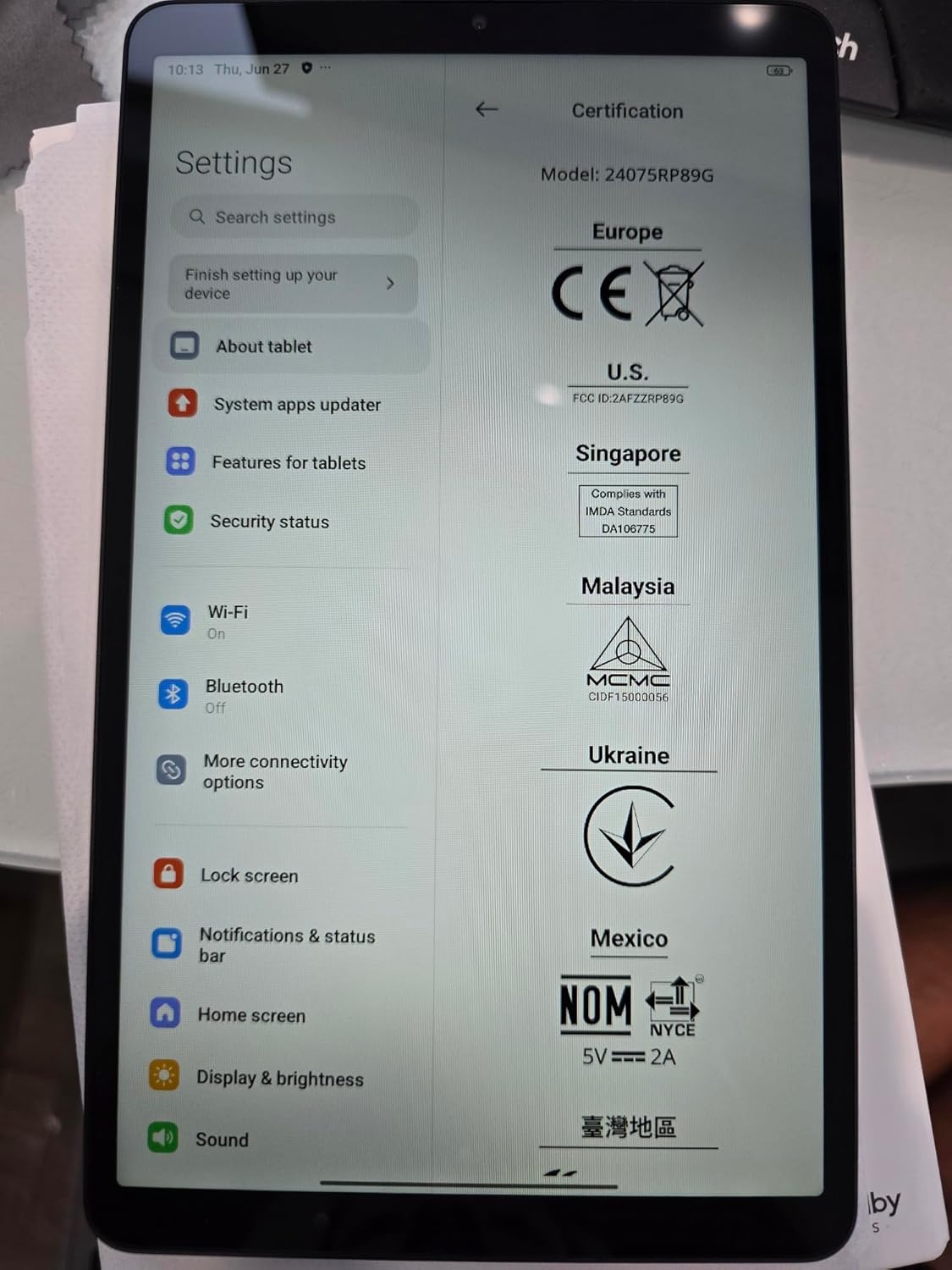
Image 2.1: Device settings screen displaying certification details and initial setup options.
3. Funzionamento di base
3.1 Funzionalità di visualizzazione
The Redmi Pad SE features an 8.7-inch LCD display with a 1340x800 resolution and a 90Hz refresh rate for smooth visuals. It offers up to 500 nits typical brightness, with an outdoor mode boosting it to 600 nits for better visibility in bright conditions. The display is TÜV Rheinland Low Blue Light (Software Solution) Certified and TÜV Rheinland Flicker Free Certified, incorporating DC dimming and a reading mode to reduce eye strain during prolonged use.
3.2 Audio e Multimedia
Enjoy immersive sound with dual speakers supporting Dolby Atmos. The tablet also includes a 3.5mm headphone jack for private listening.
3.3 Telecamere
- Telecamera posteriore: 8MP with f/2.0 aperture and 1.12µm pixel size. Supports 1080P (1920x1080) and 720P (1280x720) video recording at 30fps.
- Fotocamera frontale: 5MP with f/2.2 aperture and 1.12µm pixel size. Supports 1080P (1920x1080) and 720P (1280x720) video recording at 30fps.
3.4 Connettività
The device supports Wi-Fi and Bluetooth for wireless connections. For cellular data, it features 4G LTE with extensive band support:
- LTE FDD: B1/2/3/4/5/7/8/13/18/19/20/26/28/66
- LTE TDD: B38 / 40 / 41
- 3G: B1/2/4/5/6/8/19
- 2G: Quad Band
3.5 Sistema Operativo
The Redmi Pad SE runs on Android 14 with Xiaomi's HyperOS interface, providing a user-friendly experience and access to a wide range of applications.
4. Cura e manutenzione
- Pulizia: Utilizzare un panno morbido e privo di lanugine per pulire lo schermo e il corpo. Evitare materiali abrasivi o prodotti chimici aggressivi.
- Gestione: Protect the device from drops and impacts. Avoid exposing it to extreme temperatures, direct sunlight, or moisture.
- Cura della batteria: The tablet is equipped with a 6650mAh Lithium-Ion battery. For optimal battery life, avoid fully discharging the battery frequently and do not leave it charging for extended periods after it reaches 100%.
- Aggiornamenti software: Controlla e installa regolarmente gli aggiornamenti di sistema per garantire prestazioni e sicurezza ottimali.
5. Risoluzione Dei Problemi
If you encounter issues with your Redmi Pad SE, try the following basic troubleshooting steps:
- Il dispositivo non risponde: Per forzare il riavvio, tenere premuto il pulsante di accensione per circa 10-15 secondi.
- Problemi di connettività di rete: Check if Wi-Fi or cellular data is enabled. Restart your router for Wi-Fi issues or reinsert your SIM card for cellular problems. Ensure your SIM card is activated and has an active plan.
- Prestazioni lente: Close unnecessary background applications. Clear cache from apps or perform a factory reset (back up your data first).
- Problemi di schermo: Ensure the screen is clean and free of moisture. If the screen is unresponsive, try restarting the device.
Per problemi più complessi, fare riferimento al supporto ufficiale Xiaomi websito o contattare il servizio clienti.
6. Specifiche tecniche
| Marca | XiaomiMi |
| Nome del modello | Xiaomi Redmi Pad SE 8.7 4G |
| Dimensioni dello schermo | 8.7 pollici |
| Risoluzione dello schermo | 1340 x 800 pixel |
| Tipo di visualizzazione | LCD |
| Frequenza di aggiornamento | Fino a 90Hz |
| Luminosità | 500 nit (tipico), 600 nit (modalità esterna) |
| Sistema operativo | Android 14, HyperOS |
| Processore | MediaTek Helio G85 (Octa-core, 2.0GHz) |
| RAM + spazio di archiviazione | 4 GB di RAM + 128 GB di spazio di archiviazione |
| Telecamera posteriore | 8MP |
| Fotocamera frontale | 5MP |
| Capacità della batteria | 6650 mAh (ioni di litio) |
| Connettività | Wi-Fi, Bluetooth, 4G LTE |
| Audio | Doppi altoparlanti, Dolby Atmos, jack per cuffie da 3.5 mm |
| Sensori | Accelerometer, Electronic compass, Hall sensor, IR blaster, Virtual proximity sensor, Virtual light sensor |
| Dimensioni (L x P x P) | 8.32" x 4.94" x 0.34" |
| Identificazione FCC | 2AFZZRP19G |
7. Garanzia e supporto
7.1 Informazioni sulla garanzia
This product comes with a 30-day warranty. Please retain your proof of purchase for any warranty claims.
7.2 Assistenza clienti
For further assistance, technical support, or detailed product information, please visit the official Xiaomi website or contact their customer service department. You can often find FAQs, software downloads, and service center locations on their support pages.
8. Informazioni sulla sicurezza
Please read all safety information before using your device to ensure safe and proper use. Follow all local regulations and guidelines for electronic devices. Do not attempt to disassemble or repair the device yourself. Use only approved chargers and accessories.