
SUPVANO E11
Manuale utente della macchina etichettatrice Bluetooth SUPVAN E11
Introduzione
This manual provides detailed instructions for the setup, operation, maintenance, and troubleshooting of your SUPVAN E11 Bluetooth Label Maker Machine. Please read this manual thoroughly before using the device to ensure proper function and longevity.
Informazioni sulla sicurezza
- Tenere il dispositivo lontano dall'acqua e dall'umidità elevata.
- Non esporre il dispositivo a temperature estreme o alla luce solare diretta.
- Use only SUPVAN approved label tapes to prevent damage to the print head.
- Non tentare di smontare o riparare da soli il dispositivo. Contatta l'assistenza clienti per assistenza.
- Tenere fuori dalla portata dei bambini.
Contenuto della confezione
Verifica che tutti gli articoli siano presenti nel tuo pacco:
- Etichettatrice E11
- Manuale d'uso
- Cavo USB-C
- 2 Rolls White Continuous Label Tape (15 mm x 6 m)
- 2 Rolls White Die-cut Label Tape (12 mm x 40 mm)

Image: Contents of the SUPVAN E11 Label Maker package, including the label maker, USB-C cable, user manual, and four rolls of label tape.
Prodotto finitoview
The SUPVAN E11 is a portable thermal label maker designed for various labeling needs. It features a QWERTY keyboard for direct input and Bluetooth connectivity for app-based design and printing.
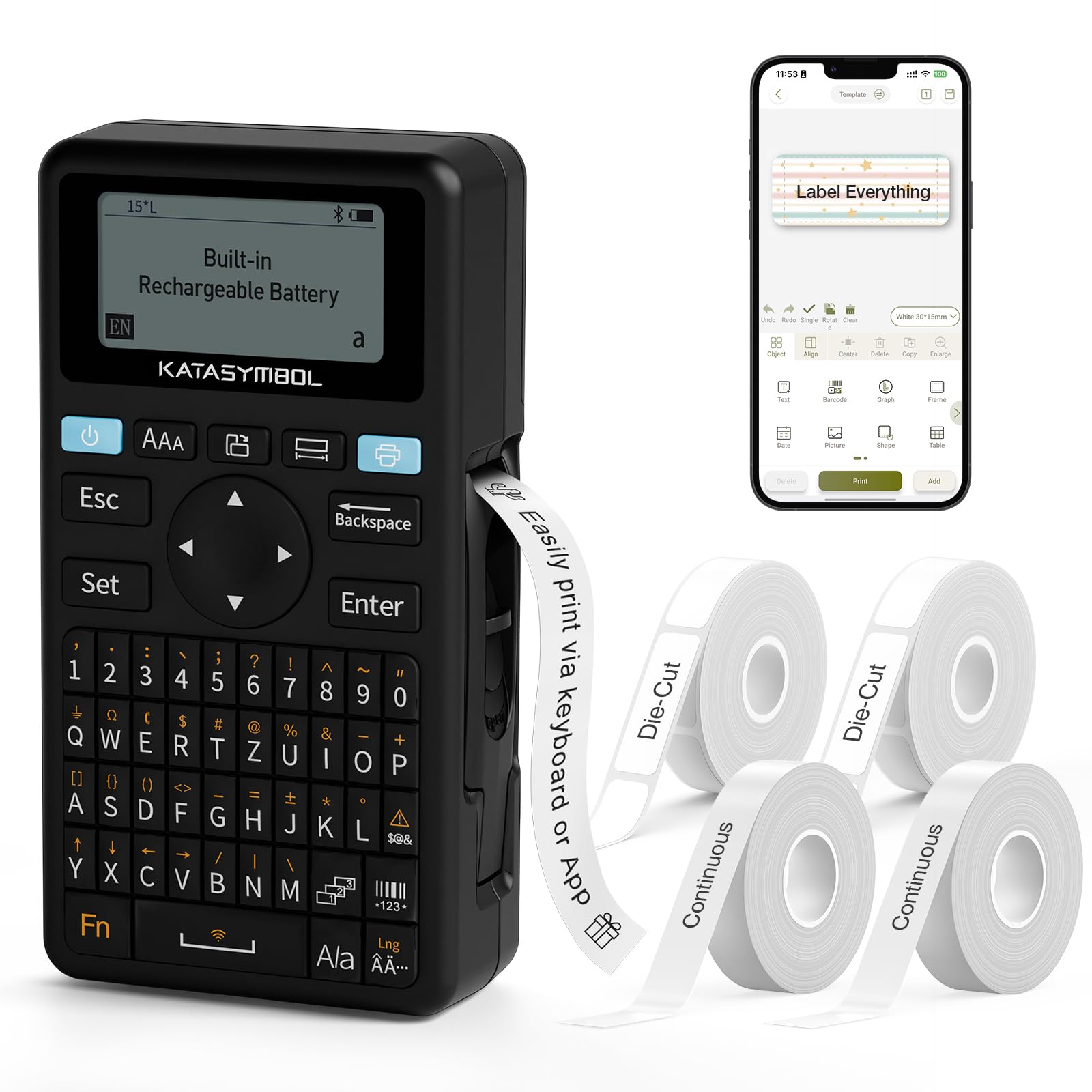
Immagine: Frontale view of the SUPVAN E11 Label Maker, showing the QWERTY keyboard and display screen.
Impostare
1. Carica del dispositivo
The SUPVAN E11 features a built-in 1200 mAh rechargeable battery. Before initial use, fully charge the device using the provided USB-C cable.
- Connect the USB-C cable to the charging port on the label maker.
- Collegare l'altra estremità del cavo a un adattatore di alimentazione USB (non incluso) o a una porta USB del computer.
- L'indicatore di carica sul dispositivo mostrerà lo stato di carica.

Image: The SUPVAN E11 Label Maker demonstrating that it uses thermal paper and requires no ink or toner.
2. Installazione del nastro per etichette
The E11 label maker uses thermal label rolls. Follow these steps to install a new roll:
- Aprire il coperchio del vano etichette sul lato del dispositivo.
- Insert the label roll into the compartment, ensuring the label tape feeds out from the bottom and through the guide slot.
- Chiudere saldamente il coperchio del vano.

Image: A hand demonstrating how to install a label tape roll into the SUPVAN E11 Label Maker.
3. Connecting via Bluetooth (App)
For advanced customization and printing, connect your label maker to the companion app:
- Download the official SUPVAN app from your device's app store.
- Turn on the label maker and ensure Bluetooth is enabled on your smartphone.
- Open the SUPVAN app and follow the on-screen instructions to pair with your E11 device.

Image: A visual guide showing the step-by-step process of connecting the label maker to the mobile app via Bluetooth.
Operazione
1. Keyboard Printing
For quick and frequent labeling, use the integrated QWERTY keyboard:
- Accendere l'etichettatrice.
- Type your desired text using the keyboard. The text will appear on the LCD display.
- Premere il pulsante "Stampa" per stampare l'etichetta.
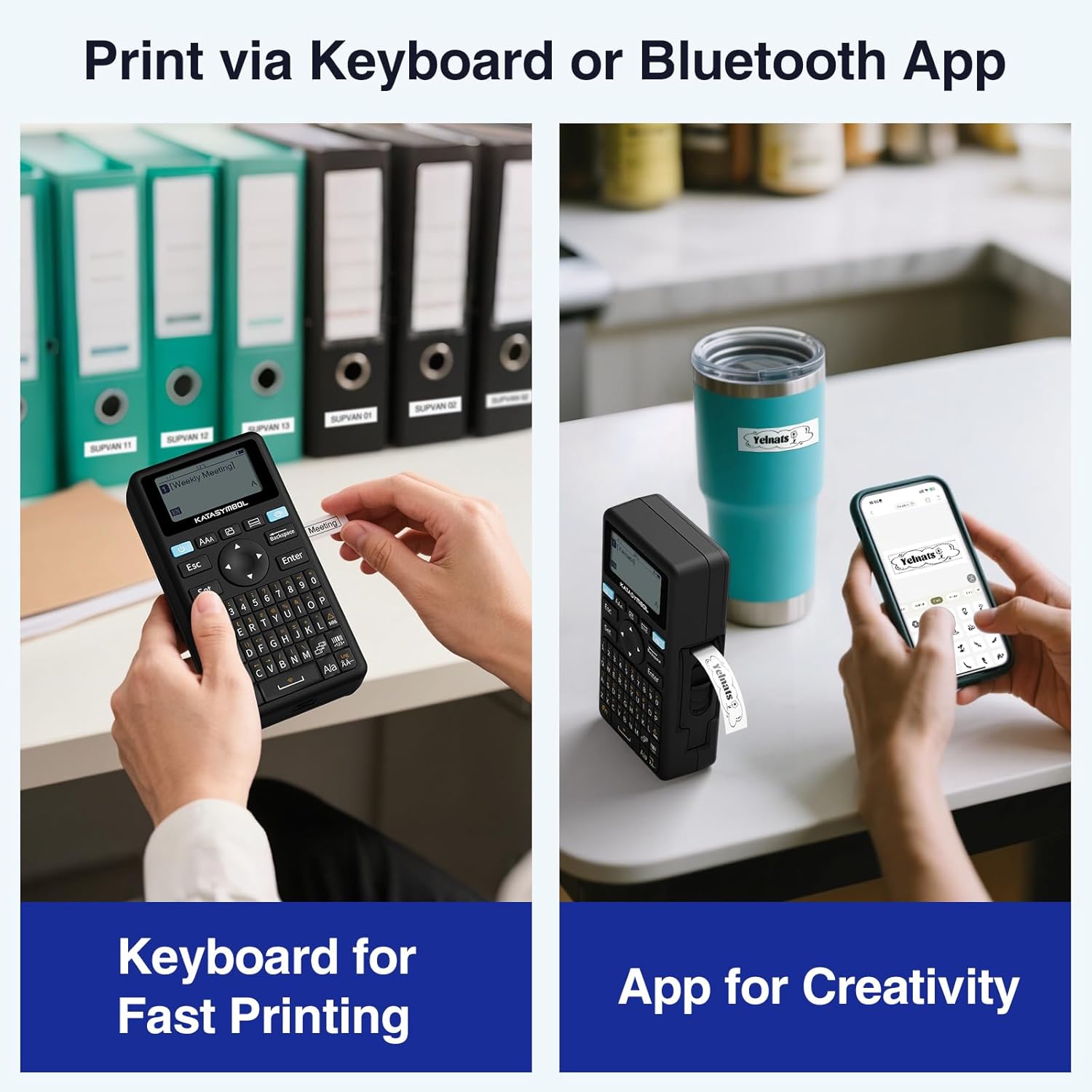
Image: A person using the SUPVAN E11 Label Maker's keyboard to type and print a label.
2. App Printing and Customization
The SUPVAN app offers extensive customization options:
- Ensure your device is connected to the app via Bluetooth.
- Open the app and select your label design.
- Utilizza le funzionalità dell'app per personalizzare la tua etichetta:
- Caratteri: Choose from over 30 fonts.
- Cornici: Apply from over 50 frames.
- Icone: Select from over 660 icons.
- Codici QR e codici a barre: Genera e stampa codici QR e vari tipi di codici a barre.
- Modelli: Create and save your own label templates.
- Once your design is complete, tap the 'Print' button in the app.
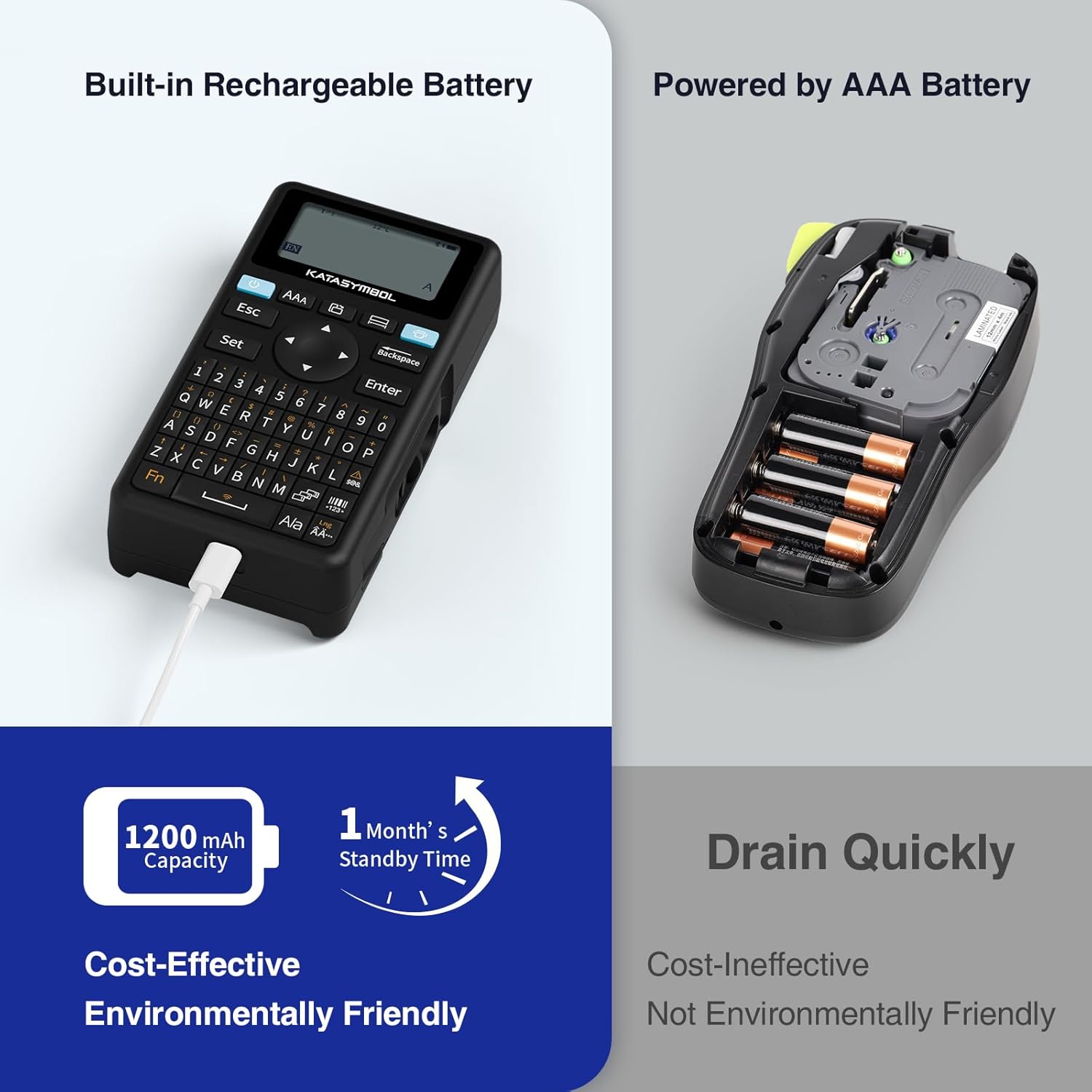
Image: A person using the SUPVAN E11 Label Maker in conjunction with the mobile app to design and print a customized label.

Image: A visual representation of the SUPVAN Label App's features, including a wide selection of fonts, frames, icons, and options for QR codes and barcodes.
Adjusting Label Font Size in the App
Video: This video demonstrates how to adjust the font size of your label text within the SUPVAN mobile application.
Adjusting Font Styles in the App
Video: This video illustrates the process of changing font styles and applying various formatting options to your labels using the SUPVAN mobile application.
3. Label Types and Minimal Margin Printing
The E11 supports both continuous and die-cut labels, offering flexibility for different applications. It also features minimal margin printing, reducing label waste.
- Etichette continue: Ideal for long text or custom lengths.
- Etichette fustellate: Pre-sized labels for specific items or standard applications.
- Margine minimo: The E11 prints with only a 0.2-inch margin, significantly less than many other label makers, saving tape.

Immagine: Examples of die-cut and continuous labels printed by the SUPVAN E11, showcasing its versatility for different label types.
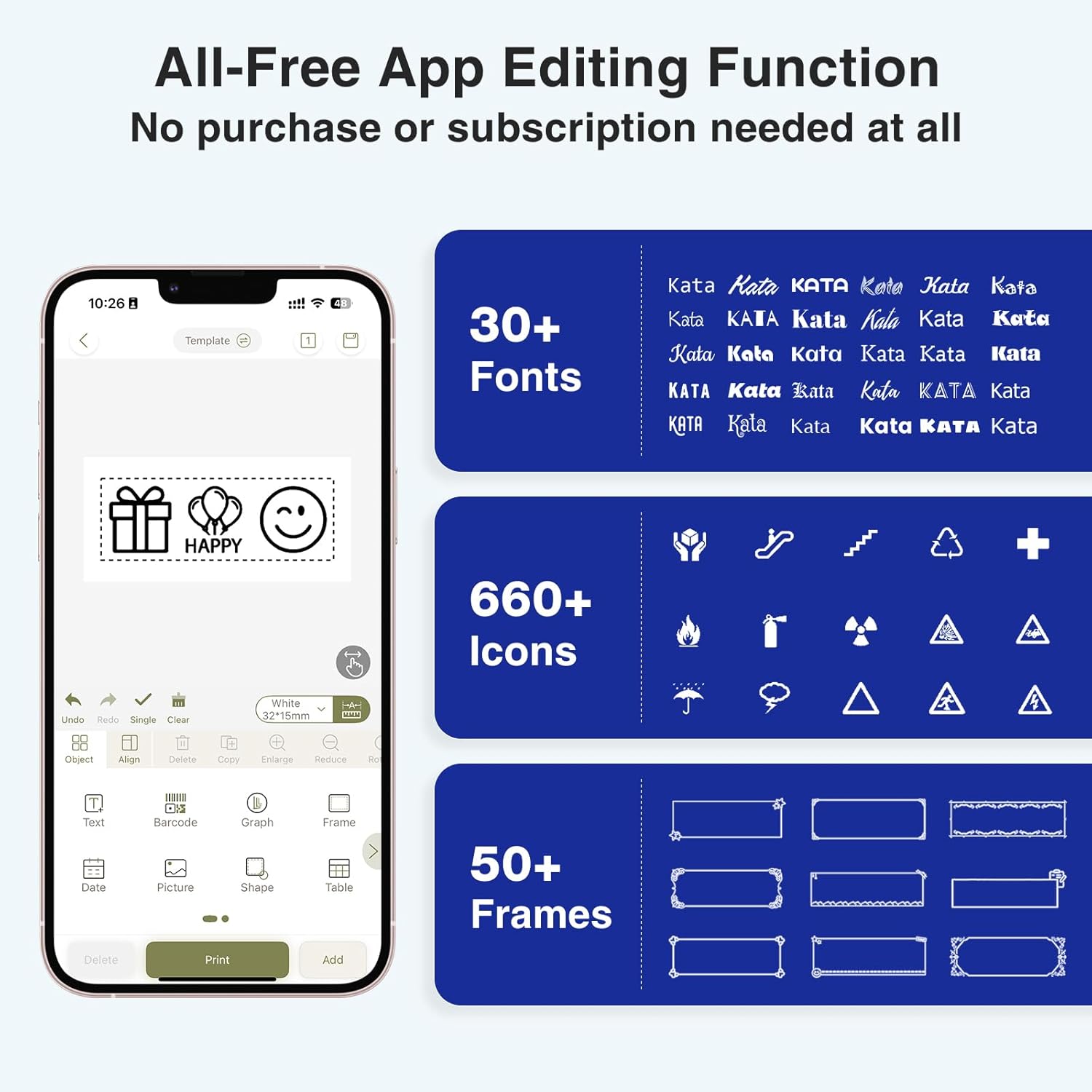
Image: A visual comparison highlighting the minimal 0.2-inch margin of SUPVAN labels versus the larger 1-inch margin of other label makers, demonstrating material efficiency.
4. Ampie applicazioni
The SUPVAN E11 is suitable for various organizational tasks in different environments:
- Casa: Organizing pantry items, storage bins, and personal belongings.
- Cucina: Labeling food containers, spices, and expiry dates.
- Ufficio: Categorizzazione files, folders, and office supplies.
- Scuola: Labeling school supplies, books, and projects.
- Garage/Officina: Organizing tools and parts.

Image: A collage showing various applications of labels created with the SUPVAN E11, including labeling bottles, file folders, and storage containers.
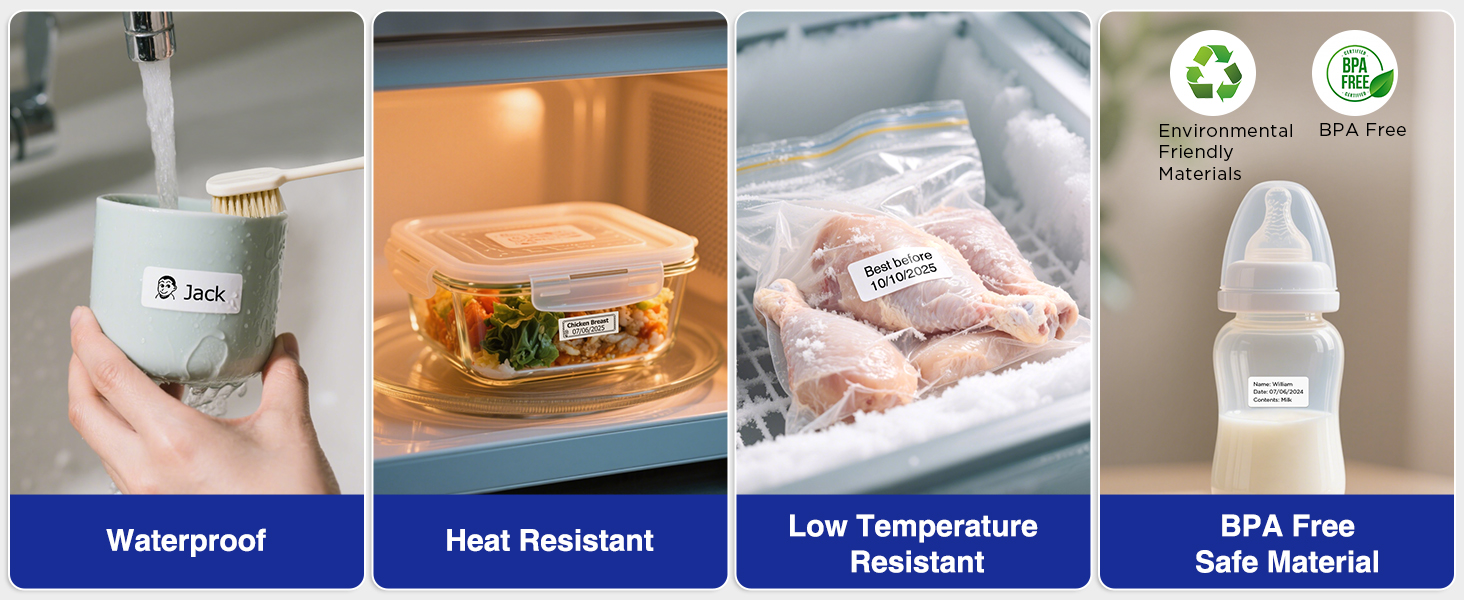
Image: A display illustrating the durability of SUPVAN laminated labels, highlighting their waterproof, heat-resistant, low-temperature resistant, and BPA-free characteristics.
Manutenzione
1. Pulizia della testina di stampa
Per garantire una qualità di stampa ottimale, pulire regolarmente la testina di stampa:
- Turn off the label maker and open the label compartment.
- Pulire delicatamente la testina di stampa con un panno morbido e privo di lanugine.amparricchito con alcol isopropilico.
- Lasciare asciugare completamente la testina di stampa prima di chiudere il vano e utilizzare il dispositivo.
2. Cura della batteria
Per prolungare la durata della batteria:
- Evitare di scaricare completamente la batteria frequentemente.
- Per preservare la salute della batteria, caricare regolarmente il dispositivo, anche quando non lo si utilizza.
- Conservare il dispositivo in un luogo fresco e asciutto quando non viene utilizzato per lunghi periodi.
Risoluzione dei problemi
| Problema | Possibile causa | Soluzione |
|---|---|---|
| Device does not turn on or turns off unexpectedly. | Low battery; device overload during long prints. | Ensure the device is fully charged. For long prints, try breaking the text into shorter segments. |
| Poor print quality (faint, streaky, or blank labels). | Print head is dirty; incorrect label tape installation; faulty label tape. | Clean the print head as described in the Maintenance section. Reinstall the label tape correctly. Try a new roll of label tape. |
| Problemi di connessione Bluetooth. | Bluetooth is off; device not paired; app issues. | Ensure Bluetooth is enabled on both devices. Re-pair the label maker through the app. Restart the app and the label maker. |
| Labels are not feeding correctly or jamming. | Improper tape installation; foreign object in the feed path. | Open the compartment and re-install the tape, ensuring it is aligned. Check for any obstructions and carefully remove them. |
Specifiche
| Caratteristica | Dettaglio |
|---|---|
| Marca | SUPVANO |
| Nome del modello | E11 |
| Tecnologia di connettività | Bluetooth |
| Tecnologia di stampa | Termico |
| Uscita della stampante | Monocromo |
| Velocità di stampa massima in bianco e nero | 40 millimetri/secondo |
| Risoluzione | 203 dpi |
| Peso dell'articolo | 0.5 libbre (circa 227 g) |
| Dimensioni del prodotto (P x L x A) | 5.8" x 3.1" x 1.5" (circa 14.7 cm x 7.9 cm x 3.8 cm) |
| Capacità della batteria | 1200 mAh |
| Interfaccia di ricarica | USB tipo C |
| Tipo di visualizzazione | LCD |
| Metodo di controllo | App, pulsante |
| Dimensione massima del supporto | 15 mm x 6 metri |
Informazioni sulla garanzia
The SUPVAN E11 Label Maker comes with a Garanzia del produttore di 2 annoLa presente garanzia copre i difetti di materiali e fabbricazione in condizioni di normale utilizzo. Si prega di conservare la prova d'acquisto per eventuali reclami in garanzia.
For detailed warranty terms and conditions, please refer to the official SUPVAN websito o contattare l'assistenza clienti.
Assistenza clienti
If you encounter any issues or have questions not covered in this manual, please contact SUPVAN customer support:
- Websito: Visit the official SUPVAN websito per FAQ e risorse di supporto.
- E-mail: Fare riferimento alla confezione del prodotto o al sito ufficiale websito per gli indirizzi email del servizio clienti.
Ask a question about this manual
Ask about setup, troubleshooting, compatibility, parts, safety, or missing instructions. Manuals+ will review the question and use this page’s manual context to help answer it.