
Introduzione
Welcome to the user manual for your new MageGee Captain87 Rapid Trigger Magnetic Switch Keyboard. This high-performance 75% wired mechanical gaming keyboard is designed for precision and speed, featuring adjustable actuation, a durable CNC aluminum frame, gasket-mounted structure, and vibrant RGB backlighting. This manual provides essential information for setup, operation, maintenance, and troubleshooting to ensure you get the most out of your keyboard.
Cosa c'è nella scatola
Upon unboxing your MageGee Captain87 keyboard, please ensure all the following items are present:
- Tastiera ad attivazione rapida
- Estrattore per tasti
- Cavo USB Type-C
- Manuale d'uso
- Guida per l'utente

Image: All components included in the MageGee Captain87 keyboard package.
Impostare
Connessione iniziale
To begin using your MageGee Captain87 keyboard, connect it to your computer using the provided USB-C cable. Plug the USB-C end into the keyboard's port and the USB-A end into an available USB port on your computer. The keyboard is plug-and-play for basic functionality.
Installazione del driver (solo Windows)
For full customization and advanced features, including RGB settings, key remapping, macros, and precise trigger range adjustments, you will need to install the MageGee proprietary driver. This driver is compatible only with Windows operating systems.
- Visit the official MageGee website to download the latest driver for the Captain87 keyboard.
- Seguire le istruzioni sullo schermo per completare l'installazione.
- Once installed, launch the driver software to access customization options.
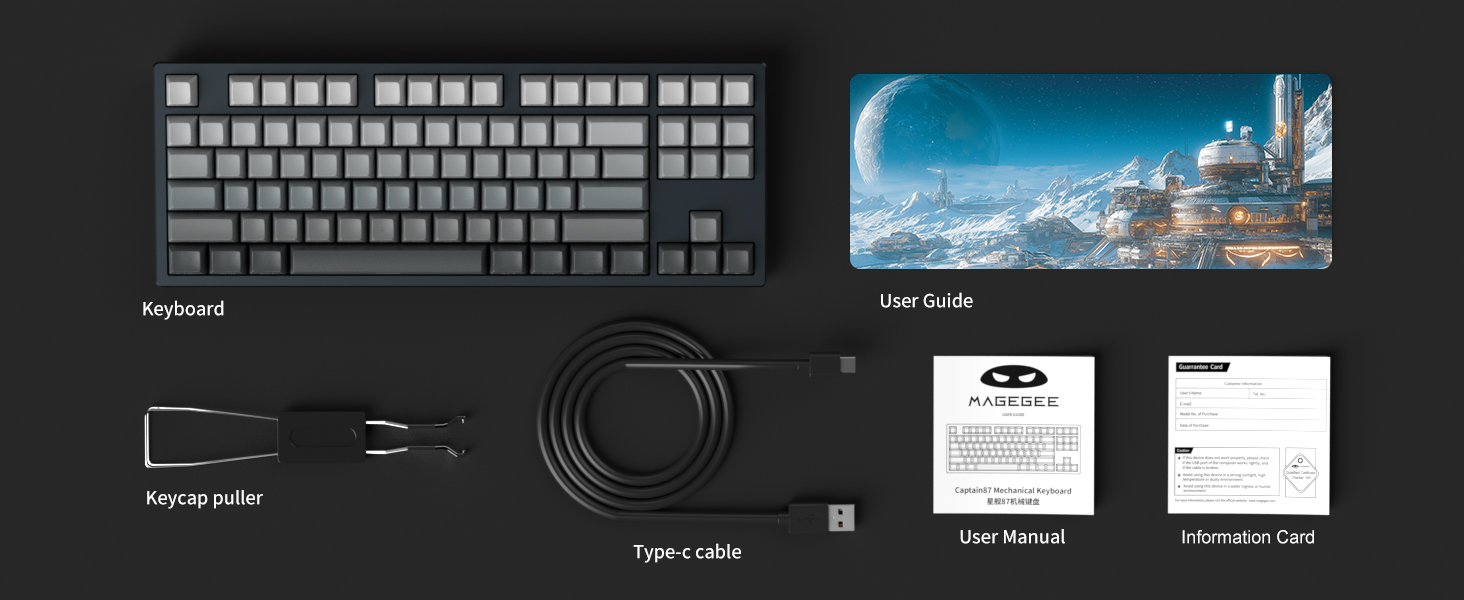
Image: The MageGee proprietary driver interface for customizing keyboard settings.
Istruzioni per l'uso
Grilletto rapido e azionamento regolabile
The Captain87 keyboard features ultra-low latency magnetic switches that utilize the Hall effect for triggering, providing fast and precise key commands. The rapid trigger function allows for quick key presses and lifts by adjusting the trigger point and travel, enabling repeated key presses without fully lifting the key. This is particularly beneficial for fast-paced games.
The trigger distance is adjustable from 0.1 mm to 4 mm, with an accuracy of up to 0.1 mm for individual keys. The keyboard also includes three preset key travel modes:
- Modalità Comfort: Suitable for general typing and relaxed use.
- Modalità sensibile: Offers a quicker response for balanced use.
- Modalità di gioco: Provides the fastest response for competitive gaming.
These modes can be switched directly on the keyboard for different scenarios. Refer to the included User Guide for specific key combinations to switch modes.

Image: Detailed diagram explaining the rapid trigger and adjustable actuation points of the magnetic switches.
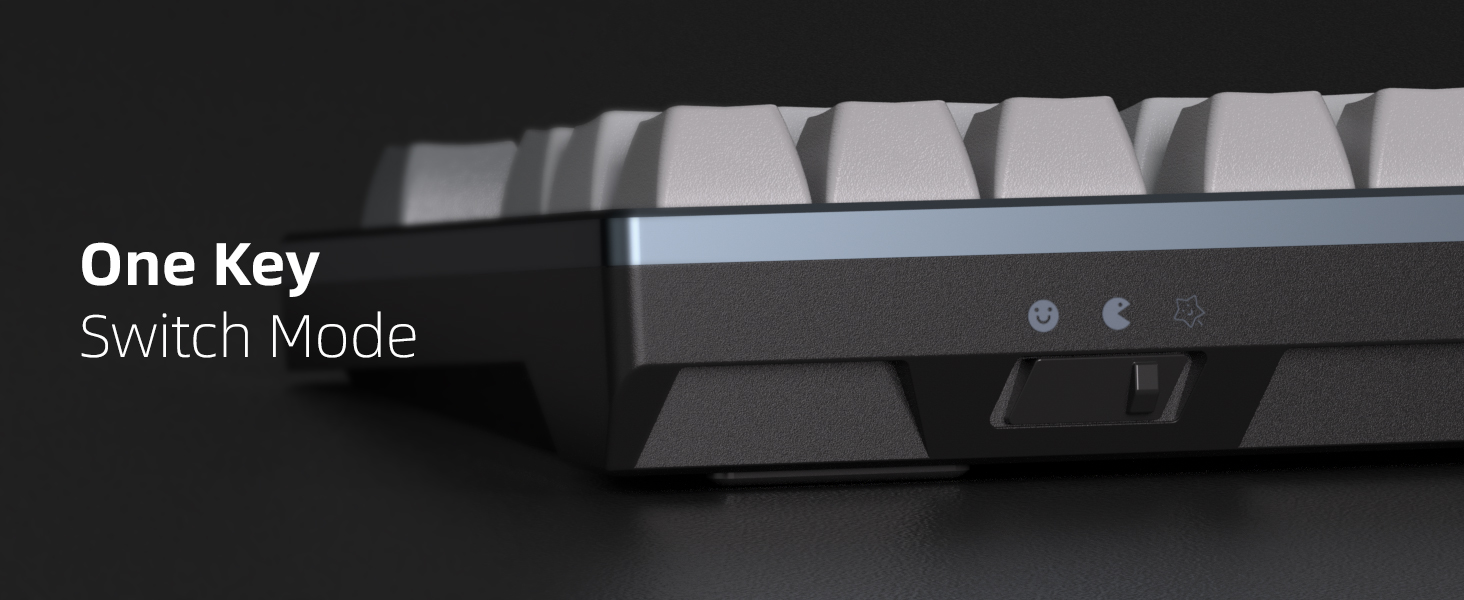
Image: Visual comparison of quick trigger technology versus standard mechanical switches.
Video: An official demonstration of the MageGee Captain87 Rapid Trigger Mechanical Keyboard, showcasing its features and responsiveness.
Retroilluminazione RGB
The Captain87 features south-facing RGB LEDs, providing bright and visible illumination. It offers a variety of pre-programmed backlight modes and color choices to personalize your setup. You can adjust the speed and brightness of the lights using specific function key combinations. Refer to the User Guide for a complete list of lighting controls.

Image: The MageGee Captain87 keyboard showcasing la sua retroilluminazione RGB personalizzabile.
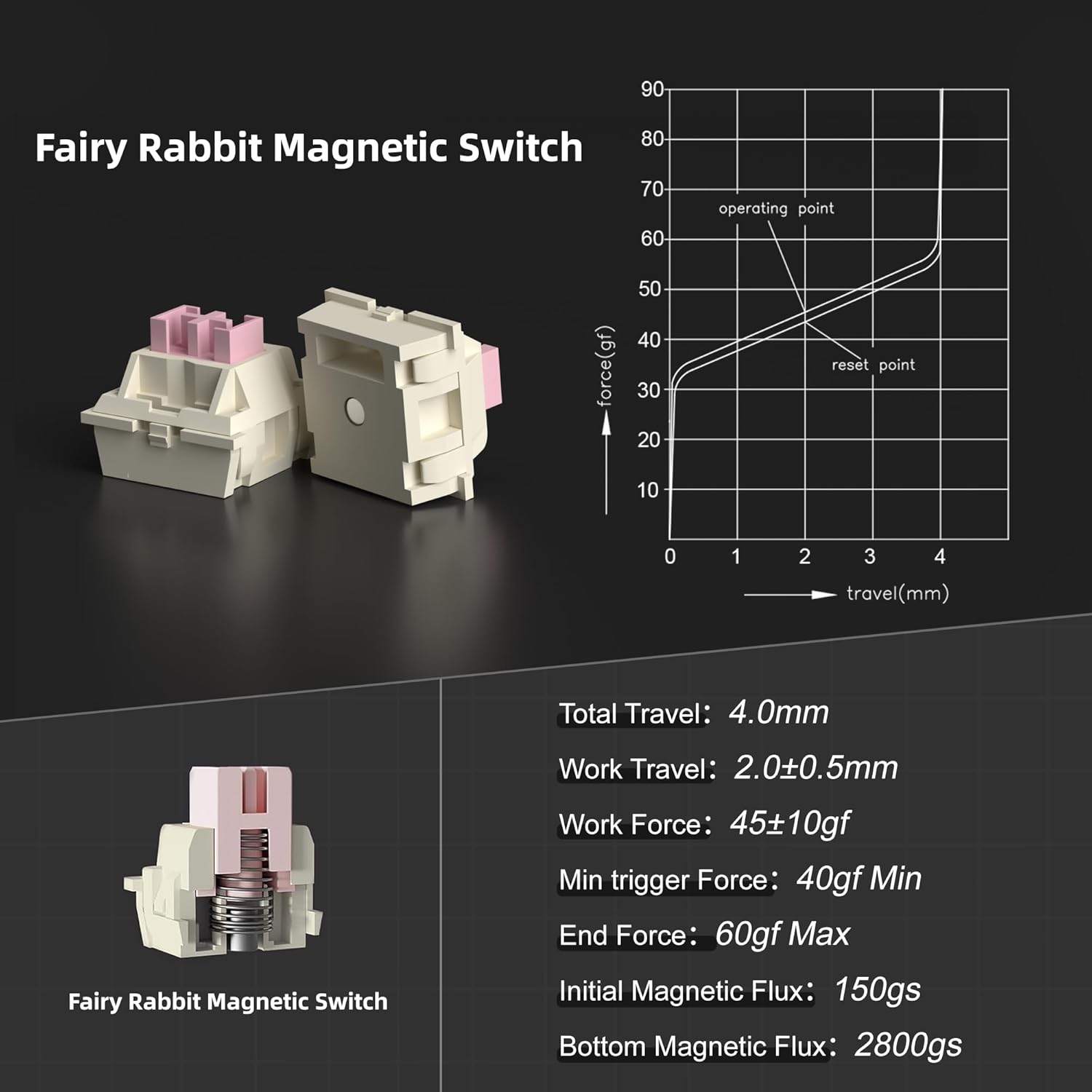
Image: A close-up of the side-printed PBT keycaps, demonstrating how the RGB light shines through the legends.
Interruttori sostituibili a caldo
This keyboard is designed with hot-swappable magnetic switches, allowing you to easily remove and replace individual switches without soldering. This feature enables personalization and simplifies maintenance. Please note that the Captain87 keyboard is only compatible with OUTEMU magnetic switches.
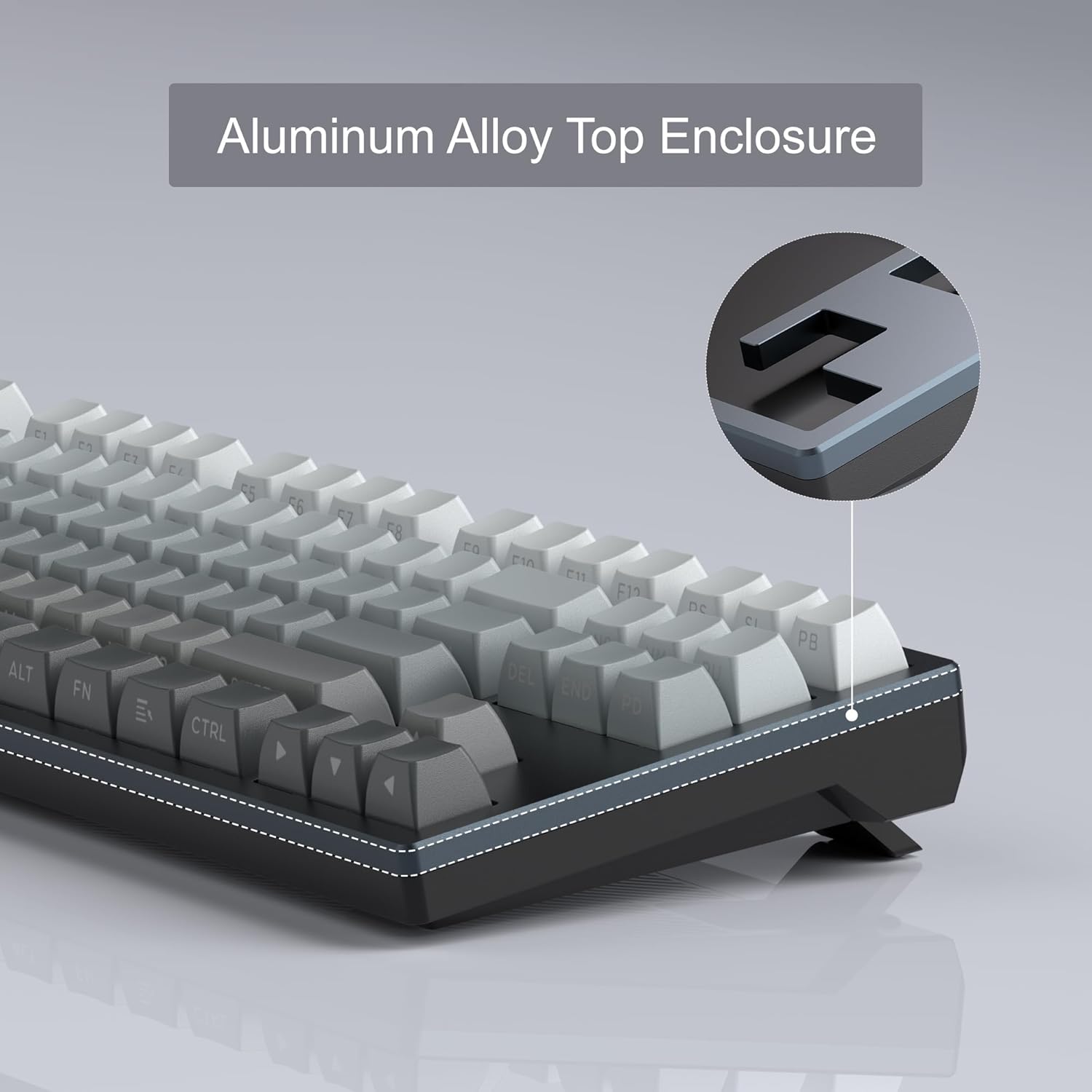
Image: The hot-swappable design of the MageGee Captain87, showing switches being removed.
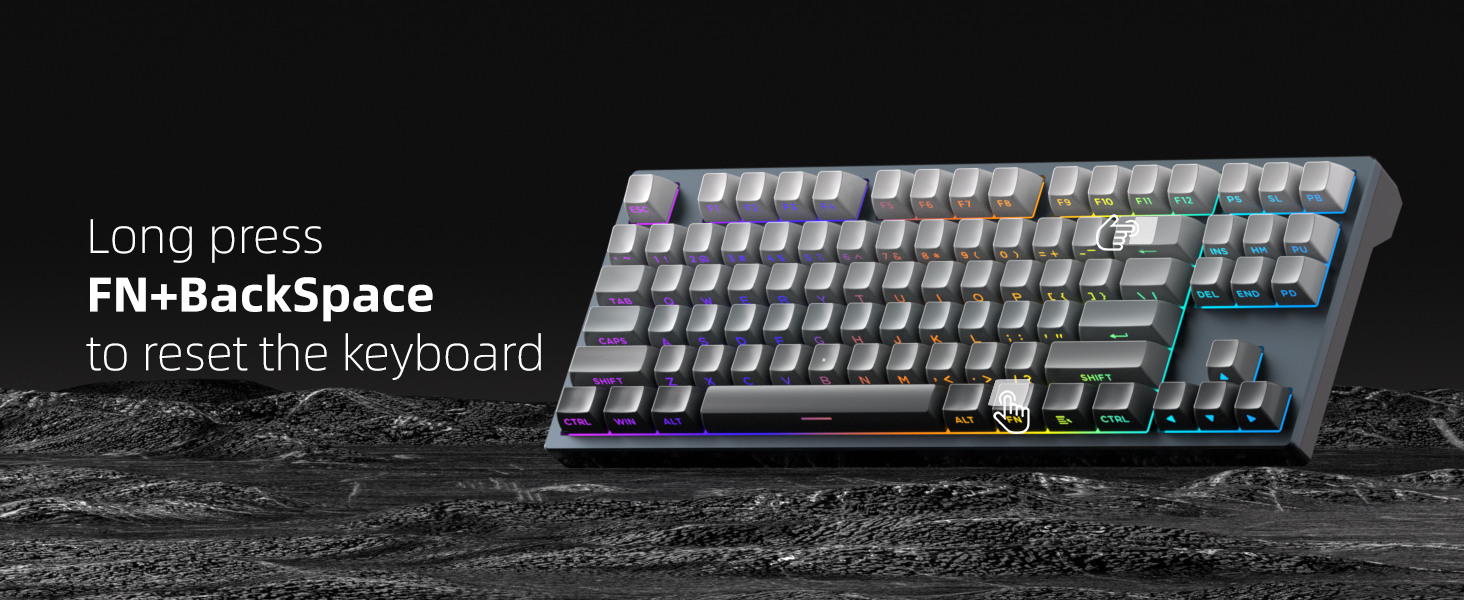
Image: Illustration of the hot-swappable capability, allowing for easy switch replacement.
Software programmabile
The MageGee proprietary driver (Windows only) provides extensive customization options for your Captain87 keyboard. Through the software, you can:
- Change RGB lighting settings and effects.
- Riassegnare i singoli tasti a funzioni diverse.
- Record and edit complex macros for gaming or productivity.
- Set the precise key trigger range for each switch.
To restore the keyboard to its default settings, click the 'Reset' button located at the bottom right corner of the driver interface.
Image: The comprehensive customization options available within the MageGee driver software.
Struttura montata su guarnizione
The Captain87 features a gasket-mounted structure, which incorporates gaskets around the positioning plate. These gaskets act as a cushioning layer, significantly reducing vibrations during typing. Additionally, three layers of sound-absorbing pads are integrated between the positioning plate, PCB, and bottom case to suppress hollow sounds. This design results in a soft, even, and elastic typing feel with a pure sound profile.

Immagine: Un esploso view demonstrating the internal components and gasket-mounted structure.
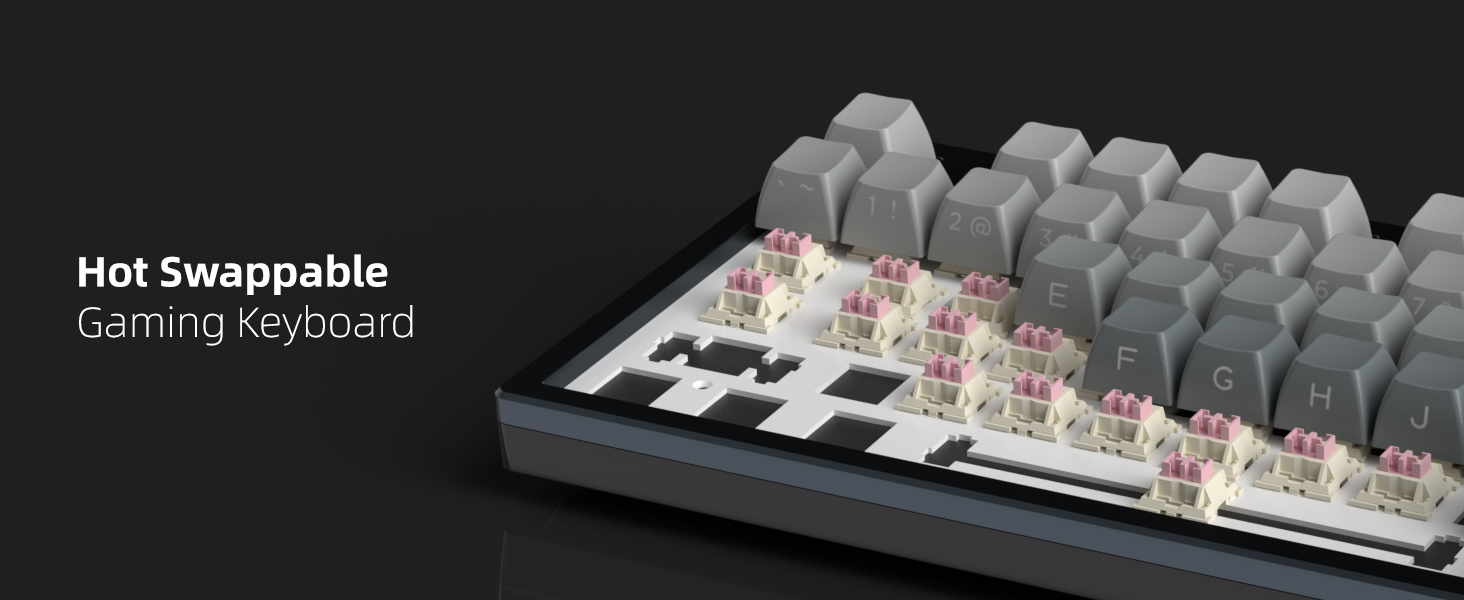
Image: A comprehensive diagram illustrating each layer of the gasket-mounted keyboard structure.
CNC Aluminum Case and PBT Keycaps
The Captain87 features a top cover crafted from CNC aluminum alloy, providing exceptional durability, corrosion resistance, and a premium metallic luster. This robust construction ensures a longer service life and stable performance. The keyboard is equipped with side-printed PBT keycaps, which are highly resistant to abrasion and oil, ensuring that the legends do not easily blur or fade even under high-frequency use. The side printing allows the RGB backlighting to shine through the letters effectively.
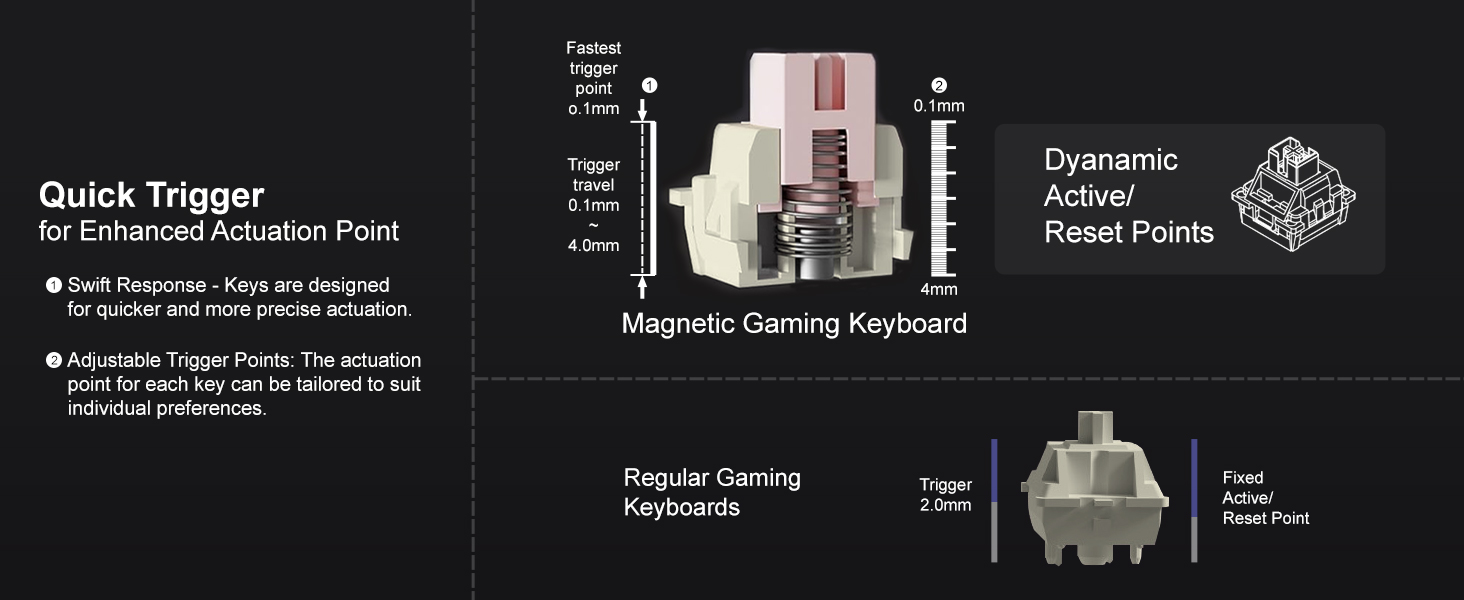
Immagine: Un dettaglio view of the CNC aluminum alloy top enclosure, emphasizing its quality and finish.
Manutenzione
Pulizia
Per mantenere le prestazioni e l'aspetto della tastiera, si consiglia di pulirla regolarmente:
- Pulizia generale: Utilizzare un panno morbido e privo di lanugine leggermente dampPulire i tasti e il telaio con acqua o una soluzione detergente delicata. Evitare l'eccessiva umidità.
- Rimozione della polvere: Utilizzare aria compressa per soffiare via polvere e detriti tra i tasti e gli interruttori.
- Pulizia dei tasti: For deeper cleaning, you can remove the keycaps using the provided keycap puller and wash them with mild soap and water. Ensure they are completely dry before reattaching.
Cambia cura
The magnetic switches are pre-lubricated at the factory for a smooth typing experience. Avoid applying additional lubricants unless you are experienced with switch modification, as improper lubrication can affect performance. If a switch feels inconsistent, it can be easily replaced due to the hot-swappable design.
Risoluzione dei problemi
If you encounter any issues with your MageGee Captain87 keyboard, please refer to the following common problems and solutions:
| Problema | Soluzione |
|---|---|
| La tastiera non risponde | Assicurati che il cavo USB-C sia collegato saldamente sia alla tastiera che al computer. Prova una porta USB o un cavo diverso. Riavvia il computer. |
| Illuminazione RGB non funzionante o errata | Check the lighting settings in the MageGee driver software. Use the function key combinations (refer to User Guide) to cycle through lighting modes and adjust brightness/speed. |
| Keys not registering correctly or double-typing | Adjust the actuation point for the affected keys using the driver software. Ensure the magnetic switches are properly seated. If a switch is faulty, replace it with a new OUTEMU magnetic switch. |
| Driver software not installing or recognizing keyboard | Ensure your operating system is Windows. Download the driver from the official MageGee website. Temporarily disable antivirus software during installation if necessary. |
Ripristino tastiera: If you experience persistent issues, you can perform a hardware reset of the keyboard by long-pressing the FN + BackSpace keys simultaneously. This will restore the keyboard to its factory default settings.
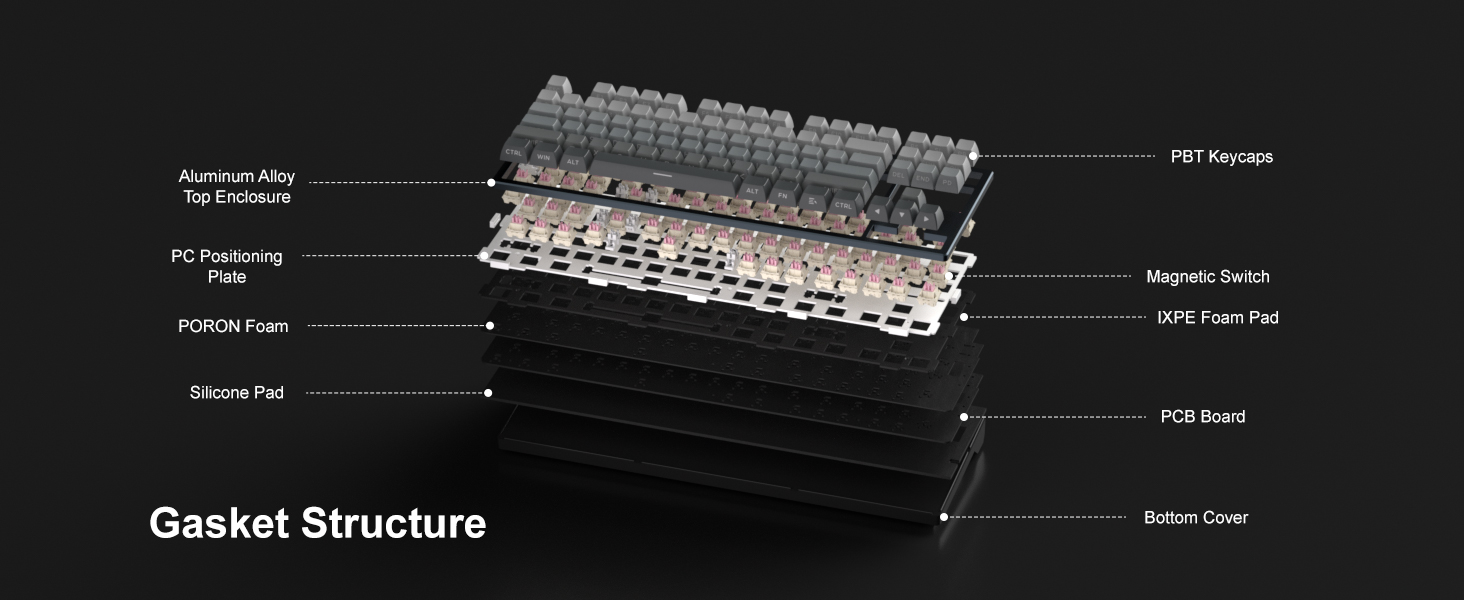
Image: Visual guide for performing a factory reset using the FN + BackSpace key combination.
Specifiche
Key technical specifications for the MageGee Captain87 Rapid Trigger Magnetic Switch Keyboard:
| Caratteristica | Dettaglio |
|---|---|
| Numero di modello | Cap87-EN-grey2 |
| Produttore | MageGee |
| Tecnologia di connettività | USB-C (cablato) |
| Descrizione della tastiera | Hall Effect Magnetic Switches, Rapid Trigger, Adjustable Actuation |
| Numero di chiavi | 87 (disposizione al 75%) |
| Retroilluminazione della tastiera | RGB (LED rivolti a sud) |
| Caratteristiche speciali | Gasket Mount, Backlit, Programmable Keys, Side Printed PBT Keycaps, Hot-Swappable |
| Usi consigliati | Personal, Programming, Gaming |
| Peso dell'articolo | 2.86 libbre |
| Dimensioni del pacco | 15.86 x 6.81 x 2.64 pollici |
| Stile | Contemporaneo |
Garanzia e supporto
Your MageGee Captain87 keyboard comes with a standard manufacturer's warranty. For detailed information regarding warranty terms, conditions, and duration, please refer to the warranty card included in your product packaging or visit the official MageGee websito.
For technical support, troubleshooting assistance beyond this manual, or general inquiries, please visit the Negozio MageGee su Amazon o i loro canali di supporto ufficiali.