
1. Introduzione
Thank you for choosing the Montech Titan PLA 850W ATX Gaming Power Supply. This manual provides essential information for the proper installation, operation, and maintenance of your power supply unit (PSU). Please read this manual thoroughly before installation and retain it for future reference.
2. Informazioni sulla sicurezza
ATTENZIONE: L'installazione o l'uso impropri possono causare danni all'apparecchiatura, scosse elettriche o lesioni gravi. Seguire sempre queste linee guida di sicurezza:
- Ensure the power supply is disconnected from the AC power outlet before installation, removal, or any maintenance.
- This product is designed for indoor use only. Do not expose it to moisture, high temperatures, or dusty environments.
- Non aprire l'alimentatore casing. Alto volumetagall'interno sono presenti delle sostanze nocive e l'apertura dell'unità invaliderà la garanzia.
- Use only the modular cables provided with this power supply. Using third-party cables may cause damage to the PSU or connected components.
- Ensure proper grounding for your computer system.
- In caso di dubbi su una qualsiasi fase dell'installazione, consultare un tecnico qualificato.
3. Contenuto della confezione
Verifica che tutti gli articoli siano presenti nel tuo pacco:
- Montech Titan PLA 850W Power Supply Unit
- Modular Cable Set (including ATX 24-pin, CPU 8-pin, PCIe 6+2-pin, SATA, Peripheral 4-pin)
- Cavo di alimentazione CA
- Viti di montaggio
- Fascette per cavi
- Manuale d'uso
4. Prodotto finitoview
The Montech Titan PLA 850W is a high-performance, fully modular power supply designed for gaming and high-end PC systems. It features 80 Plus Platinum and Cybenetics Platinum certifications for exceptional efficiency, ATX 3.1 and PCIe 5.1 readiness for next-generation components, and a silent 135mm Fluid Dynamic Bearing (FDB) fan with a Zero RPM mode.
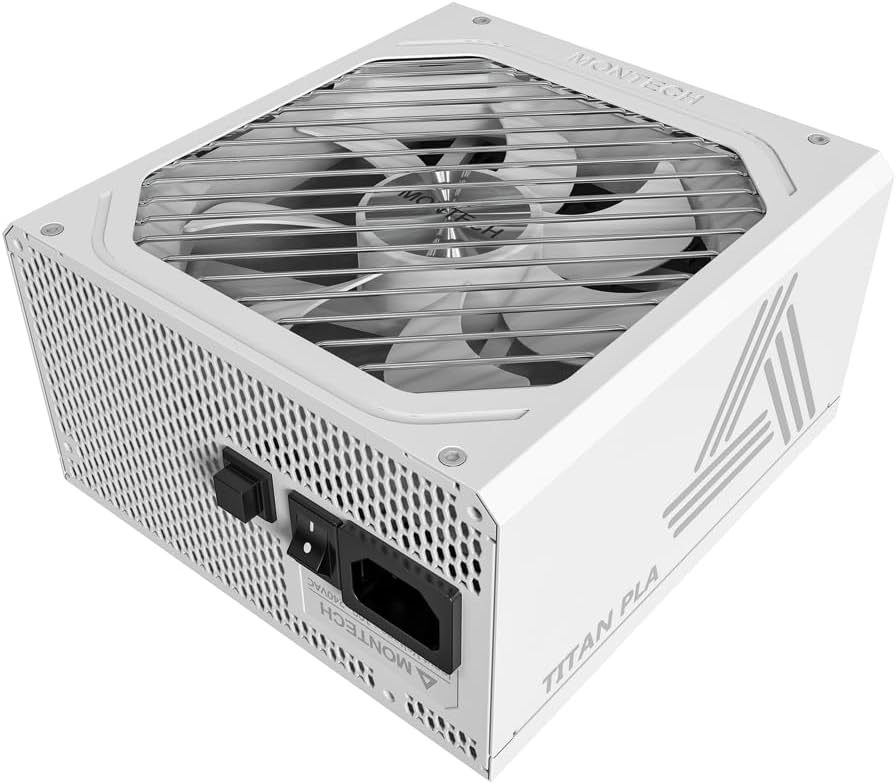
Immagine: Angolata view of the Montech Titan PLA 850W Power Supply, showcasing its white chassis and top fan grill.

Immagine: Oltreview of key features including 80 PLUS Platinum, Cybenetics A+ certification, ATX 3.1 & PCIe 5.1 readiness, silent performance, premium build, and ultimate protection.
4.1 Caratteristiche principali
- 80 PLUS Platinum & Cybenetics Platinum Certified: Achieves up to 90% efficiency, reducing heat and operating costs.
- Compatibile con ATX 3.1 e PCIe 5.1: Fully compliant with the latest power standards for modern GPUs, supporting 2x total power excursion and 3x GPU power excursion.
- Design completamente modulare: Allows for clean cable management and improved airflow within your PC case.
- 135mm FDB Silent Fan with Zero RPM Mode: Ensures quiet operation under low to moderate loads by stopping the fan.
- 100% Japanese 105°C Capacitors: Provides enhanced durability, stability, and reliability.
- Protezioni complete: Includes OVP, OPP, SCP, OCP, UVP, OTP for system safety.

Image: Diagram illustrating ATX 3.1 and PCIe 5.1 readiness, showing support for power and GPU excursions and hold time above 21ms.

Image: Logos for 80 PLUS Platinum and Cybenetics Platinum certifications, indicating high power efficiency.

Immagine: Primo piano view of internal Japanese 105°C capacitors, highlighting premium component quality.

Image: Cybenetics A+ certification logo alongside a view of the 135mm FDB fan, emphasizing silent operation.
5. Istruzioni per l'installazione
5.1 Lista di controllo pre-installazione
- Ensure your computer case is compatible with ATX power supplies.
- Gather all necessary tools: screwdriver, cable ties (included).
- Unpack the PSU and all modular cables.
5.2 Installazione fisica
- Spegnere il computer e scollegare il cavo di alimentazione CA dalla presa a muro.
- Apri il case del computer.
- Carefully place the Montech Titan PLA 850W PSU into the designated PSU bay in your computer case. Ensure the fan is facing the correct direction (typically facing down if your case has a bottom vent, or up if it draws air from inside the case).
- Fissare l'alimentatore al case utilizzando le viti di montaggio fornite.
5.3 Collegamenti dei cavi
The Montech Titan PLA 850W is a fully modular power supply, allowing you to connect only the cables you need. Refer to the diagram below for connector types and locations.

Immagine: Posteriore view of the Montech Titan PLA power supply showing the fully modular cable connection ports, labeled for M/B, CPU/PCI-E, Peripheral-IDE/SATA/Molex, and 12V-2x6.
- Motherboard (M/B) Power: Connect the 24-pin ATX cable to the PSU and then to your motherboard's 24-pin connector.
- Potenza CPU: Connect the 8-pin (4+4-pin) CPU cable(s) to the PSU and then to your motherboard's CPU power connector(s).
- Alimentazione PCIe: Connect the 6+2-pin PCIe cable(s) to the PSU and then to your graphics card(s). Use separate cables for each high-power GPU connector if possible.
- Alimentazione SATA: Connect SATA power cables to the PSU and then to your SSDs, HDDs, or optical drives.
- Peripheral (Molex) Power: Connect peripheral cables to the PSU and then to any components requiring Molex connectors.
- Once all necessary cables are connected, use cable ties to manage them neatly for better airflow and aesthetics.
5.4 Accensione iniziale
- Assicurarsi che tutti i collegamenti siano sicuri.
- Chiudi il case del computer.
- Connect the AC power cord to the PSU's input socket and then to a wall outlet.
- Flip the power switch on the back of the PSU to the 'ON' (I) position.
- Accendi il computer.

Image: Rear panel of the Montech Titan PLA 850W Power Supply, showing the AC input, power switch, and input voltage label (100~240VAC).
6. Istruzioni per l'uso
6.1 Accensione/Spegnimento
To power on your system, ensure the PSU switch is in the 'ON' position and press your computer's power button. To power off, shut down your operating system normally. For complete power disconnection, flip the PSU switch to the 'OFF' (O) position and unplug the AC cord.
6.2 Modalità Zero RPM
The Montech Titan PLA 850W features a Zero RPM mode. In this mode, the PSU fan will remain off under low to moderate loads to provide silent operation. The fan will automatically activate when the load increases to maintain optimal temperatures. This is normal operation and not an indication of a fault.
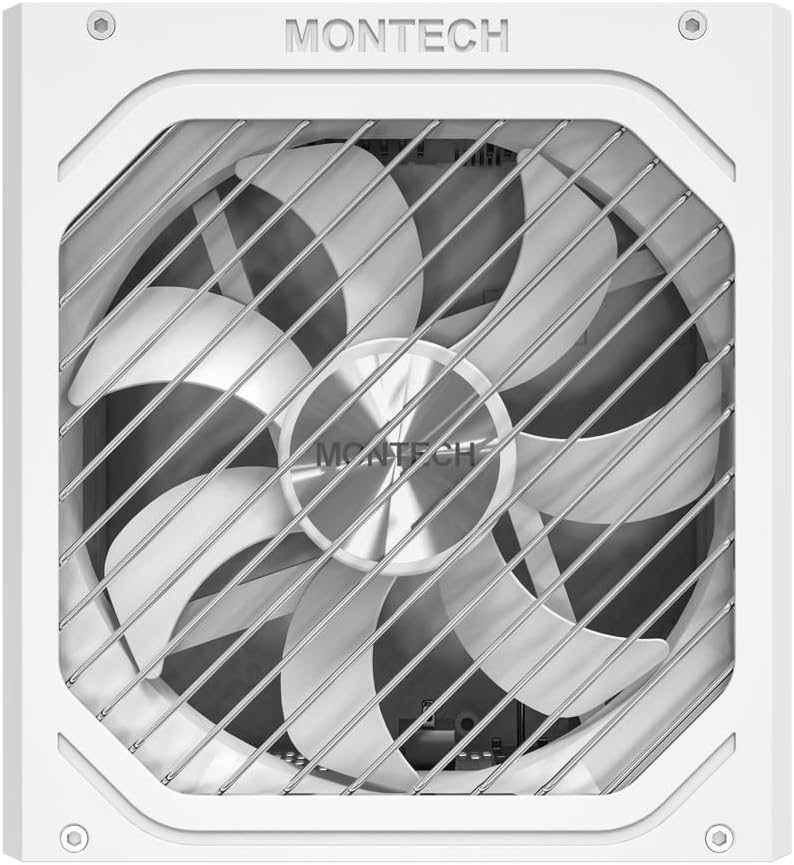
Immagine: dall'alto verso il basso view of the Montech Titan PLA 850W Power Supply fan, visible through the protective grill.
7. Manutenzione
To ensure the longevity and optimal performance of your Montech Titan PLA 850W PSU, follow these maintenance guidelines:
- Rimozione della polvere: Periodically clean the exterior of the PSU and the fan grill to prevent dust buildup. Use compressed air to gently clear dust from the fan blades and internal components. Always disconnect the AC power before cleaning.
- Condizioni ambientali: Operate the PSU in a well-ventilated area, away from direct sunlight, heat sources, and excessive humidity.
- Ispezione dei cavi: Controllare di tanto in tanto tutti i collegamenti dei cavi modulari per assicurarsi che siano saldi e privi di danni.
8. Risoluzione Dei Problemi
If you encounter issues with your Montech Titan PLA 850W PSU, refer to the following common problems and solutions:
| Problema | Possibile causa | Soluzione |
|---|---|---|
| Il sistema non si accende. | AC power cord disconnected. L'interruttore dell'alimentatore è su OFF. Collegamenti dei cavi allentati. Componente difettoso. | Assicurarsi che il cavo CA sia collegato saldamente. Flip PSU switch to 'ON' (I). Check all modular cable connections. Test PSU with a PSU tester (if available) or try minimal components. |
| System powers on but is unstable/shuts down. | Sovraccarico. Surriscaldamento. Componente difettoso. | Assicurare l'acqua totale del sistematage non supera i 850W. Check for proper case ventilation and dust buildup. Verificare che tutti i componenti siano installati correttamente. |
| La ventola dell'alimentatore non gira. | Zero RPM mode active. Ostruzione del ventilatore. Ventola difettosa. | This is normal under low loads. The fan will spin up when needed. Check for any obstructions. Clean dust if necessary. If fan never spins under load, contact support. |
If the problem persists after attempting these solutions, please contact Montech customer support for further assistance.
9. Specifiche
Detailed specifications for the Montech Titan PLA 850W Power Supply:
| Caratteristica | Specificazione |
|---|---|
| Nome del modello | TITAN PLA 850W |
| Cosatage | 850 Watt |
| Certificazione di efficienza | 80 PLUS Platinum, Cybenetics Platinum |
| Fattore di forma | ATX |
| Dimensioni (L x P x A) | 6.3 x 5.91 x 3.39 pollici (160 x 150 x 86 mm) |
| Tipo di ventola | 135mm Fluid Dynamic Bearing (FDB) |
| Condensatori | 100% Japanese 105°C |
| Modular | Completamente modulare |
| Standard ATX | Modello ATX 3.1 |
| Standard PCIe | PCIe 5.1 |
| Protezioni | OVP, OPP, SCP, OCP, UVP, OTP |
| Ingresso volumetage | 100-240 V CA |
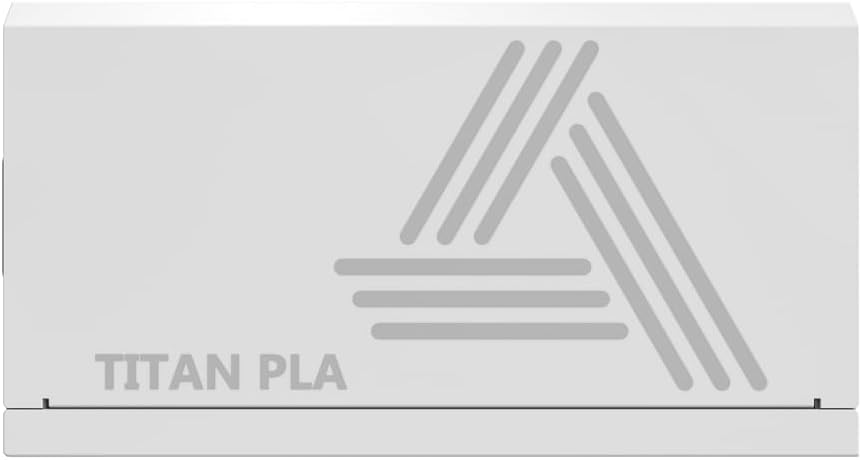
Image: Rating label of a Montech Titan PLA power supply (750W variant shown), detailing AC input and DC output specifications.
10. Garanzia e supporto
The Montech Titan PLA 850W Power Supply is backed by a Garanzia del produttore di 10 anni, covering defects in materials and workmanship under normal use. For warranty claims or technical support, please visit the official Montech webo contattare il servizio clienti. Conservare la prova d'acquisto per la convalida della garanzia.
For the most up-to-date support information, please refer to the official Montech support channels.