
LIGE BW1829 PRO
Manuale utente dello smartwatch AMOLED LIGE da 1.43''
Model: BW1829 PRO
Introduzione
Thank you for choosing the LIGE BW1829 PRO Smartwatch. This device is designed to enhance your daily life with its advanced features, including a vibrant 1.43-inch AMOLED display, Bluetooth calling capabilities, comprehensive health monitoring, and support for over 100 sports modes. Its IP68 waterproof rating ensures durability for various activities. This manual provides essential information for setup, operation, maintenance, and troubleshooting to ensure optimal performance of your smartwatch.
Guida all'installazione
1. Contenuto della confezione
- LIGE BW1829 PRO Smartwatch
- Cavo di ricarica magnetico
- Leather Strap (pre-installed or included)
- Stainless Steel Strap (included)
- Manuale d'uso
2. Ricarica dello smartwatch
Before first use, fully charge your smartwatch. Connect the magnetic charging cable to the charging points on the back of the watch and plug the USB end into a 5V/1A power adapter or a computer USB port. A full charge typically takes 2-3 hours.

3. Installazione e associazione dell'app
- Scarica l'App: Scan the QR code provided in the manual or on the watch screen (if available) to download the companion app (e.g., GloryFit, or similar as specified by the manufacturer) from your smartphone's app store (Google Play Store for Android, Apple App Store for iOS).
- Abilita Bluetooth: Assicurati che il Bluetooth sia abilitato sul tuo smartphone.
- Apri l'app: Avvia l'app e segui le istruzioni sullo schermo per creare un account o effettuare l'accesso.
- Aggiungi dispositivo: In the app, navigate to the 'Device' or 'Add Device' section. The app will search for available smartwatches. Select 'BW1829 PRO' or the corresponding device name when it appears.
- Conferma associazione: A pairing request may appear on both your phone and the smartwatch. Confirm the pairing on both devices. For Bluetooth call functionality, an additional pairing for 'BW1829 PRO_CALL' or similar may be required in your phone's Bluetooth settings.
- Concedi permessi: Concedi le autorizzazioni necessarie (ad esempio notifiche, posizione, contatti) affinché l'app funzioni correttamente.
Istruzioni per l'uso
1. Navigazione di base
- Schermo tattile: Scorri verso sinistra/destra, su/giù per navigare tra i menu e le funzioni. Tocca per selezionare.
- Pulsanti laterali: The physical buttons on the side typically serve as power on/off, back, or quick access to specific functions. Refer to the on-screen prompts for specific button actions.

2. Chiamate Bluetooth
The smartwatch features a built-in microphone and high-fidelity speaker, allowing you to make and receive calls directly from your wrist after successful Bluetooth pairing.
- Effettuare le chiamate: Accedi al tastierino numerico o all'elenco dei contatti sull'orologio per avviare una chiamata.
- Ricevere chiamate: Quando ricevi una chiamata, puoi rispondere o rifiutarla direttamente dallo schermo dell'orologio.

3. Monitoraggio della salute
The smartwatch provides 24/7 monitoring of various health metrics.
- Frequenza cardiaca: Monitora costantemente la frequenza cardiaca.
- Ossigeno nel sangue (SpO2): Misura i livelli di saturazione dell'ossigeno nel sangue.
- Pressione sanguigna: Fornisce stime della pressione sanguigna.
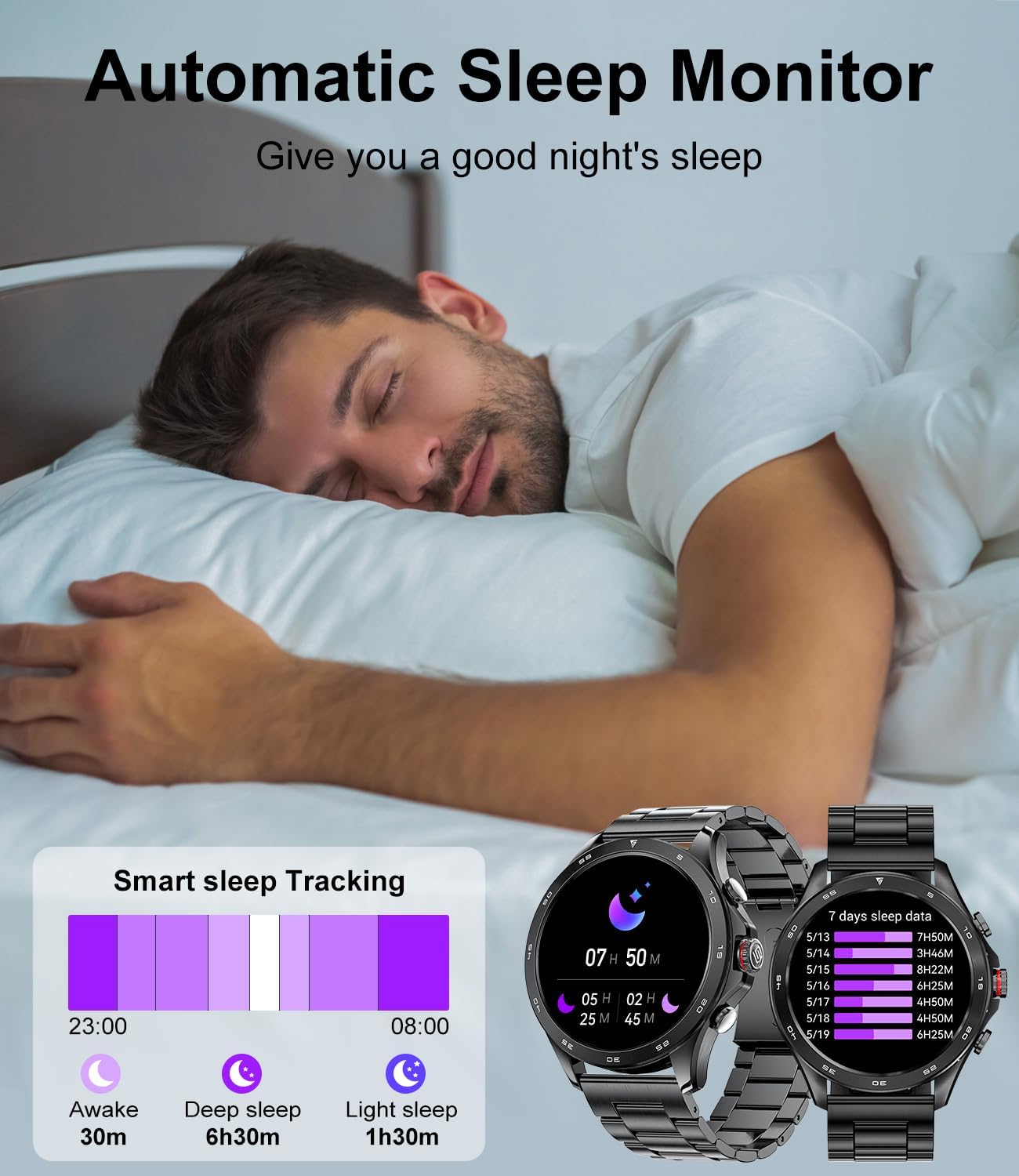
- Monitoraggio del sonno: Automatically monitors your sleep patterns, including awake time, deep sleep, and light sleep, to help improve sleep quality.

4. Modalità sportive
The smartwatch supports over 100 sports modes to accurately track your workouts, including walking, running, cycling, skipping rope, badminton, basketball, football, and swimming.
- Tracciamento: Select your desired sport mode from the watch menu to start tracking calories burned, steps taken, distance, and workout duration.
- Analisi dei dati: View detailed analysis of your workouts in the companion app.

5. Notifiche intelligenti
Receive notifications for messages from various applications (e.g., WhatsApp, Twitter, Instagram, Facebook Messenger) directly on your smartwatch, ensuring you don't miss important updates.
6. Altre caratteristiche
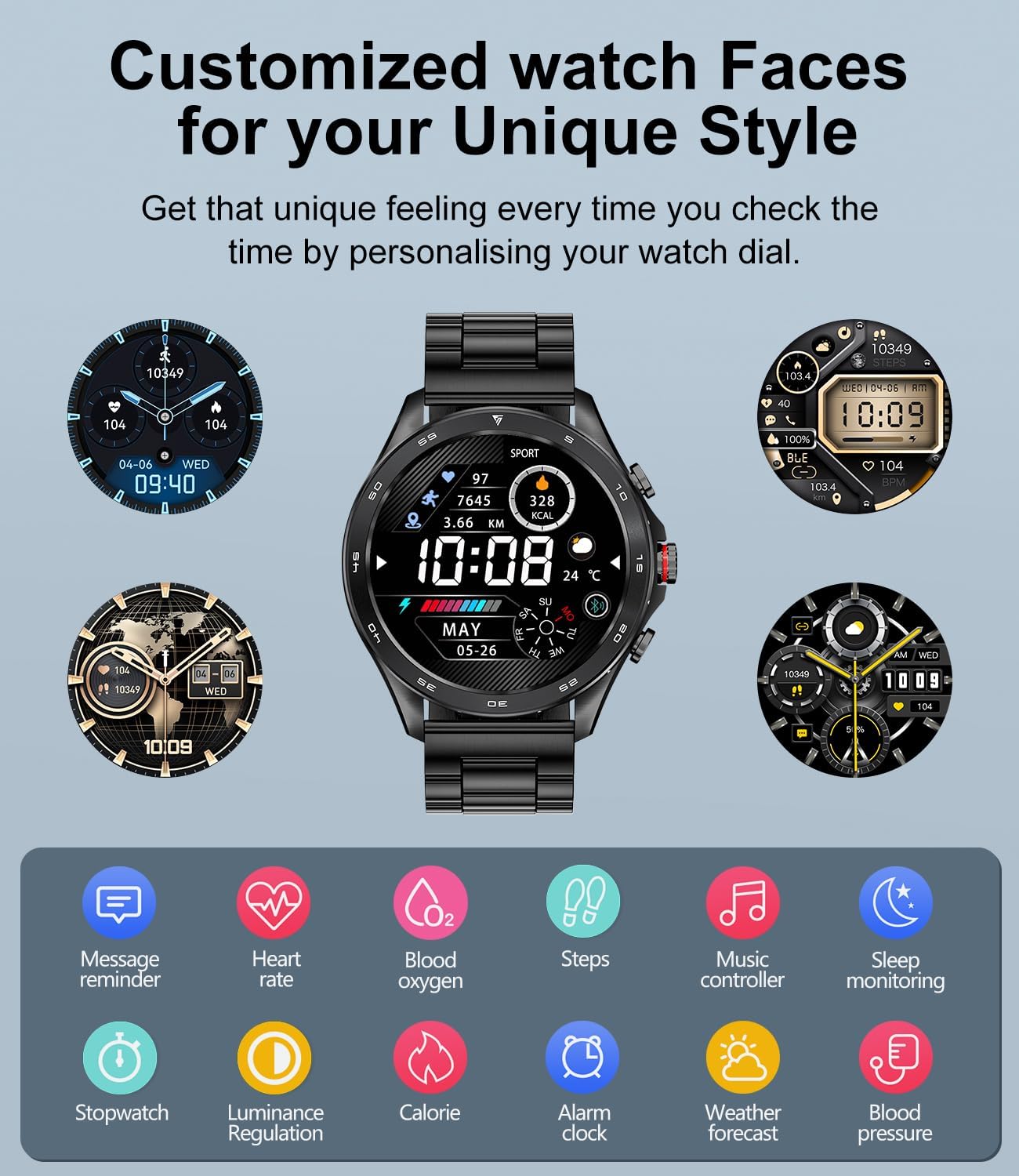
- Controllo della musica: Controlla la riproduzione musicale sul tuo smartphone (riproduci, metti in pausa, salta le tracce).
- Telecamera remota: Utilizza l'orologio come otturatore remoto per la fotocamera del tuo telefono.
- Assistente vocale: Integrated voice assistant for quick commands.
- Previsioni del tempo: Ricevi aggiornamenti meteo in tempo reale.
- Sveglia e cronometro: Imposta sveglie e utilizza le funzioni cronometro/timer.
- Trova telefono/orologio: Individua il telefono o l'orologio associato.
- Sedentary Reminder & Water Reminder: Prompts to move and hydrate.
7. Personalizzazione del quadrante dell'orologio
Personalize your smartwatch with a variety of pre-installed watch faces or create your own using the companion app.
Manutenzione
- Pulizia: Pulire regolarmente lo schermo e i cinturini dell'orologio con un panno morbido e asciutto. Per lo sporco ostinato, utilizzare un panno leggermenteamp panno e asciugarlo accuratamente.
- Resistenza all'acqua: The smartwatch is IP68 waterproof, meaning it can withstand immersion in water up to 1.5 meters for 30 minutes. It is suitable for swimming and daily use but avoid hot water, saunas, or diving. Do not press buttons underwater.
- Evitare i prodotti chimici: Non utilizzare prodotti chimici aggressivi, solventi o detergenti aggressivi per pulire l'orologio, poiché potrebbero danneggiare la finitura o i componenti interni.
- Magazzinaggio: Quando non lo si utilizza, conservare l'orologio in un luogo fresco e asciutto.
Risoluzione dei problemi
| Problema | Possibile soluzione |
|---|---|
| L'orologio non si accende | Assicurati che l'orologio sia completamente carico. Tieni premuto il pulsante di accensione per alcuni secondi. |
| Impossibile associare il telefono | Ensure Bluetooth is enabled on both devices. Make sure the watch is within range. Restart both the watch and phone. Check if the app has necessary permissions. |
| Dati sanitari imprecisi | Ensure the watch is worn snugly on your wrist, not too tight or too loose. Clean the sensor on the back of the watch. Avoid excessive movement during measurements. Note that this device is not a medical device. |
| Notifiche non ricevute | Check app notification settings on your phone and in the smartwatch app. Ensure the app is running in the background. Disable battery optimization for the app if applicable. |
| La chiamata Bluetooth non funziona | Ensure both 'BW1829 PRO' and 'BW1829 PRO_CALL' (or similar) are paired in your phone's Bluetooth settings. Check volume levels on both devices. |
Specifiche
| Caratteristica | Dettaglio |
|---|---|
| Marca | LIGE |
| Numero di modello | ea3720f8-5ffb-4e6b-a5b3-f2dda3939c9c (BW1829 PRO) |
| Display | 1.43-inch AMOLED, 466*466 Resolution, Always On Display (AOD) |
| Connettività | Bluetooth 5.0 |
| Capacità della batteria | 400 mAh ai polimeri di litio |
| Durata della batteria | 7-15 days (normal use), up to 30 days (standby) |
| Tempo di ricarica | 2-3 ore |
| Memoria | 256 MB |
| Resistenza all'acqua | Grado di protezione IP68 |
| Compatibilità | Android 5.0+, iOS 9.0+ (iOS 13+ for one-click call connection), HarmonyOS 2.0 |
| Monitoraggio della salute | Heart Rate, Blood Oxygen (SpO2), Blood Pressure, Sleep Tracking, Breath Training |
| Modalità Sportive | 100+ modes (e.g., Walking, Running, Cycling, Swimming) |
| Altre caratteristiche | Bluetooth Calls, Voice Assistant, Notifications, Music Control, Camera Remote, Weather, Alarm, Stopwatch, Timer, Find Phone/Watch, Sedentary/Water Reminders |

Garanzia e supporto
Your LIGE BW1829 PRO Smartwatch comes with a Garanzia di 24 mesi, which covers replacement, return, or repair for any manufacturing defects or issues encountered during normal use.
If you experience any problems or have questions regarding your smartwatch, please contact our customer support team. We are committed to providing prompt and satisfactory solutions within 24 hours.
Informazioni sui contatti: Please refer to the contact details provided on the product packaging or the official LIGE websito per il servizio clienti.
Ask a question about this manual
Ask about setup, troubleshooting, compatibility, parts, safety, or missing instructions. Manuals+ will review the question and use this page’s manual context to help answer it.